1. Introduction
Thank you for choosing the Tenveo VLoop PTZ Camera VL11H. This camera is designed to provide high-quality video for various applications, including video conferencing, live streaming, and educational settings. Featuring 11x optical zoom, Full HD 1080P resolution at 60 frames per second, and versatile connectivity options, the VL11H ensures clear and dynamic visual communication. This manual provides essential information for setting up, operating, maintaining, and troubleshooting your camera.
2. Contenu du colis
Veuillez vérifier que tous les éléments énumérés ci-dessous sont inclus dans votre colis :
- Tenveo VLoop PTZ Camera (11x Optical Zoom)
- Câble USB
- Télécommande IR
- Support mural
- Adaptateur secteur DC12V
- Manuel d'instructions

3. Produit terminéview
The Tenveo VLoop PTZ Camera VL11H is equipped with advanced features for superior video quality and flexible control.
3.1 Principales caractéristiques
- 1080P 60FPS Video: Delivers crisp, clear Full HD video at 60 frames per second for smooth motion.
- Zoom optique 11x : Allows for detailed close-ups of subjects from a distance without loss of quality.
- 1/2.8-inch CMOS Sensor: High-quality sensor with 2.38 megapixels for excellent image capture.
- Smooth Pan/Tilt Movement: Horizontal rotation of ±175° and vertical rotation of ±90° for comprehensive room coverage.
- Large champ de View: Captures a broad area, ensuring all participants are visible.
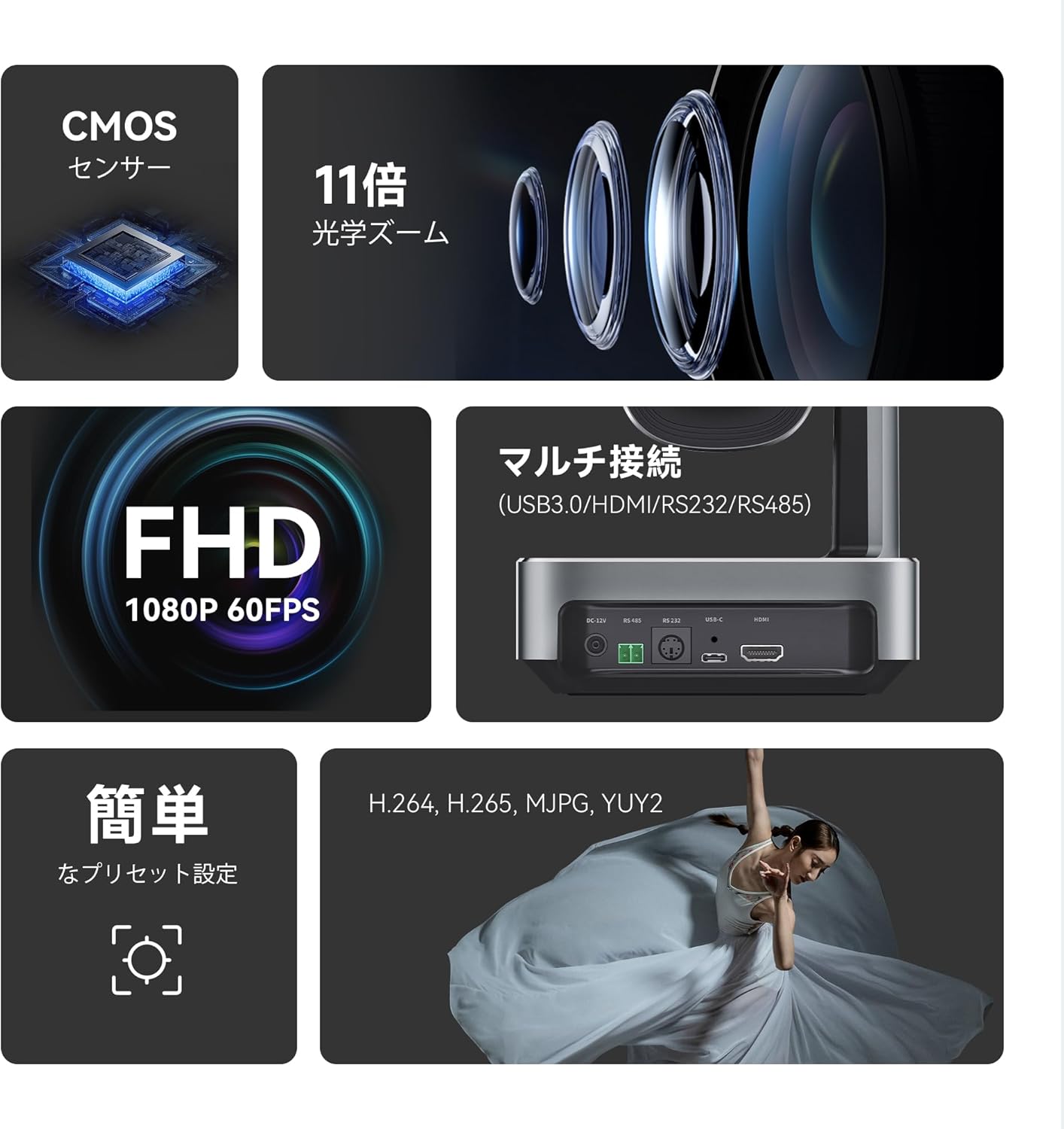
3.2 Ports et connexions
The camera offers multiple interfaces for flexible integration into your existing setup:
- CC-12V : Entrée de puissance.
- RS485 et RS232 : Control ports for advanced PTZ control via serial communication.
- USB-C : Video output for direct connection to computers.
- HDMI: Sortie vidéo haute définition.

4. Installation
Follow these steps to set up your Tenveo VLoop PTZ Camera:
- Montage: Choose an appropriate installation method (desktop, monitor, tripod, wall, or ceiling). Use the provided wall mount stand and screws if mounting to a wall or ceiling. Ensure the camera is securely positioned.
- Connexion électrique : Connect the DC12V power adapter to the camera's DC-12V port and plug it into a power outlet.
- Sortie vidéo : Connect the camera to your display or capture device using either the USB-C cable (for direct computer connection) or an HDMI cable.
- Connexion de commande (facultative) : For advanced control, connect an RS232 or RS485 cable to a compatible control device (e.g., serial joystick).

5. Mode d'emploi
Control your camera's movements and settings using the IR remote control or serial communication.
5.1 Contrôle PTZ
Use the directional buttons on the IR remote control to pan (horizontal), tilt (vertical), and zoom the camera. The camera supports ±175° pan and ±90° tilt rotation.
Presets 5.2
The camera supports up to 10 presets via the IR remote control and up to 255 presets via RS232/RS485. Presets allow you to quickly recall specific camera positions and zoom levels.
- Définition d'un préréglage : Position the camera to your desired view, then press the 'PRESET' button followed by a number (1-10) on the remote.
- Rappel d'un préréglage : Press the desired number (1-10) on the remote.

5.3 Menu OSD
Access the On-Screen Display (OSD) menu to adjust various camera settings:
- Exposition: Auto/Manual exposure, backlight compensation.
- Couleur: Brightness, contrast, hue, saturation, sharpness, white balance mode.
- Image: Digital noise reduction (2D & 3D NR).
- P/T/Z : Pan/Tilt/Zoom settings.
- Communication: Protocol, baud rate, RC address.
- Information: Camera firmware and version details.
- Restaurer par défaut: Réinitialisez tous les paramètres aux valeurs d'usine par défaut.
- Langue: Sélectionnez la langue du menu.

6. Connectivité
The VL11H camera offers flexible video output options:
- USB3.0 : Connect directly to a computer for video capture. Recommended effective distance is up to 15m (49.21ft).
- HDMI: Connect to displays, video switchers, or capture cards. Recommended effective distance is up to 30m (98.42ft).
- Sortie simultanée : The camera can output video up to 1080p@60fps via both USB3.0 and HDMI simultaneously.
7. Compatibilité
The Tenveo VLoop PTZ Camera VL11H is designed for broad compatibility with popular video conferencing software and operating systems:
- Logiciel: Compatible with Zoom, YouTube, Facebook Messenger, Teams, Facetime, Google Hangout, OBS, Google Meet, and other popular video/meeting software.
- Systèmes d'exploitation : Supports Windows 7/8.1/10, Mac 10.10 and above, Linux, and Android.

8. Méthodes d'installation
The VL11H camera offers versatile installation options to suit various environments:
- Bureau: Placez la caméra sur une surface plane.
- Moniteur: Mount on top of a monitor using a compatible bracket (not included).
- Trépied: Attach to a standard tripod using the 1/4-inch screw hole at the bottom.
- Montage mural: Use the provided wall mount stand to secure the camera to a wall.
- Montage au plafond: Use the provided wall mount stand to secure the camera to the ceiling.
9. Entretien
To ensure the longevity and optimal performance of your camera, please follow these maintenance guidelines:
- Nettoyage: Use a soft, dry cloth to clean the camera body. For the lens, use a lens cleaning cloth and solution specifically designed for optical lenses.
- Environnement: This product is designed for indoor use only. Avoid exposing the camera to extreme temperatures, humidity, dust, or direct sunlight.
- Manutention: Manipulez l'appareil photo avec précaution. Évitez de le faire tomber ou de le soumettre à de fortes vibrations.
- Audio: Please note that this camera does not have a built-in microphone. An external microphone is required for audio capture.
10. Dépannage
If you encounter any issues with your Tenveo VLoop PTZ Camera VL11H, please refer to the following common solutions or contact customer support.
| Problème | Cause possible | Solution |
|---|---|---|
| Pas de sortie vidéo | Loose cable connection, incorrect input selection on display, power issue. | Check all cable connections (USB, HDMI, power). Ensure the display is set to the correct input source. Verify the power adapter is functioning. |
| La caméra ne répond pas à la télécommande. | Remote batteries low, obstruction, incorrect remote address. | Replace remote batteries. Ensure no obstructions between remote and camera. Check camera's communication settings in OSD menu. |
| L'image est floue/hors de la mise au point | Auto-focus issue, dirty lens. | Try manual focus adjustment via OSD menu. Clean the camera lens. |
If the issue persists, please contact Tenveo customer support for further assistance. You can expect a response within 24 hours.
11. Spécifications
| Fonctionnalité | Spécification |
|---|---|
| Marque | Tenvéo |
| Numéro de modèle | VL11H |
| Zoom optique | 11x |
| Résolution de capture vidéo | 1080p à 60 images par seconde |
| Technologie de capteur photo | CMOS (1/2.8 inch, 2.38 Megapixels) |
| Rotation panoramique/inclinaison | Panoramique : ±175°, Inclinaison : ±90° |
| Focal Length (Wide Side) | 3.9 mm |
| Focal Length (Telephoto Side) | 46.8 mm |
| Aperture (Wide Side) | f/2.8 |
| Configuration de l'objectif | Zoom, Macro, Wide Angle |
| Technologie de connectivité | HDMI, USB, Infrared (IR) |
| Format de compression vidéo | H.264, H.265, MJPG, YUY2 |
| Systèmes d'exploitation | Windows, MacOS, Android, Linux (requires UVC support) |
| Température de fonctionnement | 10°C à 50°C |
| Dimensions (L × H × P) | 171.8 x 192.0 x 171.1 mm (before packing) |
| Poids net | 1200g |
12. Garantie et assistance
Tenveo is committed to providing high-quality products and excellent customer service.
- Politique de retour: Politique de retour sans motif sous 30 jours.
- Garantie: Garantie constructeur d'un an.
- Soutien: Lifetime maintenance and technical support. For any inquiries, please contact us. We guarantee a response within 24 hours.


