1. Produit terminéview
The Tenveo VHD3U USB PTZ Video Conference Camera is designed for high-definition video conferencing, live streaming, and various communication needs. It features 3X optical zoom, 1080P Full HD video output, and a 1/2.9'' SONY CMOS Sensor for clear image quality. Its pan/tilt capabilities and preset functions offer flexible control for diverse environments.

Vidéo 1 : Un survol généralview of the Tenveo VHD USB camera, highlighting its features and applications.
2. Contenu du colis
Vérifiez que tous les éléments sont présents dans le colis :
- FHD Conference Camera
- Télécommande IR
- Alimentation électrique
- Câble USB
- Manuel d'utilisation
- Support mural
- Vis de montage

3. Principales caractéristiques
- Vidéo Full HD 1080p : Equipped with a 3x optical zoom wide-angle lens and a 1/2.9'' SONY CMOS Sensor for 1080P FHD video output.
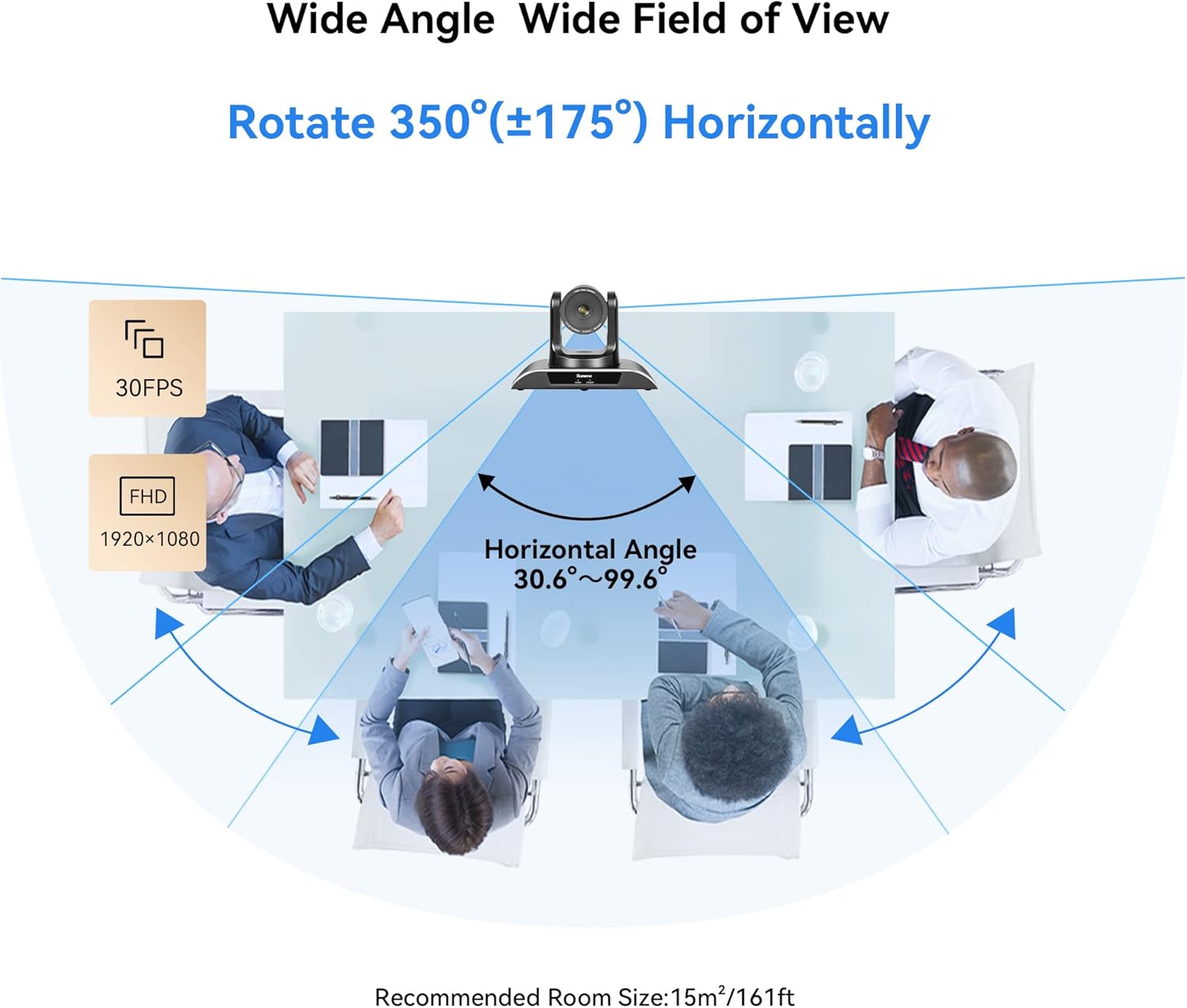
- Smooth Pan/Tilt Movement: Remotely controllable with 350° horizontal rotation (±175°) and 180° vertical rotation (±90°).
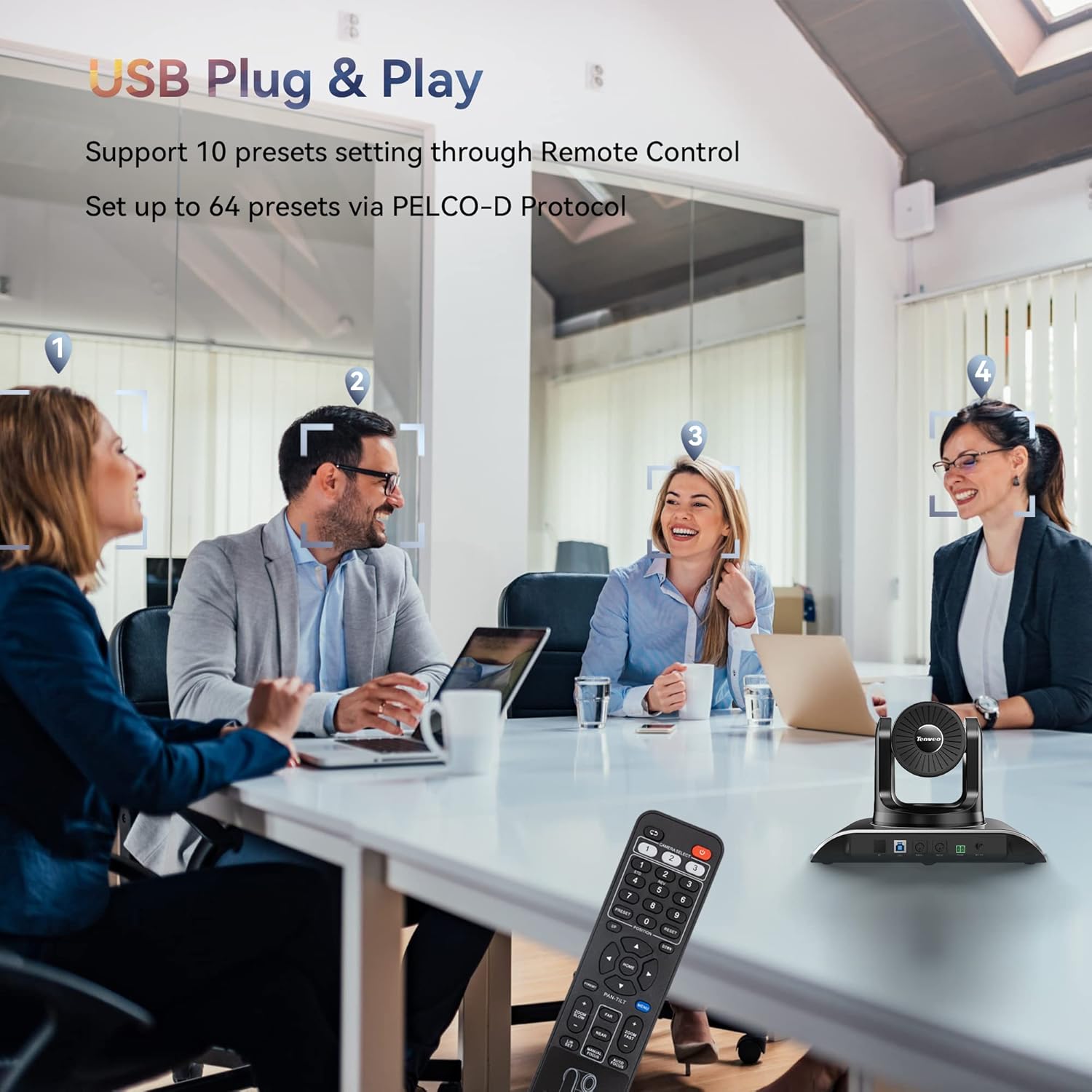
- Positions prédéfinies : Supports 10 presets via IR Remote Control and up to 64 presets via RS232 and RS485 interfaces.
- USB Plug and Play : No additional drivers required for quick setup with laptops, desktops, or Smart TVs.
- Compatibilité universelle: Compatible with popular video conferencing software including Zoom, Skype, YouTube, Microsoft Teams, and more. Supports Windows, Mac, Linux, and Android.
- Plusieurs options d'installation : Supports desktop, monitor, tripod, wall, or ceiling mounting.


4. Configuration et installation
4.1 Basic USB Connection
Connect the camera to your computer using the provided USB cable. Ensure the power adapter is connected to the camera and a power outlet. The camera is plug-and-play, requiring no additional drivers for basic functionality.
4.2 options de montage
The camera offers versatile mounting options to suit your conference room or streaming setup:
- Emplacement du bureau
- Montage du moniteur
- Montage sur trépied
- Wall mounting (hardware included)
- Montage au plafond

4.3 Multi-Camera Connection via PTZ Controller
For setups requiring multiple cameras, the VHD3U can be integrated with a PTZ controller using RS485 protocol. This allows for centralized control of multiple units.
Video 2: Demonstrates how to connect multiple cameras using a PTZ controller via RS485 protocol for expanded conference setups.
5. Mode d'emploi
5.1 Utilisation de la télécommande infrarouge
The included IR remote control allows for easy adjustment of pan, tilt, and zoom functions. You can also set and recall up to 10 preset camera positions for quick scene changes.
5.2 Advanced Control with Joystick/Keyboard Controller
For professional installations, the camera can be controlled via a dedicated joystick or keyboard controller using RS232 or RS485 protocols. This enables precise control and management of up to 64 preset positions.
Video 3: Illustrates controlling the Tenveo PTZ camera using a joystick controller, demonstrating pan, tilt, and zoom functions.
Video 4: Shows how to control Tenveo PTZ cameras using a keyboard controller via RS485, including setting DIP switches for camera addresses.
6. Entretien
To ensure optimal performance and longevity of your Tenveo VHD3U camera, follow these maintenance guidelines:
- Nettoyage: Utilisez un chiffon doux et sec pour nettoyer le boîtier de l'appareil photo. Pour l'objectif, utilisez un chiffon de nettoyage et une solution nettoyante spéciale pour objectifs. Évitez les nettoyants abrasifs et les solvants.
- Stockage: Lorsqu'elle n'est pas utilisée pendant une période prolongée, rangez l'appareil photo dans un endroit frais et sec, à l'abri de la lumière directe du soleil et de la poussière excessive.
- Gestion des câbles: Ensure all cables are neatly organized and not under strain to prevent damage to connectors or ports.
- Mises à jour du micrologiciel : Vérifiez périodiquement le Tenveo website for firmware updates to enhance performance and add new features.
7. Dépannage
If you encounter issues with your Tenveo VHD3U camera, refer to the following common troubleshooting steps:
- Pas d'alimentation : Ensure the power adapter is securely connected to both the camera and a working power outlet. Check the power indicator light on the camera.
- Aucune sortie vidéo : Verify the USB cable connection to your computer. Ensure the correct camera is selected in your video conferencing software. Try a different USB port or cable.
- Problèmes de qualité d'image : Check for proper lighting in the room. Ensure the lens is clean and free from smudges. Adjust focus settings if available.
- La télécommande ne répond pas : Check the batteries in the remote control. Ensure there are no obstructions between the remote and the camera's IR receiver.
- Problèmes de mouvement PTZ : Confirm that the camera is powered on and connected. If using a controller, ensure it is properly configured and connected to the camera(s).
Pour obtenir de l'aide supplémentaire, veuillez contacter le service client de Tenveo.
8. Spécifications
| Fonctionnalité | Détail |
|---|---|
| Dimensions du produit | 6.5 x 9.72 x 6.73 pouces |
| Poids de l'article | 4.18 livres |
| Numéro de modèle de l'article | VHD3U |
| Technologie de capteur photo | CMOS |
| Résolution de capture vidéo | 1080p, 720p |
| Distance focale maximale | 10.05 millimètres |
| Ouverture maximale | 1.7 f |
| Format de capture vidéo | MJPEG/YUY2/H.264 |
| Format audio pris en charge | CAA, PCM |
| Technologie de connectivité | Infrarouge, USB |
9. Garantie et assistance
Tenveo offers comprehensive support for your VHD3U camera:
- Garantie de 3 ans : Enjoy peace of mind with a 3-year product warranty.
- Assistance technique à vie : Access lifetime technical support services, including firmware upgrades.
- Garantie de remboursement de 30 jours : A 30-day money-back guarantee is provided for your satisfaction.
- Service client: Contact Tenveo customer service for any questions or assistance; responses are typically provided within 12 hours.


