


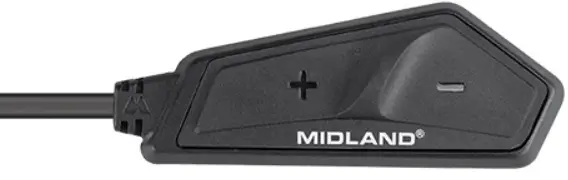
Interphone MIDLAND Smartcom
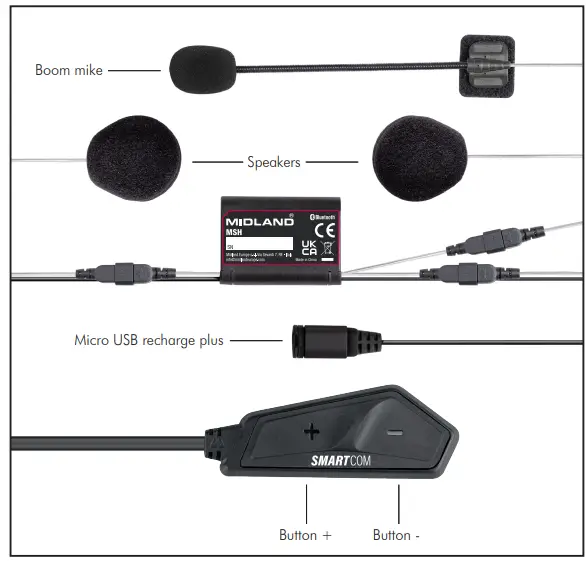
DESCRIPTION – LÉGENDE
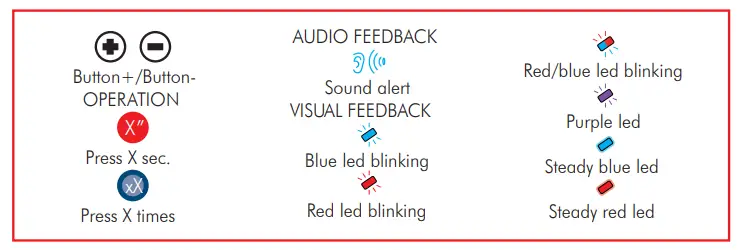
ALLUMER 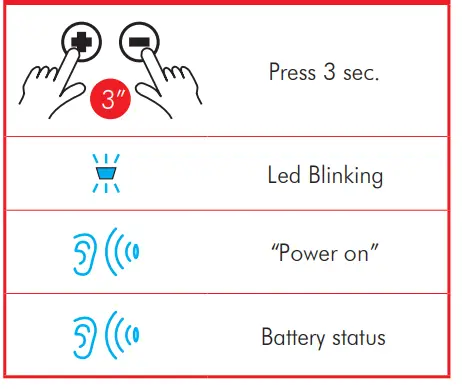 ÉTEINDRE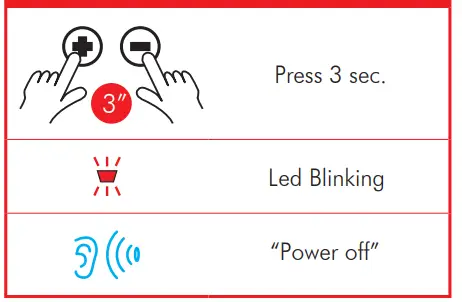
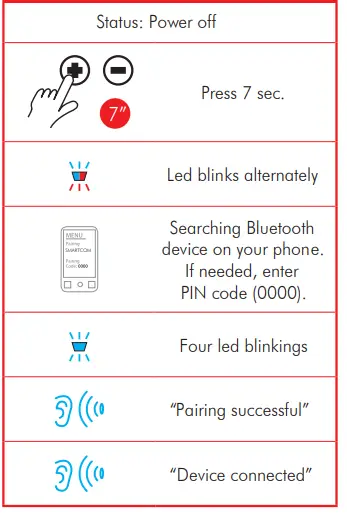
APPAIREMENT AU TÉLÉPHONE/GPS
APPARIEMENT AVEC UN AUTRE SMARTCOM OU MIDLAND 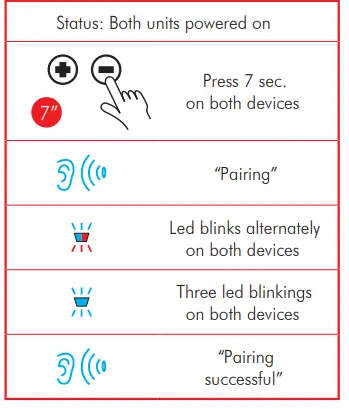
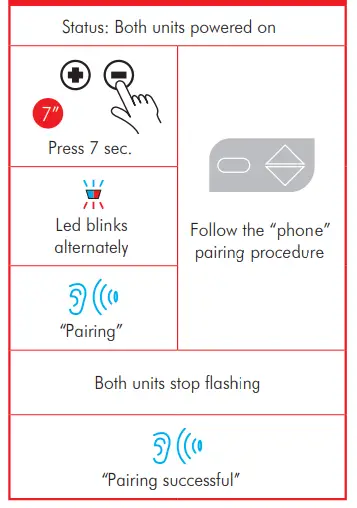
APPARIEMENT À UN MODÈLE/UNITÉ DE MARQUE DIFFÉRENTS
RÉINITIALISER TOUS LES APPARIEMENTS
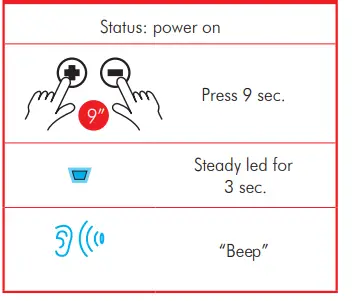 OUVRIR/FERMER INTERCOM
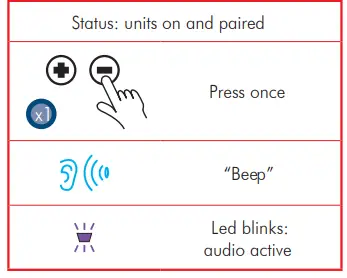
APPEL VOCAL
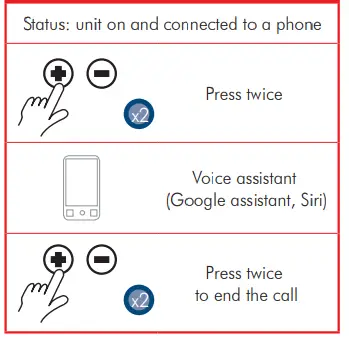
RÉPONDRE À UN APPEL
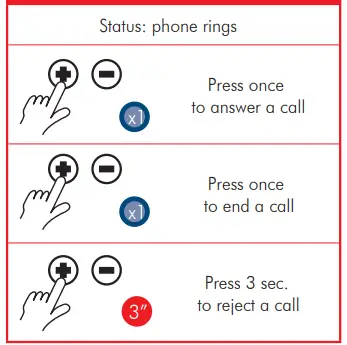 Pour activer/désactiver la réponse automatique lorsque l'appareil est éteint, appuyez sur + et – pendant 9 secondes.
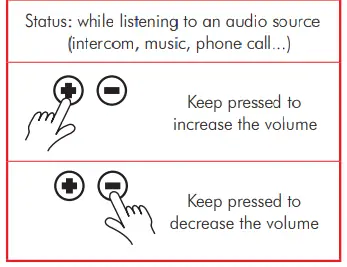
RÉGLAGE DU VOLUME
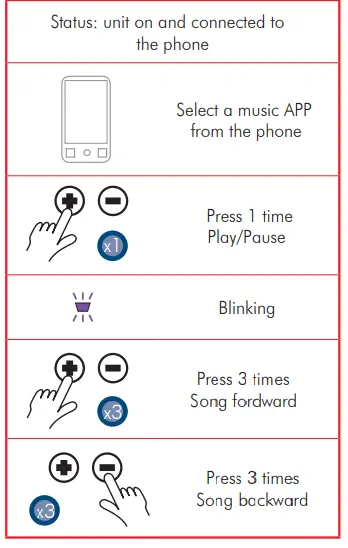
MUSIQUE
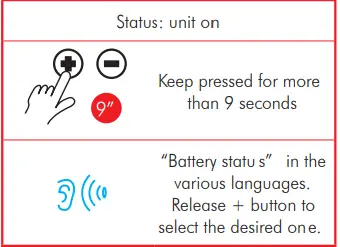
CHANGER DE LANGUE
- Fréquence 2.4 GHz
- Max puissance 100 mW
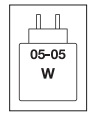
La puissance fournie par le chargeur doit être comprise entre 05 watts minimum requis par l'équipement radio et 05 watts maximum pour atteindre la vitesse de charge maximale.
Pour télécharger le manuel complet, visitez www.tucanourbano.com
Distribué par :
- MANDELLI sri
- Via T. Grossi, 5 – 20841 Carate Brianza
- MB (Italie) – www.tucanourbano.com
Documents / Ressources
 |
Interphone MIDLAND Smartcom [pdf] Guide de l'utilisateur Interphone Smartcom, Smartcom, Interphone |