SKYEAR Manuals & User Guides
SKYEAR specializes in digital inspection tools, manufacturing high-definition digital microscopes, endoscopes, and borescopes for industrial, educational, and hobbyist applications.
About SKYEAR manuals on Manuals.plus
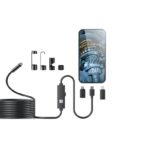
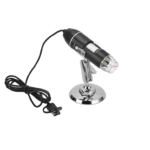
SKYEAR is a consumer electronics brand focused on digital imaging and optical inspection devices. The brand's product portfolio includes portable digital microscopes with integrated LCD screens and USB inspection cameras (endoscopes) designed to work seamlessly with smartphones and computers.
These tools are widely utilized for intricate tasks such as circuit board repair, jewelry appraisal, biological observation, and automotive engine inspection. SKYEAR products typically feature LED illumination, OTG compatibility for Android devices, and support for iOS and Windows platforms through dedicated apps.
SKYEAR manuals
Derniers manuels de manuals+ sélectionné pour cette marque.
Caméra endoscopique SKYEAR W400-C avec lumière Manuel d'utilisation
Guide de l'utilisateur du microscope numérique portable USB SKYEAR compatible avec les appareils iOS et Android
Manuel d'utilisation du microscope numérique SKYEAR 4.3" - Caractéristiques et guide d'utilisation
Microscope numérique SKYEAR : guide d'utilisation, caractéristiques et spécifications
SKYEAR manuals from online retailers
SKYEAR G40-M Endoscope User Manual
Manuel d'utilisation de la caméra endoscopique SKYEAR G40-M avec éclairage
SKYEAR 4.3" Digital Microscope User Manual
SKYEAR support FAQ
Questions fréquentes concernant les manuels, l'enregistrement et l'assistance pour cette marque.
-
What devices are compatible with SKYEAR microscopes?
Most SKYEAR portable microscopes and endoscopes support Android devices (Android 6.0+ with OTG enabled), iOS devices (iOS 10.0+), and Windows/PC systems via USB connection.
-
Where can I download the software for my SKYEAR device?
For mobile devices, download the 'SUP-ANESOK' app or the specific app mentioned in your user guide from the App Store or Google Play. For PC, drivers may be available at links such as inskam.com or using the native Windows Camera app.
-
Why is the image blurry on my digital microscope?
Ensure the dust cover is removed from the lens. Adjust the focal length by rotating the focus adjustment wheel on the device until the object is sharp. Ensure the object is within the optimal focus range (typically 0-40mm or slightly more depending on the model).
-
Qui dois-je contacter pour obtenir de l'aide concernant la garantie ?
SKYEAR does not operate a direct consumer support portal. For warranty claims or returns, please contact the retailer or marketplace (e.g., Amazon) where the product was originally purchased.