Introduction
The LOFREE Pudding Dual Mode Wireless Mouse (Model OE929) is designed for versatile use across various operating systems and devices. It offers both Bluetooth and 2.4G wireless connectivity, adjustable DPI settings, and a comfortable, ergonomic design. This manual provides instructions for setup, operation, maintenance, and troubleshooting to ensure optimal performance of your device.
Contenu du colis
- LOFREE Pudding Dual Mode Wireless Mouse
- Récepteur USB (2.4 GHz)
- Charging Cable (USB-C to USB-A, typically)
- Manuel d'utilisation
Produit terminéview
The LOFREE Pudding mouse features a unique transparent texture and an ergonomic design for comfortable use. It includes an adjustable ambient light feature and a scroll wheel with integrated button functionality.

Image: The LOFREE Pudding mouse showcasing its high transparency texture and sleek design.

Image: A hand holding the LOFREE Pudding mouse, illustrating its comfortable, skin-like touch and ergonomic grip.
Installation
1. Charger la souris
Before first use, ensure the mouse is fully charged. Connect the provided charging cable to the mouse's charging port and to a USB power source. The ambient light may indicate charging status (e.g., breathing light while charging, solid when full).

Image: The LOFREE Pudding mouse, highlighting its approximately 100 hours of battery life on a single charge.
2. Dual-Mode Connection
The mouse supports two wireless connection methods: 2.4G via USB receiver and Bluetooth.
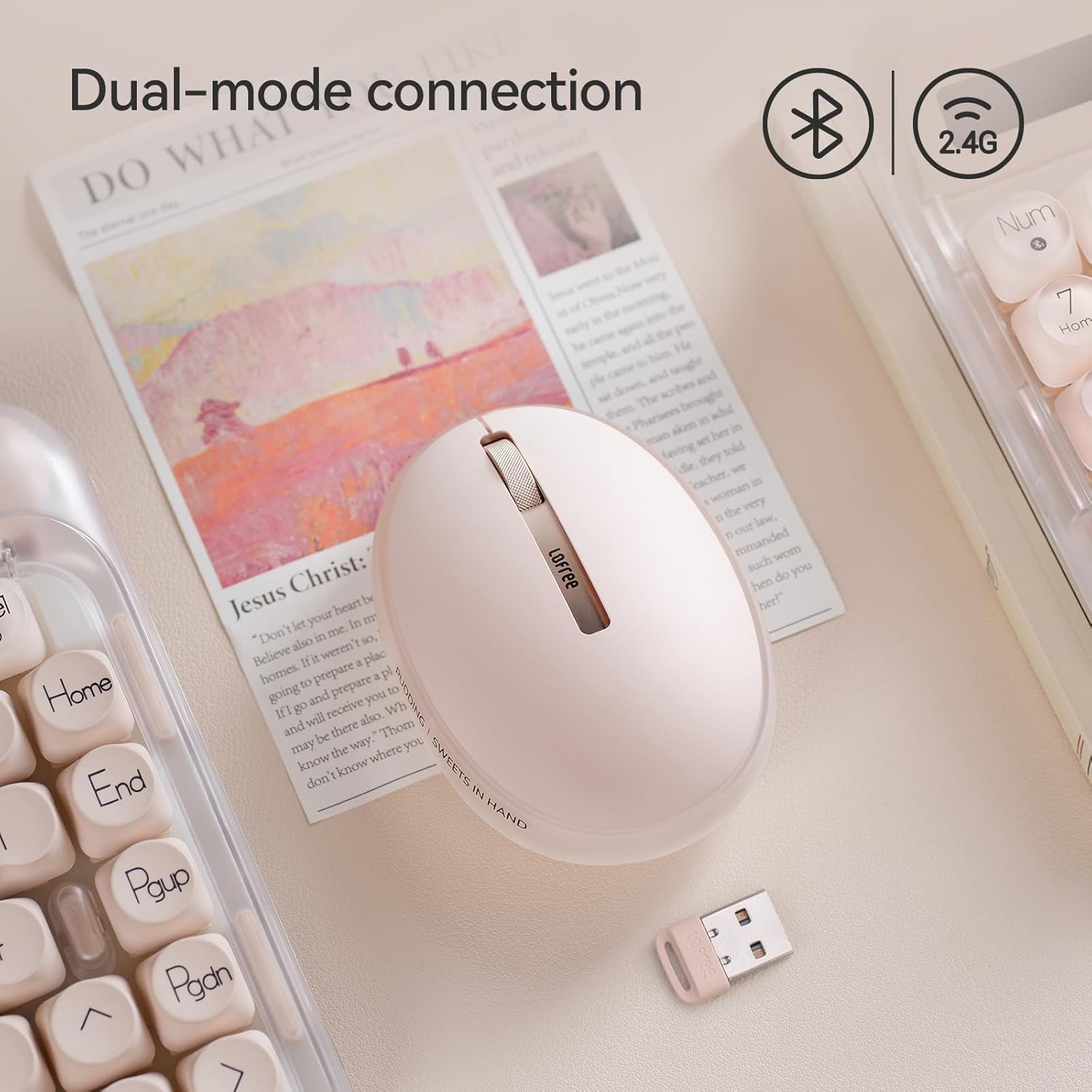
Image: The LOFREE Pudding mouse demonstrating its dual-mode connection capability, supporting both Bluetooth and 2.4G wireless technologies.
2.1. Connexion sans fil 2.4G
- Locate the USB receiver, typically stored in a compartment on the mouse or in the packaging.
- Branchez le récepteur USB dans un port USB disponible sur votre ordinateur.
- Allumez la souris. L'ordinateur devrait détecter et installer automatiquement les pilotes nécessaires.
- Note: For systems below Windows 7, the 2.4G connection is recommended as Bluetooth mode may not be supported.
2.2. Connexion Bluetooth
- Assurez-vous que le Bluetooth de votre appareil est activé.
- Switch the mouse to Bluetooth mode (refer to the mouse's bottom switch or button for mode selection).
- On your device, search for Bluetooth devices. The mouse should appear as "LOFREE Pudding Mouse" or similar.
- Sélectionnez la souris à appairer. Suivez les instructions à l'écran pour terminer le processus d'appairage.
3. Compatibilité
The LOFREE Pudding mouse is compatible with a wide range of operating systems and devices, including:
- Windows (Windows 7 and above for Bluetooth)
- macOS
- iOS
- Androïde
- PC, Mac, Laptop, and other compatible devices.
Mode d'emploi
1. Adjusting DPI Levels
The mouse features 5 adjustable DPI levels to suit different tasks and preferences. You can cycle through these settings by pressing the DPI button, usually located near the scroll wheel or on the bottom of the mouse.
- Paramètres DPI disponibles : 600, 800, 1200, 1600, 3600.
- Press the DPI button to switch between levels. The mouse cursor speed will change accordingly.

Image: A hand demonstrating the adjustment of DPI levels on the LOFREE Pudding mouse, with available settings of 600, 800, 1200, 1600, and 3600.
2. Modes d'éclairage ambiant
The mouse is equipped with an adjustable ambient light feature, offering two modes:
- Constant Always On: The light remains steadily illuminated.
- Mode respiration : The light gently pulses on and off.
To switch between these modes, refer to the dedicated light control button or combination of buttons on the mouse. In dormant state, the ambient light will turn off and can be reactivated by clicking any button on the mouse.

Image: The LOFREE Pudding mouse displaying its adjustable ambient light feature, with options for "Always On" or "Breathing" modes.
3. Gestion de l'alimentation
The mouse is designed to conserve battery life. It will enter a dormant state after a period of inactivity, turning off the ambient light. To wake the mouse, simply click any button.
Entretien
1. Nettoyage
- Utilisez un chiffon doux, sec et non pelucheux pour nettoyer la surface de la souris.
- Pour les saletés tenaces, appliquez légèrementampEnduisez le chiffon avec de l'eau ou un nettoyant doux et non abrasif.
- Évitez d'utiliser des produits chimiques agressifs, des solvants ou des matériaux abrasifs, car ceux-ci peuvent endommager la finition de la souris.
- Veillez à ce qu'aucun liquide ne pénètre dans les composants internes de la souris.
2. Entretien de la batterie
- Rechargez régulièrement la souris pour préserver la durée de vie de la batterie.
- Évitez de décharger complètement la batterie fréquemment.
- If storing the mouse for an extended period, charge it to approximately 50% to prevent deep discharge.
Dépannage
Souris ne répond pas / Déconnexion
- Vérifier la batterie : Ensure the mouse is charged. Connect it to a power source.
- Connexion 2.4G :
- Assurez-vous que le récepteur USB est correctement branché sur un port USB fonctionnel.
- Essayez un port USB différent.
- Assurez-vous que la souris est réglée sur le mode 2.4 GHz.
- Connexion Bluetooth:
- Assurez-vous que Bluetooth est activé sur votre appareil.
- Assurez-vous que la souris est en mode Bluetooth.
- Unpair and re-pair the mouse from your device's Bluetooth settings.
- Ensure your device's operating system supports Bluetooth for mice (e.g., Windows versions below 7 may have limited support).
- Ingérence: Move the mouse closer to the receiver/device. Avoid using it near other wireless devices that might cause interference.
DPI non modifié
- Assurez-vous d'appuyer sur le bon bouton de réglage DPI.
- If the mouse is unresponsive, try restarting it (turn off and on).
Ambient Light Not Working
- Check if the mouse is in a dormant state; click a button to wake it.
- Assurez-vous que la batterie est suffisamment chargée.
- Verify you are using the correct button or combination to cycle through light modes.
Caractéristiques
| Fonctionnalité | Détail |
|---|---|
| Numéro de modèle | OE929 |
| Technologie de connectivité | Bluetooth, radiofréquence 2.4 GHz |
| Technologie de détection de mouvement | Optique |
| Niveaux de PPP | 600, 800, 1200, 1600, 3600 (Réglable) |
| Capacité de la batterie | 500mAh |
| Autonomie de la batterie | Environ 100 heures |
| Caractéristiques spéciales | LED Lights (Ambient), Lightweight, Rechargeable, Wireless |
| Compatibilité | Windows, macOS, iOS, Android (PC, Mac, Laptop) |
| Poids de l'article | 8.9 onces |
| Dimensions du colis | 5.2 x 4.13 x 2.4 pouces |
Garantie et assistance
LOFREE products are manufactured to high-quality standards. For warranty information, technical support, or service inquiries, please refer to the official LOFREE webConsultez leur site web ou contactez directement leur service client. Conservez votre reçu d'achat pour toute réclamation au titre de la garantie.
Pour plus d'informations, visitez le Boutique LOFREE sur Amazon.


