Introduction
This manual provides detailed instructions for the Cuifati RCM Loader Payloads Injector Tool Kit. This device is designed to facilitate payload injection for compatible systems, supporting various custom firmware environments such as ATMOSPHERE, REINX, and SXOS. Please read this manual carefully before use to ensure proper operation and to maximize the device's lifespan.
The kit includes the RCM Loader, a Micro USB cable, and a shorter connector (jig).
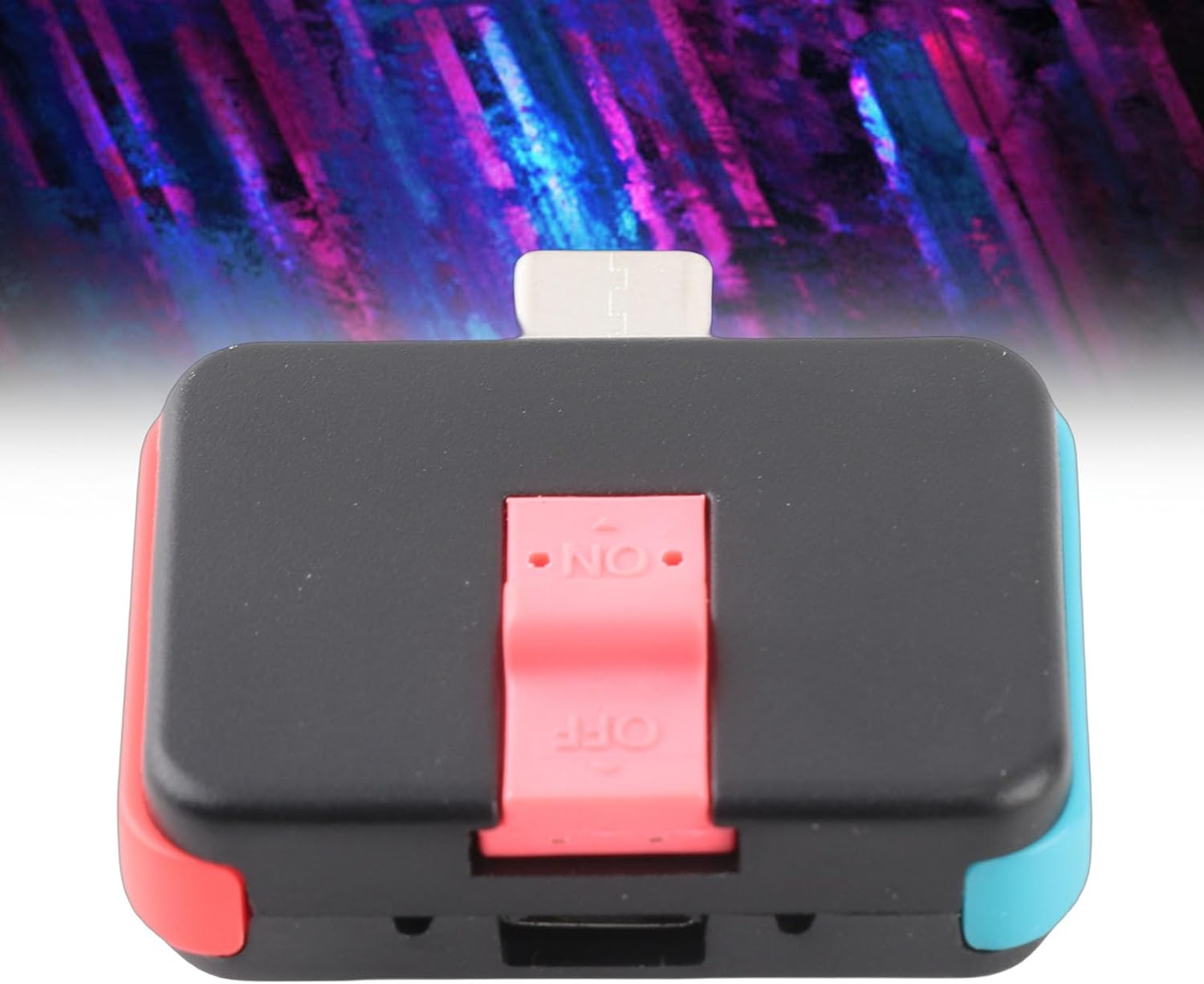
Figure 1 : Face avant view of the Cuifati RCM Loader Payloads Injector Tool Kit.
Installation
- Charging the RCM Loader: Insert the RCM loader into a compatible USB power source using the provided Micro USB cable. The LED indicator will light up during charging. After approximately 10 seconds of charging, the LED will turn off, indicating sufficient charge for initial use.
- Preparing for RCM State: To enter the RCM (Recovery Mode) state on your compatible device, first install the shorter connector (jig) into the right Joy-Con rail.
- Entering RCM: With the jig in place, press and hold the Volume + button, then press the Power button. Your device should now enter RCM state.
- Injecting Payload: Once in RCM state, insert the RCM Loader into the USB-C port of your device. The RCM loader will automatically detect the RCM state and inject the pre-loaded payload.

Figure 2 : Haut view of the RCM Loader, highlighting the ON/OFF switch.
Mode d'emploi
Payload Delivery Method
- To initiate payload delivery, ensure the RCM Loader is inserted into your device. The LED will illuminate after approximately 10 seconds.
- Long-press the button on the RCM Loader. The LED will flash 4 times, indicating that a payload selection is active.
- The color of the flashing LED indicates the currently selected payload. The factory default payload programs are:
- ATMOSPHERE: LED bleue
- REINX: LED verte
- SXOS: LED rouge
Adding/Replacing payload.bin Files
The RCM Loader supports direct injection of payload.bin files and allows for easy updates:
- Connect the RCM Loader to your computer using the provided Micro USB cable.
- Your computer will automatically recognize the RCM Loader as a USB flash drive.
- Copy and paste your desired
payload.binfile into the root directory of the RCM Loader's storage to update or replace the existing payload.

Figure 3 : View of the RCM Loader showing the USB-C connector for device connection.
Entretien
The Cuifati RCM Loader is constructed from high-quality ABS materials designed for durability and stable performance. To ensure its longevity:
- Veillez à ce que l'appareil reste propre et exempt de poussière et de débris. Utilisez un chiffon doux et sec pour le nettoyer.
- Évitez d'exposer l'appareil à des températures extrêmes, à l'humidité ou à la lumière directe du soleil.
- Handle the device and its connectors with care to prevent physical damage.
- Rangez l'appareil dans un endroit sûr lorsqu'il n'est pas utilisé.
Dépannage
If you encounter issues with your RCM Loader, consider the following:
- Device not entering RCM state: Ensure the shorter connector (jig) is correctly inserted into the right Joy-Con rail and that the Volume + and Power buttons are pressed simultaneously and correctly.
- Payload not injecting: Verify that the RCM Loader is fully charged and properly inserted into the device's USB-C port. Confirm that the device is in RCM state.
- RCM Loader not recognized by computer: Try a different Micro USB cable or a different USB port on your computer. Ensure the RCM Loader is powered on (if applicable, though it typically acts as a storage device when connected to PC).
- Incorrect payload loaded: Follow the instructions for 'Adding/Replacing payload.bin Files' to ensure the correct payload is on the device.
Si les problèmes persistent, consultez la section d'assistance pour obtenir de l'aide supplémentaire.
Caractéristiques
| Fonctionnalité | Spécification |
|---|---|
| Marque | Cuifati |
| Numéro de modèle | Cuifati80oyqmhbra |
| Matériel | ABS |
| Couleur | Noir |
| Dimensions de l'article (L x l x H) | 3.6 x 3.4 x 1.3 cm (1.4 x 1.3 x 0.5 pouces) |
| Poids du colis | Environ 24.9 g |
| Source d'énergie | AC/DC (via USB) |
| Composants inclus | RCM Loader, USB Cable, Shorter Connector (Jig) |
Informations sur la garantie
Specific warranty details for the Cuifati RCM Loader Payloads Injector Tool Kit are not provided in this manual. For information regarding warranty coverage, terms, and conditions, please contact your point of purchase or the manufacturer directly. Keep your purchase receipt as proof of purchase.
Soutien
For technical support, troubleshooting assistance beyond what is covered in this manual, or inquiries about your Cuifati RCM Loader, please contact the seller or manufacturer. You may find contact information on the product packaging or the retailer's website.