Introduction
This manual provides detailed instructions for setting up, operating, and maintaining your LIGE Smart Watch EF24-B. Please read this manual thoroughly to ensure proper use and to fully utilize all features of your smartwatch.
Qu'y a-t-il dans la boîte
- Montre intelligente x 1
- Watch Band x 3 (One stainless steel, two silicone)
- Charging Cable x 2 (USB and Type-C magnetic charging cables)
- Manuel d'utilisation x 1
Installation
1. Charger la montre intelligente
Before first use, fully charge your smartwatch. Connect one of the provided magnetic charging cables (USB or Type-C) to the charging points on the back of the watch and to a power source. A full charge typically takes about 2 hours.

Image: The LIGE Smart Watch EF24-B being charged using both USB and Type-C magnetic charging cables, highlighting its 1000mAh battery capacity.
2. Installation et appairage de l'application
To unlock the full functionality of your LIGE Smart Watch, download the companion app (e.g., "FitCloudPro" as mentioned in reviews) from your smartphone's app store (compatible with iOS 8.0+ and Android 4.4+).
- Scan the QR code in the included user manual or search for "FitCloudPro" in the App Store (iOS) or Google Play Store (Android).
- Installez l'application et créez un compte ou connectez-vous.
- Assurez-vous que Bluetooth est activé sur votre smartphone.
- Open the app and follow the on-screen instructions to add your device. Select "EF24" or the corresponding model from the list of available devices.
- Confirmez la demande de jumelage sur votre montre et votre smartphone.
Une fois jumelée, la montre synchronisera l'heure et les données avec votre téléphone, et vous pourrez personnaliser les paramètres et recevoir des notifications.
Mode d'emploi
Navigation de base
- Écran tactile : Balayez vers la gauche/droite, vers le haut/bas pour naviguer dans les menus et les fonctionnalités. Appuyez pour sélectionner.
- Boutons latéraux : The watch features side buttons for power, back, and quick access to sports modes. Refer to the watch's interface for specific button functions.

Image: The LIGE Smart Watch EF24-B showcasing its 1.7-inch HD display with multiple customizable watch faces and application icons.
Passer et recevoir des appels
With Bluetooth 5.3 connectivity, you can make and receive calls directly from your watch when paired with your smartphone.
- Faire un appel: Access the dialer or contact list on your watch.
- Pour recevoir un appel : An incoming call notification will appear on your watch. Tap to answer or decline.

Image: The LIGE Smart Watch EF24-B displaying its Bluetooth calling interface and smart notification alerts from various social media applications.
The watch is equipped with an 8Ω speaker and a 42dB microphone for clear audio during calls and voice assistant interactions.
Notifications intelligentes
Receive real-time alerts from social applications like Facebook, Twitter, and WhatsApp directly on your watch. Ensure notification permissions are enabled in the companion app.
Modes sportifs
The watch offers over 100 sports modes, including walking, running, cycling, tennis, and more. Select your desired activity to track key metrics such as steps, distance, calories, and exercise duration.

Image: The LIGE Smart Watch EF24-B showcasing its extensive range of over 100 sports modes, with examples like walking, running, and cycling.
Video: This video demonstrates the LIGE Smart Watch EF24's various sports tracking capabilities and user interface navigation for different activities.
Suivi de la santé
The smartwatch provides 24-hour heart rate and blood oxygen monitoring. It also features automatic sleep tracking, offering insights into your awake, light, and deep sleep patterns. All data can be synced to the app for detailed analysis.
Note: Measurements are for reference only and are not medical data.
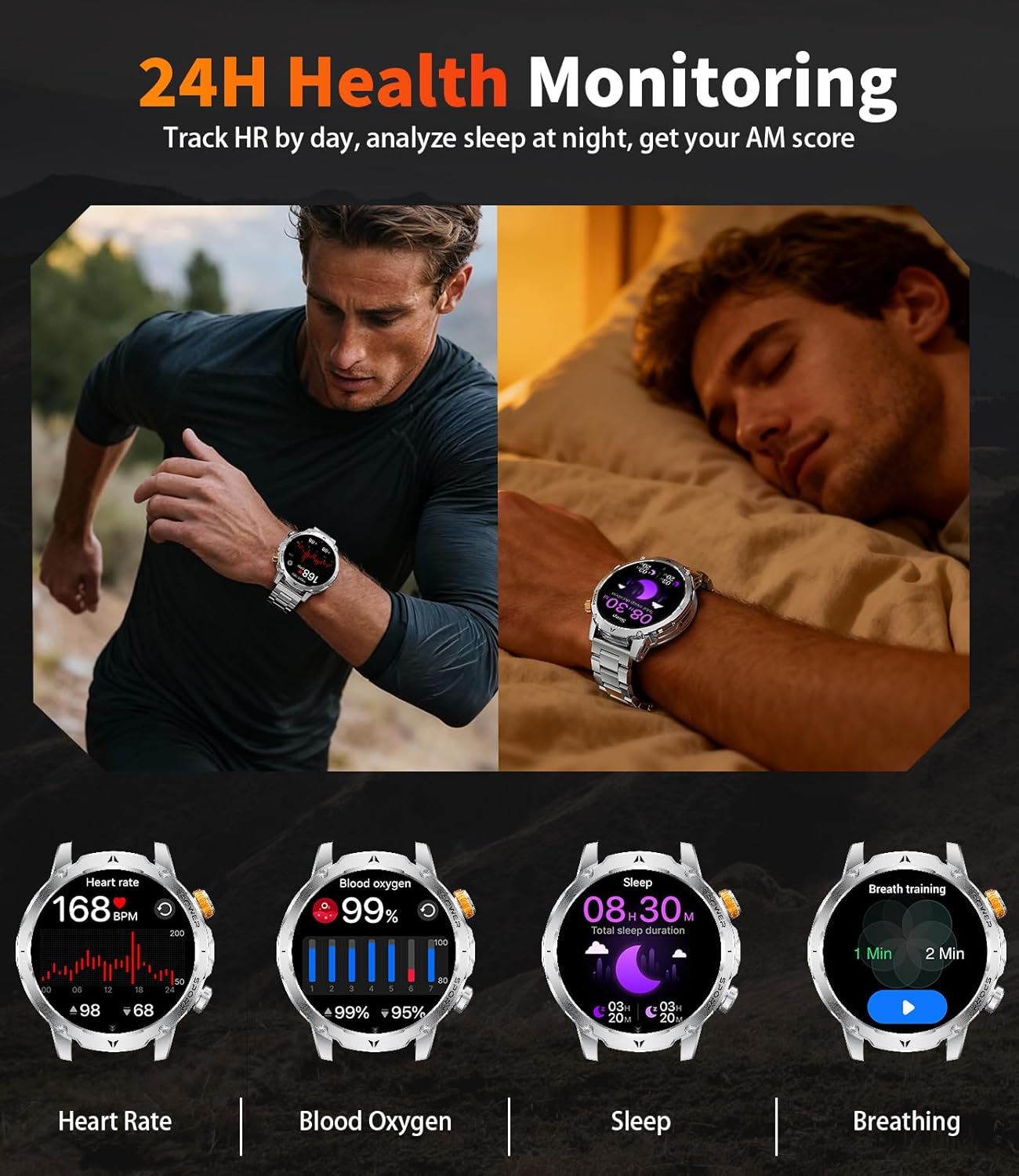
Image: The LIGE Smart Watch EF24-B displaying its 24-hour heart rate, blood oxygen, sleep tracking, and breathing exercise features.
Fonction lampe de poche
The watch includes a powerful LED flashlight with multiple modes (constant light, warning mode, SOS mode) for various situations like camping, puissance outages, or finding items in the dark.

Image: The LIGE Smart Watch EF24-B demonstrating its powerful LED flashlight feature, useful for various low-light scenarios.
Autres caractéristiques
- Assistant vocal IA : Interagissez avec votre montre grâce aux commandes vocales.
- Contrôle de la musique : Contrôlez la lecture de musique sur votre smartphone.
- Caméra à distance: Utilisez votre montre comme déclencheur à distance pour l'appareil photo de votre téléphone.
- Affichage météo: Recevez des mises à jour météo en temps réel.
- Réveil: Réglez vos alarmes directement depuis votre montre.
- Rappel sédentaire : Recevez des alertes pour vous inciter à bouger après des périodes d'inactivité.
- Rappel d'eau : Rappels pour boire de l'eau.
- Trouver un téléphone : Localisez votre smartphone jumelé en le faisant sonner.
- Cadrans de montre personnalisés : Choose from 200+ online dials or upload your own photo to create a unique background.
Entretien
Résistance à l'eau (IP68)
The LIGE Smart Watch EF24-B is IP68 water-resistant, protecting it from splashes, rain, and sweat. It is suitable for swimming but not recommended for hot showers, saunas, or diving due to steam and pressure.

Image: The LIGE Smart Watch EF24-B highlighting its water-resistant, cold-resistant, shock-resistant, and dust-resistant properties, showcasing its military-grade durability.
Video: This video illustrates the ruggedness and durability of the LIGE Smart Watch EF24, including its resistance to impacts and water.
Nettoyage
Essuyez régulièrement la montre et le bracelet avec un chiffon doux et sec. Pour les saletés tenaces, utilisez un chiffon légèrement plus épais.amp Essuyez soigneusement avec un chiffon. Évitez les produits chimiques agressifs et les matériaux abrasifs.
Entretien de la batterie
To prolong battery life, avoid extreme temperatures and fully discharge and recharge the watch periodically.
Dépannage
- La montre ne s'allume pas : Assurez-vous que la montre est complètement chargée.
- Impossible de connecter le téléphone :
- Assurez-vous que le Bluetooth est activé sur votre téléphone et que la montre se trouve à portée.
- Redémarrez à la fois la montre et votre téléphone.
- Vérifiez si l'application compagnon est mise à jour vers la dernière version.
- Oubliez l'appareil dans les paramètres Bluetooth de votre téléphone et essayez de le coupler à nouveau via l'application.
- Données sanitaires inexactes : Ensure the watch is worn snugly on your wrist. Avoid excessive movement during measurements. Remember, data is for reference only.
- Les notifications ne s'affichent pas : Check app notification permissions on your phone and within the companion app settings. Ensure the watch is connected via Bluetooth.
Caractéristiques
| Fonctionnalité | Détail |
|---|---|
| Numéro de modèle | EF24-B |
| Taille de l'écran | 1.7 Inches TFT, 360*360 resolution |
| Capacité de la batterie | Lithium Polymère 1000 mAh |
| Autonomie de la batterie en utilisation typique | Jusqu'à 15 jours |
| Temps de veille | Above 60 days |
| Temps de charge | Environ 2 heures |
| Connectivité | Bluetooth 5.3 |
| Compatibilité du système d'exploitation | Android 4.4+ / iOS 8.0+ |
| Résistance à l'eau | IP68 |
| Jeu de puces | RTL8773EWE Dual-Core |
| Capacité de stockage de la mémoire | 128 Mo |
| Dimensions du produit | 5.91 x 2.76 x 0.79 pouces |
| Poids de l'article | 8.8 onces (0.25 kilogrammes) |
Garantie et assistance
LIGE offers a 24-month worry-free product warranty, which includes replacement, return, or accessory replacement services. If you have any questions or concerns about your smartwatch, please contact our customer support team.
For support, refer to the contact information provided in your product packaging or visit the official LIGE website.


