Introduction
Thank you for choosing the Altec Lansing Comfort Pro Over Ear Bluetooth Headphones. These headphones are designed to provide a high-quality audio experience with advanced features such as Active Noise Cancellation (ANC), Environmental Noise Cancellation (ENC), Spatial Audio, and a long-lasting battery. This manual will guide you through the setup, operation, and maintenance of your new headphones.
Qu'y a-t-il dans la boîte
- Altec Lansing Comfort Pro Wireless Headphones
- Câble de chargement USB-C (non explicitement mentionné, mais sous-entendu pour le chargement)
- Audio Cable (not explicitly listed but common for wired use)
- Carrying Case (implied by images)
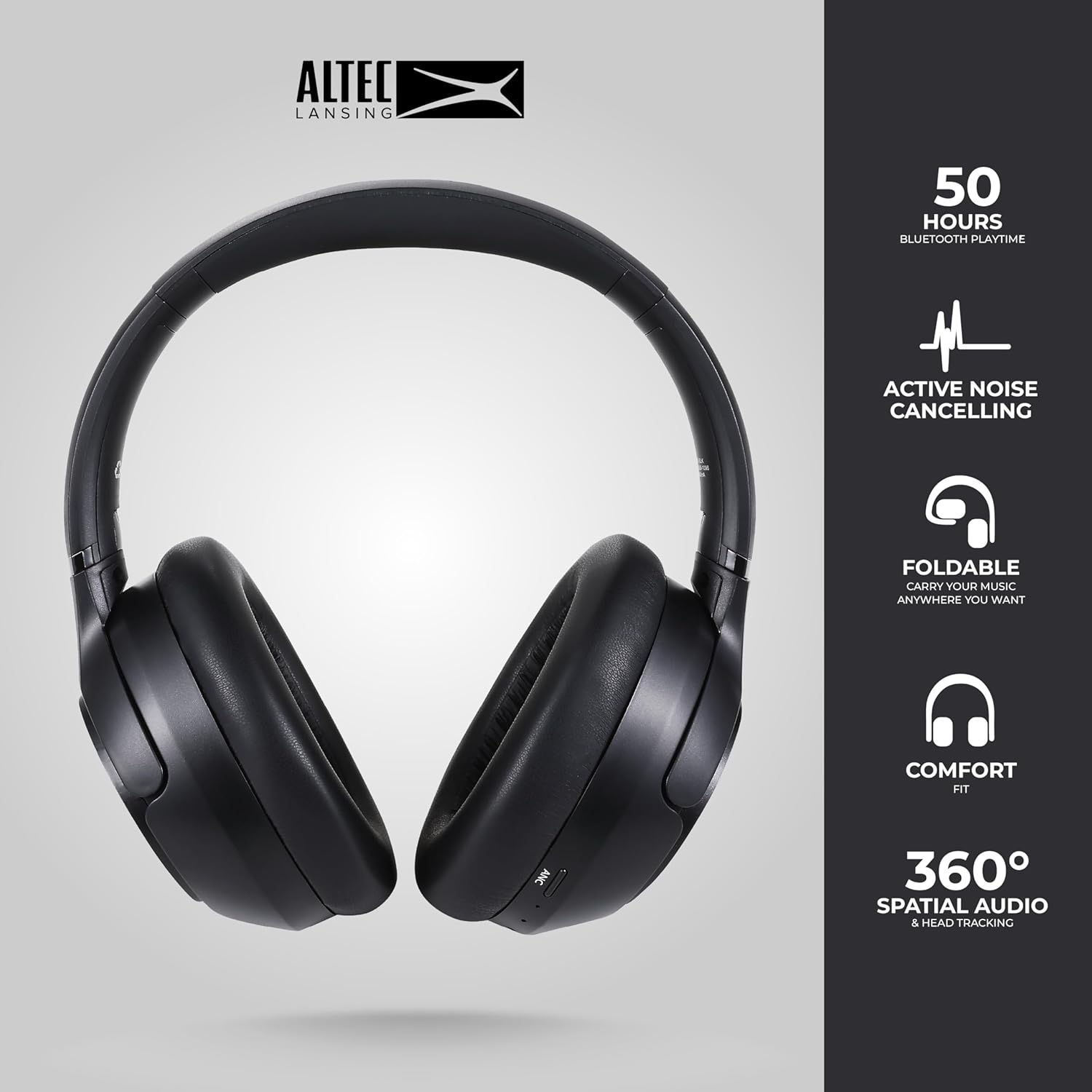
Image: The Altec Lansing Comfort Pro headphones, showcasing their sleek design and key features like 50 hours Bluetooth playtime, Active Noise Cancelling, foldable design, comfort fit, and 360° Spatial Audio & Head Tracking.
Installation
1. Charger les écouteurs
Before first use, fully charge your headphones. Connect the provided USB-C charging cable to the charging port on the headphones and the other end to a USB power source. The LED indicator will show charging status and turn off or change color when fully charged. A full charge typically takes approximately two hours.
2. Mise sous/hors tension
- Pour allumer : Maintenez le bouton Marche/Arrêt enfoncé pendant environ 3 secondes jusqu'à ce que le voyant LED s'allume.
- Pour éteindre : Maintenez le bouton Marche/Arrêt enfoncé pendant environ 3 secondes jusqu'à ce que le voyant LED s'éteigne.
3. Couplage Bluetooth
The headphones support Bluetooth 5.4 for stable connectivity and multipoint pairing for connecting to two devices simultaneously.
- Assurez-vous que les écouteurs sont éteints.
- Press and hold the Power button for approximately 5-7 seconds until the LED indicator flashes rapidly (usually blue and red), indicating pairing mode.
- Sur votre appareil (smartphone, ordinateur portable, tablette), accédez aux paramètres Bluetooth et activez le Bluetooth.
- Rechercher available devices and select "Altec Lansing Comfort Pro" from the list.
- Une fois connecté, le voyant LED cessera de clignoter et restera bleu fixe.
- For multipoint pairing, connect to the first device, then put the headphones back into pairing mode and connect to the second device. The headphones will intelligently switch between the two connected devices.

Image : Une image détaillée view of the Altec Lansing Comfort Pro headphones highlighting the adjustable headband and the soft, lightweight ear cushions designed for comfort during extended use.
Opérationnel
Commandes du casque
The headphones feature intuitive controls located on the earcups. Refer to the image below for button identification.

Image : Un gros plan view of the right earcup of the Altec Lansing Comfort Pro headphones, showing the power button, volume controls, and other function buttons.
- Bouton d'alimentation : Press and hold to power on/off. Short press for play/pause, answer/end calls.
- Augmenter le volume (+): Appuyez brièvement pour augmenter le volume. Appuyez longuement pour passer au morceau suivant.
- Baisser le volume (-): Appuyez brièvement pour diminuer le volume. Appuyez longuement pour revenir au morceau précédent.
- Bouton ANC : Press to cycle through Active Noise Cancellation modes (ANC On, Ambient Mode, ANC Off).
- Bouton multifonction (MFB) : Double press to activate Voice Assistant (Siri/Google Voice). Triple press to activate Low Latency Mode.
Réduction active du bruit (ANC) et réduction du bruit ambiant (ENC)
The Comfort Pro headphones feature powerful ANC to block out external noise and ENC for clear calls. Press the dedicated ANC button to toggle between ANC On, Ambient Mode (allowing some environmental sounds for awareness), and ANC Off. ENC is automatically active during calls to ensure your voice is clear.
Audio spatial
Experience immersive sound with Spatial Audio. This feature creates a 3D soundstage, making audio feel more lifelike. Spatial Audio is automatically enabled when supported by your device and content.
Mode faible latence
For gaming or video playback where audio-visual synchronization is critical, activate Low Latency Mode by triple-pressing the MFB. This reduces audio delay for a more synchronized experience.
Assistant vocal
Access your device's voice assistant (Siri or Google Voice) by double-pressing the MFB. You can then issue commands through the headphone's microphone.
Gestion des appels
- Répondre/Terminer l'appel : Appuyez brièvement sur le bouton d'alimentation.
- Rejeter l'appel : Appuyez sur le bouton d'alimentation et maintenez-le enfoncé pendant 2 secondes.
Entretien
Nettoyage
Pour préserver les performances et l'apparence de vos écouteurs :
- Essuyez les oreillettes et l'arceau avec un chiffon doux, sec et non pelucheux.
- Pour la saleté tenace, légèrement dampNettoyez le chiffon avec de l'eau. Évitez d'utiliser des produits chimiques agressifs, des solvants ou des nettoyants abrasifs.
- Ne laissez pas l'humidité pénétrer dans les ouvertures.
Stockage
When not in use, store your headphones in the provided carrying case to protect them from dust, scratches, and impacts. The foldable design allows for compact storage.

Image: The Altec Lansing Comfort Pro headphones neatly folded and stored inside their protective carrying case, emphasizing portability and protection.
Entretien de la batterie
- Évitez de décharger complètement la batterie fréquemment.
- Rangez les écouteurs avec une charge partielle s'ils ne sont pas utilisés pendant une période prolongée.
- Évitez les températures extrêmes, qui peuvent réduire la durée de vie de la batterie.
Dépannage
If you encounter any issues with your Altec Lansing Comfort Pro headphones, refer to the following common solutions:
- Les écouteurs ne s'allument pas : Assurez-vous que les écouteurs sont complètement chargés. Branchez-les à une source d'alimentation et réessayez après quelques minutes.
- Impossible de coupler avec l'appareil :
- Ensure the headphones are in pairing mode (LED flashing rapidly).
- Activez puis désactivez le Bluetooth sur votre appareil.
- Delete "Altec Lansing Comfort Pro" from your device's Bluetooth list and attempt to pair again.
- Essayez de connecter l'appareil à un autre pour exclure tout problème lié à l'appareil.
- Pas de son ou volume faible :
- Vérifiez le niveau sonore à la fois sur les écouteurs et sur votre appareil connecté.
- Assurez-vous que les écouteurs sont correctement connectés via Bluetooth.
- If using a wired connection, ensure the audio cable is fully inserted into both the headphones and the audio source.
- L'ANC ne fonctionne pas efficacement :
- Assurez-vous que la réduction de bruit active (ANC) est activée en appuyant sur le bouton ANC.
- Ajustez le maintien des écouteurs pour assurer une bonne étanchéité autour de vos oreilles.
- ANC is most effective against low-frequency, constant noise. It may not completely block out voices or sudden, high-frequency sounds.
- L'assistant vocal ne répond pas : Ensure your device's voice assistant is enabled and that the headphones are properly connected. Double-press the MFB firmly.
Caractéristiques
| Nom du modèle | MX3050 (MZX3050-BLK-STK-6) |
| Technologie de connectivité | Sans fil (Bluetooth) |
| Version Bluetooth | 5.4 |
| Autonomie de la batterie | Up to 60 Hours (40 Hours with ANC activated) |
| Fonctions de contrôle du bruit | Réduction active du bruit (ANC), réduction du bruit ambiant (ENC) |
| Forme de l'écouteur | Sur l'oreille |
| Méthode de contrôle | App, Voice, On-headphone buttons |
| Appareils compatibles | Smartphones, ordinateurs portables, tablettes |
| Matériel | Fabric/Silicone and Plastic/Metal (Combination) |
| Poids de l'article | 1 livre |
| Niveau de résistance à l'eau | Étanche |
Garantie et assistance
For warranty information and customer support, please refer to the documentation included with your purchase or visit the official Altec Lansing website. You can typically find detailed warranty terms, FAQs, and contact information for technical assistance there.
Ressources en ligne : www.alteclansing.com