1. Introduction
This manual provides essential information for setting up, operating, maintaining, and troubleshooting your Thunderobot Storm 15 4050 Gaming Laptop. Please read it thoroughly to ensure optimal performance and longevity of your device.
Caractéristiques principales :
- Processeur: Intel Core i7-13620H (10 cœurs, jusqu'à 4.9 GHz)
- Graphique: Carte graphique pour ordinateur portable NVIDIA GeForce RTX 4050
- Mémoire: 32 Go de RAM DDR4 (3200 MHz)
- Stockage: SSD PCIe M.2 de 1 To
- Afficher: 15.6-inch Full HD (1920x1080) 165Hz, 100% sRGB, DC Dimming
- Système opérateur: Windows 11 Famille
- Refroidissement: Advanced Frost Cooling System with multi-heat-pipe design and high-pressure turbine fan
- Clavier: Full-size backlit keyboard with numeric keypad
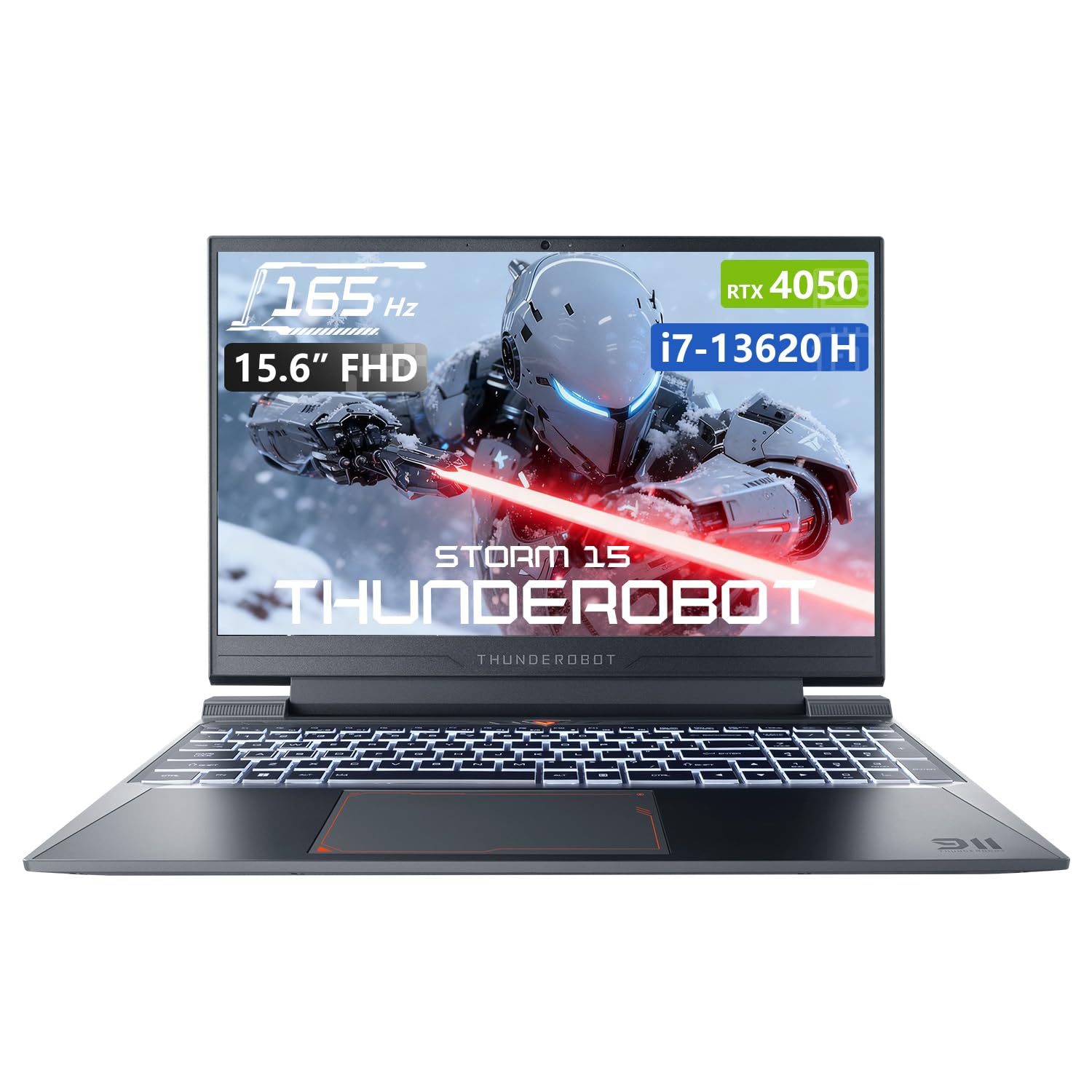
Image: The Thunderobot Storm 15 4050 Gaming Laptop, showcasinson design élégant et son clavier rétroéclairé.
2. Installation
2.1 Mise sous tension initiale
- Déballer: Retirez soigneusement l'ordinateur portable et tous ses accessoires de leur emballage.
- Connecter l'alimentation : Branchez l'adaptateur secteur au port d'alimentation de l'ordinateur portable, puis à une prise murale.
- Mise sous tension : Ouvrez le couvercle de l'ordinateur portable et appuyez sur le bouton d'alimentation, généralement situé au-dessus du clavier ou sur le côté.
- La configuration initiale: Suivez les instructions à l'écran pour terminer l'installation de Windows 11 Famille, notamment la langue, la région, la connexion réseau et la création du compte utilisateur.
2.2 Connexion de périphériques
Votre ordinateur portable est équipé de différents ports permettant de connecter des périphériques externes.

Image: Diagram illustrating the various ports and slots available on the Thunderobot Storm 15 laptop.
- Périphériques USB : Connect USB mice, keyboards, external drives, or other peripherals to the USB 3.1 Type-A ports or the USB 3.1 Gen 2 Type-C port.
- Affichage externe : Utilisez le port HDMI pour connecter un moniteur externe ou un téléviseur.
- Réseau: For a stable wired internet connection, plug an Ethernet cable into the RJ-45 port.
- Audio: Connect headphones or external speakers to the 3.5mm Combo Jack.
3. Utilisation de votre ordinateur portable
3.1 Fonctions d'affichage
The 15.6-inch Full HD display offers a 165Hz refresh rate for smooth visuals and 100% sRGB color gamut for accurate color reproduction. DC dimming technology helps reduce screen flickering.
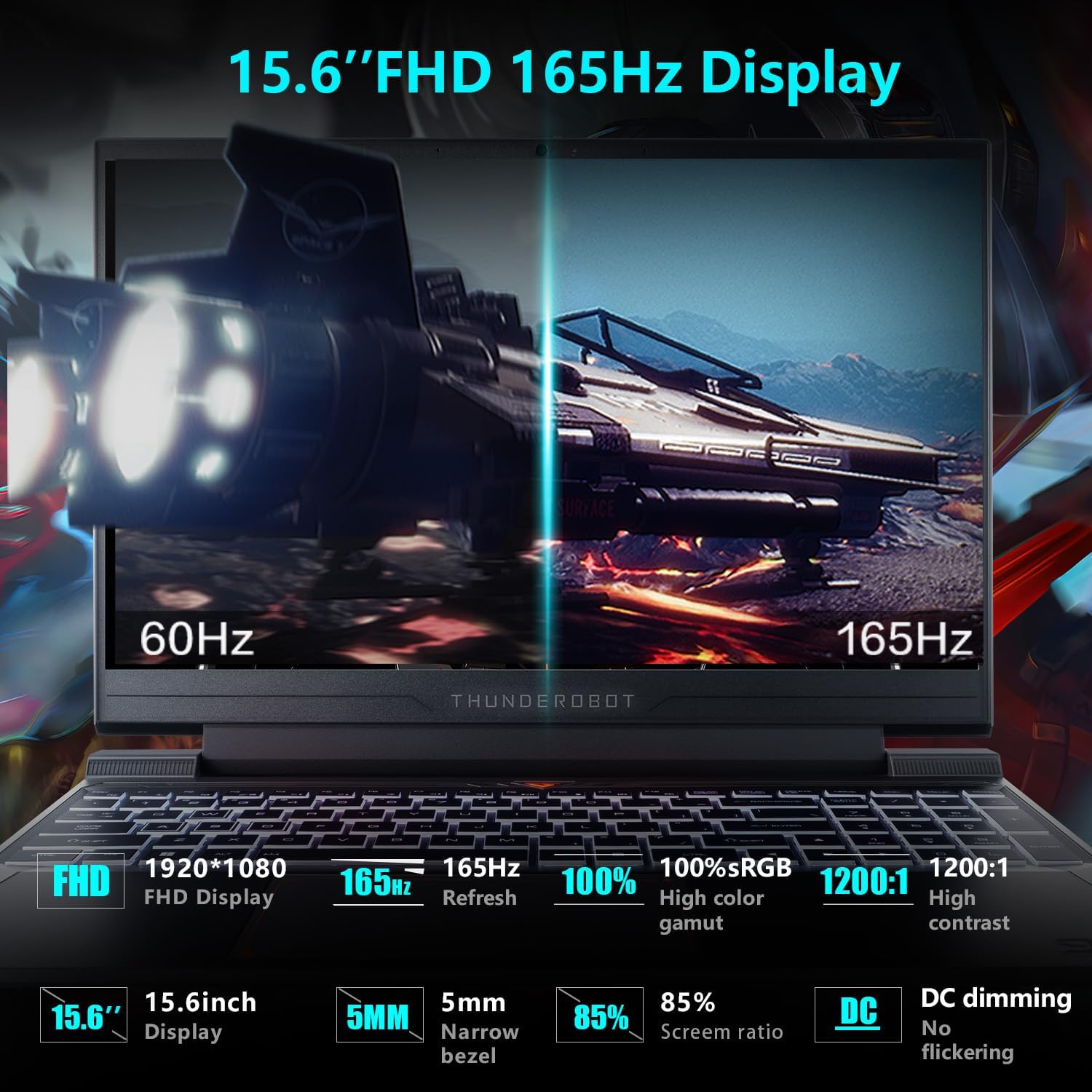
Image: Close-up of the 15.6-inch Full HD 165Hz display, highlighting its smooth motion capabilities.
3.2 Clavier et pavé tactile
The full-size backlit keyboard includes a numeric keypad for enhanced productivity and gaming. The anti-fingerprint surface helps maintain a clean appearance.
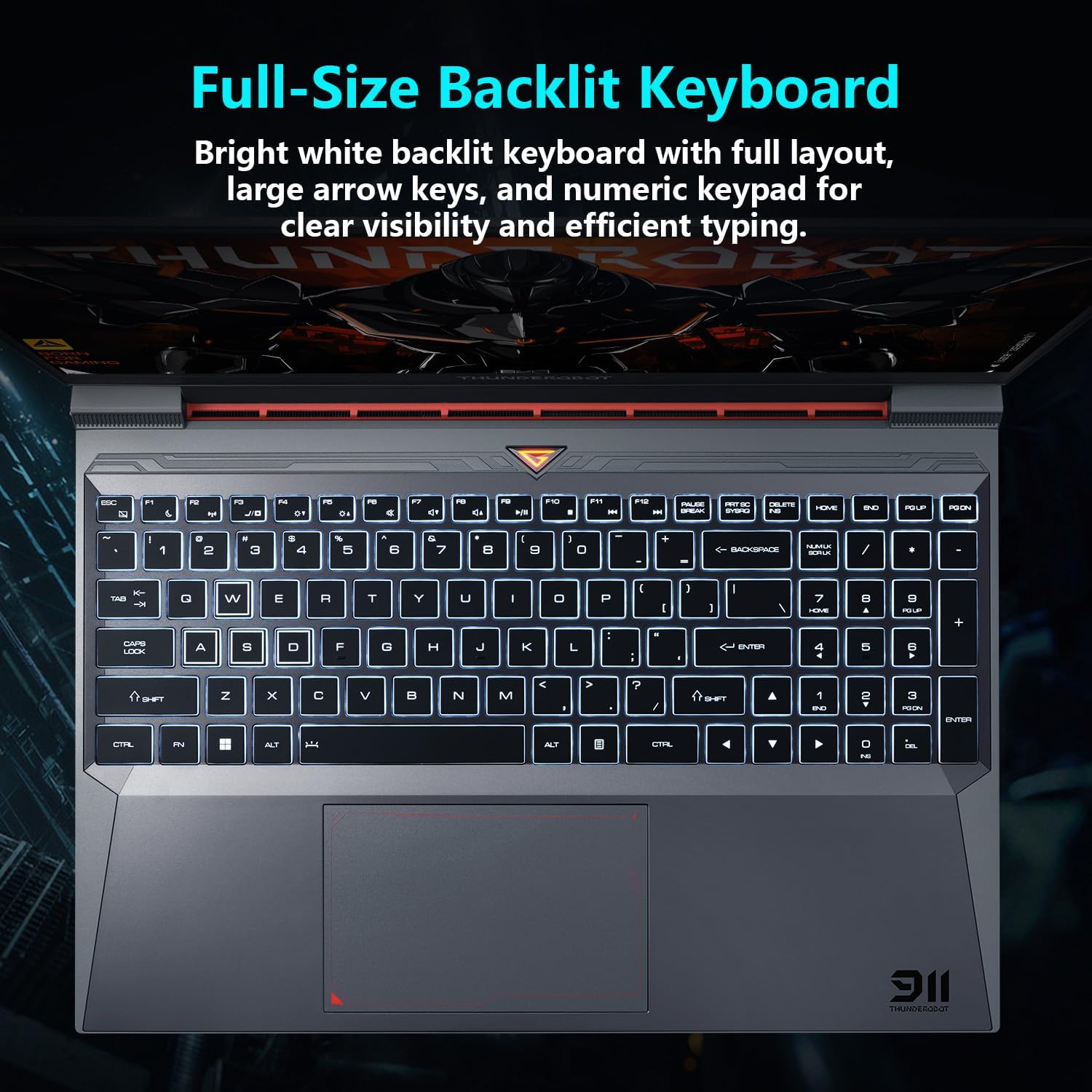
Image: View of the full-size backlit keyboard with its bright white backlighting and numeric keypad.
Système audio 3.3
Experience immersive sound with the laptop's professional sound certification and high-specification speaker design.
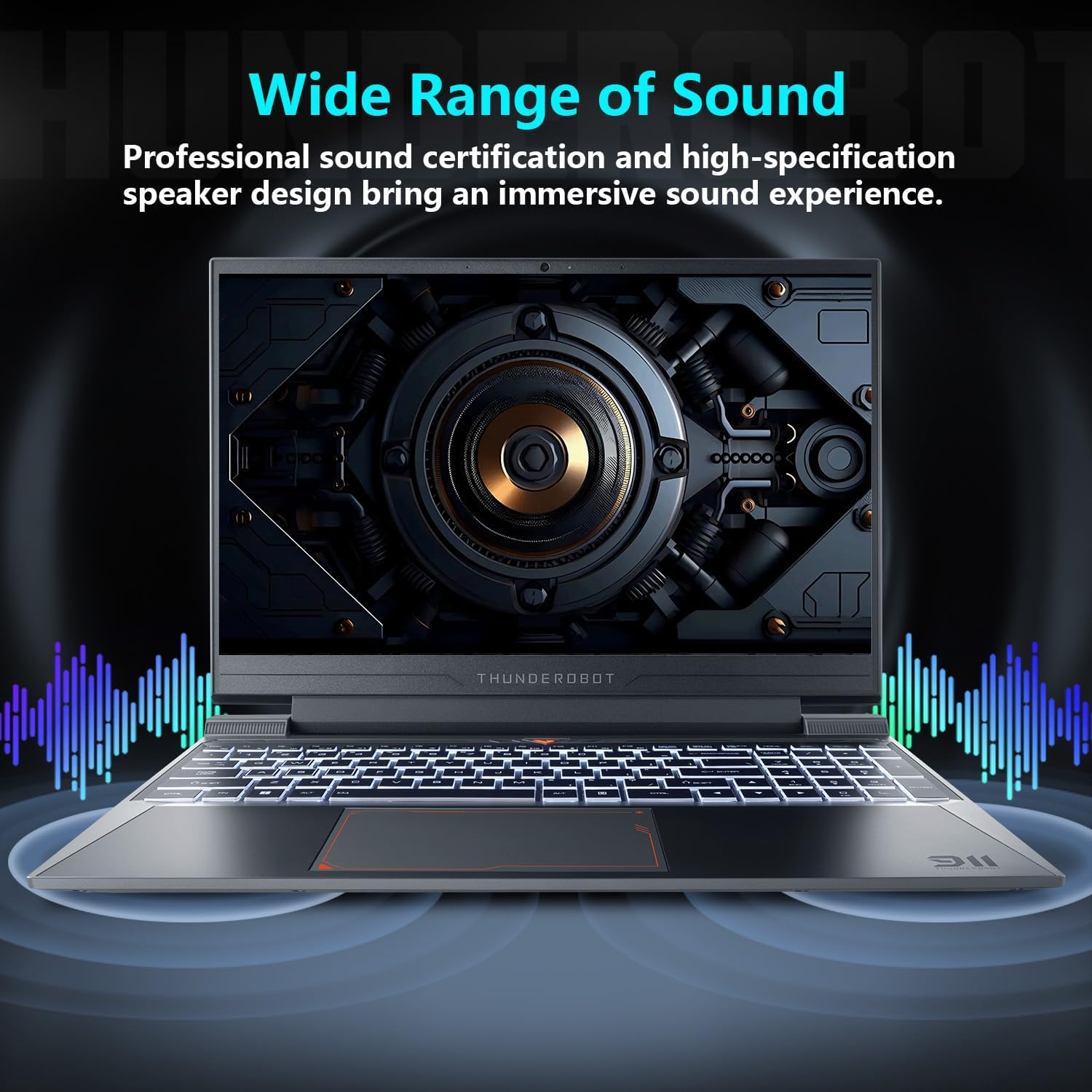
Image: Laptop displaying sound waves, illustrating its wide range of sound capabilities.
3.4 Système de refroidissement
The Advanced Frost Cooling System features multi-heat-pipe design (10mm/8mm composite pipes), a high-pressure turbine fan with 80 ultra-thin LCP blades, and 126 dense copper fins (28,000mm²) to ensure efficient heat dissipation. This design keeps critical components cool during intensive use.
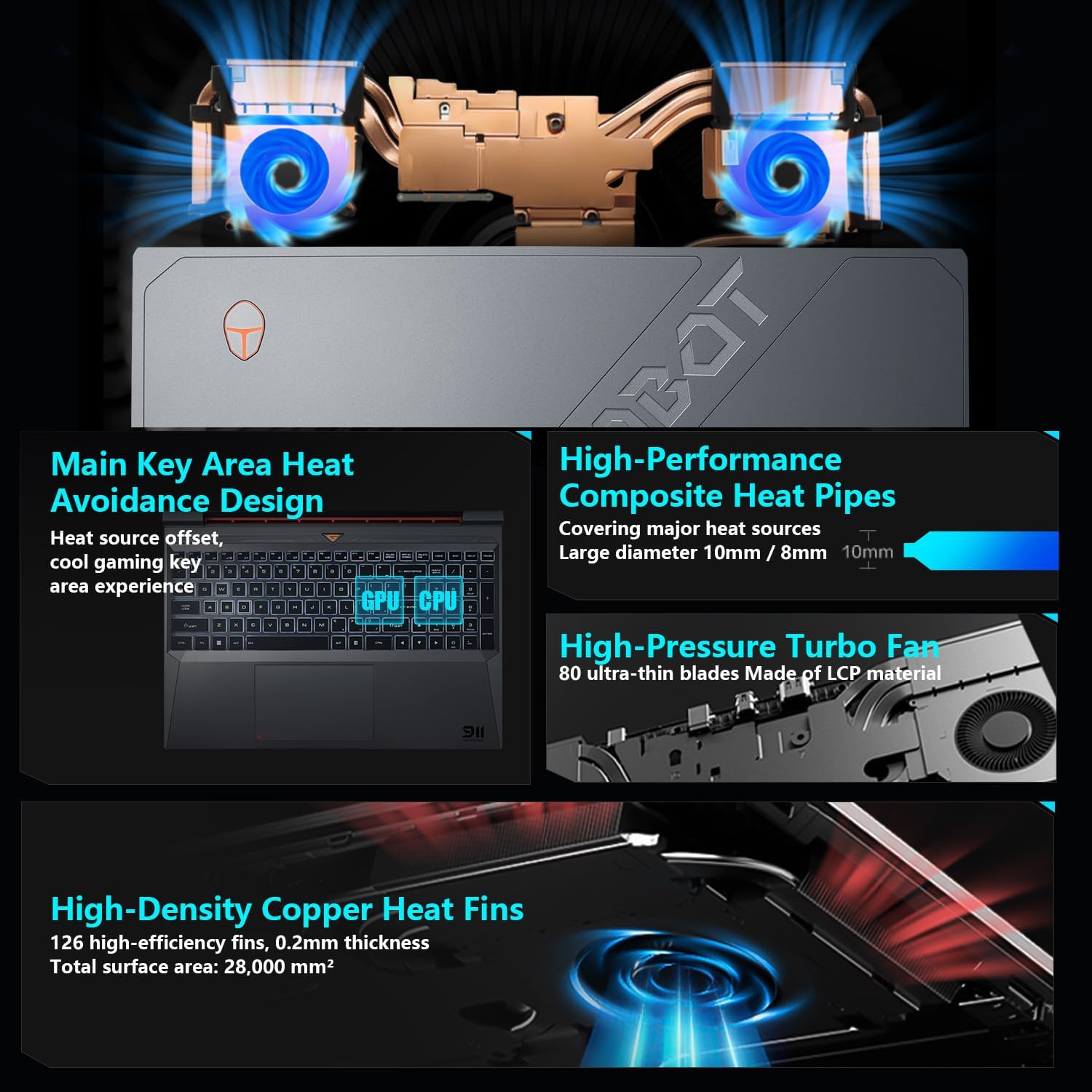
Image: Diagram showing the internal cooling system with heat pipes, fans, and copper fins.
3.5 Control Center Software
The Control Center software allows you to adjust and switch between various performance modes (e.g., Berserk mode, Game mode, Audio and Video Office mode) and customize fan speed and lighting settings. Access it by typing "Control Center" in the Windows search bar or using designated function keys.

Image: Screenshots of the Control Center software interface, showing options for performance modes, fan adjustment, and lighting controls.
4. Entretien
4.1 Nettoyage
- Écran: Utilisez un chiffon doux et non pelucheux dampTerminez avec de l'eau ou un nettoyant pour écrans. Évitez les produits chimiques agressifs.
- Clavier et châssis : Utilisez un chiffon doux pour essuyer les surfaces. L'air comprimé peut servir à dépoussiérer entre les touches et les grilles d'aération.
- Vents: Regularly check and clean the cooling vents to prevent dust buildup, which can hinder airflow and performance.
4.2 Mises à jour logicielles
Keep your operating system and drivers updated to ensure optimal performance and security. Windows Update will handle OS updates, and you can check the Thunderobot support website for the latest driver versions for your specific model.
5. Dépannage
5.1 Problèmes courants
- L'ordinateur portable ne s'allume pas : Ensure the AC adapter is securely connected to both the laptop and a working power outlet. Check if the power button is functioning correctly.
- Surchauffe: Ensure cooling vents are not blocked. Use the Control Center to adjust fan speeds. Consider using the laptop on a hard, flat surface to improve airflow.
- Problèmes d'affichage : If the screen is blank, try connecting an external monitor to check if the issue is with the laptop's display or the graphics output. Update graphics drivers.
- Performances lentes : Check for background applications consuming resources. Ensure sufficient free storage space. Run a malware scan.
- Périphérique non détecté : Ensure the peripheral is correctly plugged into the appropriate port. Try a different port or restart the laptop. Update relevant drivers.
5.2 Contacter l'assistance
If you encounter issues that cannot be resolved using this guide, please refer to the Thunderobot official support channels for assistance.
6. Spécifications
| Fonctionnalité | Détail |
|---|---|
| Taille de l'écran permanent | 15.6 pouces |
| Résolution de l'écran | 1920 x 1080 pixels |
| Résolution d'écran maximale | 1920x1080 pixels |
| Processeur | Intel Core i7-13620H (4.9 GHz max turbo) |
| BÉLIER | 32 Go DDR4 (3200 MHz) |
| Disque dur | SSD de 1 To (PCIE x 4) |
| Coprocesseur graphique | Carte graphique pour ordinateur portable NVIDIA GeForce RTX 4050 |
| Type sans fil | Wi-Fi 802.11ax, Bluetooth |
| Nombre de ports USB 3.0 | 3 |
| Système opérateur | Windows 11 Famille |
| Poids de l'article | 12 livres |
| Dimensions du produit | 14.12 x 10.14 x 0.94 pouces |
| Couleur | Noir |
| Dossier spécial | Clavier rétroéclairé, pavé numérique |

Image: Performance benchmarks comparing the RTX 4050 and Intel Core i7-13620H against previous generations.
7. Garantie et assistance
Chaque ordinateur portable Thunderobot comprend un Garantie de 12 mois, offrant une assistance experte, des diagnostics approfondis et des pièces d'origine en cas de réparation nécessaire. De plus, un Garantie de 90 jours Un certificat d'authenticité est fourni pour toutes les pièces de rechange sous garantie, assurant ainsi des réparations sans tracas. Votre entière satisfaction est notre priorité.
For further support, please visit the official Thunderobot website ou contactez leur service client.
Vidéo : Un overview of the Thunderobot Storm 15 Laptop, showcasinet ses caractéristiques et son design.


