1. Introduction
This manual provides essential information for the VIMIN 10-Port 10G/2.5G Unmanaged Ethernet Switch. This device is designed to expand your network capacity with high-speed connectivity, featuring 8x 2.5 Gigabit Ethernet ports and 2x 10 Gigabit Ethernet ports. It offers a non-blocking 80Gbps switching capacity, ensuring efficient data transfer for demanding applications like 4K streaming, gaming, and NAS connections. The switch operates on a plug-and-play principle, requiring no complex configuration for immediate use.
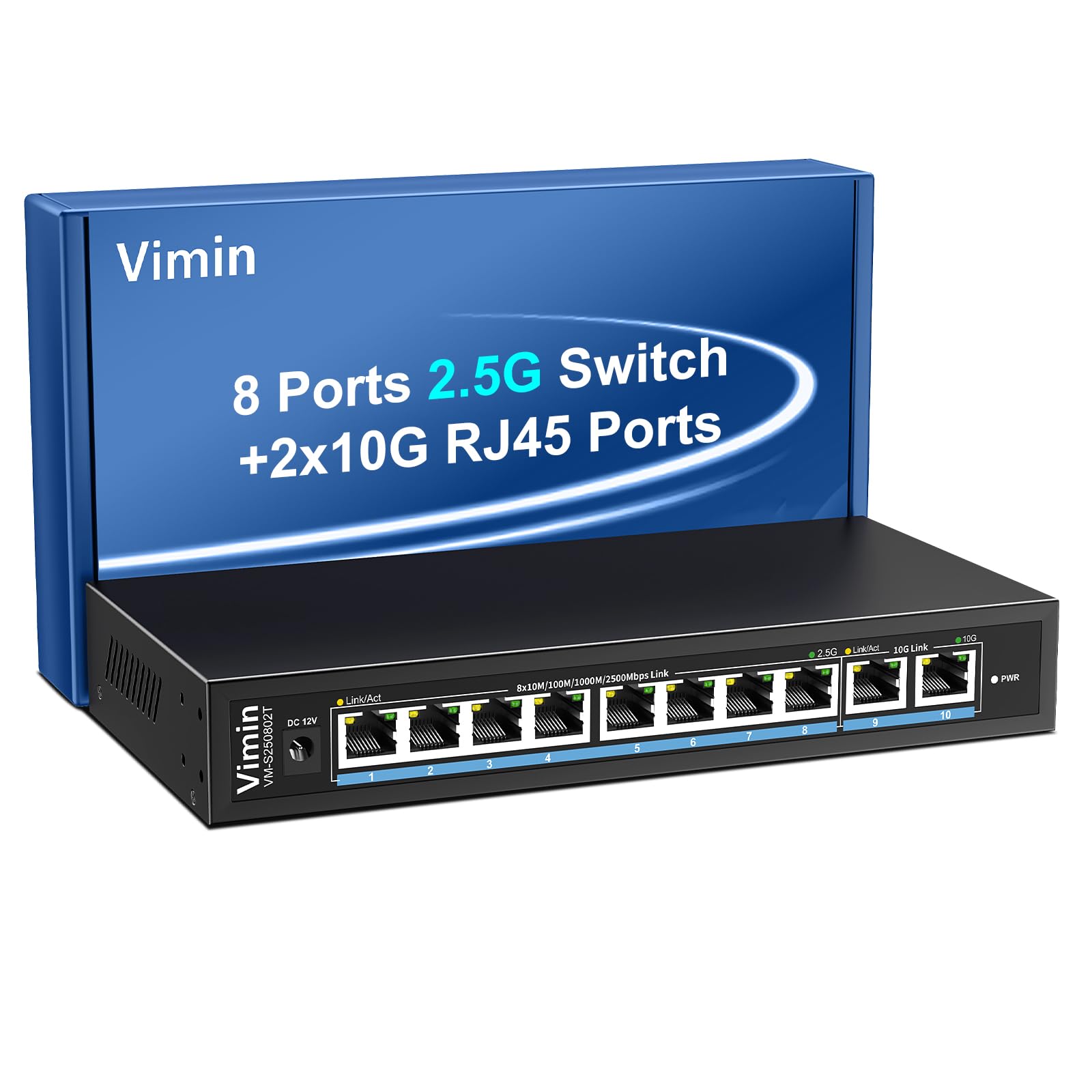
Figure 1: VIMIN 10-Port 2.5Gb Unmanaged Ethernet Switch in a typical setup.
2. Contenu du colis
Veuillez vérifier que tous les articles sont présents et en bon état à l'ouverture du colis. Si un article est manquant ou endommagé, veuillez contacter le service client.
- 1x VIMIN 10-Port 2.5G Unmanaged Ethernet Switch
- 1x Manuel d'utilisation
- 1x câble d'alimentation

Figure 2: Package contents of the VIMIN 10-Port 2.5G Ethernet Switch.
3. Produit terminéview
3.1 Panneau avant
The front panel of the switch features ten RJ45 Ethernet ports and LED indicators for status monitoring.
- Ports 1 à 8 : 2.5 Gigabit Ethernet ports (10/100/1000/2500Mbps auto-negotiation).
- Ports 9 à 10 : 10 Gigabit Ethernet ports (10/100/1000/2500/5000/10000Mbps auto-negotiation).
- Link/Act LED (Yellow/Green): Indicates link status and data activity.
- 2.5G Link LED (Green, for ports 1-8): Indicates a 2.5Gbps connection.
- 10G Link LED (Green, for ports 9-10): Indicates a 10Gbps connection.
- DEL PWR : Indique l'état de l'alimentation.

Figure 3: Front and rear panel of the VIMIN 10-Port 2.5G Ethernet Switch.

Figure 4 : Détaillé view of the RJ45 ports and LED indicators.
3.2 Panneau arrière
The rear panel includes the DC 12V 1A power input port.
4. Installation
The VIMIN 10-Port Ethernet Switch is designed for simple plug-and-play operation, requiring no software configuration.
4.1 Connexion d'alimentation
- Connect the provided power adapter to the DC 12V 1A power input port on the rear panel of the switch.
- Plug the power adapter into a standard electrical outlet. The PWR LED on the front panel will illuminate, indicating the switch is powered on.
4.2 Connexion de l'appareil
- Connect your network devices (e.g., NAS, PC, Wireless AP, WiFi 7 Routers, 10G Adapter/NIC, Gaming PC, 4K/8K Video devices) to any of the RJ45 ports (1-10) using appropriate Ethernet cables.
- The switch automatically detects the speed and duplex mode of the connected device. The Link/Act LED for the respective port will light up when a valid connection is established and flash during data transmission.

Figure 5: Plug and Play connectivity with various network devices.

Figure 6 : Example applications for the 10-Port 2.5G Ethernet Switch.
4.3 Cable Type Recommendations
For optimal performance, especially for 2.5G and 10G connections, use appropriate Ethernet cable types:
| Type de câble | 10 millions | 100 millions | 1G | 2.5 G | 5G | 10 G |
|---|---|---|---|---|---|---|
| CHAT 3/4 | ✓ | ✗ | ✗ | ✗ | ✗ | ✗ |
| CAT 5 | ✓ | ✓ | ✗ | ✗ | ✗ | ✗ |
| CAT 5e | ✓ | ✓ | ✓ | ✗ | ✗ | ✗ |
| CAT 6 | ✓ | ✓ | ✓ | ✓ | ✓ | (<55m) |
| CAT 6A/7 | ✓ | ✓ | ✓ | ✓ | ✓ | ✓ |
Figure 7: Ethernet cable type compatibility and performance.
4.4 options de montage
The compact design of the switch allows for both desktop placement and wall mounting to save space.

Figure 8 : Options d'installation sur bureau et murale.
5. Mode d'emploi
The VIMIN 10-Port Unmanaged Ethernet Switch operates automatically once connected, requiring no user intervention for basic network functions.
5.1 Négociation automatique
Each port on the switch supports auto-negotiation, automatically adjusting the transmission method and speed (10/100/1000/2500Mbps for ports 1-8, and up to 10Gbps for ports 9-10) to match the connected device. This ensures optimal performance without manual configuration.

Figure 9: Self-Negotiation Functionality.
5.2 Contrôle de flux
The switch supports IEEE 802.3x flow control for full-duplex mode and backpressure for half-duplex mode. These mechanisms prevent data packet loss during periods of high network traffic by temporarily pausing data transmission from congested devices, ensuring stable and reliable connections.
6. Entretien
To ensure the longevity and optimal performance of your VIMIN Ethernet Switch, follow these maintenance guidelines:
- Nettoyage: Utilisez un chiffon doux et sec pour nettoyer l'extérieur de l'interrupteur. N'utilisez pas de nettoyants liquides ni en aérosol.
- Ventilation: Ensure proper airflow around the switch. Do not block ventilation openings. The fanless design relies on natural convection for cooling.
- Environnement: Placez l'interrupteur dans un endroit frais et sec, à l'abri de la lumière directe du soleil, des sources de chaleur et de l'humidité excessive.
- Pouvoir: Utilisez uniquement l'adaptateur secteur fourni. Débranchez l'alimentation en cas d'orage ou en cas d'inutilisation prolongée.
7. Dépannage
If you encounter issues with your VIMIN Ethernet Switch, refer to the following common troubleshooting steps:
- Pas d'alimentation :
- Assurez-vous que l'adaptateur secteur est correctement branché à la fois à l'interrupteur et à une prise électrique fonctionnelle.
- Vérifiez le bon fonctionnement de la prise de courant en y branchant un autre appareil.
- Check if the PWR LED on the switch is illuminated.
- Aucun lien/activité sur un port :
- Vérifiez que le câble Ethernet est correctement connecté à la fois au port du commutateur et au périphérique connecté.
- Vérifiez que l'appareil connecté est allumé et fonctionne correctement.
- Essayez un autre câble Ethernet pour exclure une défaillance du câble.
- Testez avec un autre port du commutateur.
- Vitesse du réseau lente :
- Ensure you are using appropriate cable types (e.g., CAT6 or CAT6A/7 for 2.5G/10G connections) as indicated in Section 4.3.
- Check the network adapter settings on your connected device to ensure it supports the desired speed.
- Verify that the Link/Act LED indicates the expected speed (e.g., green for 2.5G/10G).
- Réduisez la congestion du réseau en limitant les activités simultanées à large bande passante.
- Connexion intermittente :
- Vérifiez les connexions de câble desserrées.
- Ensure the switch is placed in a stable environment, free from excessive vibrations or temperature fluctuations.
- Consider potential electromagnetic interference from other electronic devices.
8. Spécifications
| Fonctionnalité | Description |
|---|---|
| Marque | VIMIN |
| Numéro de modèle | 8x2.5G Ethernet (Unmanaged) |
| Nombre de ports | 10 (8x 2.5G RJ45, 2x 10G RJ45) |
| Type d'interface | RJ45 |
| Taux de transfert de données | 10 gigabits par seconde (maximum) |
| Capacité de commutation | 80 Gbit/s |
| Contrôle de flux | IEEE 802.3x (Full-Duplex), Backpressure (Half-Duplex) |
| Normes | IEEE 802.3bz, IEEE 802.3u, IEEE 802.3ab, IEEE 802.3z |
| Puissance d'entrée | DC 12V 1A (AC 100-240V adapter) |
| Poids de l'article | 1.83 livre (environ 0.83 kg) |
| Dimensions du colis | 9.53 x 6.5 x 2.99 pouces (environ 24.2 x 16.5 x 7.6 cm) |
| Couleur | Noir |
| Appareils compatibles | Desktop, Gaming Console, Laptop, NAS, Wireless AP |
9. Garantie et assistance
VIMIN products are designed for reliability and performance. For warranty information, technical support, or any product-related inquiries, please refer to the warranty card included with your product or visit the official VIMIN website. You may also contact VIMIN customer service through the retailer where the product was purchased.
Pour obtenir de l'aide supplémentaire, veuillez consulter le VIMIN Store on Amazon.


