1. Produit terminéview
This manual provides detailed instructions for the Gamrombo Wireless Controller, designed for use with Xbox One, Xbox Series X|S, PC, and Windows 10/11 operating systems. Please read this manual carefully before use.
1.1 Contenu du paquet
- Gamrombo Wireless Controller (x2)
- 2.4GHz USB Adapter (x2)
- Câble de charge USB Type-C (x2)
- Manuel de l'utilisateur (ce document)
1.2 Disposition du contrôleur
The Gamrombo Wireless Controller features a standard layout with responsive buttons, joysticks, and triggers for an enhanced gaming experience.

Illustration 1.1 : Avant view of the Gamrombo Wireless Controllers and 2.4GHz USB Adapters.

Image 1.2 : Détail view of controller buttons, joysticks, and triggers.
2. Configuration et connexion
2.1 Connecting to Xbox Consoles (Xbox One, Xbox Series X|S)
- Assurez-vous que votre console Xbox est allumée.
- Insert the 2.4GHz USB adapter into an available USB port on your Xbox console.
- Press and hold the Home button on the controller for 3 seconds to power it on. The indicator light on the controller will flash rapidly.
- Once the controller connects to the adapter, the indicator light will become solid, indicating a successful connection.
2.2 Connecting to PC (Windows 10/11)
- Assurez-vous que votre PC est sous tension.
- Insert the 2.4GHz USB adapter into an available USB port on your PC. The system will automatically install the necessary drivers.
- Press and hold the Home button on the controller for 3 seconds to power it on. The indicator light on the controller will flash rapidly.
- Once the controller connects to the adapter, the indicator light will become solid. You can now use the controller for PC games.

Image 2.1: Controller compatibility with various platforms.
2.3 Charger le contrôleur
To charge the controller, connect the included USB Type-C cable to the charging port on the controller and the other end to a USB power source (e.g., console, PC, or USB wall adapter). The indicator light will show charging status and turn off when fully charged.
3. Mode d'emploi
3.1 Mise sous/hors tension
- Mise sous tension : Appuyez sur le bouton Accueil et maintenez-le enfoncé pendant 3 secondes.
- Éteindre: Press and hold the Home button for 5-8 seconds. The controller will automatically power off after 5 minutes of inactivity.
3.2 Fonction Turbo
The Turbo function allows for rapid, repeated input of a button press, which can be beneficial in certain games.
- Appuyez et maintenez enfoncé le bouton Turbo.
- While holding the Turbo button, press the desired action button (e.g., A, B, X, Y, LB, RB, LT, RT). The Turbo function is now activated for that button.
- To deactivate Turbo for a specific button, repeat the process: press and hold the Turbo button, then press the action button again.

Image 3.1: Instructions for activating the Turbo function.
3.3 Double vibration
The controller features dual motors for vibration feedback, providing an immersive gaming experience. Vibration intensity can vary based on game support and in-game settings.

Image 3.2: Dual-motor vibration feedback levels.
3.4 Audio Jack and Volume Control
The controller includes a standard 3.5mm stereo audio jack for connecting headsets. Volume can be adjusted directly on the controller.
- Monter le son: Push the volume slider to the right (+).
- Baisser le volume: Push the volume slider to the left (-).
- Muet: Press and hold the middle of the volume slider to mute audio.

Image 3.3: Audio jack and volume control details.
4. Entretien
- Nettoyage: Utilisez un chiffon doux et sec pour nettoyer la manette. Évitez d'utiliser des produits chimiques agressifs ou des matériaux abrasifs.
- Stockage: Rangez la manette dans un endroit frais et sec, à l'abri de la lumière directe du soleil et des températures extrêmes.
- Entretien de la batterie: To prolong battery life, avoid fully discharging the controller frequently. Charge the controller regularly, even if not in active use.
5. Dépannage
5.1 Problèmes de connexion
- La manette ne se connecte pas : Ensure the 2.4GHz USB adapter is securely plugged into the console/PC. Make sure the controller is charged. Try re-pairing by powering off and on the controller.
- Connexion intermittente : Ensure there are no strong wireless interference sources nearby. Try moving closer to the console/PC.
5.2 Controller Firmware Upgrade
If you experience persistent connection issues, particularly with Xbox consoles, a firmware upgrade may be required. The upgrade process is performed on a Windows PC.

Image 5.1: Information regarding controller firmware upgrade for connection issues.
- Upgrade Program Download: we.tl/t-I78iIsdPhP
- Video Upgrade Steps: youtu.be/2Q_x2bhtcUU
- The upgrade typically takes 2-3 minutes and ensures continued compatibility with Xbox devices.
5.3 Autres problèmes
- Boutons non réactifs : Ensure the controller is powered on and connected. Restart the controller and try again.
- Vibration ne fonctionne pas : Vérifiez les paramètres du jeu pour vous assurer que les vibrations sont activées.
6. Spécifications
| Fonctionnalité | Détail |
|---|---|
| Connectivité | 2.4GHz sans fil |
| Compatibilité | Xbox One, Xbox Series X|S, PC (Windows 10/11) |
| Capacité de la batterie | 650mAh |
| Temps de charge | 2-3 heures |
| Durée de fonctionnement | 8-10 heures |
| Prise audio | 3.5mm Stereo |
| Vibration | Moteurs doubles |
| Détecteur de mouvement | 6-Axis (for supported games/platforms) |
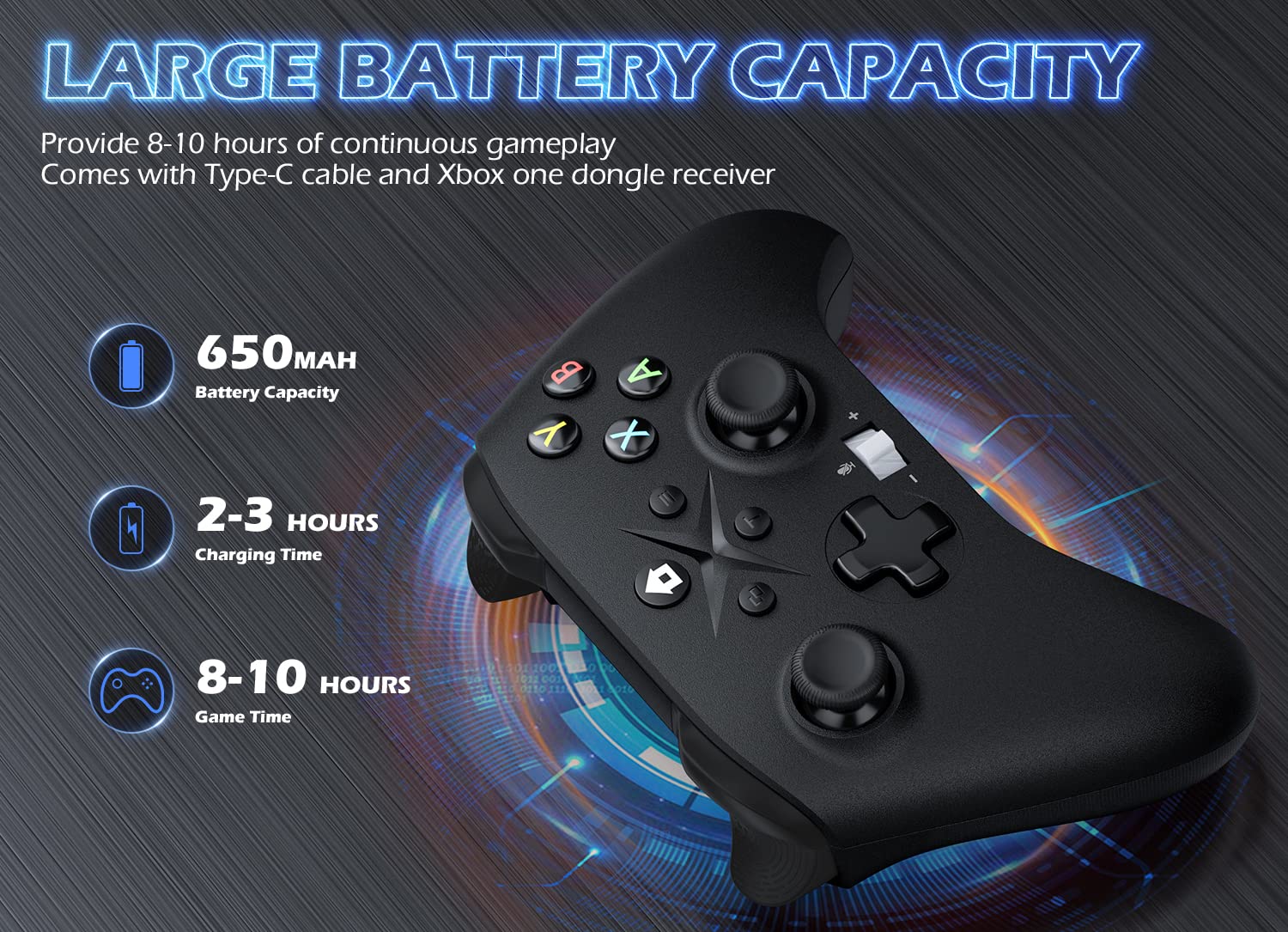
Image 6.1: Battery specifications.
7. Informations importantes sur la sécurité
- N’exposez pas le contrôleur à des températures extrêmes, à l’humidité ou à la lumière directe du soleil.
- Évitez de faire tomber la manette ou de la soumettre à des chocs violents.
- Ne tentez pas de démonter ou de modifier la manette. Cela pourrait annuler la garantie et l'endommager.
- Keep the controller and its accessories out of reach of small children.
- Utilisez uniquement le câble de chargement fourni ou un équivalent certifié.
8. Assistance clientèle
For further assistance or inquiries, please contact Gamrombo customer support through the retailer's platform or the official Gamrombo website.


