1. Introduction
This manual provides detailed instructions for the installation, operation, and maintenance of your SILENTWARE VIEWWHITE A-RGB Mid-Tower PC Case. Please read this manual thoroughly before beginning assembly to ensure proper setup and to maximize the performance and longevity of your system components.
The SILENTWARE VIEWWHITE is a high-performance mid-tower PC case designed for optimal airflow and aesthetic appeal. It features tempered glass panels, four pre-installed 120mm A-RGB fans, and comprehensive compatibility for various PC components.
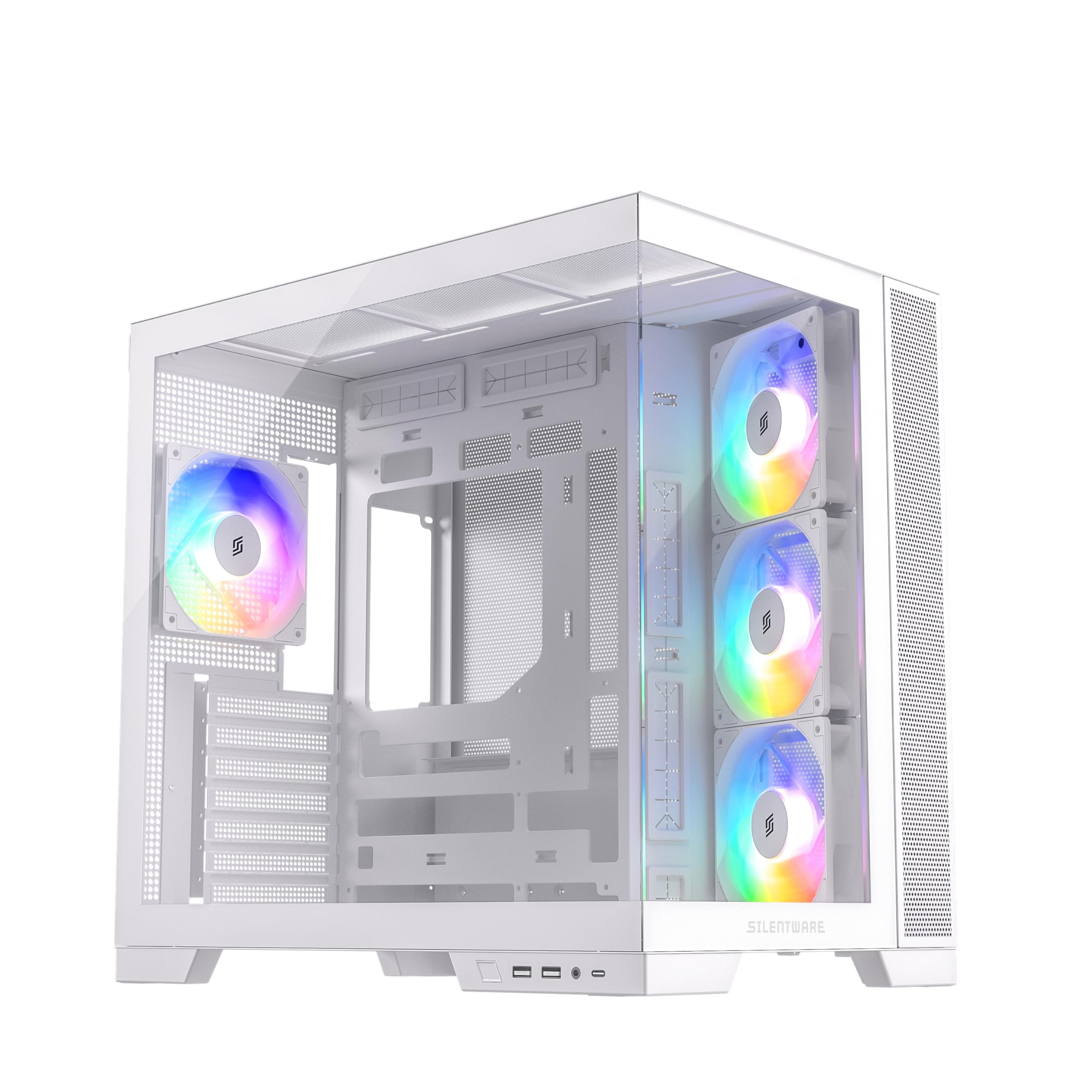
Figure 1.1 : Plusview of the SILENTWARE VIEWWHITE A-RGB Mid-Tower PC Case.
2. Configuration et installation
Before starting, ensure you have all necessary components and tools. It is recommended to work on a clean, flat surface and to use anti-static precautions.
2.1 Unpacking the Case
Carefully remove the PC case from its packaging. Inspect for any damage that may have occurred during shipping. Retain the packaging for future transport or warranty claims.
2.2 Retrait des panneaux
The SILENTWARE VIEWWHITE features tempered glass panels on the front and side. To access the interior for component installation:
- Locate the thumbscrews or latches securing the side tempered glass panel.
- Carefully remove the screws/release the latches and gently slide or lift the panel off. Place it on a soft, flat surface to prevent scratches.
- The top panel can also be removed for easier access and radiator installation.

Figure 2.1: Top panel removed for access to the interior.
2.3 Installation de la carte mère
The case supports ATX, mATX, and ITX motherboards.
- Install the necessary motherboard standoffs if they are not pre-installed for your motherboard size.
- Align your motherboard with the standoffs and the I/O shield opening at the rear of the case.
- Fixez la carte mère avec des vis.
2.4 Installation de l'alimentation électrique
The power supply unit (PSU) is mounted at the bottom of the case.
- Glissez le bloc d'alimentation dans son compartiment prévu à cet effet par l'arrière du boîtier.
- Fixez le bloc d'alimentation à l'aide de vis situées à l'arrière extérieur du boîtier.
- Utilize the integrated cable management system for a clean build. The case supports PSUs up to 200mm in length.
2.5 Installation du disque de stockage
The case provides space for 2x SSDs and 1x HDD.
- Locate the SSD mounting points (typically behind the motherboard tray).
- Secure SSDs with screws.
- Install HDDs in the designated drive cage, usually located near the PSU shroud.
2.6 Installation de la carte graphique (GPU)
Ce boîtier supporte les cartes graphiques jusqu'à 410 mm de longueur.
- Retirez les caches des emplacements d'extension nécessaires à l'arrière du boîtier.
- Insérez votre carte graphique dans le port PCIe de la carte mère.
- Fixez le GPU à l'aide de vis.
2.7 Cooling System (Fans & Radiators)
The case comes with four pre-installed 120mm A-RGB fans: three inverted airflow fans at the front and one at the rear. It supports various radiator configurations:
- Haut: Up to 360mm radiator
- Côté: Up to 280mm radiator
- Arrière: Up to 120mm radiator
Ensure all fans are connected to the motherboard or a fan controller for power and RGB control.
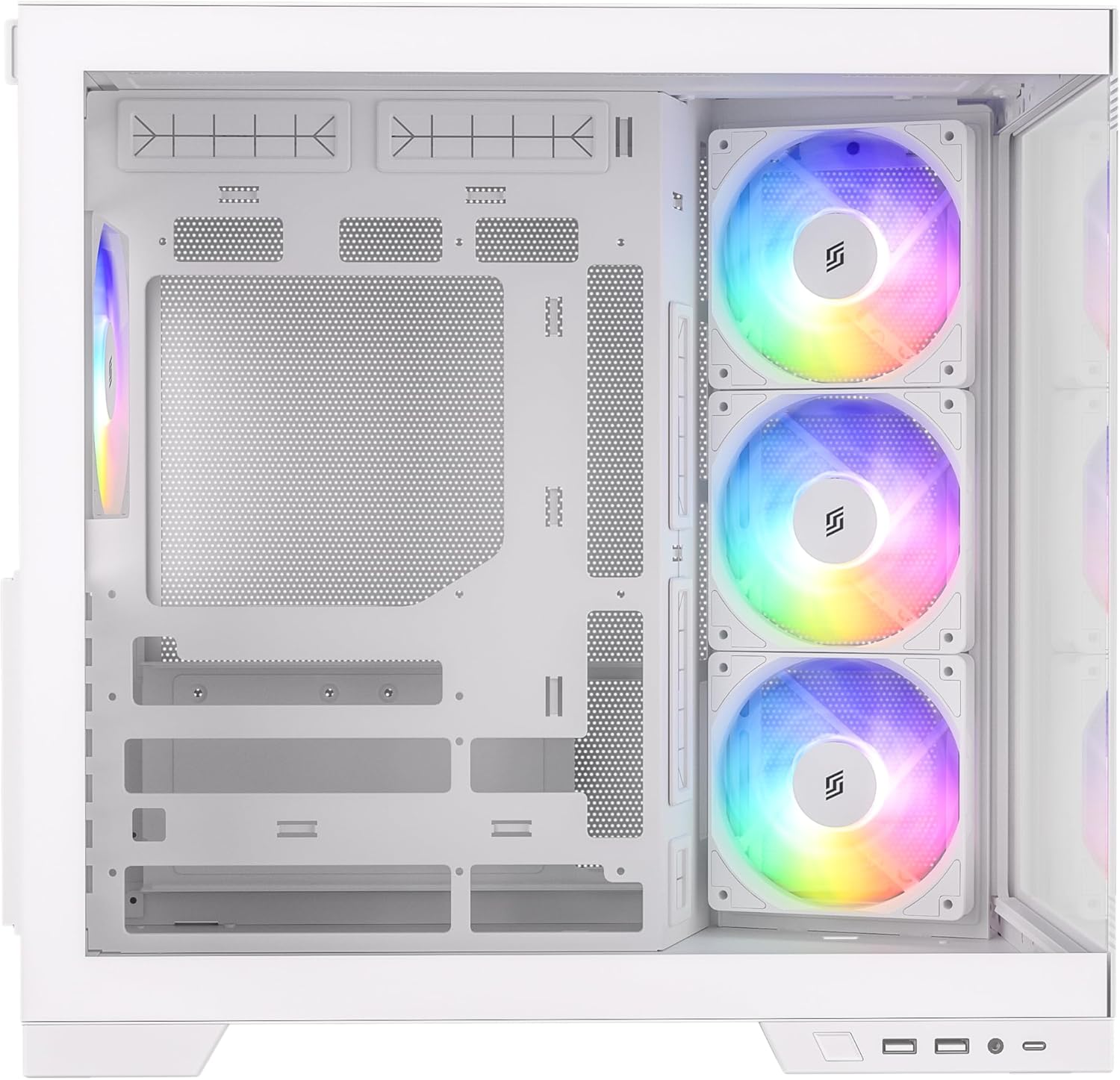
Figure 2.2 : Interne view highlighting fan placement and component space.
2.8 Connexions du panneau d'E/S avant
Connect the front I/O panel cables to your motherboard. These include:
- USB 3.0 (x2)
- USB-C (x1)
- HD Audio (for headphone and microphone jacks)
- Power Button, Reset Button, Power LED, HDD LED
Refer to your motherboard manual for specific header locations.
3. Operating the A-RGB Fans
The pre-installed A-RGB fans offer flexible lighting and speed control.
3.1 Raccordements des ventilateurs
Each fan has two connectors:
- 4-pin PWM connector: For fan speed control. Connect this to a 4-pin fan header on your motherboard.
- 3-pin A-RGB connector: For addressable RGB lighting control. Connect this to a 3-pin 5V A-RGB header on your motherboard. Do not connect to a 4-pin 12V RGB header, as this may damage the LEDs.
3.2 Contrôle logiciel
Once connected, you can control the fan speed and A-RGB lighting effects through your motherboard's proprietary software (e.g., ASUS Aura Sync, MSI Mystic Light, Gigabyte RGB Fusion, ASRock Polychrome Sync). Refer to your motherboard's manual for instructions on using its specific software.

Figure 3.1: A-RGB fans providing illumination and airflow.
4. Entretien
Un entretien régulier contribue à garantir des performances optimales et prolonge la durée de vie des composants de votre PC.
4.1 Nettoyage de la poussière
Dust accumulation can impede airflow and cause components to overheat. It is recommended to clean your PC case every 3-6 months, or more frequently in dusty environments.
- Power off your PC and unplug it from the wall outlet.
- Remove the side and top panels.
- Use compressed air to blow dust out of the case, especially from fan blades, radiator fins, and mesh filters. Hold fan blades gently to prevent over-spinning.
- Essuyez les surfaces intérieures avec un chiffon en microfibre.
4.2 Entretien du verre trempé
The tempered glass panels require careful handling.
- Clean glass panels with a soft, lint-free cloth and a non-abrasive glass cleaner.
- Évitez les produits chimiques agressifs ou les matériaux abrasifs qui pourraient rayer le verre.
- Always handle glass panels by their edges to prevent fingerprints and smudges.
5. Dépannage
Cette section aborde les problèmes courants que vous pourriez rencontrer.
5.1 Ventilateurs ne tournant pas ou ne s'allumant pas
- Vérifiez les connexions électriques : Ensure the 4-pin PWM fan connectors are securely plugged into the motherboard fan headers.
- Check RGB Connections: Verify that the 3-pin A-RGB connectors are securely plugged into the 5V A-RGB headers on your motherboard. Confirm you are not using a 12V RGB header.
- Logiciel de la carte mère : Ensure your motherboard's RGB control software is installed and configured correctly. Sometimes, a BIOS update or a fresh installation of the software can resolve issues.
- Fan Controller: If using an external fan controller, ensure it is powered and correctly connected to the fans and motherboard.
5.2 Mauvaise circulation d'air / Températures élevées
- Accumulation de poussière : Clean dust filters and fan blades as described in the Maintenance section.
- Orientation des fans : Ensure fans are oriented correctly for optimal airflow (front fans typically intake, rear/top fans exhaust). The pre-installed front fans are inverted for intake.
- Gestion des câbles: Une mauvaise gestion des câbles peut obstruer la circulation de l'air. Réorganisez les câbles pour minimiser les obstructions.
5.3 Front I/O Ports Not Working
- Check Motherboard Connections: Verify that all front I/O cables (USB 3.0, USB-C, HD Audio, power/reset switches) are correctly connected to their respective headers on the motherboard. Refer to your motherboard manual.
- Installation du pilote : Ensure all necessary motherboard drivers, especially for USB ports, are installed.
6. Spécifications
Below are the technical specifications for the SILENTWARE VIEWWHITE A-RGB Mid-Tower PC Case:
| Fonctionnalité | Spécification |
|---|---|
| Marque | SILENTWARE |
| Numéro de modèle | VIEWBLANC |
| Type de cas | Tour intermédiaire |
| Couleur | Blanc |
| Matériel | Tempered Glass (Front & Side), Steel |
| Compatibilité de la carte mère | ATX, mATX, ITX |
| Ventilateurs préinstallés | 4x 120mm A-RGB (3x Front, 1x Rear) |
| Dégagement de longueur du GPU | Jusqu'à 410 mm |
| Hauteur libre pour le refroidisseur de processeur | Jusqu'à 160 mm |
| Support de radiateur (supérieur) | Jusqu'à 360 mm |
| Support de radiateur (côté) | Jusqu'à 280 mm |
| Support de radiateur (arrière) | Jusqu'à 120 mm |
| Baies de lecteur | 2 disques SSD 2.5 pouces, 1 disques durs 3.5 pouces |
| Ports d'E / S avant | 2x USB 3.0, 1x USB-C, Audio In/Out |
| Type d'alimentation | ATX (Bottom Mount, up to 200mm) |
| Dimensions (L x P x H) | 28.5 x 42.5 x 41.5 cm |

Figure 6.1 : Dimensions du produit.
7. Informations sur la garantie
SILENTWARE products are covered by a limited warranty against defects in materials and workmanship. The specific warranty period and terms may vary by region and retailer. Please retain your proof of purchase for warranty claims.
For detailed warranty information, please refer to the warranty card included with your product or visit the official SILENTWARE website.
8. Assistance
If you encounter any issues not covered in this manual or require further assistance, please contact SILENTWARE customer support.
- Website: Visit the official SILENTWARE webSite regroupant les FAQ, les téléchargements de pilotes et les ressources d'assistance.
- E-mail: Refer to your product packaging or the SILENTWARE website pour les adresses e-mail du service client.
- Téléphone: Check the SILENTWARE website répertoriant les numéros de contact du support régional.
Lorsque vous contactez l'assistance, veuillez vous munir du numéro de modèle de votre produit (VIEWWHITE) and proof of purchase ready.

