
ANFIER M3
Manuel d'utilisation des écouteurs de traduction IA ANFIER M3
Modèle : M3 | Marque : ANFIER
1. Produit terminéview
The ANFIER M3 AI Translation Earbuds are designed to facilitate seamless communication across language barriers. These 3-in-1 earbuds offer real-time translation, high-fidelity music playback, and hands-free calling. They support 144 languages and accents, including lifetime-free offline translation for 11 major languages.
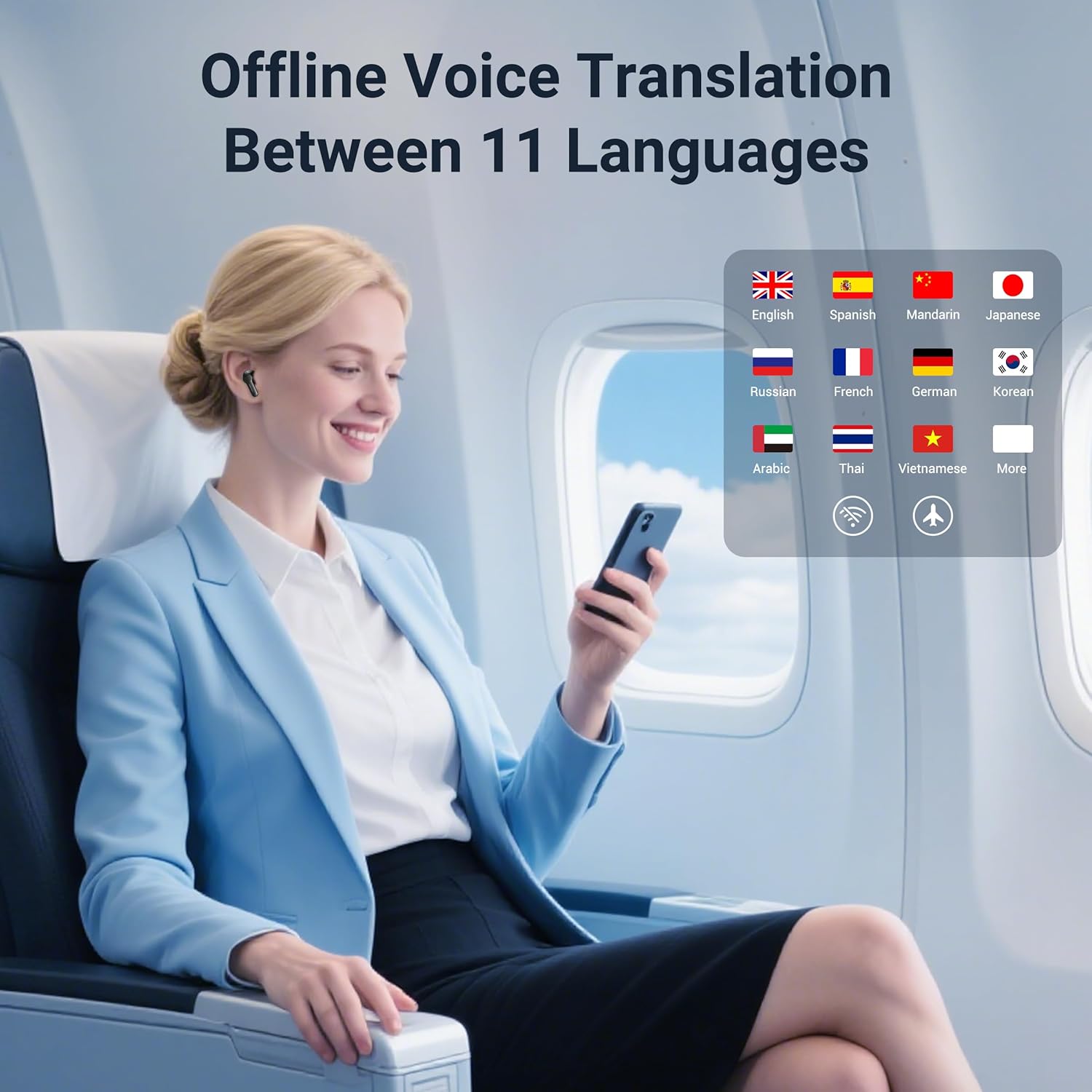
Image : Écouteurs intra-auriculaires ANFIER M3 AI Translation dans leur étui de chargement.
2. Contenu de la boîte
- Écouteurs de traduction M3
- Offline Language Redemption Card (1)
- USB A to C Charging Cable (1)
- Manuel d'utilisation (1)
- S/M/L Sizes Eartips (3 pairs)
Vidéo : Un overview of the ANFIER M3 Translator Earbuds and their features.
3. Installation
3.1 Chargement des écouteurs
Before first use, fully charge the earbuds and the charging case. Connect the provided USB A to C charging cable to the charging case and a power source. The charging case takes approximately 90 minutes for a full recharge.

Image: Visual representation of charging time and battery life for the ANFIER M3 earbuds.
3.2 Installation et appairage de l'application
- Download the companion app (WAS-M3) from your device's app store (Google Play or Apple App Store).
- Open the charging case to activate the earbuds.
- Enable Bluetooth on your mobile phone and search for 'WAS-M3' to pair.
- Open the WAS-M3 app and follow the on-screen instructions to connect the earbuds.
3.3 Offline Language Download
Use the provided Offline Language Redemption Card to activate and download 11 major languages for offline translation. This feature allows translation without an internet connection.

Image: A woman using ANFIER M3 earbuds for offline translation, showing flags of 11 supported languages.
4. Mode d'emploi
The ANFIER M3 earbuds offer five smart translation modes to suit various communication scenarios:
4.1 Modes de traduction
- Mode tactile : Each person wears one earbud. Tap your earbud to speak, and the translation will be heard in the other person's earbud.
- Mode haut-parleur : One person wears an earbud, and the other person speaks into the phone. The translation is played through the phone's speaker and heard in the earbud.
- Mode de conversation libre : Both users wear an earbud. Speak naturally, and the earbuds will automatically detect and translate speech in real-time.
- Mode hors ligne : Utilizes pre-downloaded language packs for translation without an internet connection.
- Traduction de la photo : Use your phone's camera through the app to translate text from images (e.g., menus, signs).

Image: Visual guide to the different translation modes available with the ANFIER M3 earbuds.
4.2 Lecture de musique et appels
The earbuds can also be used for listening to music and making/receiving phone calls. Ensure they are paired via Bluetooth to your device. Controls for playback and calls are typically managed through your connected device.
5. Entretien
5.1 Nettoyage
- Nettoyez régulièrement les écouteurs et l'étui de chargement avec un chiffon doux, sec et non pelucheux.
- Retirez les embouts auriculaires et nettoyez-les à l'eau et au savon doux si nécessaire. Assurez-vous qu'ils soient parfaitement secs avant de les remettre en place.
- Évitez d'utiliser des matériaux abrasifs ou des produits chimiques agressifs.
5.2 Stockage
Rangez les écouteurs dans leur étui de chargement lorsqu'ils ne sont pas utilisés afin de les protéger de la poussière et des chocs. Conservez-les dans un endroit frais et sec, à l'abri des températures extrêmes.
5.3 Entretien de la batterie
Pour prolonger la durée de vie de la batterie, évitez de décharger complètement les écouteurs fréquemment. Rechargez-les régulièrement, même si vous ne les utilisez pas en permanence.
6. Dépannage
6.1 Problèmes d'appairage
- Ensure earbuds are charged and the charging case is open.
- Désactivez puis réactivez le Bluetooth de votre téléphone.
- Oubliez l'appareil dans vos paramètres Bluetooth et essayez de le jumeler à nouveau.
- Redémarrez votre téléphone portable.
6.2 Translation Accuracy/Speed
- Ensure a stable internet connection (if not using offline mode).
- Parlez clairement et à un rythme modéré.
- Check microphone and speaker settings within the app.
- Mettez à jour l'application vers la dernière version.
6.3 Problèmes audio
- Check earbud fit and try different sized ear tips.
- Clean the earbud speakers and microphone.
- Ensure volume levels are adjusted correctly on both the earbuds and your connected device.
7. Spécifications
| Fonctionnalité | Détail |
|---|---|
| Modèle | M3 |
| Langues de traduction | 144 languages & accents (online), 11 major languages (offline) |
| Exactitude de la traduction | Jusqu'à 98% |
| Temps de réponse | 0.5 secondes |
| Version Bluetooth | 5.3 |
| Temps de traduction continue | Jusqu'à 5 XNUMX heures |
| Autonomie totale de la batterie (avec étui) | Jusqu'à 15 XNUMX heures |
| Temps de charge (cas) | Environ 90 minutes |
| Réduction du bruit | Up to 35dB ENC |
| Poids de l'article | 6.7 onces |
| Dimensions du colis | 4.84 x 4.09 x 1.69 pouces |
8. Garantie et assistance
For warranty information, please refer to the documentation included with your product or contact ANFIER customer service. ANFIER offers 24/7 customer service for assistance.
For further support, please visit the official ANFIER webconsultez leur site ou contactez directement leur service client.
Ask a question about this manual
Ask about setup, troubleshooting, compatibility, parts, safety, or missing instructions. Manuals+ will review the question and use this page’s manual context to help answer it.