Introduction
Welcome to the user manual for your SWOFY D08 Android 13 MP3 Player. This device is designed to provide a versatile and high-quality portable audio and video experience. Featuring an Android 13 operating system, Bluetooth 5.0, dual-band Wi-Fi, and a 4-inch touchscreen, the D08 allows you to enjoy music, videos, and various applications with ease. Please read this manual carefully to ensure proper setup, operation, and maintenance of your device.
Contenu du colis
Avant de commencer, veuillez vérifier que tous les articles sont présents dans votre colis :
- SWOFY D08 MP3 Player (160GB)
- Câble USB Type-C
- Écouteurs filaires
- Manuel d'utilisation
Appareil terminéview
Familiarize yourself with the physical components of your SWOFY D08 MP3 Player.

Image : Face et côté view du lecteur MP3 SWOFY D08, montrantasinavec son écran tactile de 4 pouces et ses boutons physiques.
- Écran tactile HD de 4 pouces : Interface principale d'interaction.
- Bouton d'alimentation : Situé sur le côté, il sert à allumer/éteindre et à mettre en veille/sortie de veille l'appareil.
- Boutons de volume : Régler le niveau de sortie audio.
- Port USB-C : Pour le chargement et le transfert de données.
- Prise casque 3.5 mm: Pour la sortie audio filaire.
- Emplacement pour carte MicroSD : Pour un stockage extensible.
- Haut-parleur intégré : Pour la lecture audio sans casque.
Installation
1. Chargement de l'appareil
Before first use, fully charge your SWOFY D08 MP3 Player. Connect the provided USB Type-C cable to the device's USB-C port and the other end to a USB power adapter (not included) or a computer's USB port. The battery indicator on the screen will show charging status.

Image: The SWOFY D08 MP3 Player displaying a 100% battery charge icon, indicating a full charge. The image also highlights the 2000mAh battery capacity and estimated usage times: 60 hours standby, 20 hours music, 6 hours video, and 3-4 hours charging time.
- Une charge complète prend généralement 3 à 4 heures.
- The 2000mAh battery provides up to 35 hours of continuous music playback or 10 hours of 1080p video viewing.
2. Mise sous/hors tension
- Pour allumer : Maintenez enfoncé le bouton Marche/Arrêt situé sur le côté de l'appareil jusqu'à ce que l'écran s'allume.
- Pour éteindre : Maintenez le bouton Marche/Arrêt enfoncé, puis sélectionnez « Éteindre » parmi les options affichées à l'écran.
- Pour dormir/se réveiller : Appuyez brièvement sur le bouton Marche/Arrêt pour mettre l'appareil en veille ou le réveiller.
3. Configuration initiale et connexion Wi-Fi
Upon first power-on, follow the on-screen prompts to complete the initial setup, including language selection and Wi-Fi connection.
- Depuis l'écran d'accueil, appuyez sur l'icône « Paramètres ».
- Sélectionnez « Réseau et Internet ».
- Activez le Wi-Fi.
- Sélectionnez le réseau Wi-Fi souhaité dans la liste.
- Saisissez le mot de passe du réseau si vous y êtes invité, puis appuyez sur « Se connecter ».

Image: The SWOFY D08 MP3 Player's home screen, displaying a grid of application icons including Spotify, Pandora, Audible, FM Radio, Play Store, and Chrome, illustrating the Android 13 OS interface.
4. Extension du stockage avec une carte microSD
The device comes with 32GB internal storage and a 128GB microSD card. You can expand storage further up to 1TB using an additional microSD card.
- Repérez l'emplacement pour carte microSD sur le côté de l'appareil.
- Insérez délicatement la carte microSD dans son logement jusqu'à ce qu'elle s'enclenche. Assurez-vous que la carte est correctement orientée.
- Pour la retirer, poussez délicatement la carte vers l'intérieur jusqu'à ce qu'elle se détache.
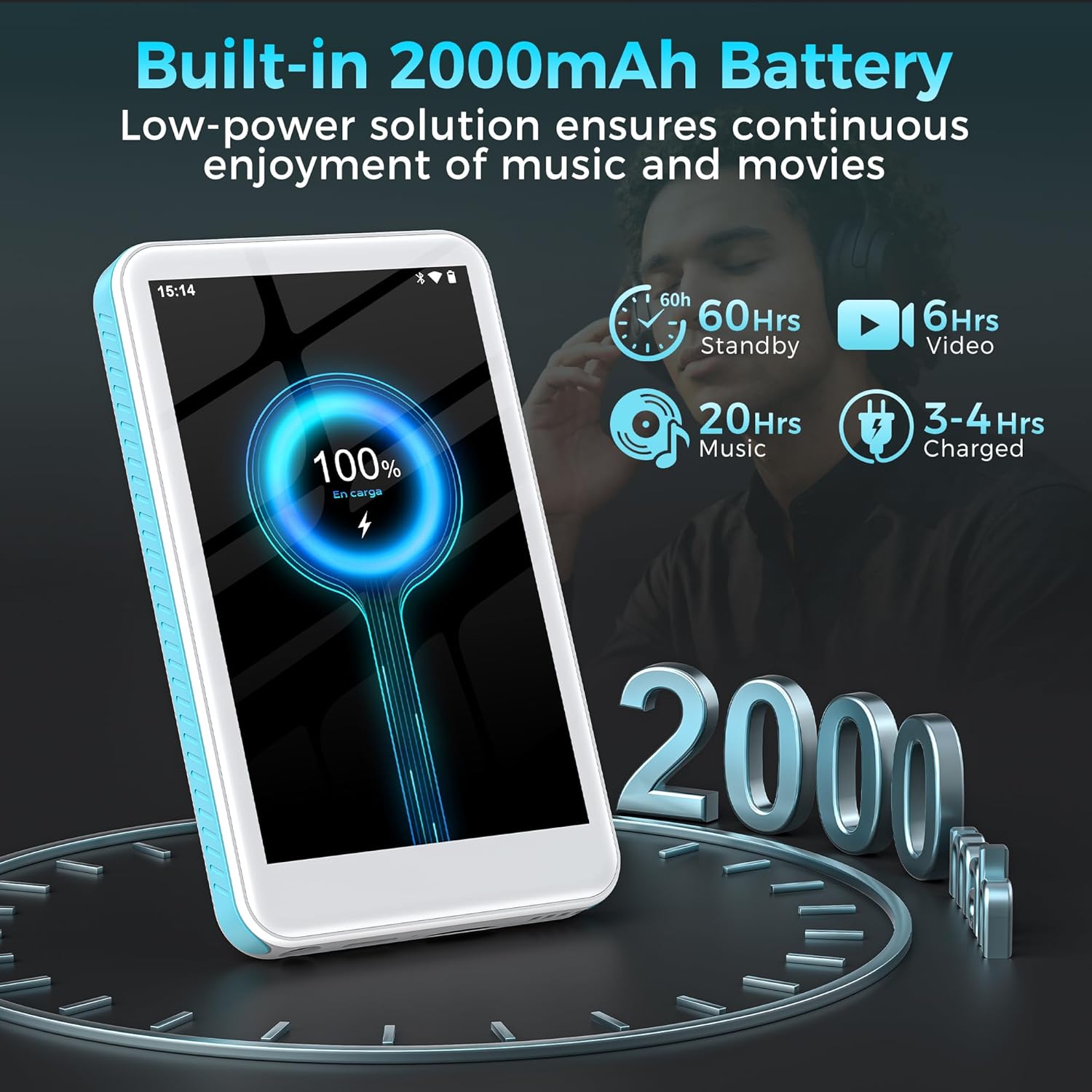
Image: The SWOFY D08 MP3 Player with a 1TB microSD card being inserted into its slot, illustrating the device's expandable storage capability. The image also highlights the 160GB total storage capacity.
Mode d'emploi
1. Naviguer dans l'interface
The SWOFY D08 uses an Android 13 operating system with a 4-inch touchscreen. Swipe left/right to navigate between home screens, tap icons to open apps, and swipe down from the top for quick settings and notifications.
2. Lecture de musique
The device supports various audio formats including MP3, FLAC, WAV, AAC, APE, DSD, M4A, and OGG. Use the pre-installed music player app or download your preferred streaming apps from the Play Store.
- Ajout de musique : Connect the player to your computer using the USB-C cable. The player will appear as a removable storage device. Drag and drop your music files into the "Music" folder.
- Jouer de la musique : Open the music player app. You can browse music by artist, album, genre, or create custom playlists.
- Equalizer: Access the built-in equalizer within the music app settings to customize bass and treble levels.

Image: The SWOFY D08 MP3 Player displaying a music playback screen with album art, song title "Crazy Dream", and playback controls. This illustrates the user interface for audio playback.
3. Lecture vidéo
The D08 supports 1080p HD video playback and is compatible with formats such as RM, AVI, RMVB, FLV, MP4, DAT, MKV, MPG, MOV, and TS. Use the pre-installed video player app.
- Adding Videos: Connect the player to your computer and transfer video files to the "Videos" folder.
- Lecture de vidéos : Open the video player app and select your desired video.

Image: The SWOFY D08 MP3 Player displaying a video playback screen with a high-definition image from a movie, highlighting its 1080p HD video capabilities and 4.0-inch IPS screen.
4. Connectivité Bluetooth
Connect your D08 to Bluetooth headphones, speakers, or car stereos using Bluetooth 5.0 for wireless audio.
- Ensure Bluetooth is enabled on your D08 (Settings > Connected devices > Bluetooth).
- Mettez votre accessoire Bluetooth en mode de couplage.
- On the D08, tap "Pair new device" and select your accessory from the list.
- Confirmez l'appairage si vous y êtes invité.

Image: The SWOFY D08 MP3 Player displaying a music playback screen with icons indicating Bluetooth connectivity to headphones, a portable speaker, and a car audio system, demonstrating its versatile wireless pairing capabilities.
5. Autres caractéristiques
- Radio FM: Access the FM Radio app to listen to local radio stations.
- Enregistreur vocal : Use the built-in voice recorder for memos or lectures.
- Lecteur de livres électroniques : Read e-books using compatible apps.
- Play Store : Download and install additional applications like Spotify, Pandora, Audible, and more.
Entretien
1. Nettoyage de votre appareil
- Use a soft, lint-free cloth to clean the screen and body of the player.
- Évitez d'utiliser des nettoyants abrasifs, de l'alcool ou des solvants, car ils peuvent endommager la finition.
- Gardez les ports exempts de poussière et de débris.
2. Entretien de la batterie
- Pour prolonger la durée de vie de la batterie, évitez d'exposer l'appareil à des températures extrêmes (chaudes ou froides).
- Do not allow the battery to fully discharge frequently. Charge it when the battery level is low.
- Si vous devez stocker l'appareil pendant une période prolongée, chargez-le à environ 50 % avant de le ranger.
3. Mises à jour logicielles
Periodically check for software updates to ensure optimal performance and access to new features. Go to Settings > System > System update.
Dépannage
L'appareil ne s'allume pas.
- Ensure the device is sufficiently charged. Connect it to a power source and wait a few minutes before attempting to power on.
- Maintenez le bouton Marche/Arrêt enfoncé pendant au moins 10 à 15 secondes pour effectuer un redémarrage forcé.
Cannot Connect to Wi-Fi or Bluetooth
- Ensure Wi-Fi/Bluetooth is enabled in Settings.
- Redémarrez l'appareil et votre routeur/accessoire Bluetooth.
- For Wi-Fi, verify the password. For Bluetooth, ensure the accessory is in pairing mode and within range.
- Oubliez le réseau/l'appareil et essayez de vous reconnecter.
Audio/Video Playback Issues
- Vérifiez le file format compatibility (refer to Specifications section).
- Vérifiez que le volume n'est pas coupé ou réglé trop bas.
- Essayez de jouer à un autre jeu. file to determine if the issue is with a specific file.
- If using headphones, ensure they are properly connected or paired.
Device is Slow or Unresponsive
- Fermez les applications d’arrière-plan inutiles.
- Vider le cache des applications fréquemment utilisées (Paramètres > Applications > [Nom de l'application] > Stockage et cache > Vider le cache).
- Redémarrez l'appareil.
- Si les problèmes persistent, envisagez une réinitialisation d'usine (Remarque : Cette opération effacera toutes les données. Sauvegardez vos données importantes. filec'est le premier. Settings > System > Reset options > Erase all data (factory reset)).
Caractéristiques
| Nom du modèle | D08 |
| Système opérateur | Android 13 |
| Processeur | 8 cœurs 2.0 GHz |
| BÉLIER | 3 Go |
| Stockage interne | 32GB (with included 128GB microSD card for 160GB total) |
| Stockage extensible | Jusqu'à 1 To via carte microSD |
| Batterie | Polymère de lithium 2000mAh |
| Afficher | 4-inch HD Touchscreen, 480*800P Resolution, IPS |
| Connectivité | Bluetooth 5.0, Dual-Band Wi-Fi, USB-C |
| Formats audio | MP3, FLAC, WAV, AAC, APE, DSD, M4A, OGG |
| Formats vidéo | RM, AVI, RMVB, FLV, MP4, DAT, MKV, MPG, MOV, TS |
| Caractéristiques spéciales | Built-In Speaker, Equalizer, FM Radio, Voice Recorder, E-book Reader, Play Store support |
| Dimensions | 5.83 x 5.83 x 0.75 pouces |
| Poids | 7.4 onces |
Garantie et assistance
Your SWOFY D08 MP3 Player comes with a standard manufacturer's warranty. Please refer to the warranty card included in your package for specific terms and conditions. For technical support, troubleshooting assistance, or warranty claims, please contact SWOFY customer service through the retailer where you purchased the product or visit the official SWOFY website.
Pour accéder à des ressources supplémentaires et à une foire aux questions, vous pouvez consulter le site web suivant : SWOFY Store on Amazon.
Informations importantes sur la sécurité
- Ne démontez pas, ne réparez pas et ne modifiez pas l'appareil vous-même.
- Évitez d’exposer l’appareil à l’eau, à l’humidité ou à des températures extrêmes.
- Utilisez uniquement des chargeurs et accessoires homologués.
- Mettez au rebut l'appareil et sa batterie de manière responsable, conformément à la réglementation locale.


