Introduction
The Radtel RT13 Super Mini Walkie Talkie is a compact and lightweight two-way radio designed for clear and stable communication. This manual provides detailed instructions for setting up, operating, and maintaining your device to ensure optimal performance.
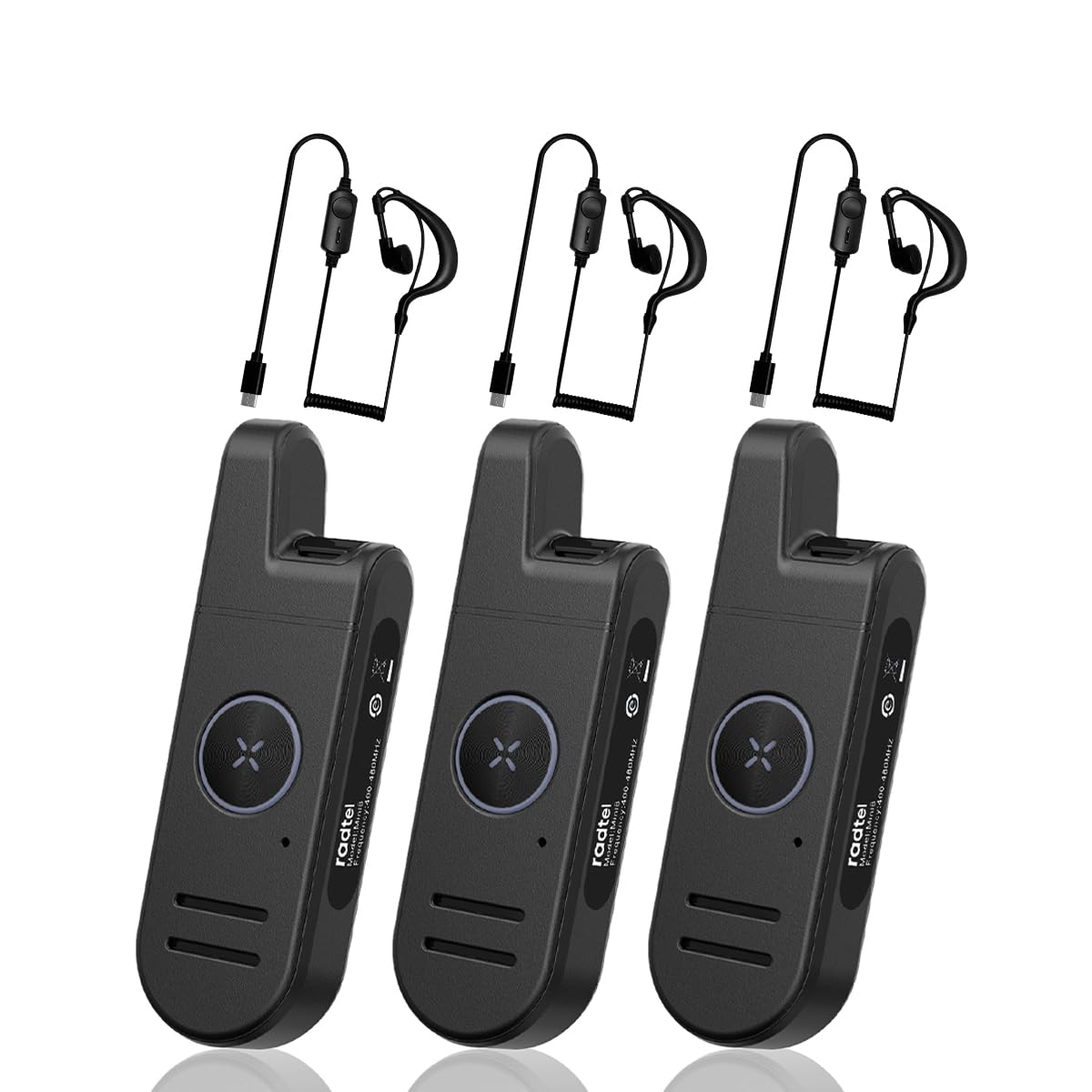
Image: The Radtel RT13 Super Mini Walkie Talkie, showcasing son design compact.
Qu'y a-t-il dans la boîte
- 3x Radtel RT13 Radio with built-in battery
- 3 câble de charge USB-C
- 3 oreillette
- 3x clip de ceinture
- 3x Manuel d'utilisation

Image: Components included with the Radtel RT13, such as the radio unit, earpiece, and charging cable.
Caractéristiques du produit
- Super Mini and Lightweight: The RT13 features a compact design, making it easy to hold, pocket, or clip onto clothing.
- Long Range & Clear Audio: Equipped with 1W power and a fixed antenna for stable communication. Effective in downtown areas, open spaces, and multi-floor buildings.
- Voice-Activated Launching (VOX): Allows hands-free operation. Includes frequency hopping, inverter, high/low power switching, battery saving, and busy lock functions.
- Longue durée de vie de la batterie : Features a 700mAh Li-ion battery for extended continuous use.
- Stylish and Durable: Designed with a simple, fashionable aesthetic and constructed from strong, fall-resistant materials for a longer service life.
Produit terminéview et contrôles
Familiarize yourself with the various parts and controls of your Radtel RT13 radio:

Image: Diagram illustrating the antenna, headphone/microphone/Type-C jack, power button, volume/channel buttons, PTT button, microphone, and speaker on the Radtel RT13.
- Antenne: Intégré pour la transmission et la réception des signaux.
- Headphone/Microphone/Type-C Jack: Multi-functional port for charging, connecting the earpiece, and external microphone.
- Bouton d'alimentation : Permet d'allumer et d'éteindre l'appareil.
- Volume+/Channel+ Button: Increases volume or changes to the next channel.
- Volume-/Channel- Button: Decreases volume or changes to the previous channel.
- Bouton PTT (Push-to-Talk): Appuyez longuement pour transmettre votre voix.
- Microphone: Capture votre voix pendant la transmission.
- Conférencier: Outputs incoming audio.
- Bouton de changement de mode : Used for various customizable functions (e.g., scan, keypad lock).
- Boucle de ceinture: For convenient attachment to clothing or a belt.

Image: Various angles of the Radtel RT13, highlighting its slim profile and integrated belt clip.
Installation
Charger la batterie
The RT13 comes with a built-in 700mAh Li-ion battery. Use the provided USB-C charging cable to charge the device. A power block (not included) or any USB charging port can be used.

Image: Close-up of the Type-C charging port on the Radtel RT13.
The LED indicator will display red during charging and turn blue when fully charged. A low battery warning will remind you to recharge.
Marche/Arrêt
To power ON: Press and hold the side power button until you hear "Welcome" and the current channel is announced. The LED indicator will light up green.
To power OFF: Press and hold the side power button until you hear two beeps ("ding-ding"), indicating the device is powered off. The LED indicator will flash red.
Video: Demonstrates how to power the Radtel RT13 on and off, including the voice prompts and LED indicator changes.
Sélection des chaînes
The radio has 22 channels. To select a channel, long press the Volume+ or Volume- side button. The radio will announce the current corresponding channel. Ensure all radios in your group are on the same channel for communication.
Réglage du volume
Short press the Volume+ side button to increase volume. Short press the Volume- side button to decrease volume.
Switching Language (Chinese/English)
You can switch between Chinese and English voice prompts through computer programming software or by pressing and holding the power button and the Volume- button simultaneously when powering on the device.
Mode d'emploi
Transmettre
To transmit, press and hold the PTT (Push-to-Talk) button located on the front of the radio. Speak into the microphone in your normal tone of voice. The LED indicator will display red when transmitting. To maximize sound clarity, hold the transceiver three to eight centimeters from your mouth.

Image: The large PTT button on the Radtel RT13, illuminated red to indicate transmission.
Réception
When not transmitting, the radio is in receive mode. The LED indicator will display green when receiving a signal.
VOX (Voice-Activated Transmission)
The VOX function allows for hands-free transmission. When enabled, the radio will automatically transmit when it detects your voice. The VOX gain level can be selected from 1 to 9 levels via programming software. This feature is useful when you need to communicate without pressing the PTT button.

Image: The Radtel RT13 demonstrating its voice-activated transmission (VOX) capability.
Fonction de surveillance
Short press the 'M' button to activate the monitor function. This allows you to listen to weak signals on the current channel without squelch. Press again to deactivate.
Verrouillage/déverrouillage du clavier
Long press the 'M' button to lock or unlock the keypad. This prevents accidental changes to settings.
Entretien
Entretien de la batterie
To ensure long battery life, fully charge the device before first use. Avoid completely draining the battery frequently. Store the radio in a cool, dry place when not in use for extended periods.
Nettoyage
Essuyez la radio avec un chiffon doux, damp Chiffon. N’utilisez pas de produits chimiques agressifs ni de nettoyants abrasifs. Assurez-vous que le couvercle du port de charge est bien fermé pour empêcher la poussière et l’humidité de pénétrer.
Résistance à l'eau
The Radtel RT13 is moisture resistant, offering protection against light splashes or rain. It is not designed to be submerged in water. Ensure all port covers are sealed when exposed to moisture.
Dépannage
| Problème | Cause possible | Solution |
|---|---|---|
| Pas de courant | Batterie faible ou déchargée. | Chargez la batterie à l'aide du câble USB-C fourni. |
| Impossible de communiquer avec d'autres radios | Les radios sont sur des canaux différents. | Assurez-vous que toutes les radios sont réglées sur le même canal. |
| Poor audio quality or short range | Obstructions (buildings, terrain) or interference. | Move to an open area. Ensure no large obstructions are between radios. |
| Le clavier ne répond pas | Le clavier est verrouillé. | Long press the 'M' button to unlock the keypad. |
Caractéristiques
- Poids de l'article : 15.8 onces
- Dimensions du produit : 3.9 x 0.67 x 1.26 pouces
- Numéro de modèle de l'article : RT-13
- Piles : Batterie Li-ion 700 XNUMX mAh (incluse)
- Nombre de canaux : 22 canaux FRS
- Dossier spécial : Type-C Charging, Super Mini Pocket Radio
- Gamme de fréquences : 462/467Mhz FRS
- Portée de conversation maximale : 6 kilomètres (environ 3.7 miles)
- Voltage: 7.4 volts
- Niveau de résistance à l'eau : Résistant à l'humidité

Image: The Radtel RT13 walkie talkie with its compact dimensions highlighted.
Garantie et assistance
The Radtel RT13 comes with a 1-Year Warranty. For any support inquiries, troubleshooting assistance, or warranty claims, please contact Radtel customer service through the retailer where the product was purchased or visit the official Radtel website.
Pour plus d'informations et de ressources, vous pouvez consulter le site web suivant : Boutique Radtel sur Amazon.
Scénarios d'utilisation
The Radtel RT13 is versatile and suitable for various environments requiring reliable short-range communication:
- Entreprise: Ideal for hotels, warehouses, restaurants, hair salons, and security personnel.
- Aventures en plein air : Parfait pour camping, hiking, festivals, and other recreational activities.
- Utilisation personnelle : Great for families and friends to stay connected in close proximity.

Image: Collage showing the Radtel RT13 being used in diverse settings such as hotels, restaurants, car showrooms, and hair salons.
Vidéo : Un bref aperçuview of the Radtel RT13, highlighting its small size and ease of use in various scenarios.


