1. Introduction
This manual provides comprehensive instructions for the installation, operation, and maintenance of your NORQIN 17-inch Industrial Embedded Panel PC, Model 17-J6412-8-256. This device is designed for robust performance in various industrial and commercial environments, featuring a 10-point capacitive touchscreen and IP65-rated dust and water resistance.
Description de la vidéo : Un plusview of the NORQIN industrial embedded panel PC, highlighting its design, features, and applications in various settings.
2. Contenu de la boîte
Vérifiez que tous les composants sont présents lors du déballage :
- 1 × Industrial Panel PC
- 1 × Adaptateur secteur
- 1 × câble d'alimentation
- 2 × Wi-Fi Antennas
- 2 × Embedded Buckle Kits
- 1 × Carte de garantie
- 1 × Wall-mounted VESA Bracket
3. Produit terminéview
The NORQIN 17-inch Industrial Embedded Panel PC features a robust all-aluminum construction, ensuring durability and efficient heat dissipation. Its integrated design provides enhanced protection against environmental factors.

Description de l'image : Un avant view of the 17-inch industrial panel PC displaying an industrial robotic arm, and a rear view showing the various input/output ports and the fin-type heat sink.
3.1. Interfaces
The device is equipped with a variety of input/output ports to support diverse industrial connectivity requirements:

Description de l'image : Un gros plan view of the top and bottom interfaces of the industrial panel PC, labeling ports such as Power, USB, LAN, COM, HDMI, Earphone, and GPIO.
- Interface d'alimentation : Entrée cc 12V.
- Ports USB : Multiple USB 2.0 and USB 3.0 ports for peripheral connections.
- Ports LAN: Dual LAN ports for network connectivity.
- Ports COM : Multiple COM ports (RS232/RS485) for industrial control and communication.
- HDMI: Pour l'affichage externe.
- GPIO : General Purpose Input/Output for custom applications.
- Connecteurs d'antenne Wi-Fi : Pour la connectivité réseau sans fil.
4. Installation
4.1. Options de montage
The NORQIN Industrial Panel PC supports various installation methods to suit different environments:

Description de l'image : A visual representation of different mounting options for the industrial panel PC, including wall-mounted, desktop, snap-in embedded, cantilever, and suspended mounting. A VESA bracket is shown as included.
- Bureau: Use the included VESA stand for stable desktop placement.
- Mural: Utilize the provided VESA bracket for secure wall installation.
- Intégré: The slim design allows for seamless integration into kiosks or control panels using the embedded buckle kits.
- Autre: Supports cantilever and suspended mounting with compatible accessories (not included unless specified).
4.2. Connexion électrique
- Connect the power adapter to the DC 12V input port on the device.
- Plug the power cable into the power adapter and then into a suitable power outlet.
- Assurez-vous que toutes les connexions sont sécurisées avant de mettre l'appareil sous tension.
5. Mode d'emploi
5.1. Mise sous/hors tension
- Mise sous tension : Press the power button located on the device's interface panel. The power indicator light will illuminate.
- Éteindre: Access the operating system's shutdown menu to perform a graceful shutdown. Alternatively, press and hold the power button for several seconds to force a shutdown (use only when necessary to prevent data loss).
5.2. Fonctionnement de l'écran tactile
The 10-point capacitive touchscreen offers smooth and responsive interaction, supporting multi-touch gestures and operation with gloves or wet hands.
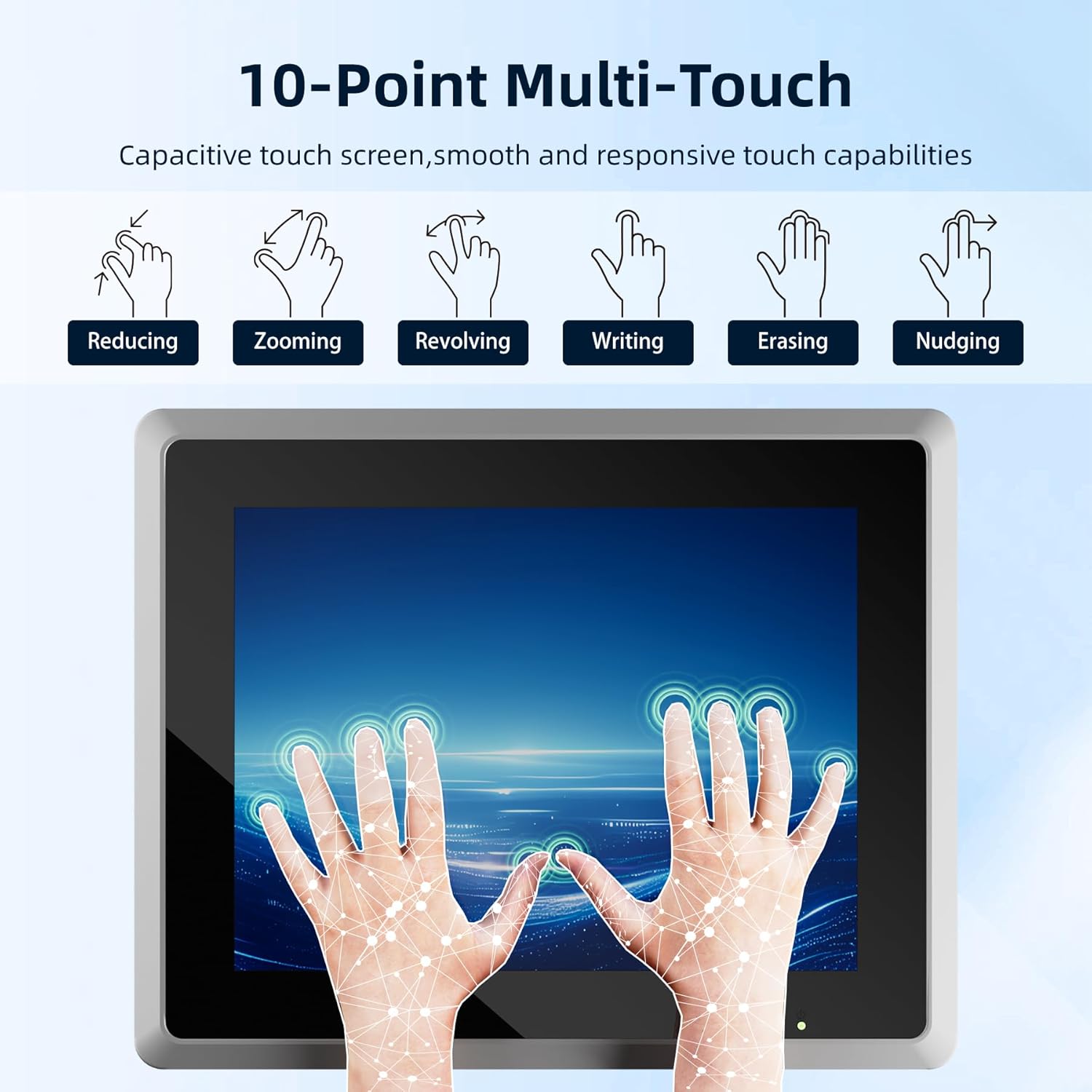
Description de l'image : An illustration demonstrating various 10-point multi-touch gestures such as reducing, zooming, revolving, writing, erasing, and nudging on the capacitive touchscreen.
- Touche unique : Tap to select items or activate functions.
- Gestes multitouch : Use two or more fingers for actions like zooming, scrolling, or rotating, similar to standard tablet or smartphone interfaces.
- Glove and Wet Touch: The screen is designed to respond accurately even when operated with gloves or in wet conditions, suitable for industrial environments.
5.3. Système d'exploitation
The panel PC comes pre-installed with Windows 10 Pro. It also supports optional customization for Linux, Android, or other platforms based on project requirements.
Description de la vidéo : A demonstration of the NORQIN industrial touchscreen panel PC running Windows 10 Pro, showcasing its responsive touch interface and various applications.
6. Entretien
6.1. Nettoyage
Due to its IP65 rating, the front panel is resistant to dust and water. Use a soft, damp cloth to clean the screen and exterior. Avoid abrasive cleaners or harsh chemicals.
6.2. Dissipation de chaleur
The fanless aluminum design ensures silent operation and efficient heat dissipation, making it suitable for dusty or high-temperature industrial environments.

Description de l'image : A diagram illustrating the efficient fin-type heat dissipation structure of the panel PC, highlighting good heat dissipation, fanless design, no noise, enclosed dust-proof features, and low energy consumption.
6.3. Considérations environnementales
The device is designed to operate reliably in a wide temperature range, from -20°C to 60°C.

Description de l'image : A visual showing the industrial panel PC functioning in environments ranging from -20°C (low temperature) to 60°C (high temperature), demonstrating its durability in harsh conditions.
7. Dépannage
If you encounter issues with your NORQIN Industrial Panel PC, refer to the following common troubleshooting steps:
- Pas d'alimentation : Ensure the power adapter and cable are securely connected to both the device and the power outlet. Verify the power outlet is functional.
- Écran tactile qui ne répond pas : Restart the device. If the issue persists, check for any physical obstructions or damage to the screen.
- Problèmes d'affichage : Check HDMI cable connections if using an external display. Restart the device.
- Instabilité du système : Ensure the operating system is up-to-date. Check for any conflicting software or drivers.
For further assistance, please contact NORQIN customer support.
8. Spécifications
| Fonctionnalité | Détail |
|---|---|
| Taille d'affichage de l'écran debout | 17 pouces |
| Résolution de l'écran | 1280×1024 pixels |
| Processeur | 2 GHz Celeron (J6412) |
| BÉLIER | 8 Go DDR4 |
| Disque dur | Disque SSD de 256 Go |
| Système opérateur | Windows 10 Pro |
| Carte graphique | Intégré (4 Go de RAM) |
| Type sans fil | Normes 802.11a/b/g/n/ac |
| Ports USB 2.0 | 2 |
| Ports USB 3.0 | 4 |
| Poids de l'article | 10.38 livres |
| Dimensions du produit | 15.91 x 2.72 x 13.43 pouces |
| Plateforme matérielle | Linux, PC |
| Source d'énergie | DC |
9. Garantie et assistance
Your NORQIN Industrial Embedded Panel PC comes with a standard manufacturer's warranty. Please refer to the included Warranty Card for specific terms and conditions. For technical support, service, or inquiries, please visit the official NORQIN store or contact their customer service department.


