Introduction
The Moultrie Pro Hunter III Directional Feeder Kit is designed for precise feed placement, suitable for attracting deer or feeding fish. This kit delivers feed in a focused stream, unlike broadcast feeders that scatter feed in all directions. It features Bluetooth connectivity for control via the free Moultrie app and can be paired with an EDGE 3 cellular trail camera for remote management.
This kit operates on a 6V tab-top rechargeable battery and includes a hinged door with a backlit screen for easy programming. Multiple speed settings allow adjustment of feed spread distance. The unit is solar-ready and offers feed level monitoring through the app. Quick-Lock compatibility ensures fast, tool-free installation and removal.
Installation
1. Déballage et inspection
Carefully remove all components from the packaging. Inspect for any damage. Ensure all parts listed in the packaging are present.
2. Installation de la batterie
The Pro Hunter III Feeder Kit requires a 6V tab-top rechargeable battery (sold separately). Open the hinged door on the feeder unit to access the battery compartment.
Connect the battery terminals to the corresponding wires inside the compartment. Close the hinged door securely.
3. Attaching to a Hopper
The feeder kit is Quick-Lock compatible, allowing for tool-free attachment to most flat-bottom hoppers. Align the feeder kit with the Quick-Lock adapter on your hopper and twist to secure it in place.

4. Placement initial
Position your feeder in the desired location. For deer, consider trails or stand locations. For fish, place it near the water's edge to spread pellets effectively.

Configuration et fonctionnalitésview Vidéo
Mode d'emploi
1. Programmation manuelle
Open the hinged door to access the digital timer screen and control buttons.

- Set Feed Times: Program up to 10 daily feed times. Each feed can be set to run from 1 to 60 seconds.
- Adjust Motor Speed: Select High, Medium, or Low speed to control how far the feed spreads.
- Test Feed: Use the 'TEST' button to manually activate a short feed cycle to verify operation and spread pattern.
2. Bluetooth and Moultrie App Control
Download the free Moultrie app to your smartphone. The app allows you to program feed times, adjust run lengths, check battery levels, and monitor feed levels remotely.

- Jumelage : Enable Bluetooth on your phone and open the Moultrie app. Follow the in-app instructions to pair with your feeder.
- Réglages à distance : Once paired, you can control settings from your phone without disturbing the area around the feeder.
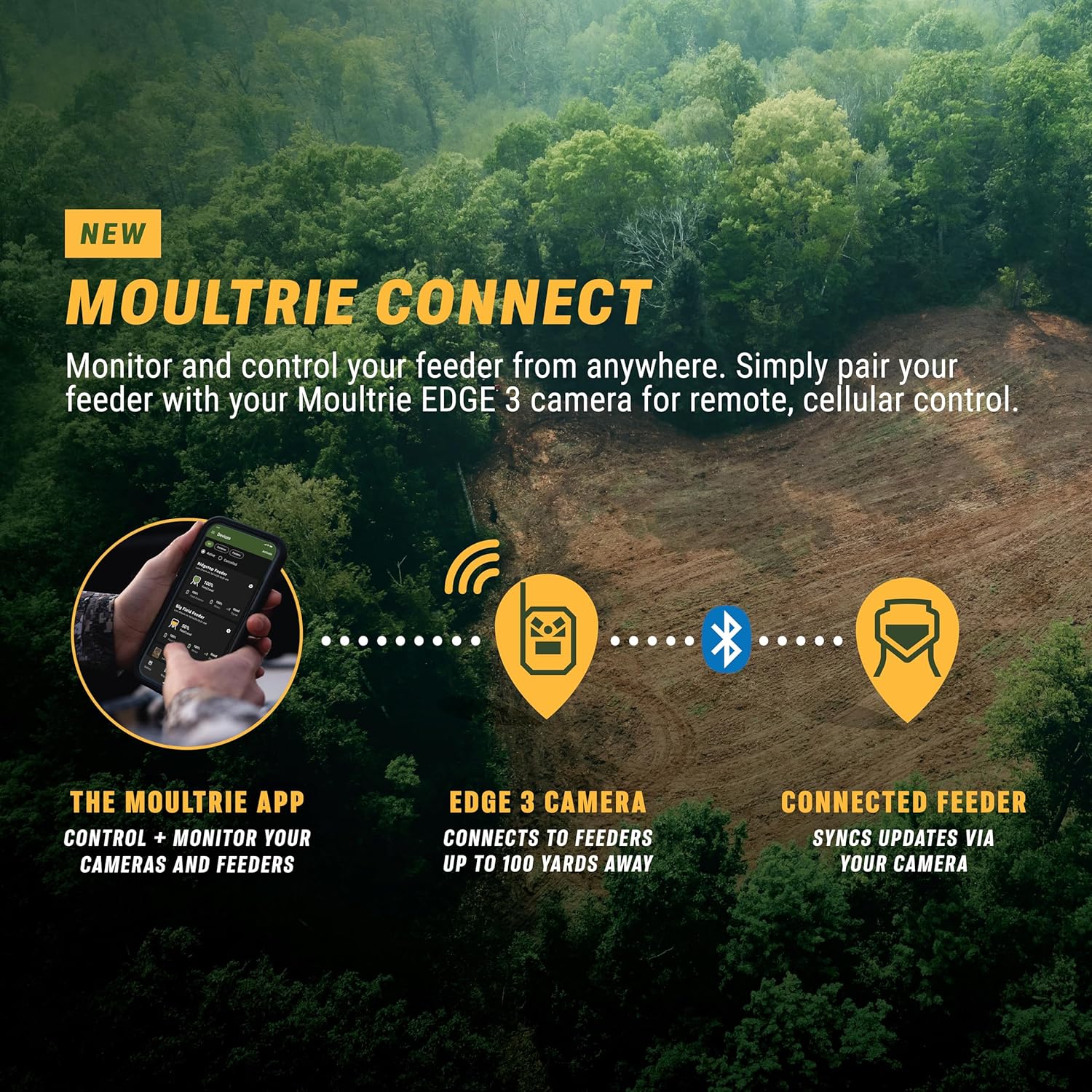
3. Moultrie Connect with EDGE 3 Camera (Optional)
For enhanced remote access, pair your feeder kit with a Moultrie Connect-capable EDGE 3 cellular trail camera. This allows you to change feed times and settings from anywhere with cellular service.
Moultrie Connect Overview Vidéo
Entretien
1. Nettoyage
The Quick-Lock design allows for easy removal of the feeder kit for cleaning. Regularly clean the feeder mechanism to prevent clogs and ensure smooth operation. Use a damp Nettoyer l'extérieur avec un chiffon. Ne pas immerger l'appareil dans l'eau.
2. Entretien de la batterie
Monitor the battery level via the Moultrie app or the unit's screen. Recharge the 6V tab-top battery as needed to ensure continuous operation. For extended periods of non-use, remove the battery.
3. Raccordement au panneau solaire (en option)
The feeder kit is solar-ready. Connect a compatible Moultrie solar panel (sold separately) to the designated port to provide continuous power and extend battery life. Ensure the solar panel is positioned to receive maximum sunlight.
Dépannage
Distributeur ne distribue pas
- Vérifier la batterie : Verify the 6V tab-top battery is charged and properly connected. Check the battery level on the unit's screen or via the Moultrie app.
- Check Hopper Contents: Ensure the hopper contains feed and is not empty.
- Vérifier la présence d'obstructions : Examine the feeder mechanism for any obstructions or clogs. Clean if necessary.
- Vérifier la programmation : Confirm that feed times are correctly set and enabled, either manually or through the app.
Problèmes de connexion Bluetooth
- Proximité: Ensure your smartphone is within Bluetooth range of the feeder.
- Statut de l'application : Close and reopen the Moultrie app.
- Feeder Power: Confirm the feeder is powered on.
- Commutation automatique : The system automatically defaults to the strongest Bluetooth connection (your phone or an Edge 3 camera). If an Edge 3 camera is nearby, it may connect to that first.
Programming Difficulties
- Reportez-vous au manuel : Review the manual programming steps in the 'Operating Instructions' section.
- Utiliser l'application : Utilize the Moultrie app for a more intuitive and simplified programming experience.
- Écran rétro-éclairé : The screen is backlit for visibility in low light conditions.
Caractéristiques
| Marque | Moultrie |
| Numéro de modèle | MFG-15099 |
| Dimensions du produit | 6.25"L x 6.25"l x 9.25"H |
| Poids de l'article | 3.1 livres |
| Matériel | Plastique |
| Couleur | Noir |
| Source d'énergie | Battery Powered (6V Tab-Top) |
| Composants inclus | Feed Motor, Snap Lock Adapter |
| Espèces ciblées | Cerf |
| Utilisations recommandées | Corn (for feeding) |
| Dossier spécial | Heavy Duty, Bluetooth Connectivity, Solar-Ready |
Informations sur la garantie
The Moultrie Pro Hunter III Directional Deer Feeder Kit comes with a Garantie constructeur de 1 ans. Please retain your proof of purchase for warranty claims. For specific terms and conditions, refer to the official Moultrie website ou contacter le support client.
Soutien
For further assistance, technical support, or to access the latest version of the Moultrie app, please visit the official Moultrie website or contact their customer service department. The Moultrie app also serves as a valuable resource for managing your feeder and accessing additional information.