Introduction
This manual provides comprehensive instructions for the ORICO X50 Thunderbolt 5 M.2 NVMe SSD Enclosure. This device is engineered for high-speed external data storage, offering compatibility with the latest Thunderbolt 5 standard, as well as backward compatibility with Thunderbolt 4/3 and USB4 ports. It supports 2280 M.2 NVMe SSDs up to 8TB, making it suitable for demanding tasks such as 4K/8K video editing and 3D rendering.
Qu'y a-t-il dans la boîte
The package for your ORICO X50 enclosure includes the following components:
- 1 x 80Gbps M.2 Enclosure
- 1 x USB Cable (Thunderbolt 5 compatible)
- 1 x Manuel d'utilisation
- 1 x coussin thermique
- 1 x tournevis

Caractéristiques
| Fonctionnalité | Détail |
|---|---|
| Modèle | X50 |
| Technologie de connectivité | Thunderbolt 5, Thunderbolt 4/3, USB4 |
| Transmission Rate (Theoretical) | Read: 6000MB/s, Write: 5800MB/s (80Gbps bandwidth) |
| Compatibilité SSD | M-Key/(M&B) Key NVMe 2280 SSD (PCIe 4.0 x4 recommended). Not compatible with M.2 SATA SSDs or PCIe 5.0 SSDs. |
| Capacité de stockage numérique maximale | Jusqu'à 8 To |
| Matériel | Alliage d'aluminium |
| Circuit de refroidissement | Fanless (Finned aluminum chassis, thermal grease, hydrogel coating) |
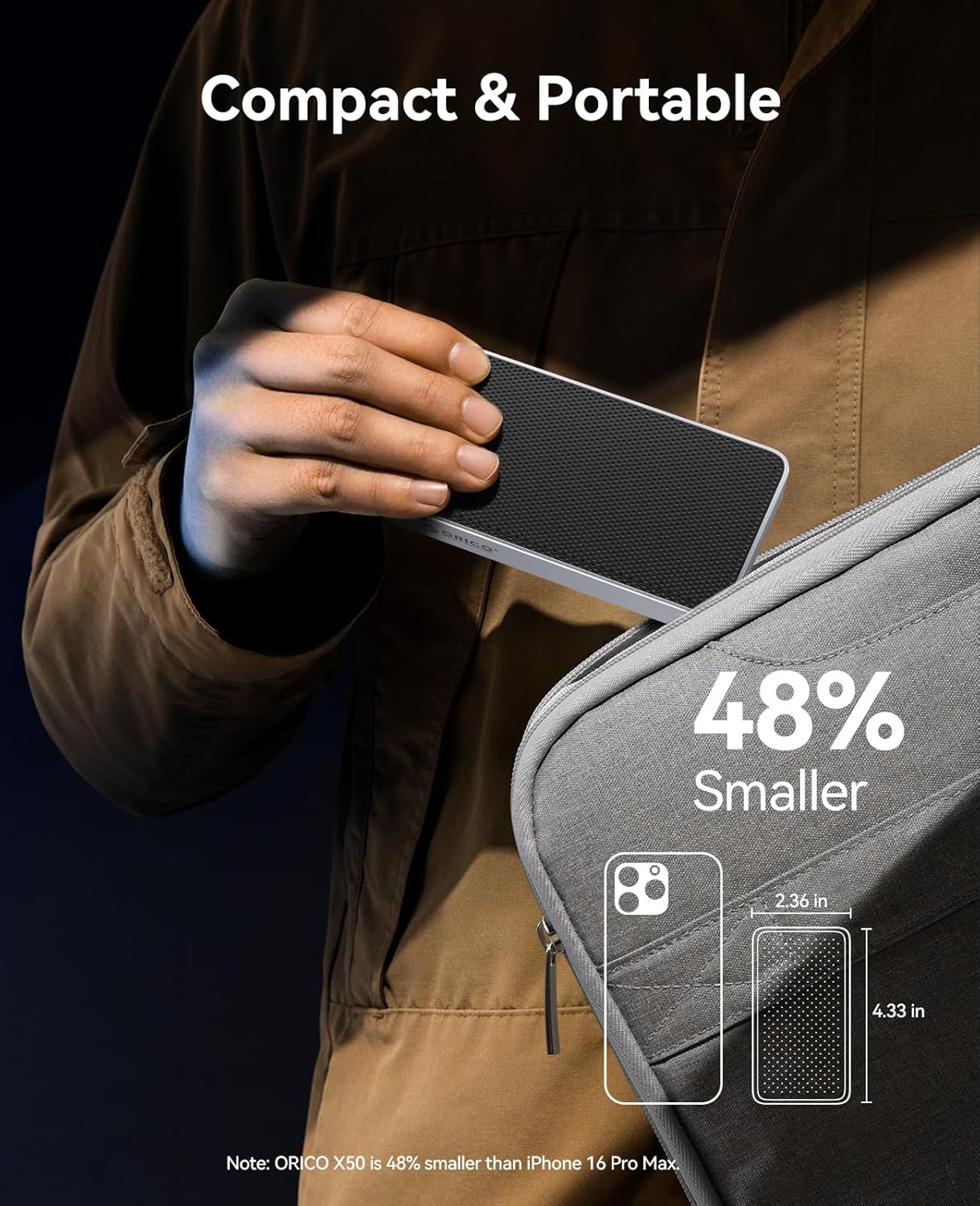
| Dimensions | 6.1 x 3.82 x 1.77 pouces (environ) |
| Poids de l'article | 10.2 onces |
| Systèmes d'exploitation pris en charge | Windows, macOS, Linux |
Setup: SSD Installation Guide
Suivez ces étapes pour installer votre SSD M.2 NVMe dans le boîtier ORICO X50 :
- Retirer le couvercle arrière : Use the provided screwdriver to loosen the screw on the back of the enclosure. Carefully slide off the back cover.

Figure 2: Use the screwdriver to remove the back cover. - Insérez le SSD : Gently insert your M.2 NVMe SSD into the internal slot at a 30-degree angle. Push down to align it with the mounting hole and secure it with the small screw provided.

Figure 3: The internal view of the enclosure showing the M.2 SSD slot and mounting screw. Note: Ensure your SSD is a 2280 M-Key or M&B-Key NVMe/PCIe type. M.2 SATA SSDs and PCIe 5.0 SSDs are not supported.
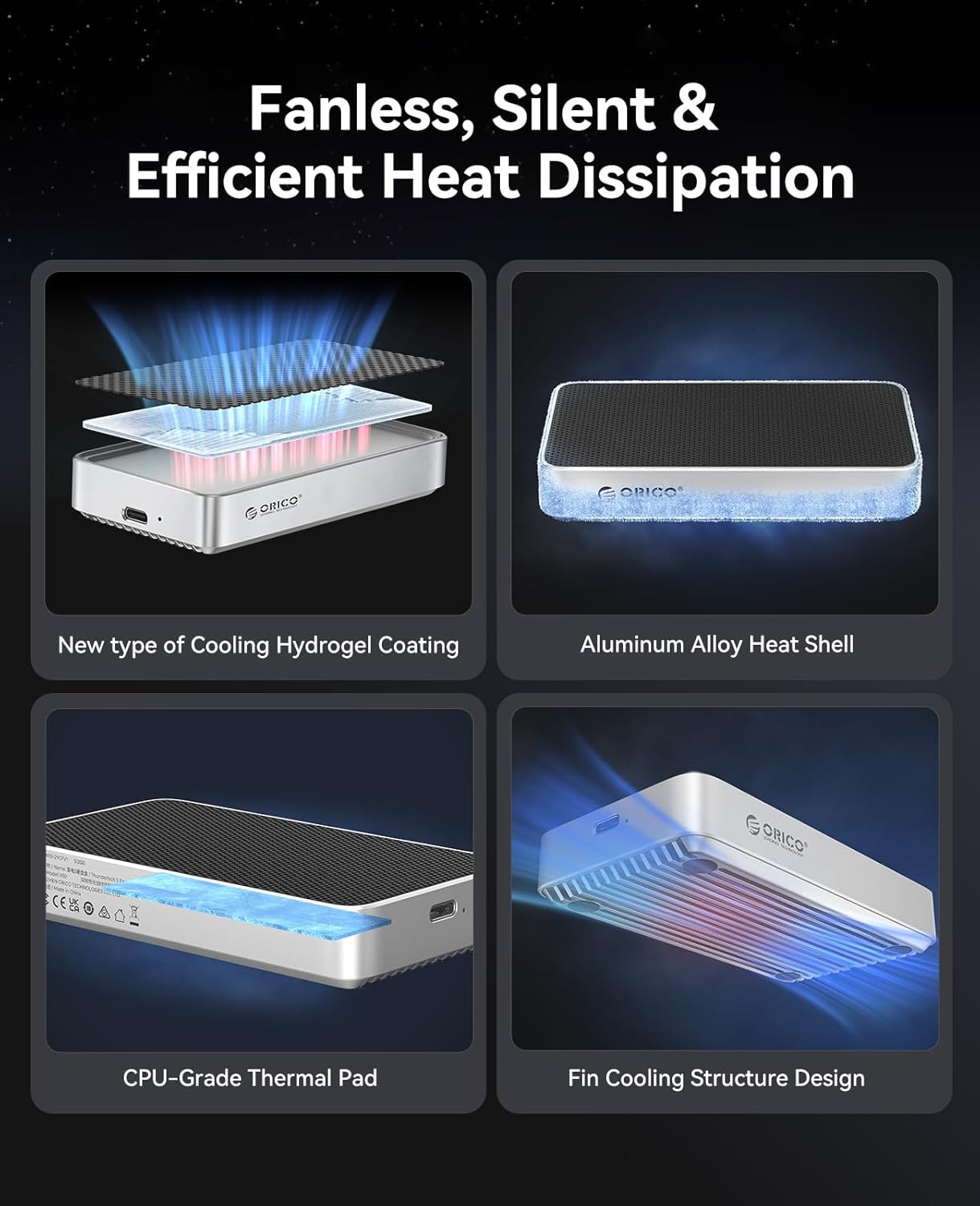
Figure 4: Diagram illustrating compatible M.2 NVMe SSD types (M-Key and M&B-Key 2280). - Appliquer le tampon thermique : Peel off the protective films from both sides of the thermal pad. Carefully place the thermal pad onto the installed SSD, ensuring it covers the main chips for efficient heat transfer to the enclosure's aluminum body.

Figure 5: The thermal pad helps dissipate heat from the SSD to the enclosure. - Reinstall the Cover: Slide the back cover back into place, ensuring it aligns correctly. Tighten the screw to secure the cover.

Figure 6: The ORICO X50 enclosure ready for connection after SSD installation.
Mode d'emploi
Connexion à votre ordinateur
Connect the ORICO X50 enclosure to your computer using the provided Thunderbolt 5 compatible USB-C cable. The enclosure is designed to work seamlessly with Thunderbolt 5, Thunderbolt 4/3, and USB4 ports.
Configuration et formatage initiaux
Upon first connection, the newly installed SSD may need to be initialized and formatted by your operating system before use.
- Pour macOS :
- Ouvrir Utilitaire de disque (Applications > Utilitaires > Utilitaire de disque).
- In the Disk Utility sidebar, click the "View" button and select "Show All Devices".
- Select the external ORICO X50 drive (usually listed under "External").
- Cliquez sur le bouton « Effacer » dans la barre d’outils.
- Provide a name for the drive. For "Format", choose PASA for Mac-only use or ExFAT for compatibility with both macOS and Windows. For "Scheme", select Carte de partition GUID.
- Click "Erase" to format the drive.
- Pour Windows :
- Right-click the Start button and select Gestion des disques.
- Locate the unallocated space corresponding to your ORICO X50 SSD.
- Right-click the unallocated space and select "New Simple Volume". Follow the wizard to assign a drive letter and format the drive. Choose NTFS for Windows-only use or ExFAT for compatibility with both Windows and macOS.
- Pour Linux :
- Use a disk utility tool like GParted or the command line (e.g.,
fdisk,mkfs) to partition and format the drive. Common formats include Ext4 for Linux-only or ExFAT for cross-platform compatibility.
- Use a disk utility tool like GParted or the command line (e.g.,

Transfert de données
Once formatted, the SSD will appear as a mounted external drive on your system. You can now drag and drop files, copy, paste, or use it as a target for backups and other storage needs.
Performance
The ORICO X50 enclosure is designed to deliver exceptional performance, especially with Thunderbolt 5 compatible systems.
- Next-Gen 80Gbps Speed: Experience theoretical speeds up to 6000MB/s read and 5800MB/s write. This allows for rapid transfer of large files, such as 6GB in seconds.
- Capacité massive : Supports M.2 NVMe SSDs up to 8TB, providing ample space for all your projects and data.


Cas d'utilisation idéaux
The high performance of the ORICO X50 makes it suitable for:
- 4K/8K Video Editing: Seamlessly edit high-resolution video files directly from the external SSD.
- 3D Modeling and Rendering: Accelerate workflows for complex 3D projects.
- VR/AR Content Development: Handle large assets and rapid iterations with ease.
- High-Speed Data Backup: Perform quick and efficient backups of critical data.
Entretien
Fanless Cooling System
The ORICO X50 features an advanced fanless cooling design to maintain optimal operating temperatures without noise. This system includes:
- A finned aluminum chassis for increased heat dissipation surface area.
- Integrated thermal grease and a hydrogel coating to efficiently transfer heat from the SSD.
This design ensures reliability and sustained performance during long, intensive workloads by preventing thermal throttling.

Soins généraux
- Veillez à ce que le boîtier reste propre et exempt de poussière. Utilisez un chiffon doux et sec pour le nettoyer.
- Évitez d'exposer l'appareil à des températures extrêmes, à la lumière directe du soleil ou à une forte humidité.
- Always safely eject the drive from your operating system before disconnecting the cable to prevent data corruption or loss.
Dépannage
Problèmes courants et solutions
- Lecteur non reconnu :
- Assurez-vous que le SSD est correctement installé et fixé dans le boîtier.
- Check that the Thunderbolt 5 cable is securely connected to both the enclosure and your computer.
- Try connecting to a different USB-C/Thunderbolt port on your computer.
- Test the enclosure with another computer to rule out system-specific issues.
- If it's a new SSD, ensure it has been initialized and formatted (refer to "Initial Setup and Formatting" section).
- Vitesses lentes :
- Verify that your computer's port and the cable you are using support Thunderbolt 5 (80Gbps) or USB4 speeds.
- Ensure you are using a high-performance PCIe 4.0 x4 NVMe SSD. Older or slower SSDs will not achieve maximum speeds.
- For Thunderbolt 3 users: Some systems may default to USB speeds (~10Gbps). For full Thunderbolt 3 performance, a dedicated Thunderbolt 3/4 enclosure might be recommended, or ensure your system's Thunderbolt settings are optimized.
- Close any background applications that might be consuming significant system resources or disk I/O.
- Connection Drops (Mac users):
- Ensure your macOS is updated to the latest version.
- Try using a different Thunderbolt 5 cable.
- Connect the enclosure to a different Thunderbolt port on your Mac.
- Surchauffe:
- While the enclosure is designed for efficient fanless cooling, prolonged heavy use (e.g., continuous large file transfers, 4K/8K video editing) may cause the aluminum body to become warm. This is normal and indicates effective heat dissipation.
- Ensure the enclosure is placed on a flat surface with adequate airflow around it. Avoid covering it.
Garantie et assistance
The ORICO X50 Thunderbolt 5 M.2 NVMe SSD Enclosure is backed by a Garantie limitée de 3 ans À compter de la date d'achat, cette garantie couvre les défauts de fabrication et assure un fonctionnement fiable dans des conditions normales d'utilisation.
For technical support, product registration, or to initiate a warranty claim, please utilize the following contact information:
- Officiel Website: www.orico.com.cn
- Hotline du service client : 400-6696298
- Assistance par e-mail : support@orico.com.cn
Veuillez conserver votre preuve d'achat pour la validation de la garantie.


