1. Introduction
The KinetCam CAM-A is a 4G LTE cellular security camera designed for monitoring locations without Wi-Fi access. It provides 2K HD video, automatic night vision, and intelligent motion detection, making it suitable for various off-grid environments such as cabins, RVs, barns, and remote properties. This manual provides detailed instructions for setting up, operating, and maintaining your camera.

Image 1.1: KinetCam CAM-A 4G LTE Cellular Security Camera.
2. Contenu du colis
Veuillez vérifier que le colis contient les éléments suivants :
- KinetCam CAM-A 4G LTE Cellular Security Camera
- Pre-installed SIM Card (with 100MB trial data)
- Mounting Screw(s)
- Câble de chargement USB
- Manuel de l'utilisateur (ce document)

Image 2.1: KinetCam CAM-A camera, highlighting its compact size and 4G SIM card functionality.
3. Produit terminéview
The KinetCam CAM-A features a compact design with essential components for cellular surveillance.
3.1 Composants clés
- Objectif de l'appareil photo : Capture des vidéos HD 2K.
- LED infrarouges : Enable automatic night vision.
- Capteur PIR : Detects motion from people and pets.
- Emplacement pour carte SIM : Pour la connectivité 4G LTE.
- Emplacement pour carte MicroSD : Prend en charge jusqu'à 128 Go de stockage local.
- Port de charge USB: Pour recharger la batterie interne.
- Bouton d'alimentation/voyant lumineux : For device control and status.

Image 3.1: KinetCam CAM-A mounted, illustrating its discreet placement capability.
4. Guide de configuration
4.1 Charge initiale
Before first use, fully charge the camera using the provided USB cable and a standard 5V/1A USB power adapter (not included). The indicator light will show charging status and turn off when fully charged.
4.2 Activation et installation de la carte SIM
The camera comes with a pre-installed SIM card and 100MB trial data. This SIM card is compatible with AT&T, T-Mobile, and Verizon networks and will automatically connect to the strongest 4G LTE signal. No manual SIM card installation is typically required for initial setup.
- Ensure the camera is powered off before handling the SIM card slot.
- If replacing the SIM card, carefully insert the new 4G LTE SIM card into the designated slot with the gold contacts facing down.
- After using the trial data, you will need to top up cellular data via the companion mobile application.
4.3 Installation de la carte microSD (facultatif)
For local video storage, a MicroSD card (up to 128GB, not included) can be installed.
- Éteignez la caméra.
- Repérez l'emplacement de la carte microSD.
- Insérez délicatement la carte microSD jusqu'à ce qu'elle s'enclenche.
- Format the MicroSD card via the mobile application after powering on the camera for optimal performance.

Image 4.1: Illustration of MicroSD card and SIM card insertion points on the KinetCam CAM-A.
4.4 Mobile Application Download and Pairing
Pour accéder en direct view, recordings, and settings, download the KinetCam mobile application from your device's app store.
- Rechercher "KinetCam" in the App Store (iOS) or Google Play Store (Android).
- Téléchargez et installez l'application.
- Créez un compte ou connectez-vous.
- Follow the in-app instructions to add your KinetCam CAM-A device. This typically involves scanning a QR code on the camera or entering its serial number.
4.5 Montage de la caméra
The camera can be placed on a flat surface or mounted using the included mounting screws.
- Choisissez un emplacement qui offre les conditions souhaitées viewing angle and is within 4G LTE signal range.
- Ensure the camera is positioned to avoid direct sunlight or strong light sources that could affect image quality.
- For wall mounting, use the provided screws to secure the camera bracket.

Image 4.2: KinetCam CAM-A demonstrating flexible placement and mounting options.
5. Mode d'emploi
5.1 Mise sous/hors tension
Press and hold the power button for a few seconds to power the camera on or off. The indicator light will confirm the status.
5.2 En direct View
Open the KinetCam mobile application and select your camera from the device list to access the live 2K HD video feed. You can view the feed remotely via the 4G LTE connection.
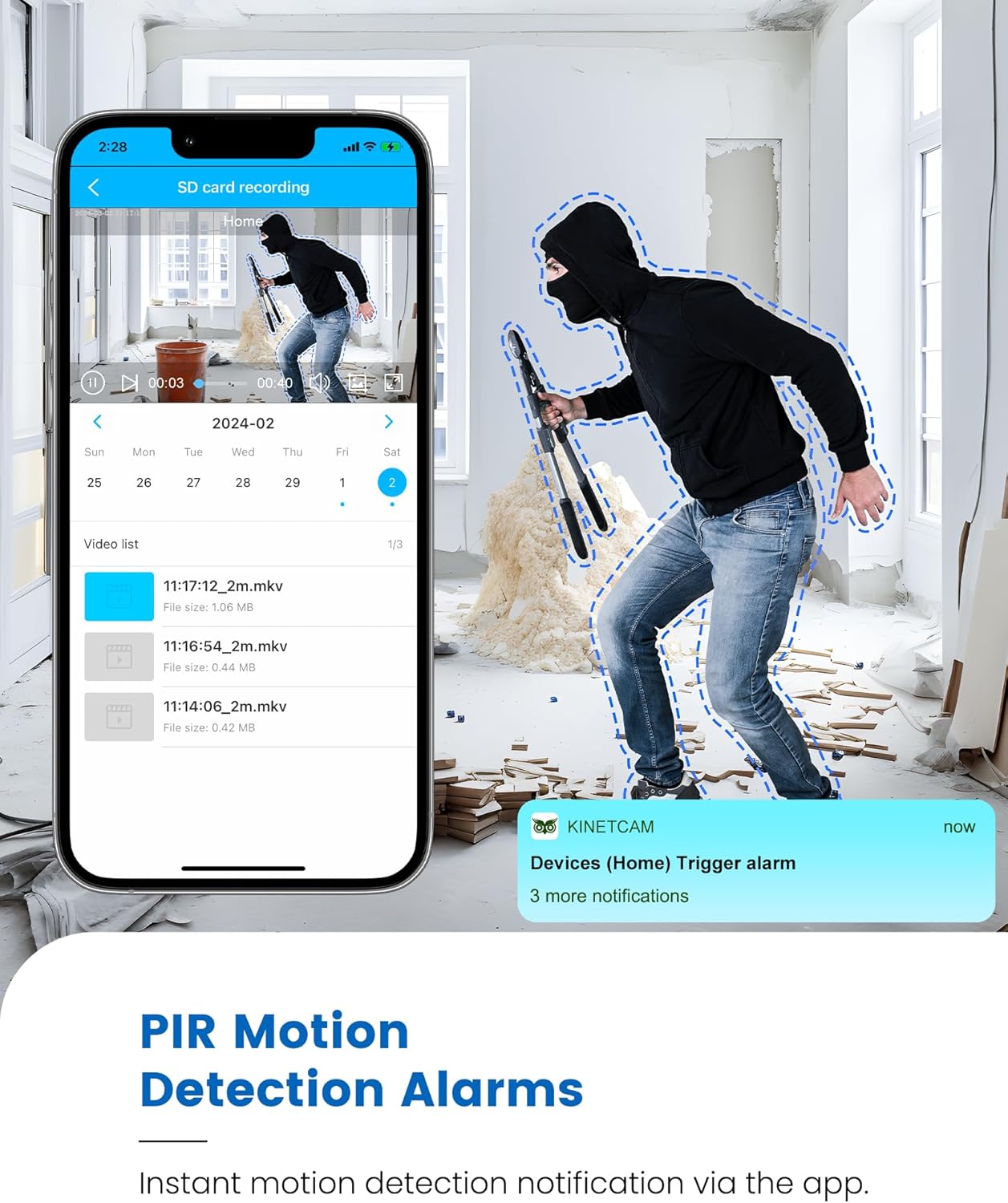
Image 5.1: Live 2K video feed and automatic night vision capability of the KinetCam CAM-A.
5.3 Détection de mouvement et alertes
The camera uses an advanced PIR sensor for accurate motion detection, primarily identifying people and pets.
- Activation/Désactivation : Ajustez la sensibilité de la détection de mouvement et activez/désactivez les alertes dans les paramètres de l'application.
- Alertes en temps réel : When motion is detected, the camera sends real-time notifications to your paired smartphone.
- Remarque importante : PIR sensors do not detect motion through glass. Avoid placing the camera behind windows if motion detection is critical for that area.

Image 5.2: Smartphone displaying a motion detection alert from the KinetCam CAM-A.
5.4 Vision nocturne
The camera automatically activates infrared night vision in low-light conditions, providing clear footagjusqu'à 20 pieds.
5.5 Enregistrement et stockage vidéo
The KinetCam CAM-A supports two primary storage methods:
- Carte MicroSD : Disques footage directly to an installed MicroSD card (up to 128GB). Recordings can be accessed and managed via the mobile app.
- Stockage dans le cloud : An optional cloud storage service is available for secure off-site backup of your video recordings. Details and subscription options are available within the KinetCam application.
5.6 Gestion de la batterie
The camera features a rechargeable battery offering up to 30 days of standby time with motion-activated recording or 10+ hours of continuous operation. Battery status can be monitored through the mobile application.
Image 5.3: Visual representation of the KinetCam CAM-A's 30-day battery life.
6. Entretien
6.1 Nettoyage
Essuyez délicatement l'objectif et le boîtier de l'appareil photo avec un chiffon doux et sec. Évitez d'utiliser des produits chimiques agressifs ou des matériaux abrasifs qui pourraient endommager l'appareil.
6.2 Entretien de la batterie
- Rechargez régulièrement l'appareil photo, surtout si vous prévoyez de le ranger pendant une période prolongée.
- Évitez d'exposer l'appareil photo à des températures extrêmes, car cela peut affecter l'autonomie de la batterie.
6.3 mises à jour du micrologiciel
Periodically check the KinetCam mobile application for available firmware updates. Keeping your camera's firmware updated ensures optimal performance and access to new features.
7. Dépannage
7.1 Camera Not Connecting to 4G LTE
- Ensure the camera is in an area with good 4G LTE signal coverage.
- Check if the SIM card has active data. Top up data via the app if necessary.
- Redémarrez l'appareil photo.
7.2 Aucune alerte de détection de mouvement
- Verify that motion detection is enabled and sensitivity settings are appropriate in the app.
- Assurez-vous que la caméra view n'est pas obstrué.
- Remember that PIR sensors do not detect motion through glass.
- Vérifiez les paramètres de notification de l'application sur votre smartphone.
7.3 Mauvaise qualité vidéo
- Nettoyez l'objectif de l'appareil photo.
- Ensure adequate lighting during the day.
- Check 4G LTE signal strength, as poor signal can affect streaming quality.
7.4 La batterie se décharge rapidement
- Détection de mouvement fréquente et diffusion en direct continue viewing will consume more battery. Adjust settings to optimize.
- Assurez-vous que l'appareil photo est complètement chargé.
- Extreme temperatures can reduce battery efficiency.
8. Spécifications
| Fonctionnalité | Détail |
|---|---|
| Nom du modèle | CAM-A |
| Connectivité | Réseau cellulaire 4G LTE |
| Résolution vidéo | 2K HD |
| Gamme de vision nocturne | Jusqu'à 20 pieds |
| Détection de mouvement | AI PIR Sensor |
| Autonomie de la batterie (en veille) | Jusqu'à 30 jours |
| Capacité de la batterie | 2800mAh |
| Stockage local | Carte microSD (jusqu'à 128 Go, non incluse) |
| Stockage dans le Cloud | Facultatif |
| Dimensions | 1.5 x 1.2 x 1.2 pouces |
| Poids | 4.2 onces |
| Utilisation intérieure/extérieure | Intérieur |
9. Garantie et assistance
KinetCam products are designed for reliability and performance. For specific warranty details, please refer to the warranty card included with your product or visit the official KinetCam website.
For technical support, troubleshooting assistance, or any questions regarding your KinetCam CAM-A, please contact KinetCam customer service through the mobile application or the official website. Please have your model number (CAM-A) and purchase information ready when contacting support.


