1. Introduction
This manual provides instructions for the safe and efficient use of your Baseus EnerFill Qi2 Certified MagSafe Power Bank, Model EnerFill FM12. Please read this manual thoroughly before use and retain it for future reference.
2. caractéristiques du produit
- Recharge sans fil certifiée Qi2 15 W : Supports 15W wireless charging, offering faster power delivery compared to standard 7.5W Qi charging. Qi2 technology optimizes energy efficiency for stable charging.
- Batterie haute capacité de 20 000 mAh : Provides a 10000mAh battery capacity, capable of fully charging an iPhone 16 up to two times.
- Fixation magnétique puissante : Features powerful 13N magnets for secure attachment to compatible devices, maintaining connection during movement.
- Charge rapide filaire 22.5 W : Offers 22.5W fast charging via the USB-C port for quick device recharging.
- Conception ultra-légère : Weighs 202g, making it highly portable for on-the-go use.
- Silicone Padding: Designed with silicone padding for a comfortable grip.
3. Contenu du colis
- Baseus EnerFill Qi2 Certified MagSafe Power Bank (EnerFill FM12)
- Câble de chargement USB-C (x1)
4. Produit terminéview
The following images illustrate key features and components of the Baseus EnerFill FM12 Power Bank.
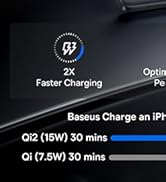
Image: Qi2 Certified 15W Wireless Charging. This image shows the power bank wirelessly charging a smartphone, highlighting the 15W output and MagSafe compatibility.
Image: Slim and Compact Design for Excellent Mobility. This image displays the power bank being held, emphasizing its compact size and portability.

Image: 10000mAh Capacity for All-Day Power. This image shows the power bank in use, demonstrating its capacity to charge devices multiple times.

Image: Snap & Charge Anywhere. This image highlights the magnetic attachment feature, showing the power bank securely connected to a smartphone.

Image: Two-Way Fast Charging. This image illustrates the power bank's capability for both wired (USB-C) and wireless charging.

Image: Low-Temperature Fast and Safe Charging. This image depicts the power bank's internal technology for managing temperature during charging.

Image: Silicone Padding for A Comfortable Grip. This image showcases the power bank's ergonomic design and the various color options available.
5. Installation
5.1 Charge initiale de la batterie externe
Before first use, fully charge the power bank using the provided USB-C cable and a compatible power adapter (not included). The LED indicators will show the charging status.
5.2 Connexion d'appareils
- Chargement sans fil : Align the power bank with the back of your MagSafe-compatible device. The magnetic connection will secure it in place, and wireless charging will begin automatically.
- Recharge filaire : Connect your device to the power bank's USB-C port using the provided USB-C cable.
6. Mode d'emploi
6.1 Recharge sans fil
- Ensure your device is MagSafe compatible.
- Attach the power bank to the back of your device. The power bank will automatically detect the device and begin 15W wireless charging.
- Monitor your device's screen for charging confirmation.
6.2 Charge filaire
- Connect one end of the USB-C cable to the power bank's USB-C port and the other end to your device's charging port.
- The power bank supports 22.5W wired fast charging.
6.3 Recharge de la batterie externe
- Connect the power bank to a power adapter using the USB-C cable.
- The LED indicators will show the current battery level and charging progress.
7. Entretien
- Nettoyage: Utilisez un chiffon doux et sec pour nettoyer la batterie externe. Évitez d'utiliser des liquides ou des nettoyants abrasifs.
- Stockage: Rangez la batterie externe dans un endroit frais et sec, à l'abri de la lumière directe du soleil et des températures extrêmes.
- Entretien de la batterie: Pour prolonger la durée de vie de la batterie, évitez de la décharger complètement et fréquemment. Rechargez-la régulièrement, même si vous ne l'utilisez pas pendant une période prolongée.
8. Dépannage
8.1 La batterie externe ne charge pas
- Assurez-vous que le câble USB-C est correctement connecté à la fois à la batterie externe et à l'adaptateur secteur.
- Vérifiez que l'adaptateur secteur fonctionne correctement.
- Essayez un autre câble USB-C ou un autre adaptateur secteur.
8.2 L'appareil ne se charge pas sans fil
- Confirm your device is MagSafe compatible and properly aligned with the power bank.
- Remove any thick cases that might interfere with the magnetic connection or wireless charging.
- Assurez-vous que la batterie externe est suffisamment chargée.
8.3 Charge lente
- For optimal charging speed, use a compatible fast-charging adapter for the power bank itself.
- Ensure your device supports the charging speeds provided by the power bank (15W wireless, 22.5W wired).
- High temperatures can reduce charging efficiency; ensure the power bank is in a well-ventilated area.
9. Spécifications
| Modèle | EnerFill FM12 |
| Marque | Baseus |
| Capacité de la batterie | 10000 mAh |
| Sortie sans fil | 15 W (certifié Qi2) |
| Sortie filaire | 22.5 W (USB-C PD) |
| Dimensions du produit (L x l x H) | 10.2 x 6.8 x 1.3 cm |
| Poids de l'article | 202 g |
| Type de batterie | Lithium-ion |
| Source d'énergie | Cable Electric (USB-C) |
| Compris | 1x câble USB-C |
10. Garantie et assistance
10.1 Informations sur la garantie
This Baseus EnerFill FM12 Power Bank is covered by a 24-month limited warranty from the date of purchase. This warranty covers manufacturing defects under normal use. Please retain your proof of purchase for warranty claims.
10.2 Assistance clientèle
For technical assistance, troubleshooting, or warranty claims, please contact Baseus customer support through their official website or the retailer where the product was purchased. Please have your product model number and proof of purchase ready when contacting support.


