Manuel d'utilisation de la serrure connectée Lockin Veno
Model: Veno Smart Lock
Introduction
This manual provides essential information for the installation, operation, and maintenance of your Lockin Veno Smart Lock. Please read this guide thoroughly before using the product to ensure proper functionality and safety.
Produit terminéview
Composants
The Lockin Veno Smart Lock system includes the exterior smart lock unit, the interior lock mechanism, and a rechargeable battery pack. Familiarize yourself with all components before beginning installation.

Image: Lockin Veno Smart Lock components.
Caractéristiques principales
- Next-Gen Palm Vein Recognition: Unlock in 0.17 seconds with 99.9% accuracy. This touchless system offers military-grade security and hygiene benefits.
- Plusieurs méthodes de déverrouillage : Choose from palm vein recognition, fingerprint scan, passcode, smartphone app, Bluetooth, or emergency mechanical key for flexible access.
- Durée de vie de la batterie de 7 mois : Powered by intelligent power management, the smart lock lasts an incredible 7 months on a single charge, with automatic app notifications for low battery.
- All-Weather IP65 Protection: Built with a reinforced zinc alloy housing, the lock is IP65-certified against rain, dust, and extreme temperatures (-4°F to 158°F).

Image: Palm vein recognition functions reliably under various hand conditions.
Installation
Installation
The Lockin Veno Smart Lock is designed for quick and hassle-free installation. No complicated wiring or special tools are typically needed. Refer to the detailed installation guide included in your product packaging for step-by-step instructions specific to your door type.
Mode d'emploi
Méthodes de déverrouillage
Your Lockin Veno Smart Lock offers six convenient ways to access your home:
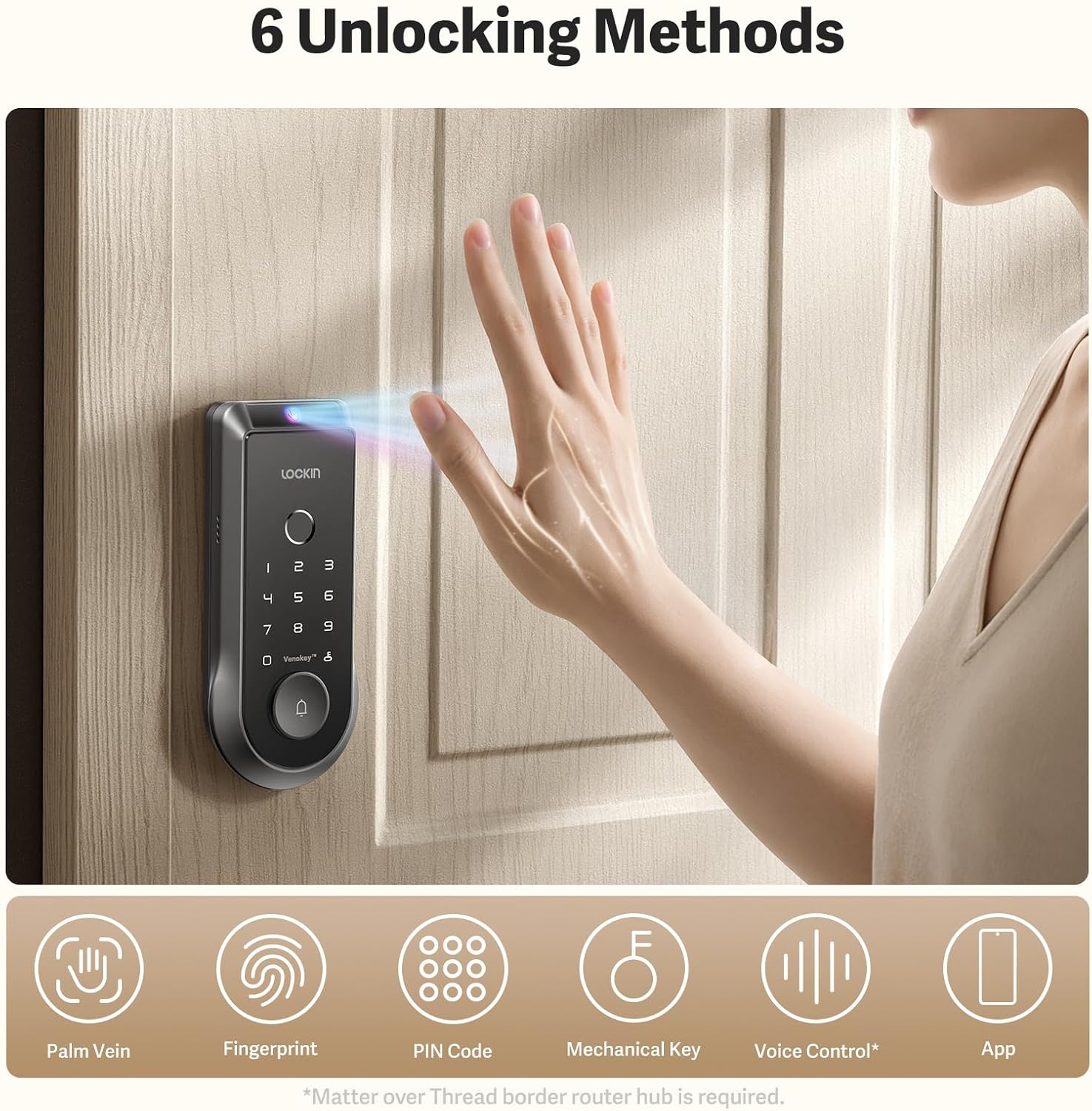
Image : Terminéview des six méthodes de déverrouillage.
- Reconnaissance des veines de la paume : Simply wave your hand over the sensor for rapid, touchless entry.
- Numérisation des empreintes digitales : Use the integrated fingerprint scanner for quick and secure access.
- Mot de passe: Enter your personalized numerical code on the keypad.
- Application pour smartphone : Control and unlock your door remotely via the Lockin app.
- Bluetooth : Unlock using Bluetooth connectivity through the app when in close proximity.
- Clé mécanique d'urgence : A traditional key is provided for manual unlocking in emergencies.

Image: Palm vein recognition and app interface.
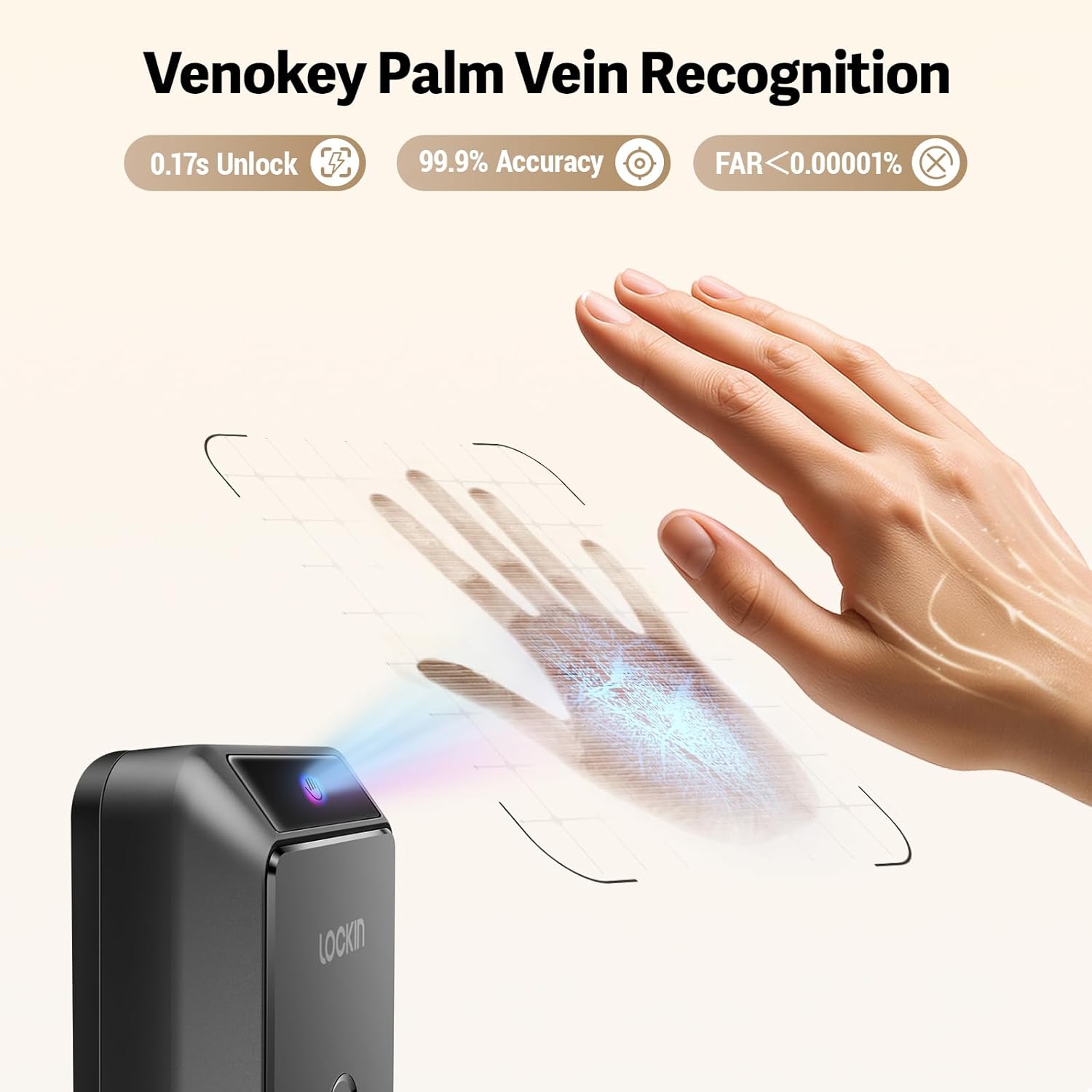
Image : détaillée view of Venokey Palm Vein Recognition in action.
Fonctionnalités de l'application
Lockin App Functionality
The Lockin app provides comprehensive control and monitoring capabilities:
- Vidéo en temps réel : View live 2K Kelvin video from your lock's integrated camera.
- Panoramique à 180 degrés View: Get a wide-angle perspective of your entryway.
- AI Alerts: Receive intelligent alerts for suspicious activity or events.
- Gestion multi-utilisateurs : Easily add, remove, and manage access permissions for family members, guests, or service providers.
Gestion de la batterie
Autonomie de la batterie et charge
The Lockin Veno Smart Lock is designed for extended use, offering up to 7 months of battery life on a single charge. The intelligent power management system ensures efficiency. You will receive automatic app notifications when the battery level drops below 20%, providing ample time for recharging.

Image: Rechargeable battery pack for the Lockin Veno Smart Lock.

Image: USB-C charging options for the battery pack.

Image: Battery specifications and weather resistance.
Entretien
Soins et protection
To ensure the longevity and optimal performance of your Lockin Veno Smart Lock, regular maintenance is recommended. The lock features an IP65 rating, providing protection against dust and water splashes. Its reinforced zinc alloy housing is designed to withstand daily wear and tear. Clean the exterior with a soft, damp Chiffon. Évitez les nettoyants abrasifs ou les solvants qui pourraient endommager la finition ou les composants électroniques.
Dépannage
Problèmes courants
If you encounter any issues with your Lockin Veno Smart Lock, please refer to the comprehensive troubleshooting section in the full product manual. Common issues and their solutions, including battery concerns, connectivity problems, and recognition errors, are detailed there. For further assistance, contact Lockin customer support.
Caractéristiques
| Attribut | Détail |
|---|---|
| Style du modèle | Veno Smart Lock & Rechargeable Battery |
| ASIN | B0FDVFCQJW |
| Date de première disponibilité | 10 juin 2025 |
Garantie et assistance
The Lockin Veno Smart Lock comes with a manufacturer's warranty. Please refer to the warranty card included with your product for specific terms and conditions. For technical support, product inquiries, or warranty claims, please visit the official Lockin website or contact their customer service department directly. Contact information can be found in your product packaging or on the Lockin brand store page.


