
Produit terminéview
The WOLFBOX X3 Dash Cam is a high-performance dual dash camera system designed to provide comprehensive recording of your driving experience. It features a front camera with 2.5K (2560*1440P) resolution at 60 frames per second and a rear camera with 1080P resolution at 30 frames per second, ensuring clear and detailed footage. Equipped with the advanced STARVIS 2 IMX675 sensor, the X3 excels in low-light conditions, reducing noise and motion blur. Its integrated 5.8GHz Wi-Fi and GPS capabilities allow for fast data transfer and accurate location/speed tracking. The intuitive touch screen and Advanced Driver Assistance System (ADAS) enhance user interaction and driving safety.
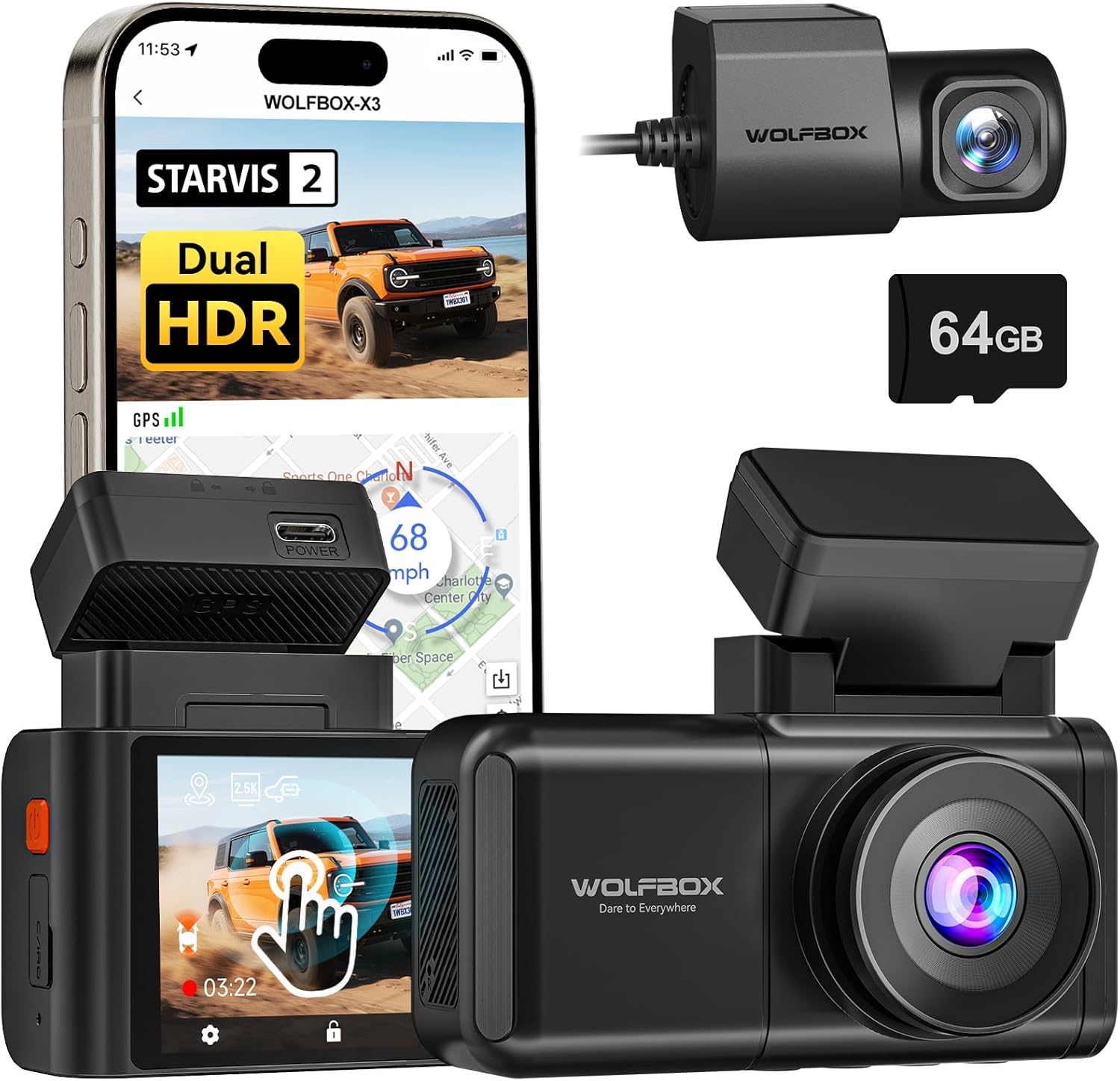
Image: The WOLFBOX X3 Dash Cam, showcasing its main unit, rear camera, and the included 64GB SD card, alongside a smartphone displaying the companion app interface.
Qu'y a-t-il dans la boîte
Upon unboxing your WOLFBOX X3 Dash Cam, please verify that all the following components are included:
- Caméra embarquée X3 (unité principale)
- Support GPS
- Caméra arrière 1080P
- Câble d'alimentation USB-C
- Câble de came arrière
- Outil de coupe de fil de voiture
- Autocollant électrostatique
- 64GB Memory Card (pre-formatted)
- Support adhésif
- Manuel de l'utilisateur (ce document)
- Chargeur de voiture
- Guide rapide
- Outil d'installation

Image: A visual representation of the WOLFBOX X3 Dash Cam package contents, including the main dash cam unit, rear camera, power cables, and mounting accessories.
Configuration et installation
Follow these steps for proper installation of your WOLFBOX X3 Dash Cam:
- Préparez la surface de montage : Clean the area on your windshield where the dash cam will be mounted. Ensure it does not obstruct your view. Apply the electrostatic sticker to the chosen area on the windshield. This allows for easy removal without residue.
- Installez la caméra frontale : Attach the GPS bracket to the electrostatic sticker. The main dash cam unit then slides onto the GPS bracket. Ensure it is securely fastened.
- Installer la caméra arrière : Mount the rear camera on your rear window using its adhesive. Route the rear camera cable from the main unit to the rear camera. Use the provided car wire trim tool to tuck the cable neatly along the vehicle's headliner and pillar trim for a clean installation.
- Connecter l'alimentation : Plug the USB-C power cable into the main dash cam unit and the car charger into your vehicle's 12V DC power outlet.
- Insérez la carte SD : The included 64GB SD card is pre-formatted. Insert it into the designated slot on the dash cam.
- Ajuster l'angle de la caméra : Power on the dash cam and adjust the lens angle of both the front and rear cameras to ensure they capture the desired field of view.

Image: Diagram illustrating the connection of the rear camera to the main dash cam unit.

Image: Diagram illustrating the proper attachment of the GPS bracket to the main dash cam unit.
Mode d'emploi
Fonctionnement de base
- Marche/Arrêt : La caméra embarquée s'allumera et commencera à enregistrer automatiquement dès que le contact de votre véhicule sera mis. Elle s'éteindra automatiquement lorsque le contact sera coupé.
- Enregistrement en boucle : The X3 features continuous loop recording. When the memory card is full, the oldest unlocked footage sera écrasé par de nouveaux enregistrements.
- Capteur G : In the event of a sudden impact or collision, the built-in G-Sensor will automatically detect the event and lock the current video file, l'empêchant ainsi d'être écrasé.

Image: An illustration demonstrating the loop recording feature and G-Sensor impact detection, ensuring critical footage est sauvé.
Interface à écran tactile
The WOLFBOX X3 is equipped with a responsive touch screen for easy navigation and settings adjustment. Simply tap or swipe on the screen to access menus, review footage, or change settings.
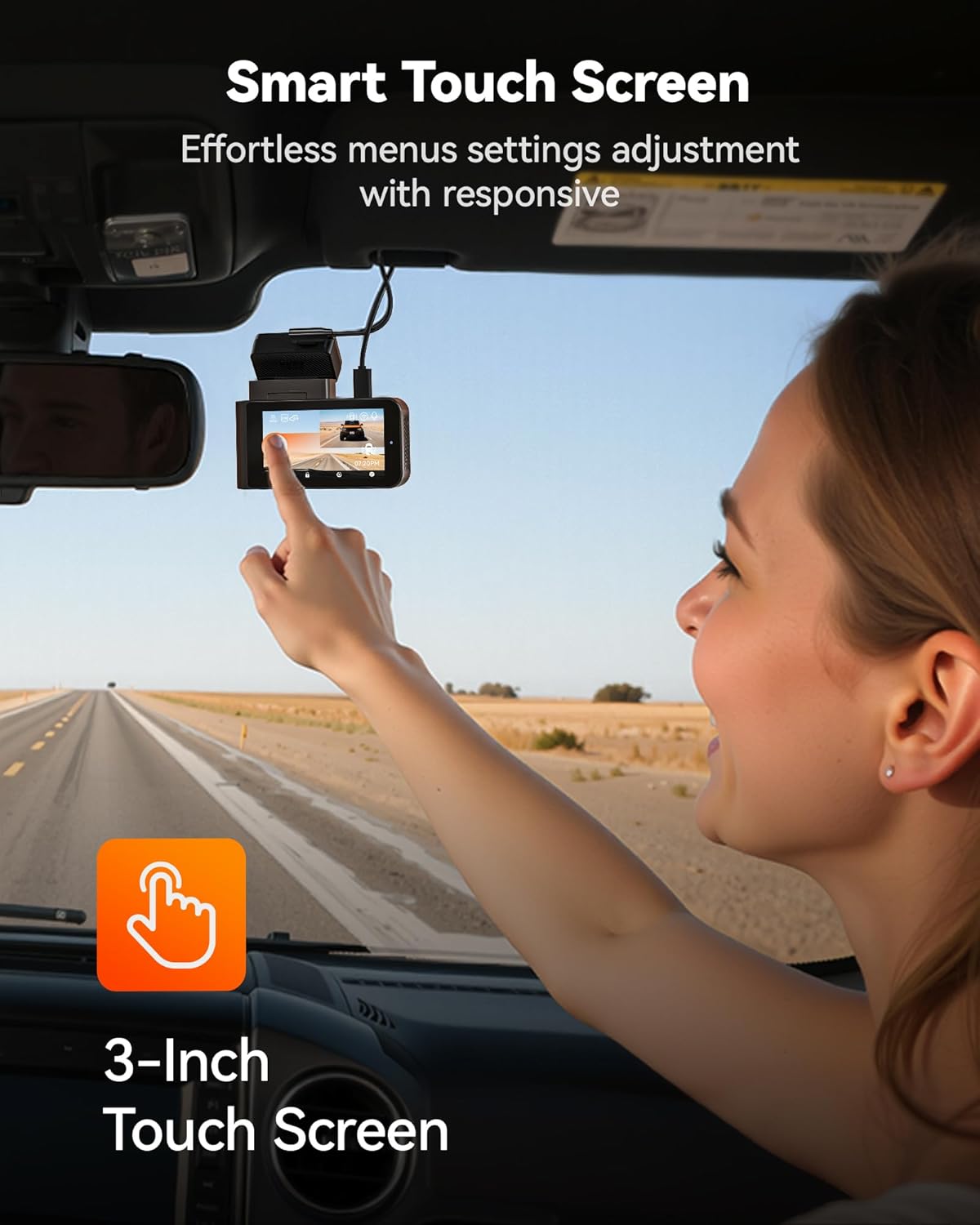
Image: A user demonstrating interaction with the intuitive touch screen of the WOLFBOX X3 Dash Cam for effortless menu navigation.
Wi-Fi and GPS Connectivity
The built-in 5.8GHz Wi-Fi allows for fast and stable connection to the WOLFBOX app on your smartphone. This enables seamless video transfers, live previewet le partage facile de la nourrituretage. The integrated GPS module accurately records your vehicle's speed and location, embedding this data directly into your video files for irrefutable evidence.

Image: The WOLFBOX X3 Dash Cam in a vehicle, with a smartphone displaying the WOLFBOX app, highlighting the 5.8GHz Wi-Fi and GPS functionalities for fast data transfer and location tracking.
Système avancé d'assistance à la conduite (ADAS)
The X3 incorporates ADAS technology to proactively alert you to potential road hazards, enhancing driving safety. Key ADAS features include:
- Avertissement de collision avant (FCW) : Vous alerte si vous vous approchez trop rapidement d'un véhicule.
- Avertissement de sortie de voie (LDW) : Vous avertit si votre véhicule dévie de sa voie sans que vous ayez actionné votre clignotant.
- Arrêt et départ : Informs you when the vehicle in front of you starts moving after a stop.

Image: Visual representation of the WOLFBOX X3's Advanced Driver Assistance System (ADAS) in action, showing alerts for forward collision, lane departure, and stop-and-go traffic.
Dual HDR Recording
The WOLFBOX X3 supports Dual HDR (High Dynamic Range) recording, which automatically balances footage in extreme lighting conditions. This feature preserves critical details in both bright highlights and deep shadows, ensuring clear video quality whether driving into direct sunlight or through tunnels. Note: For HDR recording, the front camera resolution switches to 2.5K at 30fps.

Image: A side-by-side comparison demonstrating the improved visibility and detail captured with Dual HDR Recording enabled on the WOLFBOX X3 Dash Cam, especially in challenging lighting.
Surveillance de stationnement 24h/24
For continuous surveillance when your vehicle is parked, the X3 offers a 24-hour parking monitor function. This feature requires an additional hardwire kit (ASIN: B09X9F8GMT), which is sold separately. The parking monitor includes:
- Moniteur de détection de collision : Disques footage. si un impact est détecté pendant le stationnement.
- Moniteur à intervalle de temps : Records continuous footage at a low frame rate to save storage space, capturing events over extended periods.

Image: An illustration of the WOLFBOX X3's 24-hour Parking Monitor capabilities, showing both collision detection and time-lapse recording modes for comprehensive vehicle security.
Entretien
- Gestion de la carte SD: Regularly format the included 64GB SD card (at least once a month) to ensure optimal performance and prevent data corruption. You can do this through the dash cam's settings menu. Replace the SD card if you notice any recording errors or degradation in performance.
- Nettoyage des lentilles et de l'écran : Use a soft, lint-free cloth to gently wipe the front and rear camera lenses and the dash cam's touch screen. Avoid using abrasive cleaners or solvents that could damage the surfaces.
- Mises à jour du micrologiciel : Consultez le WOLFBOX officiel website or app periodically for firmware updates. Keeping your dash cam's firmware up-to-date ensures you have the latest features and performance improvements.
Dépannage
If you encounter any issues with your WOLFBOX X3 Dash Cam, please refer to the following common problems and solutions:
| Problème | Cause possible | Solution |
|---|---|---|
| La caméra embarquée ne s'allume pas. | Pas d'alimentation du chargeur de voiture ; connexion desserrée ; chargeur défectueux. | Check car charger connection and vehicle's 12V outlet. Try another power source or charger. |
| L'enregistrement s'arrête ou footage est corrompu. | SD card full or corrupted; low-quality SD card; card not formatted. | Format the SD card via the dash cam's settings. Use a high-endurance U3 (or higher) microSD card. Replace the SD card if issues persist. |
| Wi-Fi connection is unstable or slow. | Interference; distance from phone; app issues. | Ensure your phone is close to the dash cam. Restart both the dash cam and your phone's Wi-Fi. Reinstall the WOLFBOX app if necessary. |
| ADAS alerts are too frequent/sensitive. | ADAS sensitivity settings are too high. | Adjust ADAS sensitivity settings in the dash cam's menu. Disable specific alerts if they are not useful for your driving conditions. |
| La caméra arrière ne s'affiche pas et n'enregistre pas. | Connexion du câble desserrée ; caméra arrière défectueuse. | Vérifiez la connexion du câble de la caméra arrière à l'unité principale. Assurez-vous que le câble n'est pas endommagé. |
Caractéristiques
| Nom du modèle | X3 |
| Numéro de modèle de l'article | X3 Dash cam |
| Dimensions du produit | 1.61 x 3.9 x 2.99 pouces |
| Poids de l'article | 1.72 livres |
| Résolution de capture vidéo frontale | 2.5K (2560 x 1440p) à 60 images/s |
| Résolution de capture vidéo arrière | 1080P à 30 ips |
| Capteur | STARVIS 2 IMX675 |
| Technologie de connectivité | Wi-Fi (5.8 GHz) |
| Caractéristiques spéciales | App Control, Built-In Display, Built-In GPS, Built-In Supercapacitor, Compact Design, Built-In WiFi, G-Sensor, Internal Memory, Loop Recording, Night Vision, Parking Monitor, Reverse Assist, Touch Screen, ADAS |
| Carte mémoire incluse | 64 Go |
| Type de montage | Support de pare-brise |
| Fabricant | BOÎTE LOUP |
Garantie et assistance
WOLFBOX is committed to providing high-quality products and excellent customer service. Your WOLFBOX X3 Dash Cam comes with the following:
- Garantie de 12 mois : A full one-year guarantee from the date of purchase, covering manufacturing defects and malfunctions.
- Politique de retour sous 7 jours : You may return the product within 7 days of receipt for a refund or exchange, subject to terms and conditions.
- Retour pour défauts : Products found to be defective will be eligible for return or replacement.
For dedicated support, setup assistance, or troubleshooting, please contact WOLFBOX customer service:
E-mail: service@wolfbox.com
Téléphone: +1 888 296 8399


