1. Introduction
The ZIBOO FT-1000W Solar Panel Tester MPPT Meter is a professional-grade device designed for evaluating the performance of photovoltaic (PV) modules. It accurately measures maximum power (Pmax), open-circuit voltage (Voc), and short-circuit current (Isc), making it an essential tool for R&D, manufacturing, and field maintenance of solar systems.
1.1. Contenu du colis
Lors de l'ouverture du colis, assurez-vous que tous les éléments suivants sont présents :
- 1x ZIBOO FT-1000W Solar Panel Tester MPPT Meter
- 1x Special Test Lead (MC4 connectors)
- 1x Manuel d'utilisation
- 1x Pochette de transport
- 1x sangles
- 2x Special Interface Wrench Tools

Figure 1: All items included in the ZIBOO FT-1000W package.
2. Principales caractéristiques
- Professional-Grade PV Testing: Measures maximum power (Pmax) up to 1000W, open-circuit voltage (Voc: 12-80V), and short-circuit current (Isc: 35A) with ±0.8% accuracy.
- MPPT Efficiency Optimization: Tracks Vmp (80V) & Amp (35A) in real-time to identify panel degradation or shading issues.
- Industrial Safety & Durability: Rated CAT III 1000V/CAT IV 600V with double-insulated probes, meeting IEC/EN 61010 standards.
- Smart Data Management: Features data hold and a backlit LCD for reading values in various environments.
- Conception conviviale : Auto-ranging simplifies operation, while IP54 dust/water resistance and low-power auto-off ensure reliability.
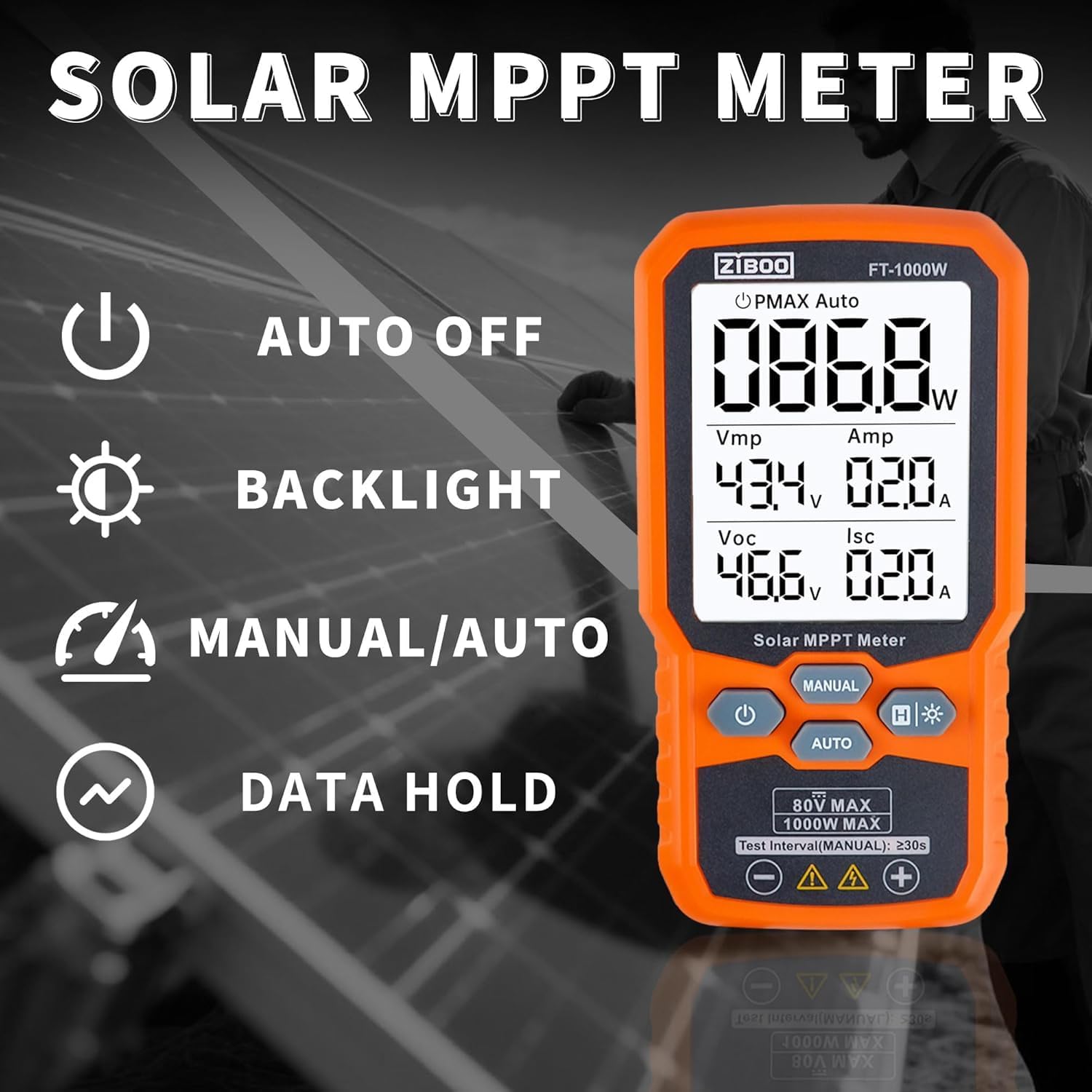
Figure 2 : Plusview of the ZIBOO FT-1000W's operational features.
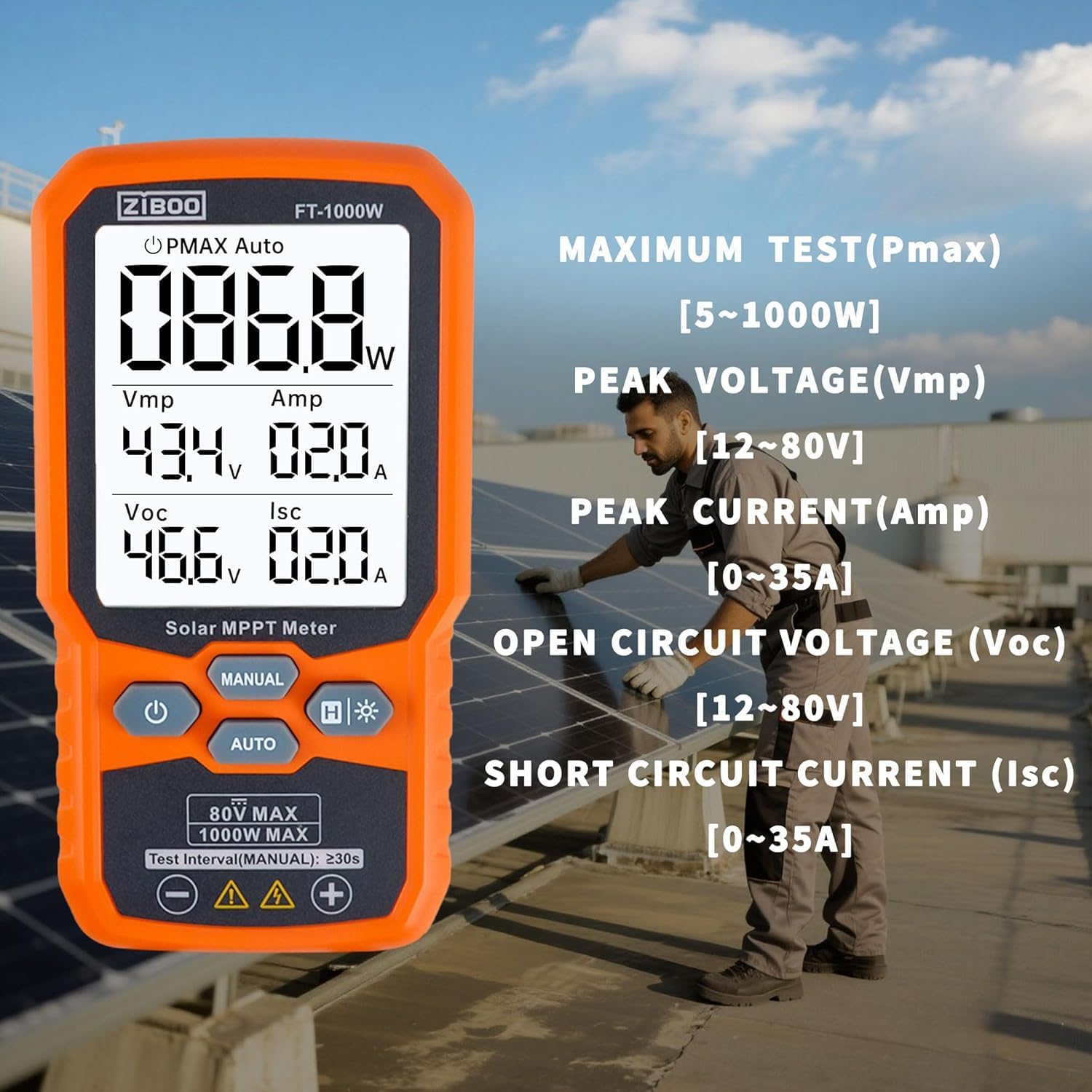
Figure 3: Detailed display of test parameters on the ZIBOO FT-1000W.
3. Spécifications techniques
| Paramètre | Valeur |
|---|---|
| Puissance maximale (Pmax) | 1000 watts |
| Vol à circuit ouverttage VOC) | 12-80V |
| Courant de court-circuit (Icc) | 35A |
| Volume de puissance de crêtetage (Vmp) | 80V |
| Peak Power Current (Amp) | 35A |
| Précision | ±0.8% |
| Cote de sécurité | CAT III 1000V/CAT IV 600V, IEC/EN 61010 |
| Dimensions | 5.51"L x 2.99"l x 1.26"H |
| Poids de l'article | 10.4 onces |
| Matériel | Aluminium, silicium monocristallin, verre trempé |
| Source d'énergie | 3 piles AAA (non incluses) |

Figure 4: Product dimensions of the ZIBOO FT-1000W.
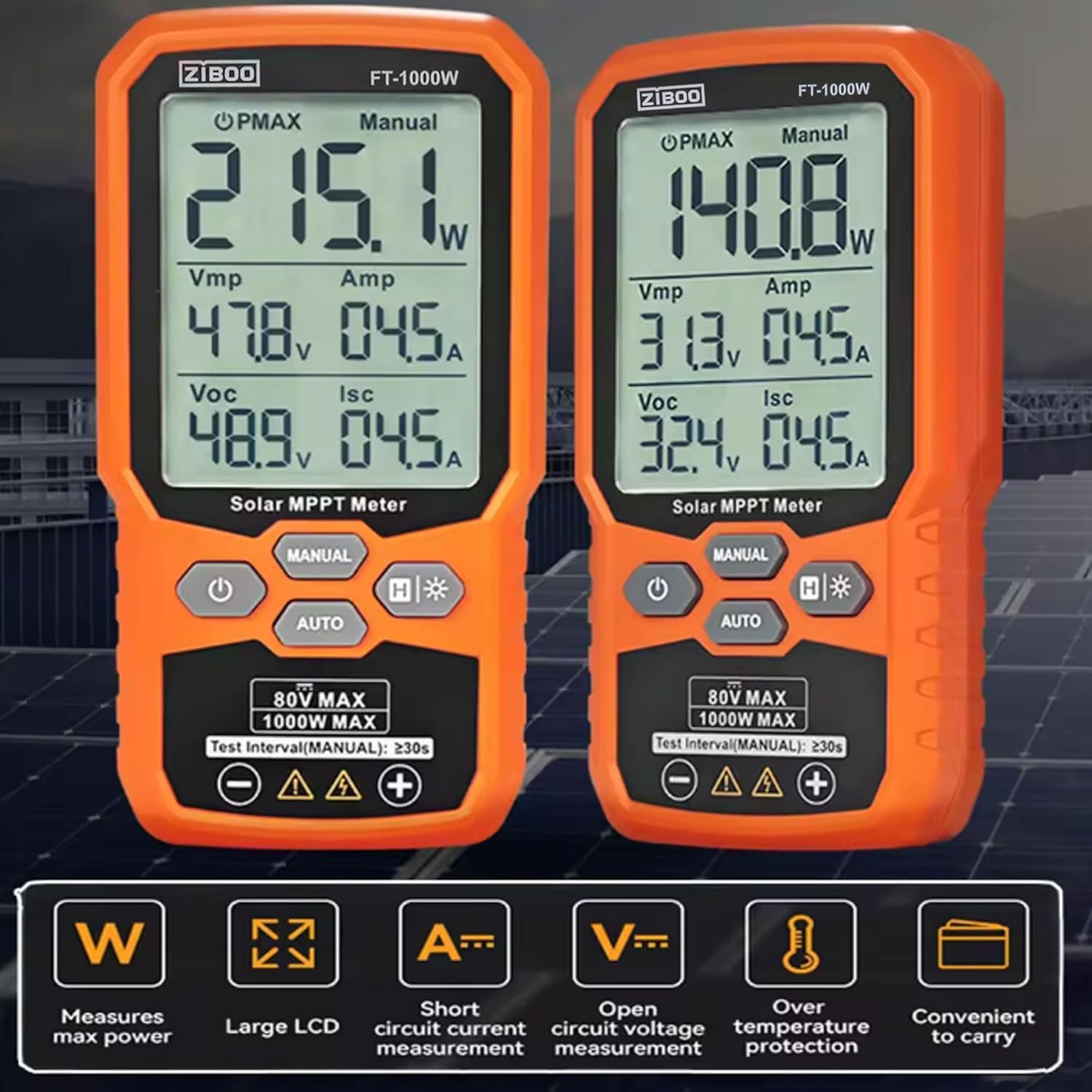
Figure 5: Comparison of FT-1000W and FT-2000W models.
4. Installation
4.1. Installation de la batterie
- Repérez le compartiment à piles à l'arrière de l'appareil.
- Utilisez un petit tournevis pour ouvrir le couvercle de la batterie.
- Insérez 3 piles AAA en veillant à respecter la polarité (+/-).
- Replacez le couvercle de la batterie et fixez-le avec la vis.
4.2. Connexion des cordons de test
Le ZIBOO FT-1000W est livré avec des câbles de test MC4 spéciaux pour une connexion directe aux panneaux solaires.
- Connect the red test lead to the positive (+) input terminal on the meter.
- Connect the black test lead to the negative (-) input terminal on the meter.
- Ensure the MC4 connectors on the test leads are securely attached to the corresponding connectors on your solar panel or array.

Figure 6: Standard MC4 Test Leads included with the meter.
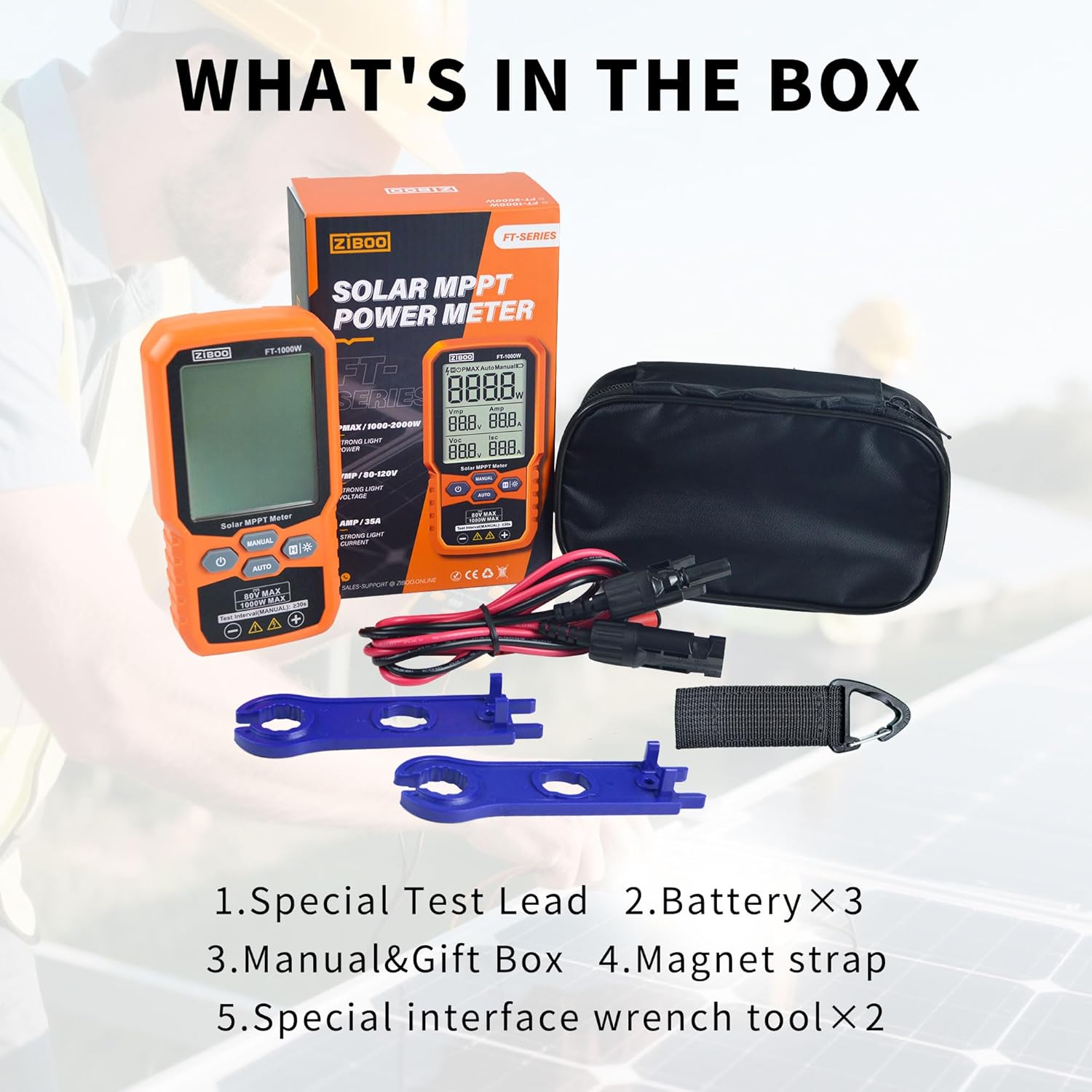
Figure 7: Special Interface Wrench Tools for MC4 connectors.
Video 1: Demonstrates the connection process of the ZIBOO FT-1000W Solar Panel Tester to a solar panel using MC4 connectors, and shows the device in operation.
5. Mode d'emploi
5.1. Marche/Arrêt
- Pour allumer : Appuyez sur le bouton d'alimentation et maintenez-le enfoncé (U) pendant environ 3 secondes.
- Pour éteindre l'appareil : Appuyez sur le bouton d'alimentation et maintenez-le enfoncé (U) for approximately 2 seconds. The device also features an auto-off function to conserve battery.
5.2. Measurement Modes (Manual/Auto)
The meter offers two measurement modes:
- Mode automatique: Appuyez sur le AUTO button. The meter will automatically scan and display the PV module's parameters (Pmax, Vmp, Amp, Voc, Isc) every few seconds. This mode is ideal for quick, continuous monitoring.
- Mode manuel : Appuyez sur le MANUEL button. In this mode, each press of the button initiates a single measurement cycle. Wait for approximately 3 seconds after pressing to allow the measurement to complete and display.
5.3. Fonction de conservation des données
To freeze the current readings on the display, press the H button. Press it again to release the data hold and resume live readings.
5.4. Activation du rétroéclairage
For improved visibility in low-light conditions, press and hold the backlight button (H*) to activate the display backlight. Press and hold again to turn it off.

Figure 8: ZIBOO FT-1000W in operation, displaying real-time solar panel data.
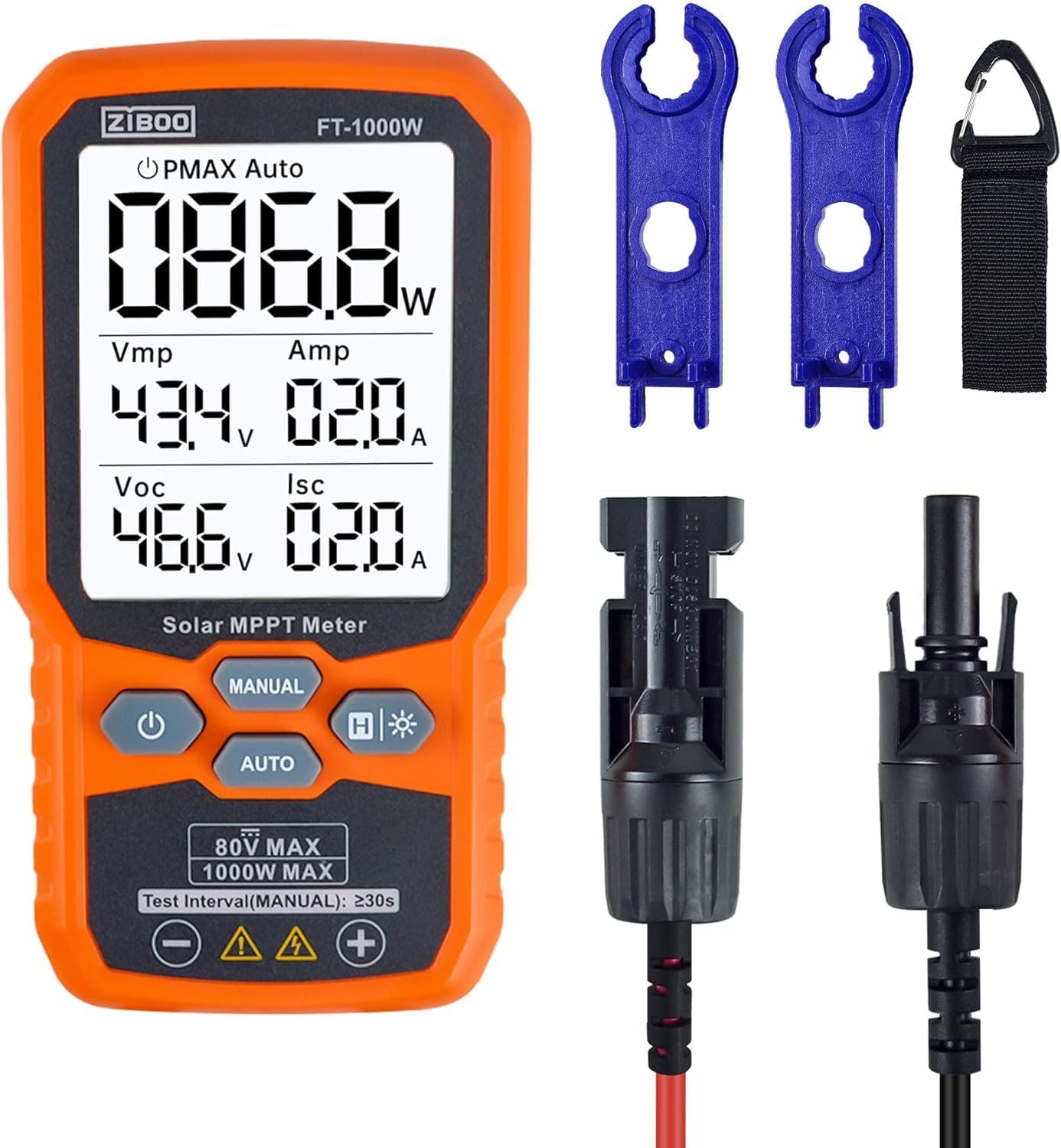
Figure 9 : Face avant view of the ZIBOO FT-1000W meter with accessories.
6. Entretien
- Nettoyage: Utilisez un chiffon doux et sec pour nettoyer l'extérieur du compteur. N'utilisez pas de nettoyants abrasifs ni de solvants.
- Stockage: Store the meter and its accessories in the provided carrying pouch in a cool, dry place away from direct sunlight and extreme temperatures.
- Remplacement de la batterie : Remplacez les piles dès que le voyant de batterie faible s'allume afin de garantir des mesures précises et d'éviter tout dommage.
- Inspection: Regularly inspect test leads and connectors for any signs of wear or damage. Replace damaged components immediately to ensure safety and performance.
7. Dépannage
| Problème | Cause possible | Solution |
|---|---|---|
| Le compteur ne s'allume pas. | Batteries faibles ou déchargées ; installation de batterie incorrecte | Remplacez les piles ; vérifiez la polarité des piles. |
| No readings displayed | Incorrect connection to solar panel; Insufficient sunlight; Faulty test leads | Ensure secure and correct connection; Test under adequate sunlight; Inspect and replace test leads if damaged |
| Lectures inexactes | Environmental factors (e.g., shading, temperature); Damaged meter or leads | Ensure clear, direct sunlight; Verify connections; Contact support if issues persist |
| Le rétroéclairage de l'écran ne fonctionne pas. | Backlight function not activated; Low batteries | Press and hold backlight button; Replace batteries |
8. Garantie et assistance
For warranty information, technical support, or service inquiries, please refer to the contact details provided in the product packaging or visit the official ZIBOO webConsultez le site. Conservez votre reçu d'achat comme preuve d'achat pour toute réclamation au titre de la garantie.


