Introduction
The MIKIBY Alux60 is a high-performance 60% compact wired gaming keyboard designed for precision and speed. It features Hall Effect magnetic switches, an aluminum gasket-mounted body, 8K polling rate, and customizable RGB lighting. This manual provides essential information for setting up, operating, maintaining, and troubleshooting your Alux60 keyboard.
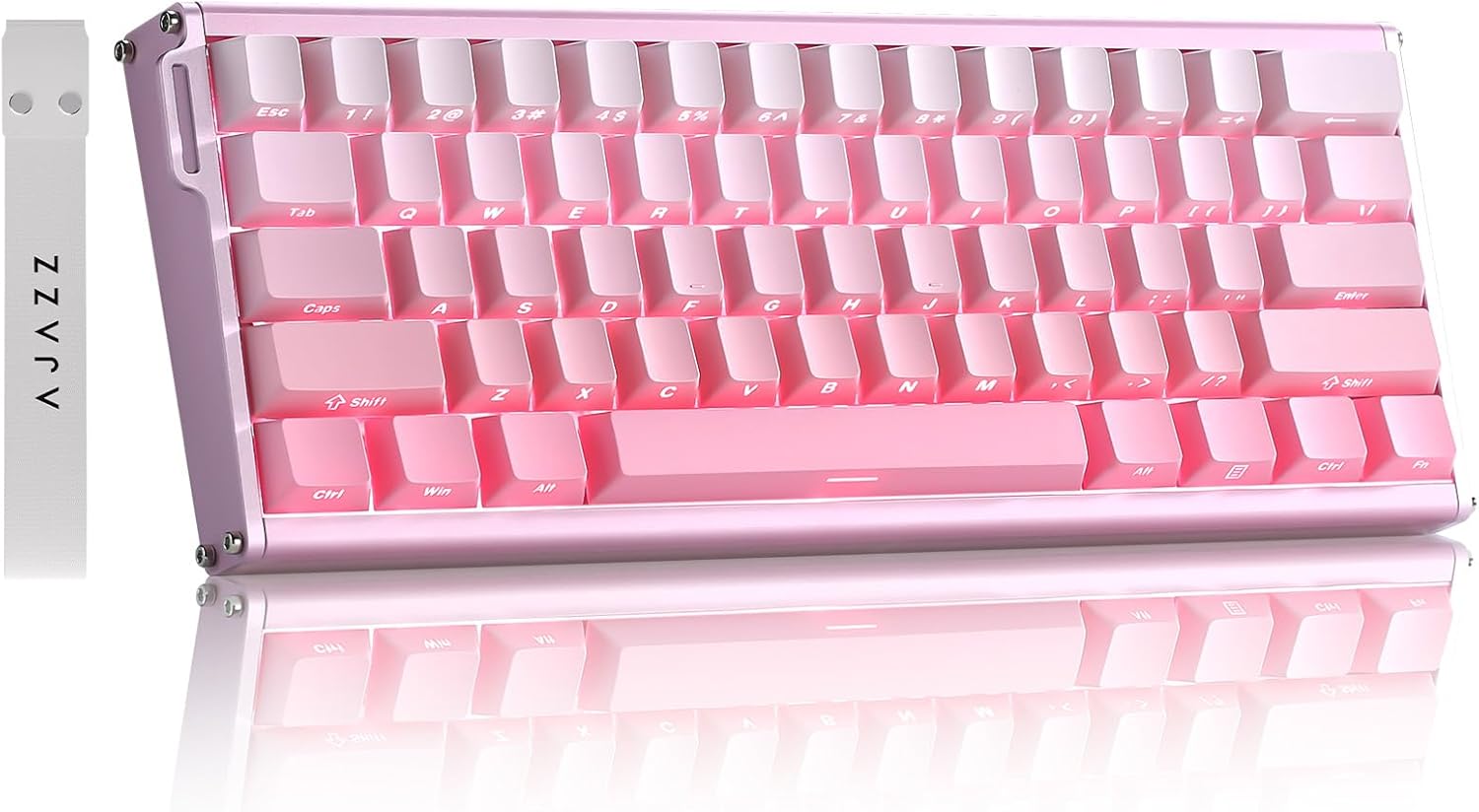
Image: The MIKIBY Alux60 Gaming Keyboard, showcasing its compact 60% layout and pink color scheme.
Qu'y a-t-il dans la boîte
Veuillez vous assurer que tous les éléments suivants sont inclus dans votre colis :
- ALUX 60 Keyboard x 1
- USB Cable x 1 (Type-C)
- Ruban x 1
- Extracteur de touches x 1
- Manuel d'utilisation x 1

Image: All components included with the MIKIBY Alux60 keyboard: the keyboard, USB-C cable, ribbon, keycap puller, and user manual.
Installation
1. Connexion du clavier
Connect the provided USB-C cable to the port on the keyboard and the other end to an available USB port on your computer. The keyboard is plug-and-play and should be recognized automatically by your operating system.
2. Compatibilité du système
The Alux60 keyboard is compatible with various operating systems. To switch between Windows and Mac modes:
- Pour Mac: Presse FN + A
- Pour Fenêtres: Presse FN + S
3. Web Personnalisation du conducteur
For advanced customization, including DKS, MT, TGL functions, key mapping, macro editing, and RGB lighting settings, use the professional web-based driver. No software installation is required. Access the driver via the link provided in the physical user manual or on the official MIKIBY website.

Image : La web-based driver interface for the Alux60 keyboard, showing options for keyboard settings, FN layer settings, macro editing, and lighting settings.
Mode d'emploi
Hall Effect Magnetic Switches & Rapid Trigger
The Alux60 utilizes Hall Effect magnetic switches, which offer instantaneous actuation and an ultra-low latency of 0.125ms. The Rapid Trigger mode allows for highly customizable actuation sensitivity, enabling faster double-taps and rapid keystrokes, ideal for competitive gaming.

Image : détaillée view of a Magnetic Powder Switch, highlighting its components and specifications such as operating force, total travel, and service life.

Image: Visual explanation of Rapid Trigger Mode, demonstrating how it provides ultra-low latency and precise actuation for gaming.
Contrôle d'éclairage RVB
The keyboard features 16.8 million color dynamic RGB lighting with multiple effects. Adjustments can be made via the web driver or using the following FN key combinations:
- FN + X: Allumer/éteindre la lumière
- FN + ": Keyboard brightness +
- FN+ :: Keyboard brightness -
- FN + |: Switch lighting effect
- FN +: Toggle backlight direction
- FN + [{: Adjust keyboard light speed -
- FN + ]}: Adjust keyboard light speed +
- FN+ ;: Switch lighting color
- FN + barre d'espace: Restore Factory Settings

Image: The Alux60 keyboard displaying its vibrant 16.8 million color RGB backlight, with a visual guide to FN key combinations for lighting control.
Commutateurs échangeables à chaud
The Alux60 keyboard supports hot-swappable magnetic switches, allowing you to easily replace switches without soldering. This feature enables customization of your typing experience by swapping in different compatible magnetic switches.

Image : Une image détaillée view of the Alux60's hot-swappable design, showing how switches can be removed and replaced, along with the south-facing LEDs.
Raccourcis FN
Le clavier propose différentes combinaisons de touches FN pour un accès rapide aux fonctions :
- FN + 1 !: F1
- FN + 2@: F2
- FN + 3 #: F3
- FN + 4$: F4
- FN + 5%: F5
- FN + 6^: F6
- FN + 7&: F7
- FN + 8*: F8
- FN + 9(: F9
- FN+0): F10
- FN + -=: F11
- FN + =+: F12
- FN + retour arrière: Effacer
- FN + Entrée: Menu
- FN + Maj droite: Right Ctrl
- FN + Ctrl droit: Right Alt
- FN + Alt droite: Right Shift
- FN + /?: Up Arrow
- FN + Alt droite: Left Arrow
- FN + Ctrl droit: Down Arrow
- FN + Maj droite: Right Arrow
- FN + Échap: ~

Image: A comprehensive guide to FN key combinations for various functions on the Alux60 keyboard.
Roulement N-Key
The Alux60 supports N-Key Rollover (NKRO), which means it can accurately register every key press, even when multiple keys are pressed simultaneously. This is crucial for fast-paced gaming and ensures no input is missed.

Image: A visual representation of N-Key Rollover, showing multiple simultaneous key presses being registered without conflict.
Produit terminéview Vidéo
Video: An official product video from MIKIBY showcasing the Alux60 Gaming Keyboard, its features, and typing sound.
Entretien
Nettoyage du clavier
Pour préserver l'apparence et le fonctionnement du clavier :
- Débranchez le clavier de votre ordinateur avant de le nettoyer.
- Utilisez un chiffon doux et non pelucheux légèrement dampTerminer par un rinçage à l'eau ou avec une solution nettoyante douce pour essuyer les touches et le châssis.
- Pour la poussière et les débris entre les touches, utilisez de l'air comprimé.
- Évitez d’utiliser des produits chimiques agressifs ou des matériaux abrasifs.
Remplacement des touches et des interrupteurs
Thanks to the hot-swappable design, keycaps and switches can be easily replaced. Use the included keycap puller to gently remove keycaps. For switches, use the switch puller to carefully extract them. Ensure replacement switches are compatible Hall Effect magnetic switches.
Dépannage
| Problème | Cause possible | Solution |
|---|---|---|
| Le clavier ne répond pas | Loose cable connection, incorrect system mode. | Ensure USB-C cable is securely connected. Try a different USB port. Verify correct system mode (FN+A for Mac, FN+S for Windows). |
| L'éclairage RGB ne fonctionne pas ou est incorrect. | Lighting effect turned off, software glitch. | Presse FN + X to toggle lighting. Use FN key combinations to adjust effects. Access the web driver for advanced lighting customization. Try FN + barre d'espace to restore factory lighting settings. |
| Les touches ne sont pas enregistrées ou sont saisies deux fois. | Dust/debris under switch, switch malfunction, incorrect Rapid Trigger settings. | Clean under keycaps with compressed air. If issue persists, consider replacing the switch (due to hot-swappable design). Adjust Rapid Trigger settings via the web conducteur. |
| Custom settings not saving | Web driver issue, browser compatibility. | Ensure you are using a compatible browser. Clear browser cache. Re-apply settings in the web driver and ensure they are saved. |

Image: A visual Q&A section addressing common user queries regarding system switching and keyboard customization.
Caractéristiques
| Fonctionnalité | Détail |
|---|---|
| Modèle | Alux60 |
| Marque | MIKIBY |
| Description du clavier | Mechanical, Hall Effect Magnetic Switch |
| Technologie de connectivité | USB-C filaire |
| Nombre de clés | 61 |
| Taux de sondage | 8K (8000 Hz) |
| Latence | Latence ultra-faible de 0.125 ms |
| Taux de balayage | 128K |
| Keycaps | Side Printed PBT Keycaps |
| Rétroéclairage | 16.8 Million Color Dynamic RGB (South-facing LEDs) |
| Caractéristiques spéciales | Ergonomic, Backlit, Low-Profile Key, Hot-Swappable, Rapid Trigger Mode, N-Key Rollover, Web-based Driver |
| Appareils compatibles | Ordinateur portable, console de jeux, PC, tablette, smartphone |
| Poids de l'article | 3.52 livres |
| Dimensions | 14.88 x 5.91 x 2.32 pouces (Emballage) |
| Fabricant | MIKIBY |
| Pays d'origine | Chine |
Garantie et assistance
For warranty information and technical support, please refer to the documentation included with your product or visit the official MIKIBY website. Conservez votre reçu d’achat pour les réclamations au titre de la garantie.
MIKIBY Store: Visit MIKIBY Store on Amazon


