1. Introduction
This manual provides essential information for setting up, operating, and maintaining your new Samsung QN48S90FAEXZA 48 Inch 4K OLED Smart TV. Please read it thoroughly to ensure safe and optimal use of your television. Keep this manual for future reference.
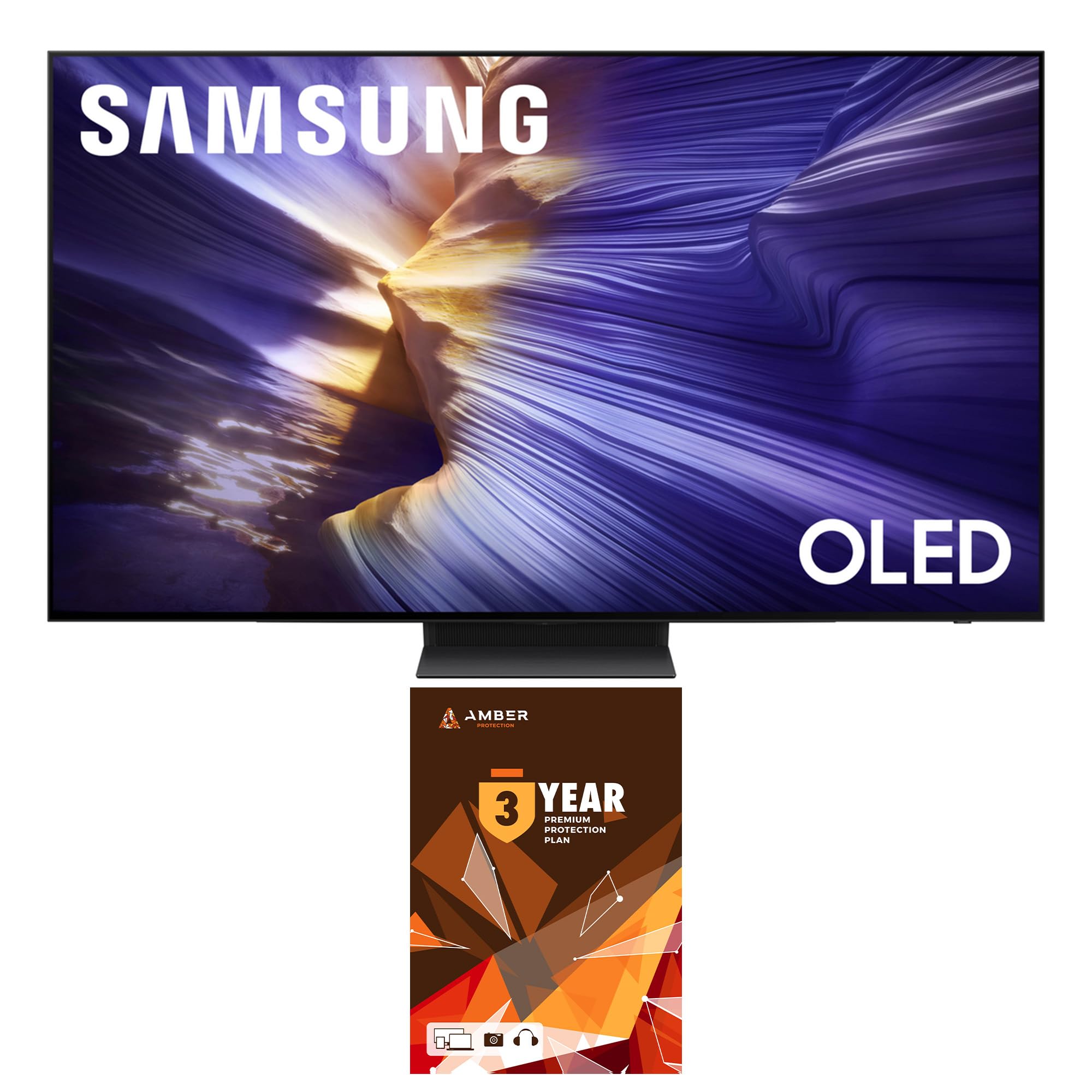
Figure 1: Samsung QN48S90FAEXZA 48 Inch 4K OLED Smart TV.
2. Contenu de la boîte
Déballez soigneusement votre téléviseur et vérifiez la présence des éléments suivants :
- Samsung QN48S90FAEXZA 48 Inch 4K OLED Smart TV
- Câble d'alimentation
- SolarCell™ Remote (Model TM2560E)
- Manuel de l'utilisateur (ce document)
- Composants du meuble TV
- Kit de nettoyage d'écran HDTV Amber Protection

Figure 2: Illustration of the TV, remote, and stand components included in the box.
3. Installation
3.1 Installation physique (sur pied ou murale)
Your Samsung TV can be placed on a stand or mounted on a wall. Ensure proper ventilation around the TV.
- Installation du support : Attach the provided stand components to the TV following the instructions in the separate stand assembly guide. Place the TV on a stable, level surface.
- Installation murale : For wall mounting, use a VESA-compliant wall mount (300mm x 200mm) and consult a professional installer. Ensure the wall can support the TV's weight (approximately 26.2 pounds).

Figure 3 : Côté profile of the TV on its stand.
3.2 Connexions
Connect your external devices to the TV's ports. The TV features 4 HDMI ports and 2 USB-A ports.
- HDMI: Use HDMI cables to connect devices like Blu-ray players, game consoles, or cable boxes.
- USB: Connectez des périphériques de stockage USB pour la lecture multimédia.
- Réseau: Connect to your home network via Wi-Fi 5 or an Ethernet cable for smart TV features.

Figure 4 : Arrière view des ports TV.
3.3 Mise sous tension initiale
Plug the power cable into the TV and a wall outlet. Press the power button on the remote control to turn on the TV. Follow the on-screen instructions for initial setup, including network connection and channel scanning.
4. Utilisation de votre téléviseur
Télécommande 4.1
The SolarCell™ Remote (TM2560E) is designed for intuitive control. It charges via solar energy or USB-C. Use it to navigate menus, adjust volume, change channels, and access smart features.
Figure 5: SolarCell™ Remote Control.
4.2 Smart Features (Tizen OS, Voice Assistants)
Your TV runs on the Tizen Smart TV platform, providing access to a wide range of apps like Netflix, Prime Video, Disney+, Hulu, Apple TV, YouTube, HBO Max, Peacock, and Sling. Built-in voice assistants allow for hands-free control and content search.
4.3 Paramètres de l'image
Experience stunning visuals with advanced picture technologies:
- Processeur NQ4 AI Gen3 : Utilizes AI-based formulas to upscale content to 4K resolution, enhancing picture and sound.
- Upscaling IA 4K Pro : Transforms everything on screen to impressive 4K resolution using 128 AI neural networks.
- OLED HDR : Delivers powerful brightness and deeper contrast in every pixel for a vibrant viewexpérience de travail.
- Motion Xcelerator 144 Hz : Enjoy smooth motion, especially for fast-paced content and PC-connected games (4K 144Hz requires a compatible PC graphic card).

Figure 6: NQ4 AI Gen3 Processor.

Figure 7: 4K AI Upscaling Pro in action.

Figure 8: OLED HDR+ for enhanced contrast.

Figure 9: Motion Xcelerator 144Hz for smooth gaming.
4.4 Paramètres audio
Immerse yourself in rich audio with:
- Dolby Atmos : Offre un son multidimensionnel qui vous enveloppe.
- OTS Lite (Object Tracking Sound Lite) : Sound follows the action on screen for a more dynamic experience.
- Q-Symphony Pro : Synchronizes TV speakers with compatible Samsung soundbars for an enhanced, harmonious soundstage.
Vidéo 1 : Présentation du S90Fview. This video highlights the key features of the Samsung S90F OLED TV, including its picture and sound technologies.
5. Entretien
5.1 Nettoyage de l'écran
Use the included Amber Protection HDTV Screen Cleaner Kit to keep your screen pristine. The non-ammonia and alcohol-free solution safely removes dust, dirt, and fingerprints without damaging the display.

Figure 10: Amber Protection Screen Cleaner Kit.
5.2 Entretien général
To ensure the longevity of your TV, avoid placing it in direct sunlight or near heat sources. Keep vents clear for proper airflow. Unplug the TV during lightning storms or when not in use for extended periods.
6. Dépannage
Si vous rencontrez des problèmes avec votre téléviseur, reportez-vous aux solutions courantes suivantes :
- Pas d'alimentation : Vérifiez que le câble d'alimentation est bien branché au téléviseur et à la prise murale. Testez la prise avec un autre appareil.
- Pas d'image/de son : Ensure all external devices are properly connected and powered on. Verify the correct input source is selected on the TV.
- La télécommande ne fonctionne pas : Check the SolarCell remote's charge level. Ensure there are no obstructions between the remote and the TV.
- Problèmes de connexion réseau : Restart your router and modem. Reconnect the TV to your Wi-Fi network or try a wired Ethernet connection.
For more detailed troubleshooting, visit the Samsung support website ou contacter le service client.
7. Spécifications
| Fonctionnalité | Spécification |
|---|---|
| Nom du modèle | QN48S90FAEXZA |
| Taille de l'écran | 48 pouces |
| Technologie d'affichage | OLED |
| Résolution | 4K (3840 x 2160) |
| Taux de rafraîchissement | 120 Hz (jusqu'à 144 Hz) |
| Processeur | Processeur NQ4 AI Gen3 |
| Technologie audio | Dolby Atmos, OTS Lite, Q-Symphony Pro |
| Plate-forme de télévision intelligente | Téléviseur intelligent Tizen |
| Connectivité | Wi-Fi 5, HDMI x 4, USB-A x 2 |
| Dimensions (avec support) | 10.4"P x 42.1"L x 27"H |
| Dimensions (sans support) | 42.1 po L x 24.4 po H x 1.6 po P |
| Poids de l'article | 26.2 livres |
| Couleur | Noir Graphite |
8. Garantie et assistance
This product includes a full 1-year manufacturer's warranty. Additionally, it comes with a 3-Year Amber Protection Plan, providing extended coverage for mechanical and electrical failures, and power surge protection. Benefits such as Power Surge Protection and Mechanical & Electrical Failures begin on Day 1. For warranty claims or technical support, please refer to the contact information provided with your Amber Protection Plan documentation or visit the official Samsung support website.

Figure 11: Amber Protection Plan details.


