Introduction
This manual provides detailed instructions for the safe and efficient operation of your Kuephom PM24 Portable CD Player with Speakers. Please read this manual thoroughly before using the device and retain it for future reference.
The Kuephom PM24 is a versatile audio device offering multiple playback options including CD, Bluetooth, FM Radio, USB, and TF card. It features built-in stereo speakers, a rechargeable battery for portability, and a remote control for convenient operation.

Image: The Kuephom PM24 Portable CD Player, showcasing its design with an open CD lid, remote control, and an indicator for its rechargeable battery.
Contenu du colis
Vérifiez que tous les éléments sont présents dans le colis :
- Kuephom PM24 Portable CD Player with Speakers x 1
- Câble de chargement x 1
- Télécommande x 1
- Manuel d'utilisation x 1
Produit terminéview
The PM24 offers a range of features for diverse audio playback. Familiarize yourself with the device's components and capabilities.

Image: A visual representation of the PM24's key features, including CD/MP3 playback, Bluetooth connectivity, USB and TF card support, FM radio, audio input, headphone jack, remote control, rechargeable battery, and sleep timer.
Caractéristiques principales :
- Lecture de CD/MP3 : Supports standard audio CDs and MP3 files à partir de disques CD-R/RW.
- Connectivité Bluetooth : Diffusion audio sans fil depuis des appareils compatibles.
- Prise en charge des périphériques USB et des cartes TF : Play MP3/WMA audio files directly from USB flash drives or TF cards (up to 32GB).
- Radio FM: Built-in FM tuner with retractable antenna and programmable presets.
- Entrée auxiliaire : Connectez les sources audio externes via un câble audio de 3.5 mm.
- Prise casque: Pour une écoute privée.
- Télécommande: Full function remote for convenient operation.
- Batterie rechargeable : Provides portable power for extended use.
- Minuterie de veille: L'appareil s'éteint automatiquement après une période définie.
- Haut-parleurs stéréo: Integrated speakers for clear audio output.
Installation
1. Chargement de l'appareil
Before first use, fully charge the PM24. Connect the provided charging cable to the DC 5V input port on the device and the other end to a standard USB power adapter (not included) or a computer USB port.
- Le voyant de charge s'allumera pendant la charge.
- Une charge complète prend généralement environ 4 heures.
- The device provides approximately 5-8 hours of playback on a full charge, depending on volume and mode.

Image: Visual representation of the PM24's rechargeable nature, highlighting its play time and charge time.
2. Marche/Arrêt
Appuyez et maintenez enfoncé le POUVOIR button on the device or remote control to turn the unit on or off.
3. Installation de la batterie de la télécommande
La télécommande nécessite 2 piles AAA (non fournies). Ouvrez le compartiment à piles situé à l'arrière de la télécommande et insérez les piles en respectant la polarité (+/-).
Mode d'emploi
1. Utilisation de la télécommande
The remote control allows for convenient operation of all functions from a distance.

Image: A user interacting with the PM24 using the remote control, illustrating various functions accessible from the remote.
- Bouton d'alimentation : Allume ou éteint l'appareil.
- Bouton Mode : Switches between CD, Bluetooth, FM, USB, TF, and AUX modes.
- Bouton Lecture/Pause : Démarre ou interrompt la lecture.
- Boutons de piste précédente/suivante : Permet de passer à la piste/station précédente ou suivante.
- Boutons de volume +/- : Règle le niveau de volume.
- Repeat/Shuffle Button: Changes playback repeat modes (e.g., repeat one, repeat all, shuffle).
- Bouton de veille : Activates and sets the sleep timer.
2. Lecture de CD
- Ouvrez le couvercle du compartiment CD.
- Carefully place a CD (audio CD or MP3 CD) onto the spindle with the label side facing up.
- Fermez le couvercle du compartiment CD.
- Appuyez sur le MODE appuyez sur le bouton jusqu'à sélectionner le mode « CD ».
- Le CD démarrera automatiquement. Sinon, appuyez sur le bouton. LECTURE/PAUSE bouton.

Image: Icons illustrating various CD playback options such as sequential play, random play, repeating a single track, repeating all tracks, and the play memory function.
3. Mode Bluetooth
- Appuyez sur le MODE button until "BT" (Bluetooth) mode is selected. The display will show "bt" and flash, indicating it's in pairing mode.
- Sur votre appareil compatible Bluetooth (smartphone, tablette, etc.), activez le Bluetooth et recherchez les appareils disponibles.
- Select "PM24" from the list of devices.
- Once paired, the "bt" indicator will stop flashing, and you can stream audio wirelessly to the PM24.

Image: A smartphone screen showing a successful Bluetooth connection to the PM24, with the player's display confirming 'bt' mode.
4. Mode radio FM
- Déployez l'antenne télescopique située à l'arrière de l'appareil pour une réception optimale.
- Appuyez sur le MODE appuyez sur le bouton jusqu'à ce que le mode « FM » soit sélectionné.
- Appuyez et maintenez enfoncé le LECTURE/PAUSE button to initiate an automatic station scan. The radio will scan and save available stations.
- Utilisez le PISTE PRÉCÉDENTE/SUIVANTE pour naviguer dans les stations enregistrées.

Image: A user enjoying FM radio on the PM24, with visual cues indicating different radio frequencies.
5. Lecture de cartes USB/TF
- Insert a USB flash drive into the USB port or a TF card into the TF card slot. Ensure the card is inserted correctly.
- Appuyez sur le MODE button until "USB" or "TF" mode is selected.
- The device will automatically detect and begin playing MP3/WMA audio files du stockage inséré.
- Utilisez le PISTE PRÉCÉDENTE/SUIVANTE boutons pour naviguer entre files.

Image : Gros plan view of the USB and TF card slots on the PM24, indicating their function for playing media from external storage.
6. Entrée auxiliaire (AUX)
- Connect one end of a 3.5mm audio cable (not included) to the AUX IN port on the PM24.
- Connect the other end to the headphone jack or audio output of an external audio device (e.g., smartphone, MP3 player).
- Appuyez sur le MODE appuyez sur le bouton jusqu'à ce que le mode « AUX » soit sélectionné.
- Contrôlez la lecture et le volume depuis votre périphérique audio externe.
7. Fonction minuterie de sommeil
The sleep timer allows the device to automatically turn off after a set period.
- While the device is playing, press the DORMIR bouton de la télécommande.
- Appuyez plusieurs fois sur la touche DORMIR button to cycle through available timer settings (e.g., 10, 20, 30, 60, 90 minutes).
- The selected time will be displayed. The device will automatically power off once the timer expires.

Image: A visual demonstration of the sleep timer function, showing the PM24 on a nightstand while a person sleeps.
8. Utiliser des écouteurs
For private listening, connect 3.5mm headphones (not included) to the PRISE ÉCOUTEURS on the device. The built-in speakers will automatically mute when headphones are connected.
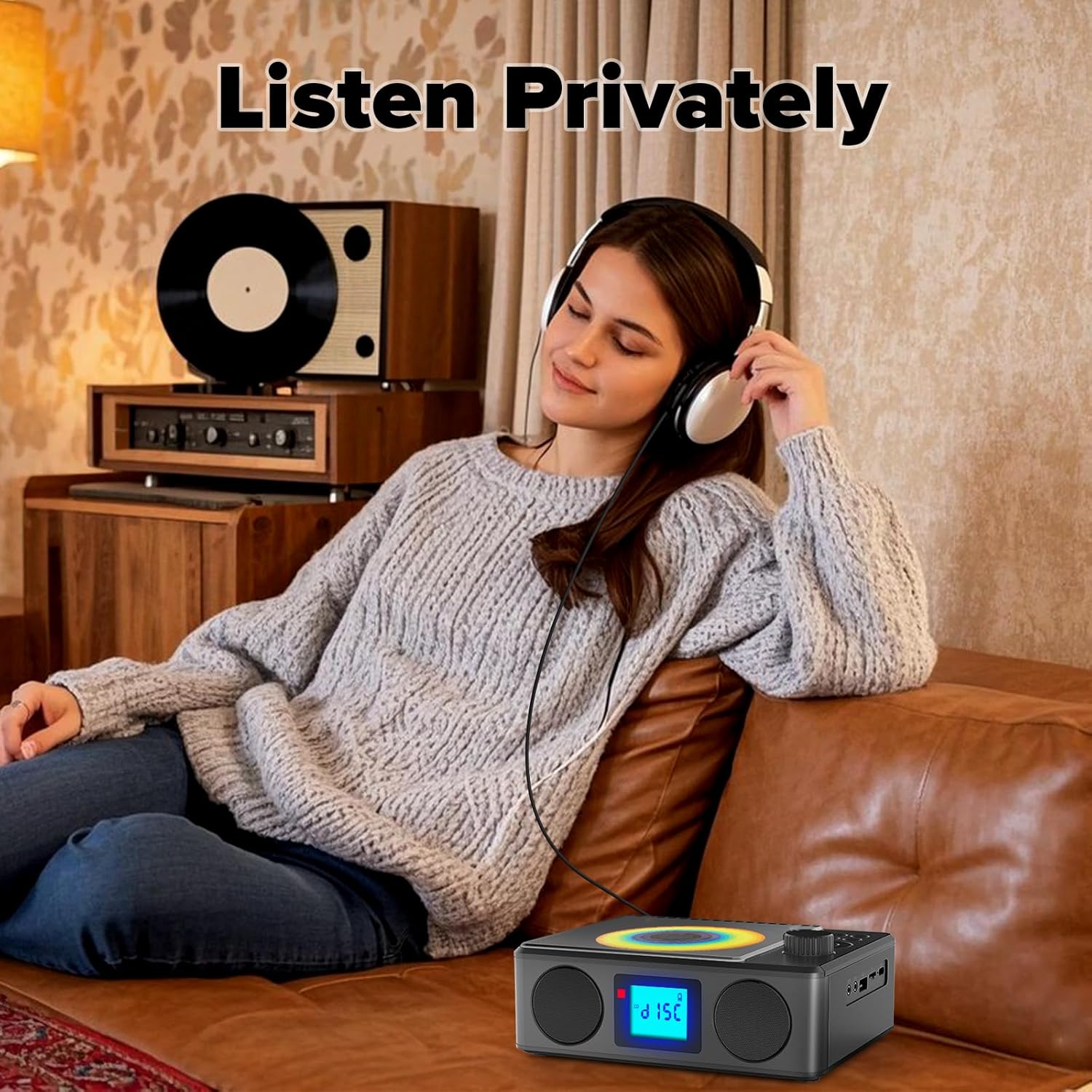
Image: A user enjoying private audio through headphones connected to the PM24.
Entretien
- Nettoyage: Utilisez un chiffon doux et sec pour nettoyer l'extérieur de l'appareil. N'utilisez pas de nettoyants abrasifs ni de solvants.
- Entretien du CD : Manipulez les CD par les bords. Nettoyez les CD sales avec un chiffon doux non pelucheux, en essuyant du centre vers l'extérieur.
- Stockage: En cas de non-utilisation prolongée de l'appareil, rangez-le dans un endroit frais et sec, à l'abri de la lumière directe du soleil et des températures extrêmes.
- Batterie: Pour prolonger la durée de vie de la batterie, évitez de la décharger complètement et fréquemment. Rechargez l'appareil régulièrement, même s'il n'est pas utilisé.
Dépannage
| Problème | Cause possible | Solution |
|---|---|---|
| L'appareil ne s'allume pas. | La batterie est épuisée. | Connect the charging cable and allow the device to charge. |
| Aucun son des haut-parleurs. | Le volume est trop faible ou coupé. Des écouteurs sont branchés. | Augmentez le volume. Débranchez les écouteurs. |
| Le CD saute ou ne fonctionne pas. | Le CD est sale, rayé ou mal inséré. | Clean the CD. Ensure it is placed correctly. Try another CD. |
| L'appairage Bluetooth échoue. | Device is too far, not in pairing mode, or already paired. | Ensure PM24 is in BT mode and flashing. Move devices closer. Disconnect from other devices. |
| Mauvaise réception radio FM. | Antenne non déployée ou zone de faible signal. | Déployez complètement l'antenne télescopique. Repositionnez l'appareil pour une meilleure réception. |
| La télécommande ne fonctionne pas. | Batteries are depleted or inserted incorrectly. Obstruction between remote and device. | Replace batteries, check polarity. Remove obstructions. Ensure remote is pointed at the device. |
Caractéristiques
- Modèle: PM24
- Marque: Kuephom
- Dimensions du produit : 7.5 x 6.3 x 2.5 pouces (19.05 x 16.00 x 6.35 cm)
- Poids de l'article : 1.96 livres (0.89 kg)
- Technologie de connectivité: Auxiliaire, Bluetooth, USB
- Couleur: Noir
- Type de haut-parleur : Stéréo
- Piles : 1 batterie non standard (incluse)
- Temps de jeu : 5-8 heures (environ)
- Temps de charge : 4 heures (environ)
Garantie et assistance
Kuephom products are designed for reliability and performance. For warranty information or technical support, please refer to the contact details provided on the product packaging or visit the official Kuephom website.
Veuillez conserver votre preuve d'achat pour les réclamations au titre de la garantie.


