1. Introduction
Thank you for choosing the DUSONLAP SU8 Mini Wireless Sleep Earbuds. These earbuds are designed to provide a comfortable and immersive audio experience, especially for side sleepers, while effectively blocking out ambient noise. Please read this manual thoroughly to ensure proper usage and optimal performance.

Image: DUSONLAP SU8 Mini Wireless Sleep Earbuds and their compact charging case.
2. Contenu de la boîte
- Écouteurs de sommeil DUSONLAP SU8 (x2)
- Étui de chargement SU8 (x1)
- Câble de chargement USB-C (x1)
- Manuel d'utilisation (x1)

Image: All items included in the DUSONLAP SU8 product package.
3. caractéristiques du produit
- Mini Portable and Safe Design: Made of soft, skin-friendly silicone, weighing only 3 grams per ear, with an ergonomic in-ear design for comfort and secure fit.
- True Noise Blocking: Achieves a noise suppression effect of 24 decibels, ideal for blocking ambient sounds.
- Premium Stereo Sound and Clear Call: Engineered with a 13mm dual chamber speaker driver unit for balanced sound with deep bass. Features ENC (Enhanced Noise Cancellation) technology for clear calls.
- NEW Bluetooth 5.4 and One-Step Pairing: Advanced Bluetooth 5.4 technology provides a fast, stable, and seamless connection with superior sound quality and strong signal up to 15m. Automatic connection to previously paired devices upon opening the charging case.
- LED Power Display and Long Battery Life: Charging case features an LED digital display to monitor charging status and remaining power. Earbuds offer 5-7 hours of listening time, with the case providing an additional 40 hours (total 47 hours). Supports USB-C fast charging.
- Ergonomic Design and IPX7 Waterproof: Soft silicone material and compact design ensure comfortable wear without earaches, even during extended use or side sleeping. IPX7 nano-coating technology makes them waterproof and sweatproof.
- Touch Control and Wide Compatibility: High-tech touch screen controls for calls, music playback, volume adjustment, song switching, and Siri activation. Compatible with most Bluetooth-enabled devices (iOS, Android, laptops, tablets, etc.).

Image: Earbuds designed for comfortable side sleeping with sleep mode features.

Image: IPX7 Waterproof feature for protection against sweat and water.
4. Installation
4.1. Chargement des écouteurs et de l'étui
- Placez les écouteurs dans l'étui de chargement. Assurez-vous qu'ils sont bien en place.
- Connectez le câble de chargement USB-C au port de chargement du boîtier et à une source d'alimentation.
- The LED digital display on the case will show the charging status.
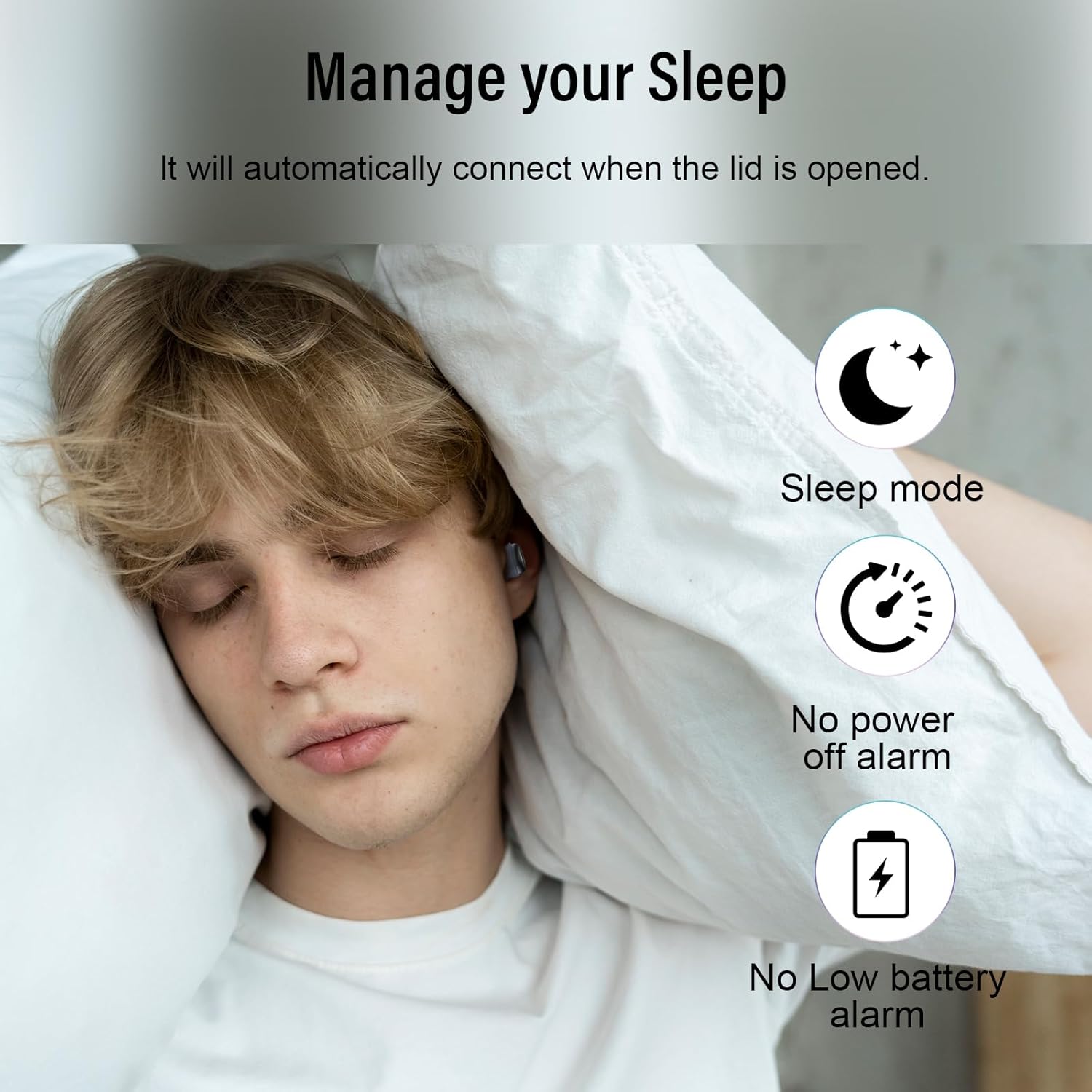
Image: Earbuds charging inside the case, with battery indicator visible.
4.2. Couplage avec votre appareil
- Ouvrez le couvercle du boîtier de charge. Les écouteurs passeront automatiquement en mode appairage.
- Sur votre appareil (smartphone, tablette, ordinateur portable), accédez aux paramètres Bluetooth.
- Select "SU8" from the list of available devices to connect.
- Une fois la connexion établie, vous entendrez un signal sonore et les écouteurs seront prêts à l'emploi.

Image: Visual guide for one-step Bluetooth pairing.
4.3. How to Wear the Earbuds
- Choose the appropriate ear caps and install them on the SU8 sleep earbuds.
- Place the ear cap downwards and insert it into your ear canal.
- Twist gently to lock into place for a secure and comfortable fit.

Image: Step-by-step instructions for wearing the earbuds.
5. Mode d'emploi
5.1. Commandes tactiles
The DUSONLAP SU8 earbuds feature intuitive touch controls for easy management of calls and music.
- Répondre aux appels : Appuyez deux fois sur l'un des écouteurs.
- Hanging Up Calls: Appuyez deux fois sur l'un des écouteurs.
- Rejeter les appels: Appuyez longuement sur l'un des écouteurs pendant 2 secondes.
- Lire/mettre en pause la musique : Appuyez une seule fois sur l'un ou l'autre écouteur.
- Régler le volume : Long press the right earbud to increase volume, long press the left earbud to decrease volume.
- Changer de chanson : Triple-tap the right earbud for next track, triple-tap the left earbud for previous track.
- Activer l'assistant vocal (Siri) : Appuyez trois fois sur l'un ou l'autre des écouteurs.
- Mode veille: Quadruple-tap either earbud to activate sleep mode (no shutdown and low battery beep).

Image : Terminéview des fonctions de commande tactile.
5.2. Mode veille
The dedicated sleep mode ensures an undisturbed night by disabling shutdown and low battery beeps. Activate it with a quadruple-tap on either earbud.
Video: Demonstration of D20 Sleep Headphones features, including sleep mode and comfortable fit.
Vidéo : Survol rapideview of aggoo Sleep Earbuds, highlighting comfort and sleep-friendly design.
6. Entretien
6.1. Nettoyage
- Nettoyez régulièrement les écouteurs et l'étui de chargement avec un chiffon doux et sec.
- Retirez les embouts auriculaires et nettoyez-les séparément avec de l'eau et du savon doux si nécessaire. Assurez-vous qu'ils soient parfaitement secs avant de les remettre en place.
- Évitez d’utiliser des produits chimiques agressifs ou des matériaux abrasifs.
6.2. Stockage
- Rangez les écouteurs dans leur étui de chargement lorsqu'ils ne sont pas utilisés pour les protéger et les maintenir chargés.
- Conservez l'appareil dans un endroit frais et sec, à l'abri des températures extrêmes et de la lumière directe du soleil.
6.3. Résistance à l'eau
The earbuds are IPX7 waterproof, meaning they can withstand sweat and light rain. However, they are not designed for swimming or submersion in water. Ensure the charging port is dry before charging.
7. Dépannage
- Les écouteurs ne se connectent pas : Assurez-vous que les deux écouteurs sont dans l'étui de chargement, puis ouvrez le couvercle pour réactiver le mode de jumelage. Vérifiez les paramètres Bluetooth de votre appareil et essayez de vous reconnecter.
- Aucun son ne sort d'un écouteur : Place both earbuds back in the case, close the lid, then open it again. This often resets the connection.
- Problèmes de charge : Verify the USB-C cable is securely connected to both the case and the power source. Check the LED display for charging indicators. Ensure the charging contacts on the earbuds and case are clean.
- Ajustement inconfortable : Experiment with different ear tip sizes provided to find the most comfortable and secure fit for your ear canal.
- Low battery beep in sleep mode: Ensure sleep mode is properly activated by quadruple-tapping an earbud. If the issue persists, the earbuds might be too low on battery to sustain sleep mode without a warning.
8. Spécifications
| Fonctionnalité | Spécification |
|---|---|
| Nom du modèle | SU8 |
| Marque | DUSONLAP |
| Technologie de connectivité | Sans fil (Bluetooth 5.4) |
| Placement des oreilles | Dans l'oreille |
| Facteur de forme | Dans l'oreille |
| Contrôle du bruit | Enhanced Noise Cancellation (ENC) |
| Niveau de résistance à l'eau | Étanchéité IPX7 |
| Durée de vie moyenne de la batterie | 47 Hours (5-7 hours earbuds + 40 hours case) |
| Composition des cellules de batterie | Lithium Polymère |
| Matériel | Silicone |
| Caractéristiques spéciales | Noise Cancelling, Waterproof, Touch Control |
9. Garantie et assistance
For warranty information, technical support, or any inquiries regarding your DUSONLAP SU8 Mini Wireless Sleep Earbuds, please refer to the contact details provided on the product packaging or visit the official DUSONLAP website. Conservez votre reçu d’achat pour les réclamations au titre de la garantie.


