1. Consignes de sécurité importantes
Veuillez lire attentivement toutes les instructions avant d'utiliser ce tapis roulant. Conservez ce manuel pour toute consultation ultérieure.
- Placez toujours le tapis roulant sur une surface plane et stable.
- Veillez à laisser un dégagement suffisant autour du tapis roulant (au moins 2 mètres derrière et 0.6 mètre de chaque côté).
- Gardez les enfants et les animaux domestiques éloignés du tapis roulant pendant son fonctionnement.
- Portez des chaussures et des vêtements de sport appropriés.
- N’utilisez pas le tapis roulant si le cordon ou la prise est endommagé(e), ou s’il ne fonctionne pas correctement.
- Poids maximal de l'utilisateur : 130 kg.
- Always use the safety key. Attach it to your clothing before starting your workout.
2. Produit terminéview
The TOPUTURE 2-in-1 Treadmill is designed for both walking and light running, offering a versatile fitness solution for home or office use. It features a powerful yet quiet motor, manual incline adjustment, and smart app connectivity.

Image: Two individuals demonstrating the TOPUTURE 2-in-1 Treadmill in use, highlighting its dual functionality for walking while working and running.
3. Configuration et assemblage
This TOPUTURE 2-in-1 Treadmill features a space-saving design that requires minimal assembly. It is ready for use almost immediately out of the box.
3.1 Déballage
- Retirez soigneusement le tapis roulant de son emballage.
- Check all components against the packing list to ensure everything is present.
3.2 Placement
- Placez le tapis roulant sur une surface ferme et plane.
- Assurez-vous que le cordon d'alimentation est facilement accessible et non obstrué.
Réglage manuel de l'inclinaison 3.3
The treadmill offers manual incline settings to increase workout intensity. The original incline is 2°, and can be adjusted to 4.7° (9% incline rate).
- Locate the incline adjustment bolts at the rear of the treadmill.
- Pull out the bolt and turn the slope block to the desired position.
- Insérez le boulon dans le trou supérieur pour fixer le plan incliné.

Image: A visual guide illustrating the two-step process for manually adjusting the treadmill's incline.
4. Mode d'emploi
Your treadmill can be controlled via its LED display, remote control, or a smart application.
4.1 Mise sous/hors tension
- Connectez le cordon d'alimentation à une prise appropriée.
- Flip the main power switch located on the treadmill base to the 'ON' position.
- To turn off, flip the main power switch to 'OFF' and unplug the unit.
4.2 Utilisation de l'écran LED et de la télécommande
The multi-functional LED display shows real-time data including speed, distance, time, and calories burned. The remote control allows for easy adjustment of speed and modes.

Image: The treadmill's clear LED display provides real-time workout metrics, complemented by a convenient remote control for adjustments.
- Démarrer/Arrêter : Press the 'Start' button on the display or remote to begin. Press 'Stop' to pause or end your workout.
- Réglage de la vitesse: Use the '+' and '-' buttons on the remote or display to increase or decrease speed (1-10 km/h).
- Programmes : Choisissez parmi 12 programmes prédéfinis pour des séances d'entraînement variées.
- Pause temporaire : Use the 'Pause' button to temporarily stop your workout without losing data.
4.3 Smart App Connectivity
Connect your treadmill to fitness apps like 'FITSHOW' via Bluetooth (Bluetooth name: TP3) for enhanced training courses and data tracking.
- Assurez-vous que Bluetooth est activé sur votre appareil mobile.
- Open the 'FITSHOW' app (or compatible app) and search for 'TP3'.
- Pair your device with the treadmill.
- Follow the app's instructions to access various training courses and monitor your progress.

Image: The treadmill connects to fitness apps, allowing users to engage with virtual training courses and track their performance.
5. Entretien
Un entretien régulier garantit la longévité et les performances optimales de votre tapis roulant.
5.1 Nettoyage
- Débranchez le tapis roulant avant de le nettoyer.
- Wipe down the display and exterior surfaces with a damp chiffon. Évitez les nettoyants abrasifs.
- Regularly vacuum under the treadmill to prevent dust buildup.
5.2 Lubrification de la courroie
The running belt requires periodic lubrication to reduce friction and extend its lifespan. Use silicone-based treadmill lubricant.
- Soulevez le bord du tapis de course.
- Apply a small amount of lubricant to the center of the deck, underneath the belt.
- Faites fonctionner le tapis roulant à faible vitesse pendant quelques minutes afin de répartir le lubrifiant uniformément.
- Refer to the lubricant manufacturer's instructions for frequency, typically every 3-6 months depending on usage.
5.3 Réglage de la ceinture
Si la courroie de course se déplace d'un côté ou glisse, elle peut nécessiter un réglage.
- Consult the detailed instructions in the full product manual for specific belt tension and alignment procedures.
6. Dépannage
If you encounter issues with your treadmill, refer to the following common problems and solutions.
| Problème | Cause possible | Solution |
|---|---|---|
| Le tapis roulant ne s'allume pas. | Power cord not plugged in, main switch off, safety key not in place. | Check power connection, ensure main switch is ON, insert safety key. |
| La ceinture de course patine. | Courroie trop lâche, lubrification insuffisante. | Ajustez la tension de la courroie (reportez-vous au manuel complet), lubrifiez la courroie. |
| Bruit inhabituel pendant le fonctionnement. | Pièces desserrées, frottement de la courroie, problème de moteur. | Check for loose bolts, lubricate belt, contact customer support if motor noise persists. |
| Échec de la connexion à l'application. | Bluetooth désactivé, application non mise à jour, appariement incorrect. | Ensure Bluetooth is on, update app, re-pair with 'TP3'. |
Si le problème persiste après avoir essayé ces solutions, veuillez contacter le service client de TOPUTURE.
7. Spécifications
| Fonctionnalité | Spécification |
|---|---|
| Marque | TOPUTURE |
| Puissance du moteur | 2.5 HP (Peak 3.0 HP) |
| Plage de vitesse | 1 à 10 km/h |
| Inclinaison | Manual (0%, 5%, 10% equivalent to 2° and 4.7°/9%) |
| Surface de course | 1000 x 400 mm (environ 39.4 x 15.7 pouces) |
| Poids maximum de l'utilisateur | 130 kg (environ 286 lb) |
| Niveau de bruit | < 45 dB |
| Dimensions du produit | 120.8 x 52.6 x 12.5 cm (environ 47.6 x 20.7 x 4.9 pouces) |
| Poids du produit | 21.69 kg (environ 47.8 lb) |
| Connectivité | Bluetooth (TP3) for APP control |
| Programmes | 12 programmes prédéfinis |
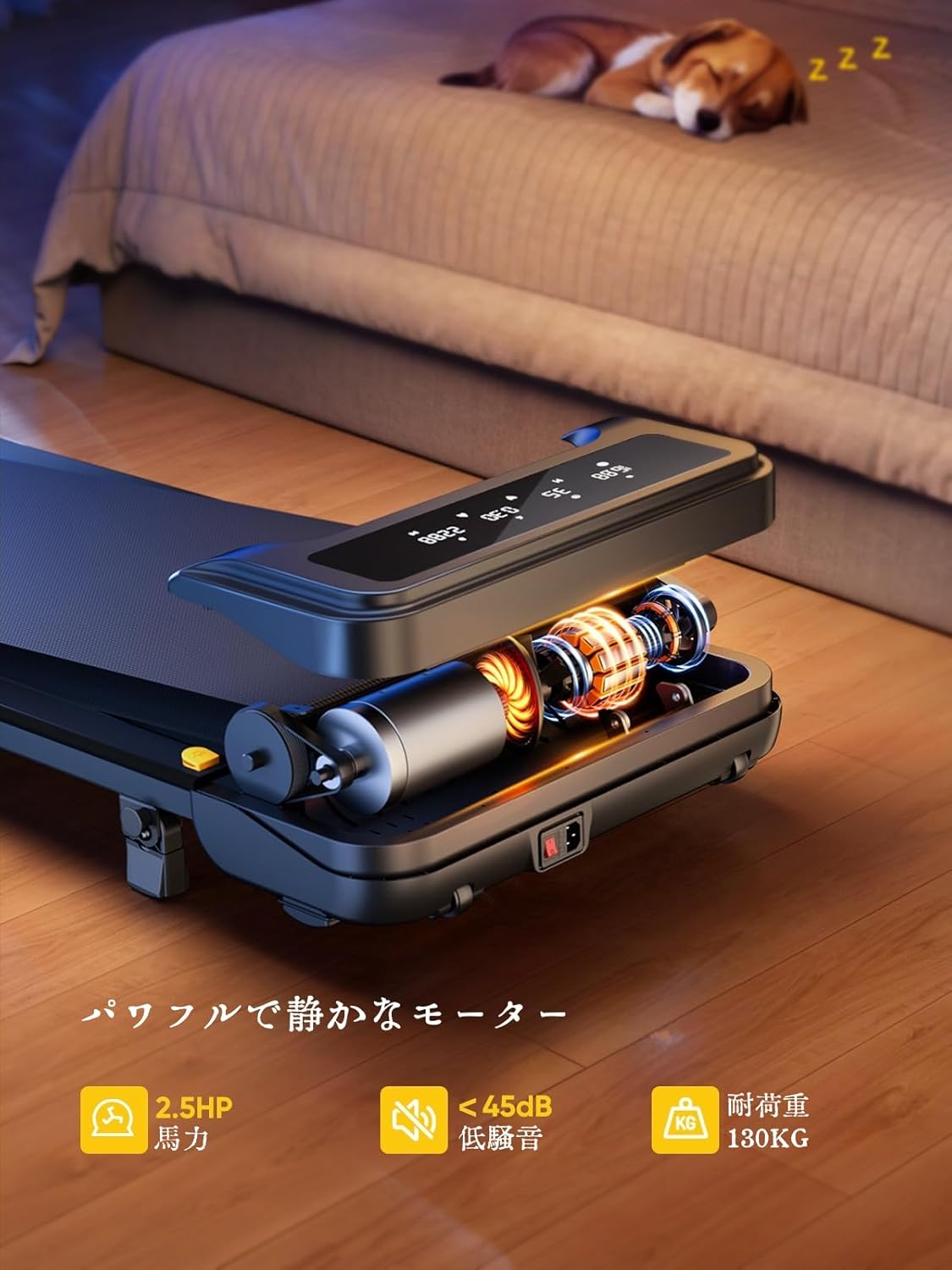
Image: The treadmill features a powerful 2.5 HP motor, operates quietly below 45dB, and supports users up to 130 kg.

Image: The compact design of the treadmill, highlighting its running surface dimensions for space efficiency.
8. Stockage et portabilité
The TOPUTURE 2-in-1 Treadmill is designed for easy storage and portability, making it ideal for small spaces.
- The treadmill is lightweight (18.5 kg / 40.7 lbs) and features built-in wheels for effortless movement.
- It can be stored upright or flat under a bed or sofa when not in use, saving valuable space.
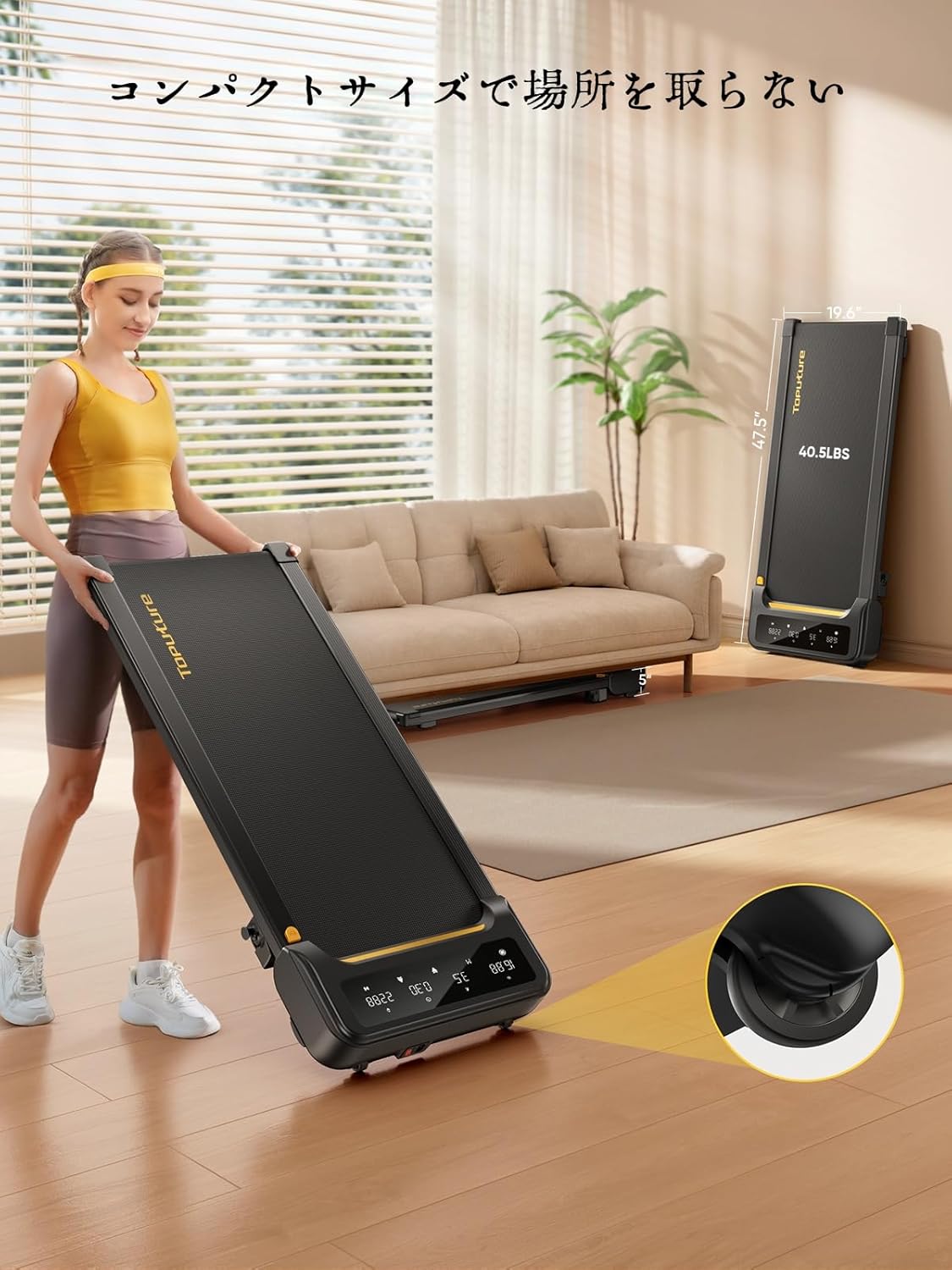
Image: A woman demonstrates the ease of moving the treadmill, highlighting its portability with integrated wheels.
9. Garantie et assistance
TOPUTURE provides a warranty for this product. Please refer to your purchase documentation for specific warranty terms and conditions.
9.1 Assistance clientèle
Pour toute question, assistance technique ou réclamation au titre de la garantie, veuillez contacter le service client de TOPUTURE via le revendeur auprès duquel vous avez acheté le produit ou consulter le site officiel de TOPUTURE. website.
- Support en ligne: Visit the TOPUTURE brand store on Amazon or the official webSite contenant les FAQ et les informations de contact.
- Assistance par e-mail : Veuillez consulter l'emballage de votre produit ou votre carte de garantie pour connaître l'adresse électronique du service client.


