Introduction
Welcome to the instruction manual for your Dubstep Buzz X8 Wireless Earbuds. These earbuds are designed to provide a high-quality audio experience with advanced features. This manual will guide you through the setup, operation, and maintenance of your device.
Qu'y a-t-il dans la boîte
Le paquet contient les éléments suivants :
- Écouteurs sans fil
- Étui de chargement sans fil
- Câble Type-C
- Manuel d'utilisation
- Coussinets d'oreille (tailles variées)

Image: Contents of the Dubstep Buzz X8 Earbuds box, showing the earbuds, charging case, Type-C charging cable, and additional ear cushions.
Produit terminéview
The Dubstep Buzz X8 Wireless Earbuds feature a sleek design and are equipped with 13mm dynamic drivers for powerful sound. The charging case provides extended battery life and convenient storage.

Image: Dubstep Buzz X8 Wireless Earbuds in Neon Green, placed within their open charging case.
Composants des écouteurs
- Zone de contrôle tactile : Pour gérer la lecture, les appels et l'assistant vocal.
- Micros : Dual microphones with Environmental Noise Cancellation (ENC) for clear calls.
- Conseils auriculaires : Silicone ear tips for a comfortable and secure fit.
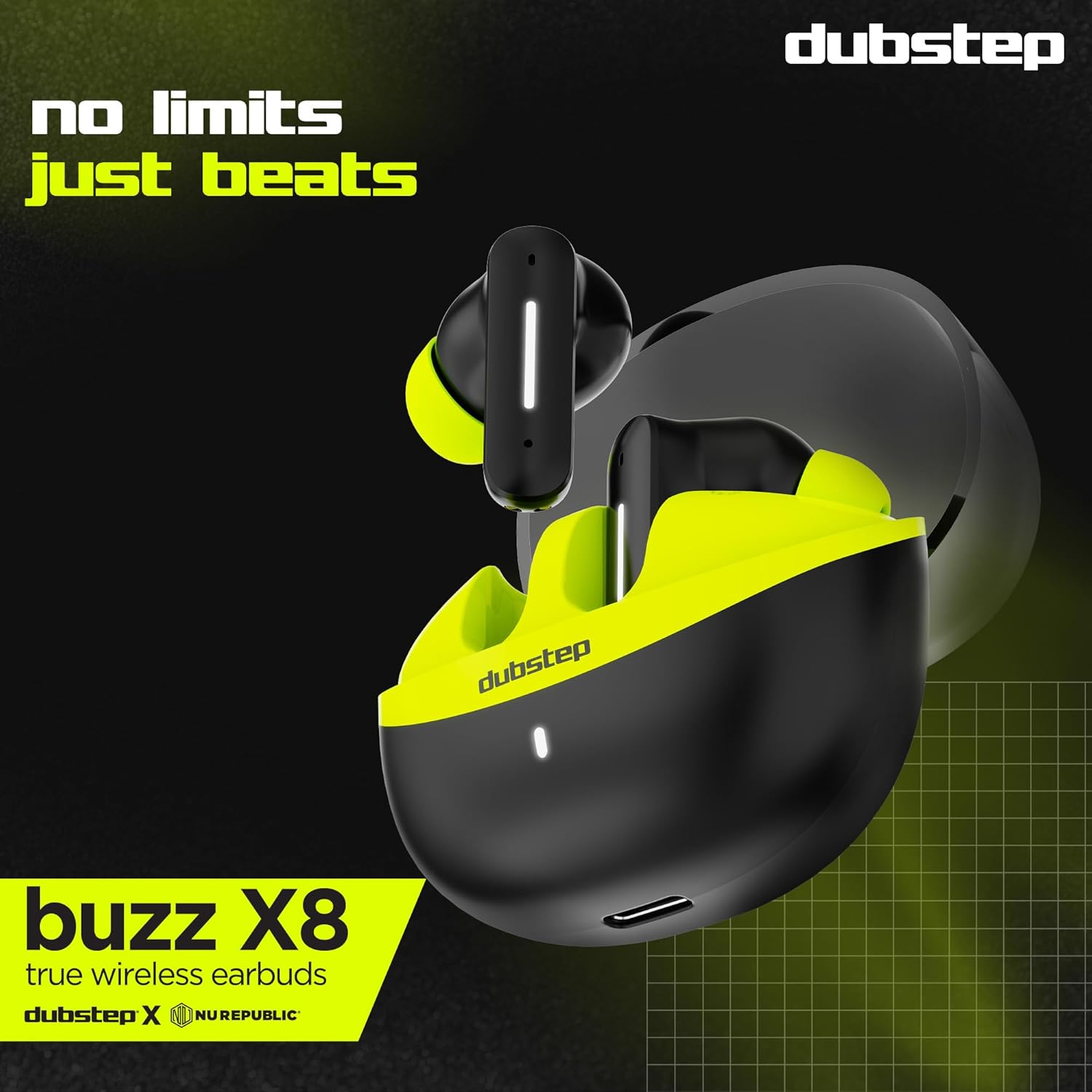
Image : détaillée view of the earbuds and charging case, illustrating their internal and external features.
Installation
1. Chargement des écouteurs et de l'étui
Before first use, fully charge the earbuds and the charging case. Connect the provided Type-C cable to the charging port on the case and a compatible USB power source. The LED indicator on the case will show charging status.
- A 15-minute quick charge provides approximately 200 minutes of playtime.
- L'autonomie totale avec l'étui de chargement peut atteindre 56 heures.
- Earbuds provide 7 hours of continuous music playback on a single charge.

Image: The charging case of the Dubstep Buzz X8 earbuds connected to a Type-C cable for charging.
2. Couplage avec votre appareil
- Ouvrez le boîtier de charge. Les écouteurs passeront automatiquement en mode appairage.
- Sur votre appareil (smartphone, tablette, ordinateur portable), activez le Bluetooth.
- Rechercher "Dubstep Buzz X8" in the list of available Bluetooth devices.
- Select "Dubstep Buzz X8" to connect. Once connected, you will hear an audio prompt.
- The earbuds feature Bluetooth v5.3 for stable and efficient wireless connectivity.

Image: A smartphone displaying the Bluetooth connection screen, showing the Dubstep Buzz X8 earbuds successfully paired.
Mode d'emploi
Commandes tactiles
The Dubstep Buzz X8 earbuds feature intuitive touch controls on each earbud. Refer to the following table for common functions:
| Action | Fonction |
|---|---|
| Un seul appui | Lecture/Pause de la musique, Répondre/Terminer l'appel |
| Appuyez deux fois | Augmenter le volume (+) / Diminuer le volume (-) |
| Appuyez trois fois | Piste précédente / Piste suivante |
| Appui long | Activer/désactiver l'assistant vocal |
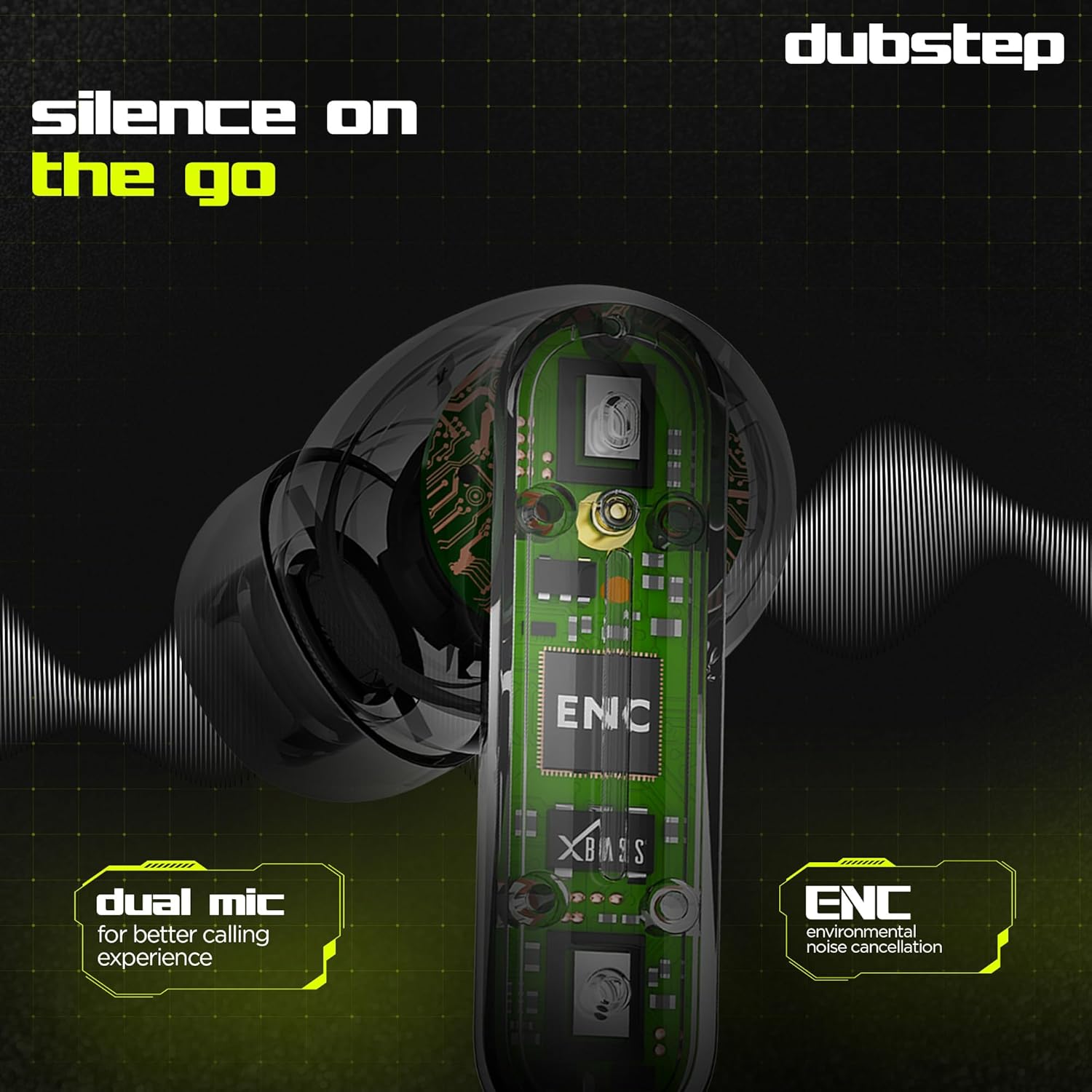
Image: Visual guide to the touch control gestures on the earbuds and their corresponding functions.
Suppression du bruit dans l'environnement (ENC)
The earbuds are equipped with ENC technology and dual microphones to reduce ambient noise during calls, ensuring clear communication.
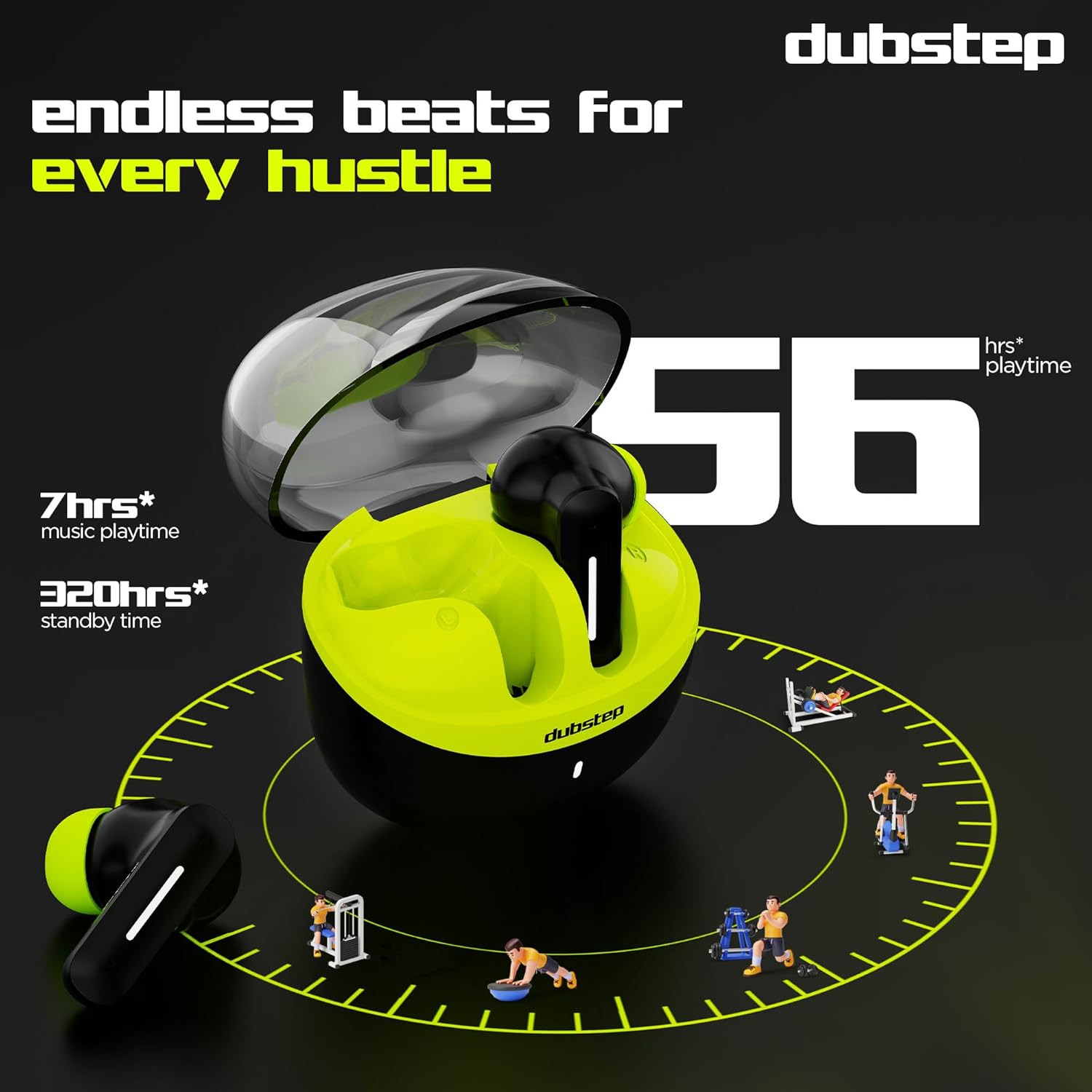
Image : Un interne view of the earbud highlighting the ENC technology and dual microphone system.
Entretien
To ensure the longevity and optimal performance of your Dubstep Buzz X8 Wireless Earbuds, follow these maintenance guidelines:
- Nettoyage: Nettoyez régulièrement les écouteurs et le boîtier de charge avec un chiffon doux, sec et non pelucheux. N’utilisez pas de produits chimiques agressifs ni de matériaux abrasifs.
- Conseils auriculaires : Retirez et nettoyez régulièrement les embouts auriculaires à l'eau et au savon doux, puis séchez-les soigneusement avant de les remettre en place.
- Résistance à l'eau : The earbuds are splash and sweat resistant, making them suitable for workouts. However, they are not waterproof. Avoid submerging them in water.
- Stockage: Lorsque vous ne les utilisez pas, rangez les écouteurs dans leur étui de chargement pour les protéger et les garder chargés.
- Température: Évitez d'exposer les écouteurs à des températures extrêmes (chaudes ou froides) ou à la lumière directe du soleil pendant des périodes prolongées.
Dépannage
If you encounter issues with your Dubstep Buzz X8 Wireless Earbuds, refer to the following common solutions:
| Problème | Solution |
|---|---|
| Les écouteurs ne s'appairent pas | Assurez-vous que les écouteurs sont chargés. Désactivez puis réactivez le Bluetooth sur votre appareil. Replacez les écouteurs dans leur étui, fermez-le, puis rouvrez-le pour relancer le mode de jumelage. |
| Aucun son d'un écouteur | Check battery level of both earbuds. Try re-pairing the earbuds with your device. Clean earbud mesh for any blockages. |
| Faible volume | Adjust volume on both your device and the earbuds. Ensure ear tips provide a good seal. |
| Le boîtier de chargement ne charge pas | Verify the Type-C cable is properly connected to both the case and the power source. Try a different cable or power adapter. |
| L'assistant vocal ne répond pas | Ensure the earbuds are connected to your device. Check your device's settings for voice assistant activation. Perform a long press on the earbud touch area. |
Caractéristiques
| Fonctionnalité | Détail |
|---|---|
| Nom du modèle | Buzz X8 |
| Technologie de connectivité | Bluetooth 5.3 |
| Taille du pilote audio | 13 millimètres |
| Durée totale de jeu | Jusqu'à 56 heures (avec étui de charge) |
| Autonomie des écouteurs (une seule charge) | 7 heures |
| Temps de veille | 320 heures |
| Chargement rapide | 15 minutes de charge = 200 minutes d'autonomie |
| Port de chargement | Type C |
| Contrôle du bruit | Suppression du bruit dans l'environnement (ENC) |
| Microphones | Système à double microphone |
| Type de contrôle | Touch Control, Voice Assistant |
| Niveau de résistance à l'eau | Splash and Sweat Resistant |
| Poids de l'article | 40 gramme |
| Dimensions du produit | 3.5 x 2.5 x 4.5 cm |
Garantie et assistance
Your Dubstep Buzz X8 Wireless Earbuds come with a standard brand warranty. For detailed warranty information, troubleshooting guides, and further support, please visit the official user manuals page:


