1. Introduction
The TMEZON H4 Trail Camera is designed for wildlife monitoring, security surveillance, and game tracking. It features 4K video recording, 48MP still image capture, integrated WiFi and Bluetooth connectivity, and a solar panel for extended operation. This manual provides detailed instructions for setting up, operating, and maintaining your camera to ensure optimal performance.
2. Contenu du colis
- TMEZON H4 Trail Camera
- Panneau solaire
- Sangle de montage
- Vis de montage
- Câble USB
- Carte SD 64 Go
- Manuel d'utilisation
3. Produit terminéview
Familiarize yourself with the main components of your TMEZON H4 Trail Camera.
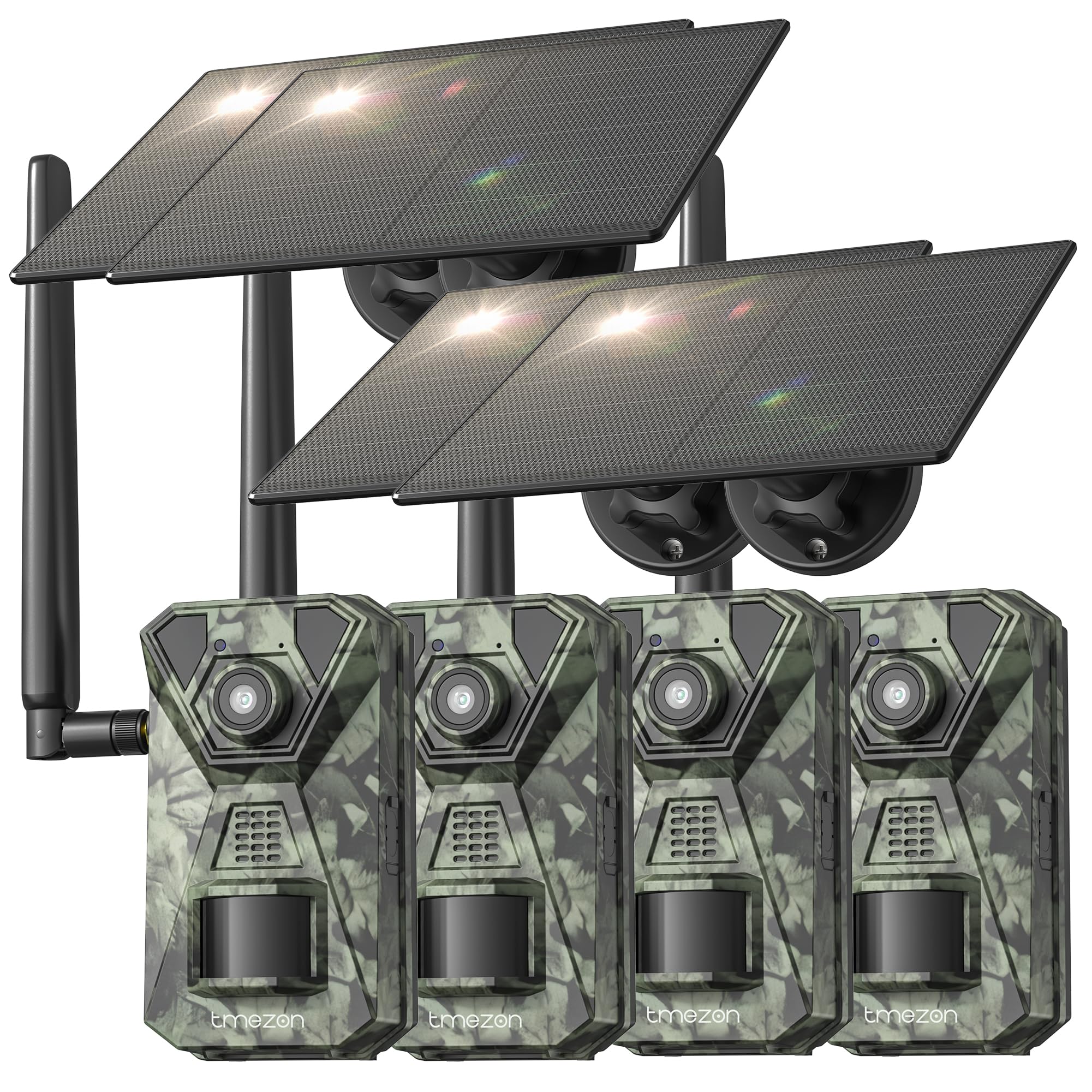
Image 1: Devant view of the TMEZON H4 Trail Camera, showing the lens, PIR sensors, and integrated solar panel. This image illustrates the compact, camouflage design suitable for outdoor environments.
Composants de l'appareil photo :
- Lentille: Capture des images et des vidéos.
- Capteurs PIR : Les capteurs infrarouges passifs détectent les mouvements.
- LED IR: LED infrarouges pour la vision nocturne.
- Écran LCD : Pour la navigation dans les menus et viewmédias capturés.
- Boutons de contrôle : Naviguer dans les menus et les paramètres.
- Emplacement pour carte SD : Insert the provided 64GB SD card.
- Port USB : Pour se connecter à un ordinateur.
- Port d'alimentation externe : For connecting the solar panel or external power source.
- Compartiment à piles : Holds 8 AA batteries (not included) for backup power.
4. Installation
4.1. Installation de la batterie et du panneau solaire
- Ouvrez le compartiment à piles de l'appareil photo.
- Insert 8 new AA batteries (alkaline or rechargeable NiMH recommended) according to the polarity indicators. These batteries serve as a backup to the solar panel.
- Connect the solar panel cable to the camera's external power port. Ensure the solar panel is positioned to receive maximum sunlight.
4.2. Insertion de la carte SD
- Repérez l'emplacement pour carte SD sur le côté ou le dessous de l'appareil photo.
- Insert the provided 64GB SD card with the metal contacts facing the correct direction until it clicks into place.
- To remove, push the card in gently until it springs out.
4.3. Montage de la caméra
- Use the included mounting strap to secure the camera to a tree or pole. Thread the strap through the slots on the back of the camera and tighten.
- Alternatively, use the mounting screws to attach the camera to a wall or other flat surface.
- Position the camera at a height of 3-6 feet (1-2 meters) and aim it towards the desired monitoring area. Ensure no obstacles block the PIR sensors.
4.4. Téléchargement et couplage de l'application
- Téléchargez l'application officielle TMEZON depuis la boutique d'applications de votre smartphone (iOS ou Android). Rechercher "TMEZON Trail Camera" or scan the QR code provided in the quick start guide.
- Activez le Bluetooth sur votre smartphone.
- Allumez l'appareil photo.
- Open the TMEZON app, select "Add Device," and follow the on-screen instructions to connect via Bluetooth.
- Once connected via Bluetooth, the app will prompt you to connect to the camera's WiFi network for faster data transfer and live view.
5. Utilisation de l'appareil photo
5.1. Marche/Arrêt et sélection du mode
- OFF: Éteignez la caméra.
- INSTALLER: Enter setup mode to configure settings, view photos/videos, or connect to the app.
- SUR: Activate the camera for monitoring. The camera will enter monitoring mode after a short countdown.
5.2. Navigation dans le menu et paramètres
In SETUP mode, use the control buttons to navigate the menu on the LCD screen. Press the 'MENU' button to access settings. Key settings include:
- Mode: Select Photo, Video, or Photo+Video (Hybrid).
- Résolution photo : 48 MP, 30 MP, 20 MP, etc.
- Résolution vidéo : 4K, 2.7K, 1080P, 720P.
- Sensibilité PIR: High, Medium, Low. Adjust based on environment to avoid false triggers.
- Intervalle PIR : Délai entre les détections.
- Accéléré: Capturez des images à intervalles réguliers, indépendamment du mouvement.
- Date et heure : Réglez la date et l’heure actuelles.
- Formater la carte SD: Effacer toutes les données de la carte SD. Attention : cette opération supprimera tout. files.
5.3. Surveillance à distance via une application
Once connected to the TMEZON app:
- View vivre footage de la caméra.
- Régler les paramètres de la caméra à distance.
- Parcourez et téléchargez les photos et vidéos capturées sur votre smartphone.
- Receive notifications for detected motion (if 4G LTE cellular transmission is enabled and configured).
6. Entretien
6.1. Nettoyage
- Wipe the camera lens and PIR sensors with a soft, dry cloth to remove dust or smudges.
- Assurez-vous que le panneau solaire est propre pour une charge efficace.
- N'utilisez pas de nettoyants abrasifs ni de solvants.
6.2. Stockage
- If storing the camera for an extended period, remove the AA batteries.
- Rangez l'appareil photo dans un endroit frais et sec, à l'abri de la lumière directe du soleil.
7. Dépannage
- La caméra ne s'allume pas : Check battery installation and charge level. Ensure solar panel is connected and receiving sunlight.
- Qualité d'image/vidéo médiocre : Clean the lens. Ensure sufficient lighting or proper night vision settings. Check resolution settings.
- Aucune détection de mouvement : Adjust PIR sensitivity (High for sparse areas, Low for busy areas). Ensure PIR sensors are not obstructed. Check PIR interval settings.
- Erreur de carte SD : Format the SD card in the camera's settings. If the issue persists, try a different compatible SD card.
- Problèmes de connexion à l'application : Ensure Bluetooth and WiFi are enabled on your phone. Restart both the camera and the app. Ensure the camera is in SETUP mode for initial pairing.
- Panneau solaire ne chargeant pas : Ensure the solar panel is clean and positioned to receive direct sunlight. Check the connection cable.
8. Spécifications
| Nom du modèle | H4 |
| Résolution fixe efficace | 48 MP |
| Résolution vidéo efficace | 4K |
| Technologie de connectivité | Wireless (WiFi, Bluetooth, 4G LTE) |
| Source d'énergie | Solar Powered, 8x AA Battery Backup |
| Type de mémoire flash | SD Card (64GB included, max 64GB supported) |
| Gamme de vision nocturne | 65 pieds |
| Vitesse de déclenchement | 0.2s |
| Angle de détection PIR | 120° |
| Indice d'étanchéité | IP66 |
| Dimensions de l'article | 4 x 3.5 x 6 pouces |
| Matériel | Métal, plastique |
9. Garantie et assistance
TMEZON products come with a standard manufacturer's warranty. For detailed warranty information, technical support, or service inquiries, please refer to the warranty card included in your package or visit the official TMEZON website. You can also contact customer support through the TMEZON app or the contact information provided on the product packaging.