Introduction
This manual provides essential information for the proper use and maintenance of your Maxcom MM835 4G VoLTE Flip Phone. Please read these instructions carefully before using your device to ensure optimal performance and longevity. This phone is designed for ease of use, featuring large displays and a simplified interface.
Produit terminéview
The Maxcom MM835 is a 4G VoLTE flip phone designed for clear communication and user convenience. It features a dual-screen design, large backlit keys, and essential functions like an SOS button and HAC (Hearing Aid Compatibility).
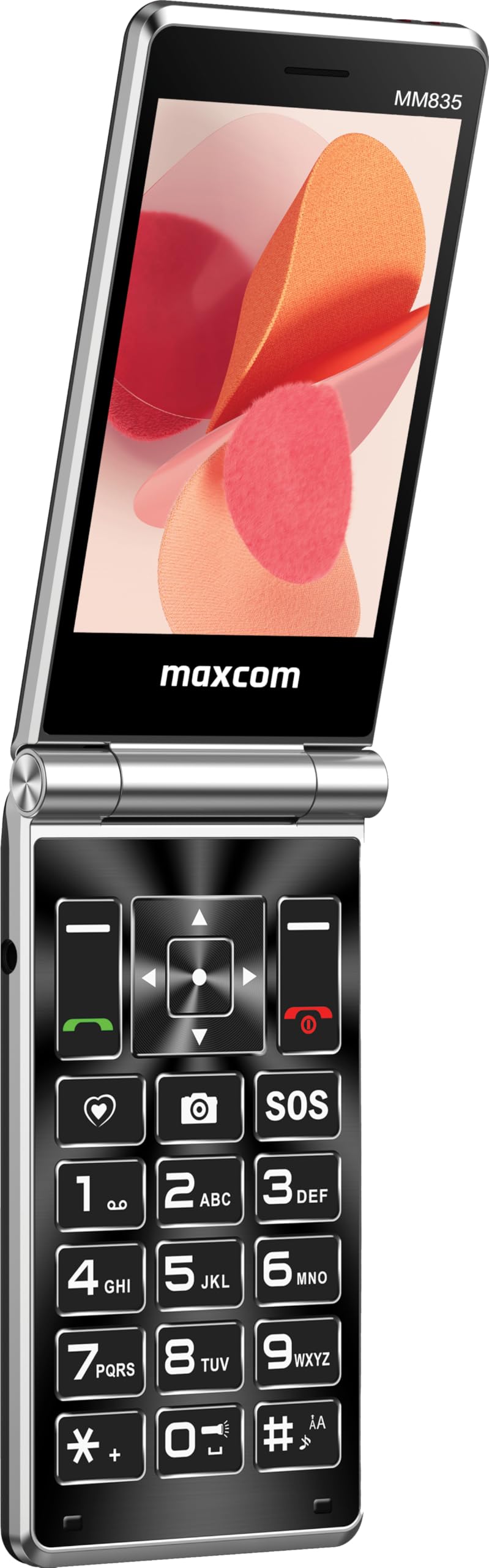
Figure 1 : Maxcom MM835 Flip Phone (Closed View). The external 2.4-inch screen displays time, date, battery status, and missed calls without opening the phone.
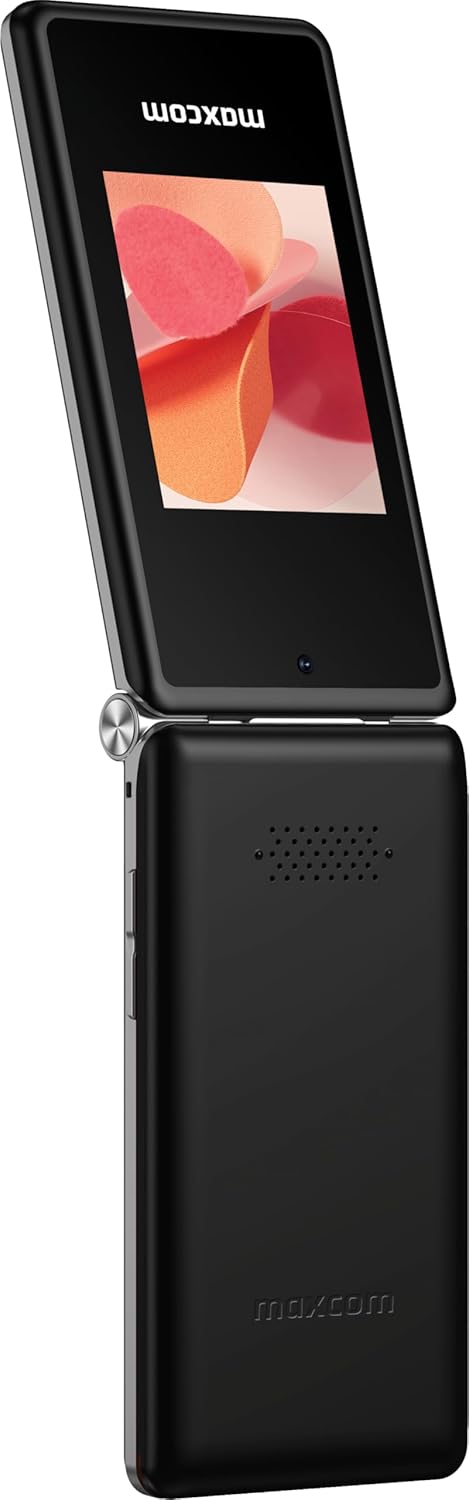
Figure 2 : Maxcom MM835 Flip Phone (Open View). The internal 3.5-inch screen provides a clear interface for contacts and messages, complemented by large, comfortable keys.

Figure 3 : Côté view of the Maxcom MM835, illustrating the volume control buttons for easy audio adjustment.

Figure 4 : Bas view of the Maxcom MM835, highlighting the USB-C charging port for convenient power connection.

Figure 5 : Detail of the Maxcom MM835 keyboard, featuring the prominent SOS button for emergency contacts.

Figure 6 : The Maxcom MM835 is Hearing Aid Compatible (HAC), ensuring clear audio for users with hearing aids.
Installation
1. Installation et chargement de la batterie
- Ouvrez la couverture arrière : Retirez délicatement le cache arrière du téléphone.
- Insérer la batterie : Place the included Lithium-ion battery into its compartment, ensuring the contacts align correctly.
- Remplacez le couvercle arrière : Fixez solidement le capot arrière.
- Chargez le téléphone : Connect the provided USB-C cable to the phone's charging port (Figure 4) and to a compatible USB power adapter (not included). Allow the phone to charge fully before first use. The external screen will indicate charging status.
2. Installation de la carte SIM
The Maxcom MM835 supports dual SIM cards.
- Remove the back cover and battery: Follow the steps above to access the SIM card slots.
- Insérer les cartes SIM : Carefully slide your SIM card(s) into the designated slot(s). Ensure the gold contacts face downwards and the notched corner aligns with the slot.
- Reinstall battery and cover: Remplacez la batterie et le couvercle arrière.
3. Mise sous/hors tension
- Pour allumer : Maintenez le bouton Marche/Arrêt/Fin d'appel (bouton rouge) enfoncé jusqu'à ce que l'écran s'allume.
- Pour éteindre : Maintenez le bouton Marche/Arrêt/Fin d'appel enfoncé jusqu'à ce que les options d'arrêt apparaissent, puis sélectionnez « Éteindre ».
Mode d'emploi
1. Navigation de base
- Écran interne : The 3.5-inch internal screen is your primary interface for menus and content.
- Affichage externe : The 2.4-inch external screen shows essential information like time, date, battery, and caller ID when the phone is closed.
- Touches de navigation : Use the directional keys (up, down, left, right) and the central OK button to navigate through menus.
- Touches programmables: The keys directly below the screen perform functions indicated on the display (e.g., "Menu", "Back").
- Touches d'appel : The green button initiates calls, and the red button ends calls or powers the phone on/off.
2. Passer et recevoir des appels
- Faire un appel:
- Open the phone.
- Composez le numéro à l'aide du clavier.
- Appuyez sur le bouton vert « Appel » pour lancer l'appel.
- Pour répondre à un appel :
- Lorsque le téléphone sonne, ouvrez le clapet ou appuyez sur le bouton d'appel vert.
- Pour terminer un appel : Appuyez sur le bouton rouge Fin d'appel.
3. Envoi et réception de messages
- Accédez au menu « Messages ».
- Select "New Message" to compose a text.
- Saisissez le numéro du destinataire ou sélectionnez-le dans vos contacts.
- Tapez votre message à l'aide du clavier.
- Appuyez sur « Envoyer ».
4. Fonctionnalité du bouton SOS
The SOS button (Figure 5) is located on the main keypad and is designed for emergency situations.
- Installation: Before use, configure emergency contacts in the phone's settings. Refer to the "SOS Settings" section in the phone's menu.
- Activation : In an emergency, press and hold the SOS button. The phone will automatically send pre-defined notifications to your emergency contacts and may initiate calls to them.
5. Caméra
Le téléphone comprend un appareil photo basique pour prendre des photos.
- Accédez à l'appareil photo depuis le menu principal.
- Cadrez votre photo à l'aide de l'écran interne.
- Press the central OK button to take a picture.
6. Radio FM
Enjoy listening to FM radio stations on your device.
- Accédez à l'application « Radio FM » dans le menu.
- Connect headphones (not included) to act as an antenna for optimal reception.
- Utilisez les touches de navigation pour rechercher les stations ou effectuez un réglage manuel.
Entretien
- Nettoyage: Utilisez un chiffon doux et sec pour nettoyer l'extérieur du téléphone. Évitez les nettoyants liquides et les produits abrasifs.
- Entretien de la batterie: Pour prolonger la durée de vie de la batterie, évitez les températures extrêmes. Rechargez votre téléphone régulièrement, mais ne le laissez pas complètement déchargé pendant une période prolongée.
- Stockage: Rangez le téléphone dans un endroit frais et sec, à l'abri de la lumière directe du soleil et de l'humidité, lorsqu'il n'est pas utilisé.
- Logiciel: While software updates are not explicitly guaranteed, ensure your phone's settings are optimized for performance.
Dépannage
Si vous rencontrez des problèmes avec votre Maxcom MM835, consultez les solutions courantes suivantes :
| Problème | Solution possible |
|---|---|
| Le téléphone ne s'allume pas | Ensure the battery is correctly installed and fully charged. Connect the charger and try again. |
| Impossible de passer ou de recevoir des appels. | Vérifiez que la carte SIM est correctement insérée. Assurez-vous d'avoir un signal réseau. Si le problème persiste, contactez votre opérateur. |
| Faible autonomie de la batterie | Ensure the phone is fully charged. Reduce screen brightness or close unused applications. Battery performance can degrade over time. |
| "Emergency Call Only" message | This indicates a lack of network signal or an issue with your SIM card/service. Try moving to an area with better reception or reinserting your SIM card. |
| Les clés ne répondent pas | Restart the phone. If the issue continues, ensure no debris is obstructing the keys. |
Caractéristiques
| Fonctionnalité | Détail |
|---|---|
| Marque | Maxcom |
| Nom du modèle | MM835 |
| Type de produit | Téléphone à clapet |
| Couleur | Noir |
| Système opérateur | Maxcom OS |
| Taille de l'écran interne | 3.5 pouces |
| Taille de l'écran externe | 2.4 pouces |
| Connectivité | 4G, VoLTE |
| Caractéristiques spéciales | Dual SIM, SOS Button, HAC (Hearing Aid Compatible), Large Keys |
| Composition de la batterie | Lithium-ion |
| Capacité de la batterie | 1400 mAh |
| Port de chargement | USB Type C |
| Capacité de stockage de la mémoire | 32 Go |
| Modèle de processeur | ARMv7 |
| Résolution de l'écran | 640 x 360 |
| Opérateur sans fil | Tous opérateurs (déverrouillés) |
Garantie et assistance
For warranty information and customer support, please refer to the documentation provided with your purchase or contact the seller directly. Maxcom strives to provide reliable products, and support is available for any manufacturing defects or operational queries.
- Fabricant: Maxcom
- Vendeur: You Get - Innovation & Technology
- Politique de retour: Typically 30 days for refund/replacement (check with seller for specifics).


