1. Introduction
Thank you for choosing the HUANUO 63x28 Inch Electric Standing Desk. This desk is designed to provide a versatile and ergonomic workspace, allowing you to easily switch between sitting and standing positions throughout your day. Featuring a wide height adjustment range, programmable memory presets, and a durable construction, this desk aims to enhance your comfort and productivity. Please read this manual carefully before assembly and operation to ensure safe and efficient use.
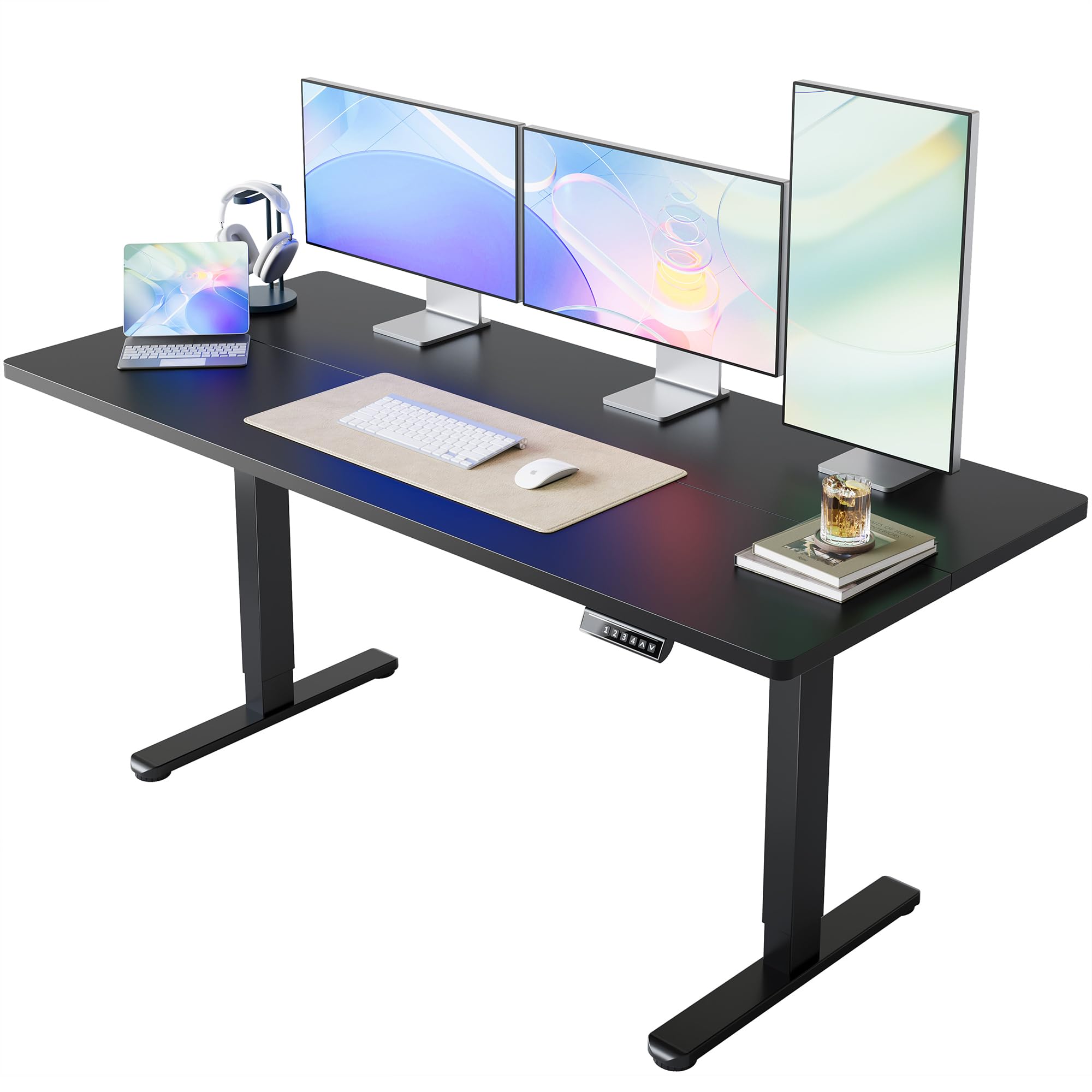
Image 1.1: The HUANUO 63x28 Inch Electric Standing Desk in a home office environment.
2. Consignes de sécurité
To ensure your safety and prolong the lifespan of your electric standing desk, please observe the following guidelines:
- Tenez les enfants et les animaux domestiques éloignés du bureau pendant son utilisation.
- Veillez à ce que tous les câbles soient correctement rangés et fixés afin d'éviter les risques de trébuchement ou les dommages lors des réglages de hauteur.
- Do not overload the desk. The maximum weight recommendation is 176 livres (80 kg).
- Évitez de déposer des liquides directement sur le panneau de commande ou à proximité des composants électriques.
- N’essayez pas de démonter ou de réparer vous-même le moteur ou le système de commande. Contactez un technicien qualifié en cas de problème.
- The desk features rounded corners for added safety and includes an anti-collision system to prevent damage or injury during movement.
3. Contenu du colis
Avant de commencer l'assemblage, veuillez vérifier que tous les composants sont présents et non endommagés. Le colis devrait contenir :
- High-performance carbon steel frame (legs and crossbeam)
- Environmentally friendly spliced table top (63" x 28")
- Mécanisme de levage électrique et moteur
- Control panel with LED display and memory presets
- All necessary assembly tools and hardware (screws, Allen wrench)
- Adaptateur secteur et câbles
4. Instructions de montage
The HUANUO Electric Standing Desk is designed for quick and easy assembly with a streamlined process. Follow the steps below for proper setup. An assembly video is also provided for visual guidance.
4.1. Guide vidéo d'assemblage
Video 4.1: Official HUANUO Electric Standing Desk Assembly Guide. This video demonstrates the step-by-step process for assembling the desk frame and desktop.
4.2. Assemblage étape par étape
- Assemblez le cadre : Attach the motor to the designated table legs. Secure the crossbeam between the two legs using the provided screws and Allen wrench. Ensure all connections are firm.
- Assembler le bureau : The desktop comes in two pieces. Use the wooden dowels and connecting plates to securely join the two desktop halves.
- Fixez le cadre au bureau : Carefully place the assembled desktop upside down on a soft, clean surface. Position the assembled frame onto the desktop, aligning the pre-drilled holes. Secure the frame to the desktop using the provided screws.
- Install Control Panel and Cable Management: Attach the control panel to the underside of the desktop on your preferred side. Connect the control panel and motor cables to the main control box. Use the included cable ties and clips to manage and secure all wires neatly.
- Placement final : With assistance, carefully flip the desk upright and place it in its desired location. Adjust the leveling feet if necessary to ensure stability.
Note: The control panel design may vary slightly by version, but functions and operating stability remain consistent.
5. Mode d'emploi
Your HUANUO Electric Standing Desk features intuitive controls for effortless height adjustment and personalized settings.
5.1. Panneau de configuration terminéview

Image 5.1: The desk's control panel features an LED display, up/down arrows, and four memory preset buttons.
5.2. Réglage de la hauteur
- Réglage haut/bas : Utilisez le ^ (Et v (Down) arrow buttons on the control panel to manually raise or lower the desk to your desired height. The LED display will show the current height.
- The desk offers a wide height adjustment range from 28.3 pouces à 46.5 pouces.

Image 5.2: Visual representation of the desk's height adjustment capabilities.
5.3. Configuration des préréglages de mémoire
The desk features four programmable height settings for quick and convenient adjustments:
- Réglez le bureau à la hauteur souhaitée à l'aide des boutons Haut/Bas.
- Press and hold one of the numbered memory buttons (1, 2, 3 ou 4) jusqu'à ce que l'affichage LED clignote ou émette un bip, indiquant que la hauteur a été enregistrée.
- To recall a saved height, simply press the corresponding numbered button. The desk will automatically move to that preset position.
Video 5.3: Demonstration of setting and using the 4 memory height presets on the HUANUO Electric Standing Desk.
5.4. Fonctionnement silencieux
The desk is designed for ultra-quiet performance, operating at less than 50dB, ensuring minimal distraction in your workspace.

Image 5.4: Noise level comparison for the desk's operation.
6. Entretien
Regular maintenance will help keep your HUANUO Electric Standing Desk in optimal condition:
- Nettoyage: Essuyez le bureau et le cadre avec un chiffon doux et sec.amp Chiffon. Évitez d'utiliser des produits chimiques agressifs ou des nettoyants abrasifs qui pourraient endommager la finition.
- Vérification des câbles : Periodically inspect all cables and connections to ensure they are secure and free from damage.
- Contrôle de stabilité : Occasionally check that all screws and bolts are tightened to maintain desk stability.
7. Dépannage
If you encounter any issues with your electric standing desk, please refer to the following common solutions:
- Le bureau ne bouge pas : Check if the power cord is securely plugged into both the desk and a working electrical outlet. Ensure no cables are pinched or obstructing movement.
- Hauteur inégale : If the desk appears uneven, perform a reset procedure (refer to the full manual or contact support for specific instructions). Ensure the desk is placed on a level surface.
- Codes d'erreur : If the LED display shows an error code, consult the detailed troubleshooting section in the complete product manual or contact customer support for assistance.
8. Spécifications
| Fonctionnalité | Détail |
|---|---|
| Marque | HUANUO |
| Numéro de modèle | MSESD202B-160A-US |
| Dimensions du produit (P x L x H) | 28"P x 63"L x 28.3"H |
| Taille du bureau | 63" x 28" |
| Plage de réglage de la hauteur | 28.3" à 46.5" |
| Capacité de poids maximale | 176 livres (80 kg) |
| Nombre de préréglages de mémoire | 4 |
| Mécanisme de levage | Électrique |
| Matériau de base | Acier allié |
| Type de matériau supérieur | Bois d'ingénierie (stratifié) |
| Caractéristiques spéciales | Adjustable Height, Electric, Ergonomic, Scratch Resistant, Anti-collision System |
| Assemblage requis | Oui |
| Code UPC | 840478806984 |
9. Garantie et assistance
Votre bureau assis-debout électrique HUANUO est livré avec un Garantie limitée. For specific details regarding coverage and duration, please refer to the warranty documentation included with your purchase.
For any product-related questions, technical assistance, or warranty claims, please contact HUANUO customer service:
- Courriel d'assistance : support@huanuo.com
- Support en ligne: Visitez le Boutique HUANUO sur Amazon pour obtenir des ressources supplémentaires et des options de contact.
Please have your model number (MSESD202B-160A-US) and purchase information ready when contacting support.


