Introduction
Thank you for choosing the Mibro Smartwatch Lite 3. This manual provides essential information for setting up, operating, and maintaining your device. Please read it carefully to ensure proper use and to maximize the performance of your smartwatch.
Contenu du colis
Vérifiez que tous les articles sont présents dans le colis :
- Mibro Smartwatch Lite 3 (with strap)
- Câble de charge magnétique
- Manuel d'utilisation
Produit terminéview
The Mibro Smartwatch Lite 3 features a 1.3-inch AMOLED display, designed for clear visuals and intuitive interaction. It integrates various sensors for health monitoring and supports Bluetooth calling.
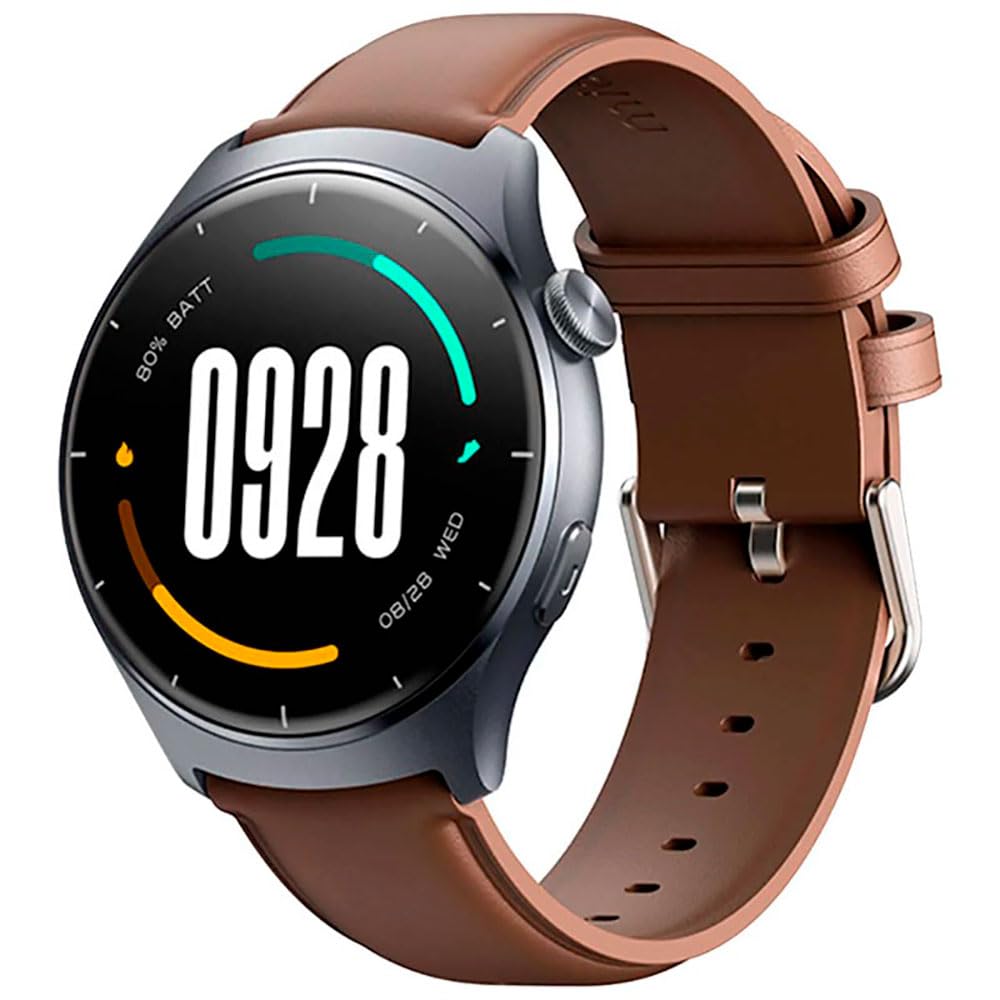
Image : Avant view of the Mibro Smartwatch Lite 3, showcasinson écran rond et son bracelet.
Installation
1. Recharge de la montre connectée
- Connectez le câble de chargement magnétique aux contacts de chargement situés à l'arrière de la montre connectée.
- Branchez l'extrémité USB du câble à un adaptateur secteur USB standard (5V/1A recommandé) ou au port USB d'un ordinateur.
- L'écran de la montre affichera un indicateur de charge. Assurez-vous que la montre est complètement chargée avant la première utilisation.
2. Installation et appairage de l'application
- Download the official Mibro Fit application from your smartphone's app store (App Store for iOS, Google Play Store for Android).
- Ouvrez l'application Mibro Fit et créez un compte ou connectez-vous.
- Assurez-vous que Bluetooth est activé sur votre smartphone.
- In the Mibro Fit app, navigate to 'Device' or 'Add Device' and select 'Mibro Lite 3' from the list of available devices.
- Confirm the pairing request on both your smartphone and the smartwatch. A successful connection will be indicated on the watch display.
Opérationnel
1. Navigation de base
- Balayez vers le bas: Accédez aux paramètres rapides (par exemple, luminosité, mode ne pas déranger, économie d'énergie).
- Balayez vers le haut: View notifications.
- Balayez vers la gauche/droite : Navigate through widgets (e.g., heart rate, weather, activity data).
- Appuyez sur le bouton latéral : Retournez au cadran de la montre ou accédez au menu principal.
- Appuyez longuement sur le bouton latéral : Mettre l'appareil sous tension/hors tension ou le redémarrer.
2. Modes sportifs
The Mibro Lite 3 supports over 100 sports modes. To start a workout:
- From the main menu, select the 'Workout' or 'Sports' icon.
- Choose your desired activity (e.g., running, cycling, swimming).
- Tap 'Start' to begin tracking. The watch will display real-time data such as duration, heart rate, and calories burned.
- Pour mettre en pause ou terminer une séance d'entraînement, appuyez sur le bouton latéral ou faites glisser votre doigt sur l'écran comme indiqué.
3. Appels Bluetooth
Once paired with your smartphone, the Mibro Lite 3 allows you to make and receive calls directly from your wrist.
- Réception d'appels : Lors d'un appel entrant, la montre affichera l'identité de l'appelant. Appuyez sur l'icône verte pour répondre ou sur l'icône rouge pour refuser.
- Passer des appels: Access the 'Phone' or 'Dialer' function on the watch, then select a contact or dial a number.
4. Surveillance de la santé
- Fréquence cardiaque : La montre surveille en permanence votre fréquence cardiaque. View real-time data by swiping to the heart rate widget or accessing the 'Heart Rate' app.
- SpO2 (oxygène sanguin) : Measure your blood oxygen levels through the 'SpO2' app on the watch. Ensure the watch is snug on your wrist for accurate readings.
- Suivi du sommeil : Wear the watch to bed for automatic sleep monitoring. Data on sleep stages and duration can be viewed in the Mibro Fit app.
- Suivi du stress et entraînement respiratoire : Utilize these features to manage stress and improve relaxation.
5. Autres caractéristiques
- Contrôle de la musique : Contrôlez la lecture de musique de votre smartphone directement depuis la montre.
- App Message Reminders: Receive notifications from various apps on your watch.
- Météo: Recevez des mises à jour météo en temps réel.
- Alarme, minuteur, chronomètre : Fonctions utilitaires standard.
- Trouvez votre téléphone : Localisez votre smartphone jumelé grâce au déclenchement d'une alerte sonore.
- Santé des femmes : Suivi des cycles menstruels et des données associées.
Entretien
1. Nettoyage
- Nettoyez régulièrement le boîtier et le bracelet de la montre avec un chiffon doux et sec.amp tissu.
- Ensure the charging contacts are free from dust and debris to maintain efficient charging.
- Évitez d'utiliser des produits chimiques agressifs ou des matériaux abrasifs pour le nettoyage.
2. Résistance à l'eau
The Mibro Lite 3 is 2ATM waterproof, meaning it can withstand splashes, rain, and brief immersion in shallow water. It is suitable for activities like swimming in pools. However, it is not recommended for hot showers, saunas, or diving, as steam and high-pressure water jets may compromise the seal.
Dépannage
- La montre ne s'allume pas : Assurez-vous que la montre est complètement chargée. Branchez-la au chargeur pendant au moins 30 minutes.
- Impossible de connecter le téléphone :
- Vérifiez si Bluetooth est activé sur votre téléphone.
- Assurez-vous que la montre se trouve à portée Bluetooth de votre téléphone.
- Redémarrez la montre et votre téléphone, puis essayez de les jumeler à nouveau.
- Assurez-vous que l'application Mibro Fit est mise à jour avec la dernière version.
- Données sanitaires inexactes : Ensure the watch is worn snugly on your wrist, about one finger's width from the wrist bone. Avoid excessive movement during measurements.
- Notifications non reçues :
- Check notification permissions for the Mibro Fit app in your phone settings.
- Ensure 'Do Not Disturb' mode is not active on either the watch or the phone.
- Verify that the app is running in the background on your phone.
- Autonomie courte de la batterie : Reduce screen brightness, disable continuous heart rate monitoring if not needed, and limit background app refresh.
Caractéristiques
| Fonctionnalité | Spécification |
|---|---|
| Nom du modèle | Montre Mibro Lite 3 |
| Dimensions | φ44.8mm, T=11.2mm (Without HR protrusion) |
| Poids | 53.2g (with leather strap), 56g (with rubber strap) |
| Afficher | 1.3-inch AMOLED, 360*360 resolution, AOD, PPI 277 |
| Connectivité | Bluetooth V5.3 |
| Capteurs | PPG Heart Rate/SpO2 Sensor/Accelerometer |
| Indice d'étanchéité | 2ATM |
| Autonomie de la batterie (mode quotidien) | Jusqu'à 12 jours |
| Autonomie de la batterie (mode veille) | Jusqu'à 50 jours |
| Autonomie de la batterie (mode musique) | Jusqu'à 5 XNUMX heures |
| Battery Life (BT-Calling Mode) | Jusqu'à 6 XNUMX heures |
| Température de fonctionnement | 0°C ~ 45°C |
Garantie et assistance
The Mibro Smartwatch Lite 3 comes with a 12-month warranty from the date of purchase. This warranty covers manufacturing defects under normal use. It does not cover damage caused by misuse, accidents, unauthorized modifications, or normal wear and tear.
For technical support, warranty claims, or further assistance, please contact Mibro customer service through the official Mibro website ou les coordonnées fournies dans vos documents d'achat.