Introduction
This manual provides essential information for the safe and efficient use of your Qubo X-10BL mobile phone. Designed with ease of use in mind, this phone is particularly suitable for elderly users, featuring a clear 2.4-inch screen, a robust design, and essential communication functions. Please read this manual thoroughly before operating your device.
Caractéristiques principales :
- Modèle: X-10BL
- Écran: 2.4-inch display (6.1 cm diagonal)
- BÉLIER: 32 Mo
- Batterie: Capacité de 900 XNUMX mAh
- Connectivité : Bluetooth
- Ports: 3.5mm Jack, Micro USB
- Conception: Includes a protective cover
- Couleur: Bleu
Produit terminéview
The Qubo X-10BL is a compact and user-friendly mobile phone. Below is an image illustrating the device's general appearance.
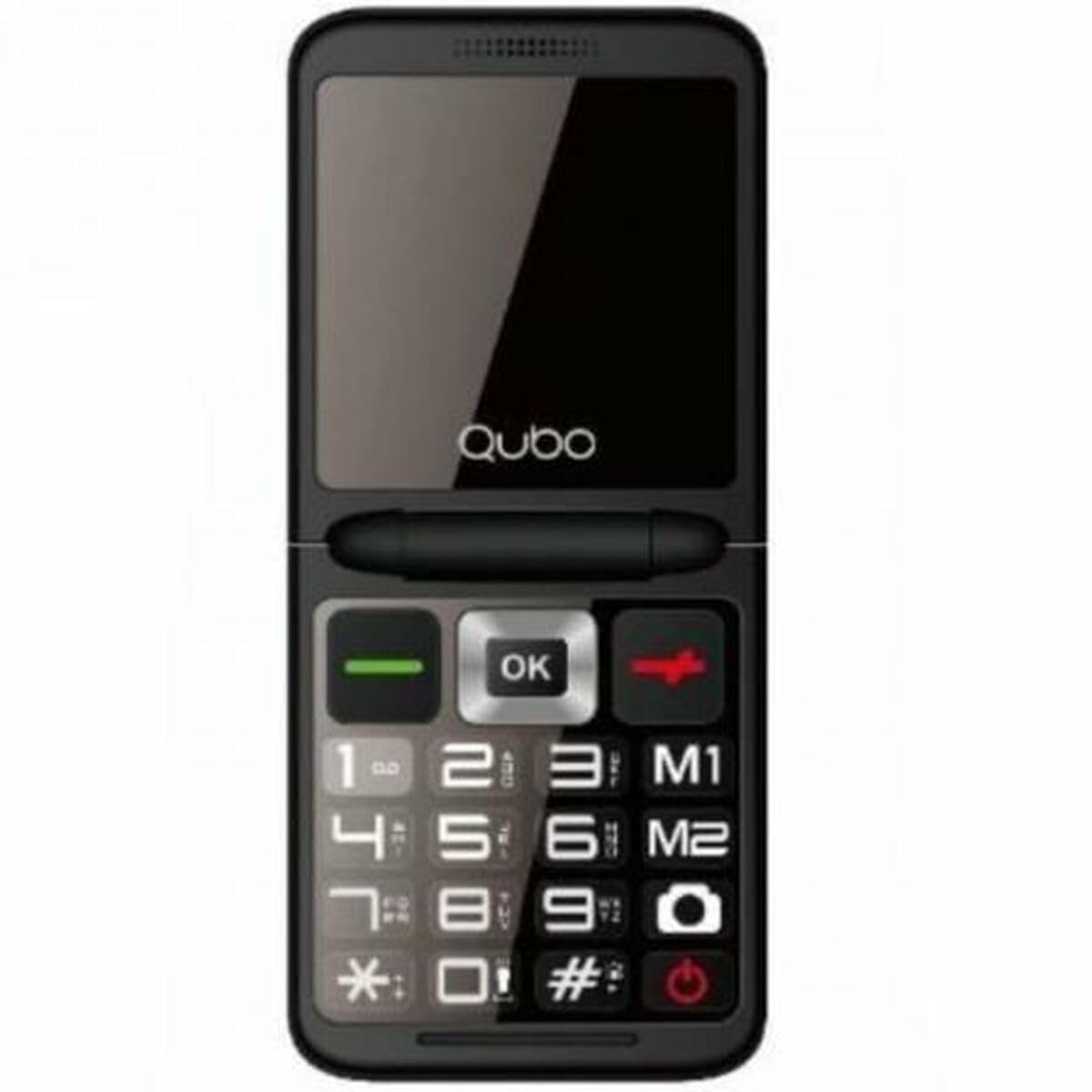
Figure 1 : Devant view of the Qubo X-10BL mobile phone. The image displays the phone in blue, featuring a clear screen, a numerical keypad, and navigation buttons. The phone is designed for straightforward operation.
Familiarize yourself with the phone's buttons and ports before proceeding with setup. Typically, these include a power button, call/end call buttons, navigation keys, a numerical keypad, and charging/headphone ports.
Installation
1. Installez la carte SIM et la batterie.
- Retirez délicatement le cache arrière du téléphone.
- Insérez votre carte SIM dans l'emplacement prévu. Assurez-vous qu'elle est correctement orientée comme indiqué sur le schéma situé près de l'emplacement.
- Placez la pile dans son compartiment en alignant les contacts.
- Remettez le couvercle arrière en place jusqu'à ce qu'il s'enclenche correctement.
2. Chargez l'appareil
- Connect the Micro USB cable to the charging port on your phone.
- Plug the other end of the cable into the provided European plug adapter, then into a wall outlet.
- Allow the phone to charge fully before first use. The charging indicator on the screen will show the battery status.
3. Marche/Arrêt
- Pour allumer : Maintenez le bouton Marche/Arrêt/Fin d'appel enfoncé jusqu'à ce que l'écran s'allume.
- Pour éteindre : Press and hold the Power/End Call button until the power-off options appear, then select 'Power Off' or continue holding until the device shuts down.
Mode d'emploi
Passer et recevoir des appels
- Faire un appel: Enter the phone number using the keypad and press the Call button (usually a green phone icon).
- Pour répondre à un appel : Lorsque le téléphone sonne, appuyez sur le bouton Appeler.
- Pour terminer un appel : Press the End Call button (usually a red phone icon).
Envoi et réception de SMS
- Accédez au menu « Messages ».
- Sélectionnez « Nouveau message » ou « Écrire un message ».
- Saisissez le numéro du destinataire ou sélectionnez-le dans vos contacts.
- Tapez votre message à l'aide du clavier.
- Appuyez sur « Envoyer ».
Connectivité Bluetooth
The Qubo X-10BL supports Bluetooth for connecting to compatible devices such as headsets or other phones.
- Allez dans « Paramètres », puis dans « Bluetooth ».
- Activez le Bluetooth.
- Sélectionner 'Rechercher « appareils » ou « Associer un nouvel appareil ».
- Sélectionnez l'appareil souhaité dans la liste et suivez les instructions à l'écran pour l'appairer.
Using the Phone Cover
The phone comes with a protective cover. Ensure the phone is securely placed within the cover to protect it from minor impacts and scratches. The cover may also feature cutouts for easy access to buttons and ports.
Entretien
Nettoyage
- Utilisez un chiffon doux et sec pour nettoyer l'écran et le boîtier du téléphone.
- Évitez d'utiliser des nettoyants liquides, des aérosols ou des produits chimiques agressifs, car ils peuvent endommager l'appareil.
Entretien de la batterie
- Pour prolonger la durée de vie de la batterie, évitez d'exposer le téléphone à des températures extrêmes.
- Ne laissez pas le téléphone en charge pendant une période excessivement longue après qu'il soit complètement chargé.
- Si vous n'utilisez pas votre téléphone pendant une période prolongée, chargez-le à environ 50 % avant de le ranger.
Stockage
Rangez le téléphone dans un endroit frais et sec, à l'abri de la lumière directe du soleil et de l'humidité, lorsqu'il n'est pas utilisé.
Dépannage
If you encounter issues with your Qubo X-10BL, refer to the table below for common problems and solutions.
| Problème | Cause possible | Solution |
|---|---|---|
| Le téléphone ne s'allume pas | Batterie faible ; batterie mal installée | Charger la batterie ; Réinstaller la batterie |
| Pas de signal réseau | SIM card issue; Out of network coverage | Check SIM card installation; Move to an area with better coverage |
| Impossible de passer/recevoir des appels | No network; Incorrect number dialed; Call barring activated | Check network signal; Verify number; Check call settings |
| La batterie ne charge pas | Charger faulty; Charging port damaged | Try a different charger; Contact support if port is damaged |
Caractéristiques
Detailed technical specifications for the Qubo X-10BL mobile phone.
| Fonctionnalité | Détail |
|---|---|
| Marque | Qubo |
| Nom du modèle | X-10BL |
| Numéro de modèle de l'article | S9914467 |
| Type de produit | Téléphone du bar |
| Facteur de forme | Bar |
| Taille de l'écran | 6.1 centimètres (2.4 pouces) |
| Taille de la RAM installée | 32 Mo |
| Technologie de réseau sans fil | Bluetooth |
| Fabricant | Qubo |
| Pays d'origine | Espagne |
| Date de première disponibilité sur Amazon.com.be | 11 janvier 2025 |
| Disponibilité des pièces de rechange | Information indisponible |
| Mises à jour logicielles garanties jusqu'à | Informations non disponibles |
Garantie et assistance
Pour toute information relative à la garantie et au service client, veuillez consulter la documentation fournie avec votre achat ou contacter le revendeur. Conservez votre preuve d'achat pour toute réclamation au titre de la garantie.