Introduction
This manual provides detailed instructions for the safe and efficient operation, maintenance, and troubleshooting of your Tuni Silver Conical Burr Coffee Grinder and Tuni Mini Coffee Scale. Please read this manual thoroughly before using the products to ensure optimal performance and longevity.
The Tuni Silver Conical Burr Coffee Grinder features 48 adjustable grind settings and a patented anti-static 40mm conical burr for precise and consistent grinding. The Tuni Mini Coffee Scale is equipped with a high-precision sensor, offering multiple measurement units and modes for accurate coffee preparation.
Consignes de sécurité importantes
- Lisez toutes les instructions avant utilisation.
- Do not immerse the grinder or scale in water or other liquids.
- Pendant le fonctionnement, veuillez garder vos mains et vos ustensiles à l'écart de la trémie à grains et du récipient à café moulu.
- Unplug the grinder from the outlet when not in use, before putting on or taking off parts, and before cleaning.
- N'utilisez aucun appareil avec un cordon ou une prise endommagés, ou après un dysfonctionnement de l'appareil ou une chute ou des dommages de quelque manière que ce soit.
- Utilisez uniquement les accessoires recommandés ou vendus par le fabricant.
- Cet appareil est destiné à un usage domestique uniquement.
Composants du produit
Tuni G1 Conical Burr Coffee Grinder

- Bean Hopper (250g/8.8oz capacity)
- Collier de réglage de la meule
- Fraises coniques (supérieure et inférieure)
- Grinder Body with Control Panel (LED display, Start/Stop button, Grind Time/Cup Size adjustment)
- Ground Coffee Container (75g/2.6oz capacity)
- Porte-filtre
- Brosse de nettoyage
Tuni Mini Coffee Scale
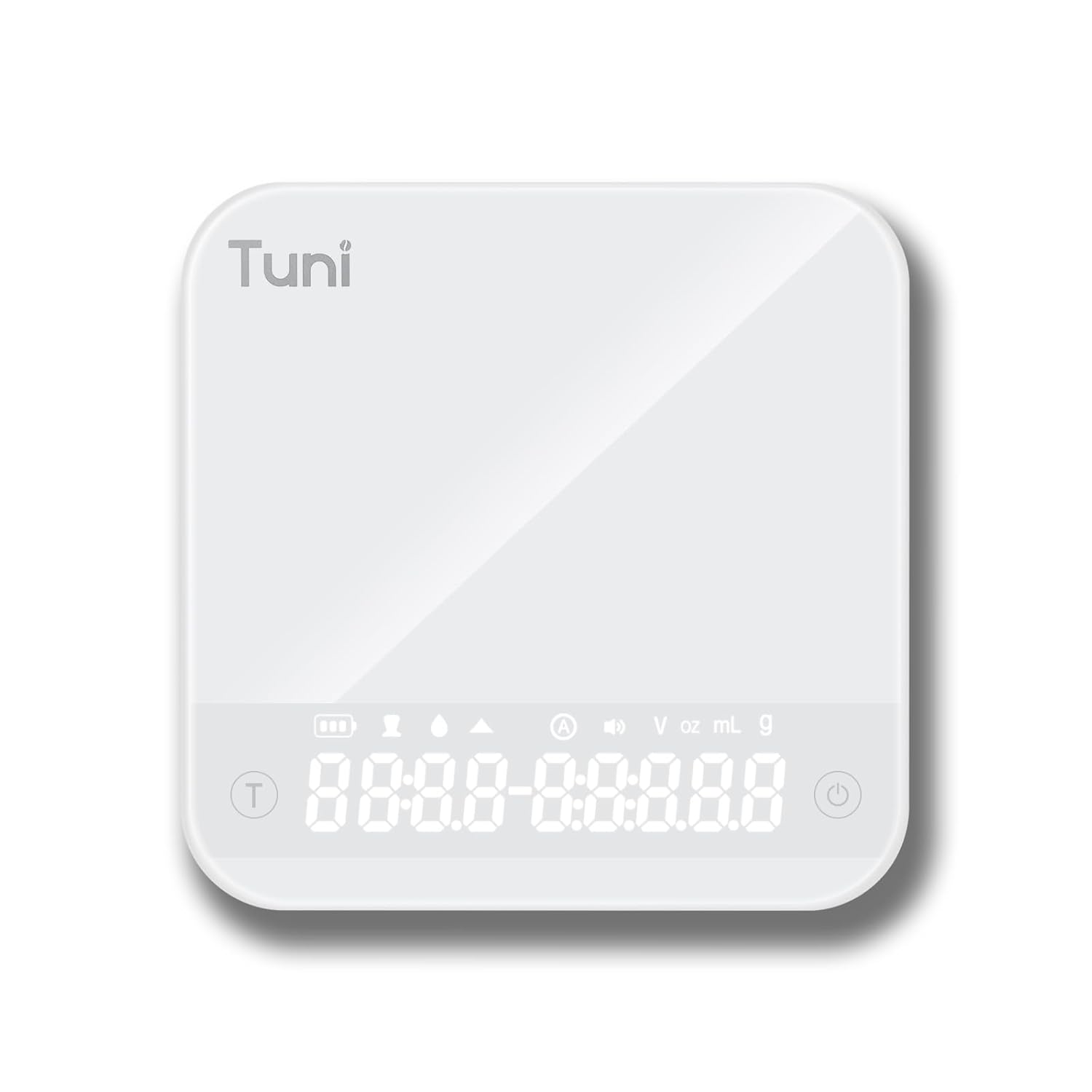
- Tempered Glass Weighing Platform
- Hidden LED Display
- Bouton d'alimentation/tare
- Bouton de minuterie
- Unit Conversion Button (g, ml, oz)
Installation
Configuration du broyeur
- Déballage: Retirez soigneusement tous les composants de l'emballage. Conservez l'emballage pour un stockage ou un transport ultérieur.
- Nettoyage: Avant la première utilisation, essuyez l'extérieur du broyeur avec un produit nettoyant.amp cloth. Wash the bean hopper and ground coffee container with warm, soapy water, rinse thoroughly, and dry completely.
- Assembler la trémie : Place the bean hopper onto the grinder body, ensuring it is securely locked in place.
- Connexion électrique : Branchez la meuleuse sur une prise électrique mise à la terre.
Configuration de la balance
- Déballage: Retirez la balance de son emballage.
- Chargement : If necessary, charge the scale using the provided USB cable until fully charged.
- Placement: Placez la balance sur une surface plane, stable et de niveau pour garantir des mesures précises.
Mode d'emploi
Using the Tuni G1 Coffee Grinder

- Ajouter des haricots : Fill the bean hopper with whole roasted coffee beans. The hopper has a capacity of 250g (8.8oz).
- Sélectionnez le réglage de la mouture : Rotate the grind adjustment collar to select your desired grind size. The grinder offers 48 settings, suitable for:
- Expresso: Réglages 0-16 (très précis)
- Verser goutte à goutte/pourrir : Réglages 16-32 (moyen)
- Presse française : Réglages 32-48 (grossier)

Image : Une image détaillée view of the Tuni G1 Coffee Grinder's control panel and grind adjustment collar, emphasizing the 48 precision settings. - Choisissez le mode de sortie : Place either the ground coffee container or your portafilter (using the included holder) under the dispensing chute.
- Set Grind Time/Cups: Use the control panel to adjust the grind time in 0.5-second increments (up to 40 seconds) or select the desired number of cups (2 to 12 cups).
- Commencez à broyer : Press the Start/Stop button to begin grinding. The grinder will automatically stop once the set time or quantity is reached. You can also manually stop grinding by pressing the button again.
- Conteneur vide : Once grinding is complete, remove the ground coffee container or portafilter.
Using the Tuni Mini Coffee Scale

- Mise sous tension : Press the Power button to turn on the scale. The hidden LED display will illuminate.
- Sélectionnez l'unité : Press the Unit Conversion button to cycle through available units: grams (g), milliliters (ml), and ounces (oz).
- Fonction de tare : Place an empty container on the weighing platform. Press the Power/Tare button to zero out the weight of the container.
- Pesée: Add your ingredients (e.g., coffee beans, water) to the container. The display will show the precise weight.
- Fonction minuterie :
- Chronométrage manuel : Press the Timer button to start the timer. Press again to pause, and a third time to reset.
- Mode automatique : The scale features an automatic mode that can detect changes in weight and start the timer automatically, ideal for pour-over brewing. Refer to the scale's specific instructions for activating this mode.
- Powder/Water Ratio Mode: This mode assists in maintaining specific brewing ratios.
- Flow Rate Mode: Displays the flow rate of liquid, useful for precise pour-over techniques.
- Éteindre: Press and hold the Power button to turn off the scale. The scale will also auto-shutoff after a period of inactivity to conserve battery.
Entretien et nettoyage
Nettoyage du broyeur
- Débrancher: Débranchez toujours le moulin avant de le nettoyer.
- Trémie vide : Retirez tous les grains de café restants de la trémie.
- Enlever les bavures : Carefully remove the upper burr. Use the provided cleaning brush to brush away any coffee grounds from both the upper and lower burrs.
- Clean Chute: Use the brush to clean the dispensing chute.
- Essuyer l'extérieur : Essuyez l'extérieur du corps du broyeur avec un chiffon doux et sec.amp cloth. Do not use abrasive cleaners or immerse the grinder in water.
- Remonter: Reassemble the burrs and hopper once all parts are dry.
Nettoyage du tartre

- Essuyez la surface en verre trempé avec un chiffon doux et sec.amp tissu.
- N'utilisez pas de produits chimiques agressifs ou de matériaux abrasifs.
- The scale is water-resistant, but do not immerse it in water.
Dépannage
Grinder Issues
| Problème | Cause possible | Solution |
|---|---|---|
| Le broyeur ne démarre pas. | Non branché ; alimentation coupéetage; hopper not correctly seated; motor overheated. | Ensure plug is securely in outlet; check power supply; ensure hopper is locked in place; allow grinder to cool down for 30 minutes. |
| Un travail irrégulier. | Meules sales ou obstruées ; réglage de mouture incorrect pour le type de grain. | Clean burrs thoroughly; adjust grind setting to a finer or coarser level as needed. |
| Grinder is loud or struggling. | Beans are too oily/hard; burrs are clogged. | Clean burrs; try different beans; do not overfill hopper. |
Scale Issues
| Problème | Cause possible | Solution |
|---|---|---|
| Lectures inexactes. | Scale not on a flat surface; battery low; overloaded; external vibrations. | Place on a stable, level surface; recharge battery; do not exceed 2000g capacity; avoid vibrations during use. |
| L'écran ne s'allume pas. | Batterie épuisée. | Chargez la balance à l'aide du câble USB fourni. |
Caractéristiques
Tuni G1 Conical Burr Coffee Grinder
- Paramètres de mouture : 48 precision settings
- Type de bavure : Fraise conique en acier inoxydable de 40 mm
- Vitesse de broyage : 450 tr/min (tours par minute)
- Capacité de la trémie à grains : 250 g (8.8 oz)
- Grounds Container Capacity: 75 g (2.6 oz)
- Grind Time Adjustment: 1-40 seconds (0.5s increments)
- Sélection de la coupe : 2 à 12 tasses
- Dimensions: 7.08" x 4.52" x 14.0"
- Matériau du corps : Acier inoxydable
Tuni Mini Coffee Scale
- Plage de mesure : 0.3g - 2000g (0.01oz - 70.5oz)
- Précision: 0.1g
- Unités: g, ml, oz
- Minuteur: Max 99 minutes 59 seconds
- Modes : Manual Timing, Automatic Mode, Powder/Water Ratio Mode, Flow Rate Mode
- Afficher: Hidden LED Tempered Glass Display
- Pouvoir: Rechargeable (USB)
- Dimensions: Environ 4.1 po x 4.1 po x 0.8 po
- Poids du produit : 0.33 lb
Garantie et assistance
Tuni products are manufactured with high-quality materials and craftsmanship. For warranty information and customer support, please refer to the warranty card included with your product or visit the official Tuni webVeuillez vous munir du numéro de modèle et de la date d'achat de votre produit lorsque vous contactez l'assistance.
Official Tuni Store: Visit the Tuni Store on Amazon


