1. Introduction
Thank you for choosing the gorsun Kids Bluetooth Headphones, Model E69. These headphones are designed specifically for children, prioritizing hearing protection, comfort, and durability. Featuring an 85dB volume limit, Bluetooth 5.3 connectivity, and a built-in microphone, they provide a safe and enjoyable audio experience for learning, travel, and entertainment.
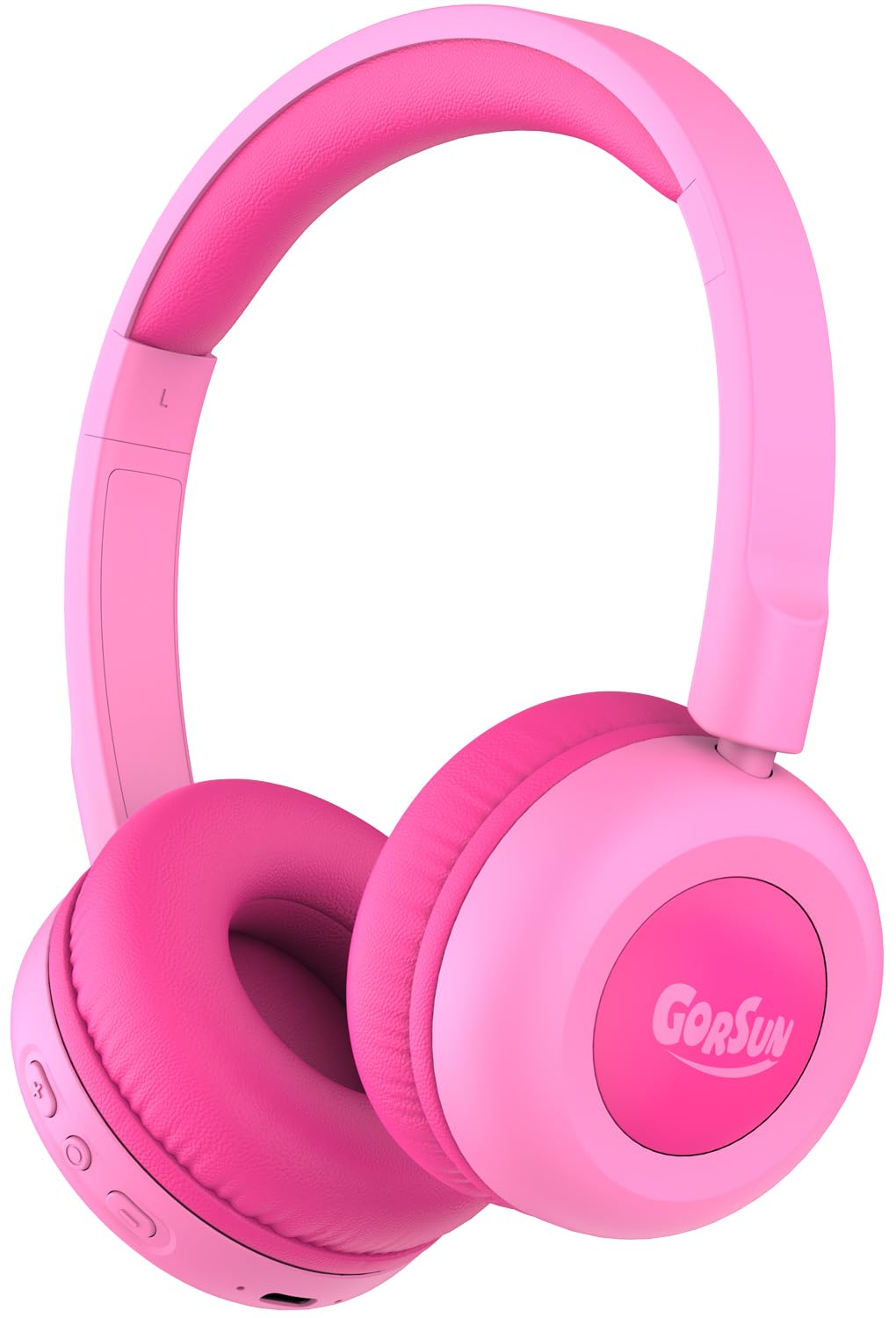
Image: gorsun Kids Bluetooth Headphones E69 in Pink.
2. Contenu de la boîte
- gorsun Kids Wireless Headphones (Model E69)
- Câble de chargement USB-C
- Manuel d'utilisation
3. caractéristiques du produit
- Protection auditive : Built-in fixed safety volume limit set to 85dB to protect children's ears, meeting strict safety standards.
- Unmatched Comfort & Durability: Lightweight design with memory-protein cushions for comfort. Adjustable headband accommodates children aged 3-12 years. Constructed with food-grade silicone parts to withstand daily use and accidental drops.
- Durée de vie prolongée de la batterie : Enjoy up to 50 hours of continuous playtime on a single charge, ideal for long trips and extended use without frequent recharging.
- Bluetooth 5.3 & Built-in Microphone: Equipped with the latest Bluetooth 5.3 technology for stable and fast wireless connections. The integrated microphone allows for clear communication during online classes, video calls, or talking with friends.
- Clear Sound & 40mm Driver: Delivers balanced audio specifically tuned for developing ears, with enhanced clarity. Precisely-tuned speakers eliminate harsh frequencies while maintaining rich detail.

Image: The headphones are designed to be flexible and durable, suitable for active children.

Image: A child comfortably wearing the gorsun Kids Bluetooth Headphones.
4. Installation
4.1 Chargement des écouteurs
Before first use, fully charge the headphones. Connect the provided USB-C charging cable to the charging port on the headphones and the other end to a compatible USB power source (e.g., computer, wall adapter). A full charge takes approximately 2 hours and provides up to 50 hours of playtime.

Image: The headphones connected to a USB-C charging cable.
4.2 Couplage Bluetooth
- Assurez-vous que les écouteurs sont chargés.
- Maintenez le bouton d'alimentation des écouteurs enfoncé jusqu'à ce que le voyant LED clignote en bleu et rouge, indiquant le mode de couplage.
- Sur votre appareil (smartphone, tablette, ordinateur portable), accédez aux paramètres Bluetooth et activez le Bluetooth.
- Rechercher available devices and select "gorsun E69" from the list.
- Une fois la connexion établie, le voyant LED des écouteurs affichera une lumière bleue fixe.
4.3 Connexion filaire (en option)
For devices without Bluetooth or when battery is low, you can use the included 3.5mm audio cable (if provided, check package contents) to connect the headphones directly to your device's audio jack. This model supports both Bluetooth and 3.5mm wired connection.
5. Mode d'emploi
5.1 Contrôles de base
Le casque est doté de commandes intuitives situées sur l'oreillette :
- Bouton d'alimentation : Appuyez et maintenez pour allumer/éteindre.
- Augmenter le volume (+): Appuyez brièvement pour augmenter le volume.
- Baisser le volume (-): Appuyez brièvement pour diminuer le volume.
- Bouton multifonction (Lecture/Pause/Appel) :
- Une seule pression permet de lire/mettre en pause la musique.
- Single press to Answer/End calls.
- Double press for Next track.
- Triple press for Previous track.
5.2 Limite de volume
The gorsun E69 headphones are designed with a fixed 85dB volume limit to protect children's hearing. This limit cannot be exceeded, ensuring a safe listening experience at all times.
6. Entretien
- Nettoyez régulièrement les écouteurs avec un chiffon doux et sec. N'utilisez pas de produits chimiques agressifs ni de matériaux abrasifs.
- Évitez d'exposer les écouteurs à des températures extrêmes, à l'humidité ou à la lumière directe du soleil.
- When not in use, store the headphones in a clean, dry place. The foldable design allows for compact storage.
7. Dépannage
| Problème | Solution possible |
|---|---|
| Les écouteurs ne s'allument pas | Assurez-vous que les écouteurs sont complètement chargés. Appuyez sur le bouton d'alimentation et maintenez-le enfoncé pendant quelques secondes. |
| Impossible de jumeler l'appareil | Make sure headphones are in pairing mode (flashing blue/red LED). Turn off and on Bluetooth on your device. Ensure headphones are within 10 meters of the device. |
| Pas de son | Check device volume and headphone volume. Ensure headphones are properly paired or connected via audio cable. Try restarting both devices. |
| Le microphone ne fonctionne pas | Ensure the headphones are connected via Bluetooth. Check device settings to confirm the headphone microphone is selected as the input device. |
8. Spécifications
- Nom du modèle : E69
- Technologie de connectivité: Wireless (Bluetooth 5.3) / Wired (3.5mm, if cable included)
- Gamme Bluetooth: 15 mètres
- Type de pilote audio : Pilote dynamique
- Taille du pilote audio : 40 millimètres
- Autonomie de la batterie : 50 heures
- Temps de charge : 2 heures
- Prise casque : Type-C (pour la charge)
- Contrôle du bruit : Isolation acoustique
- Type de contrôle : Réglage du volume, bouton-poussoir
- Matériel: Acrylonitrile Butadiene Styrene (ABS), Leather
- Poids de l'article : 5.3 onces
- Tranche d'âge (description) : Enfant
- Dossier spécial : Volume Limited to 85dB for Kids' Hearing Protection
9. Vidéos officielles du produit
Gorsun Kids Headphones - Safe Sound for Little Ears
Vidéo : Un overview of the gorsun Kids Headphones, highlighting their safe sound features for young users.
Confort et durabilité
Video: Demonstrates the comfort and durable construction of the gorsun Kids Headphones, including their flexibility.
Perfect Toddler Headphones with Good Sound Quality
Vidéo : Un utilisateur review highlighting the suitability of the headphones for toddlers and their sound quality.
10. Garantie et assistance
gorsun provides 24-hour customer service. If you encounter any issues or have questions regarding your headphones, please feel free to contact us via Amazon email. We are committed to providing satisfactory solutions.


