1. Introduction
The TYLT Crest is a versatile 15W fast wireless charger designed for both home and office environments. This device features a convertible design, allowing it to function as a flat charging pad or an upright stand. It is compatible with various wireless charging enabled devices, including smartphones and wireless headphones, providing efficient power delivery.
2. Consignes de sécurité
- N’exposez pas l’appareil à des liquides, à l’humidité ou à des températures extrêmes.
- Évitez de faire tomber l'appareil ou de le soumettre à des chocs violents.
- Do not attempt to disassemble, repair, or modify the charger. This may void the warranty and pose safety risks.
- Use only certified power adapters and cables with the device.
- Tenir hors de portée des enfants.
- Assurer une ventilation adéquate pendant l’utilisation pour éviter la surchauffe.
3. Contenu du colis
Vérifiez que tous les éléments sont présents dans le colis :
- TYLT Crest 15W Wireless Charging Convertible Stand
- 1 USB Type-C to USB Type-C cable (power adapter not included)
4. Installation
- Connect one end of the provided USB Type-C cable to the USB-C port on the TYLT Crest charger.
- Connect the other end of the USB Type-C cable to a compatible USB power adapter (not included). For optimal 15W charging, use a power adapter that supports Power Delivery (PD) with at least 15W output.
- Branchez l'adaptateur secteur à une prise murale. Le chargeur est maintenant prêt à l'emploi.
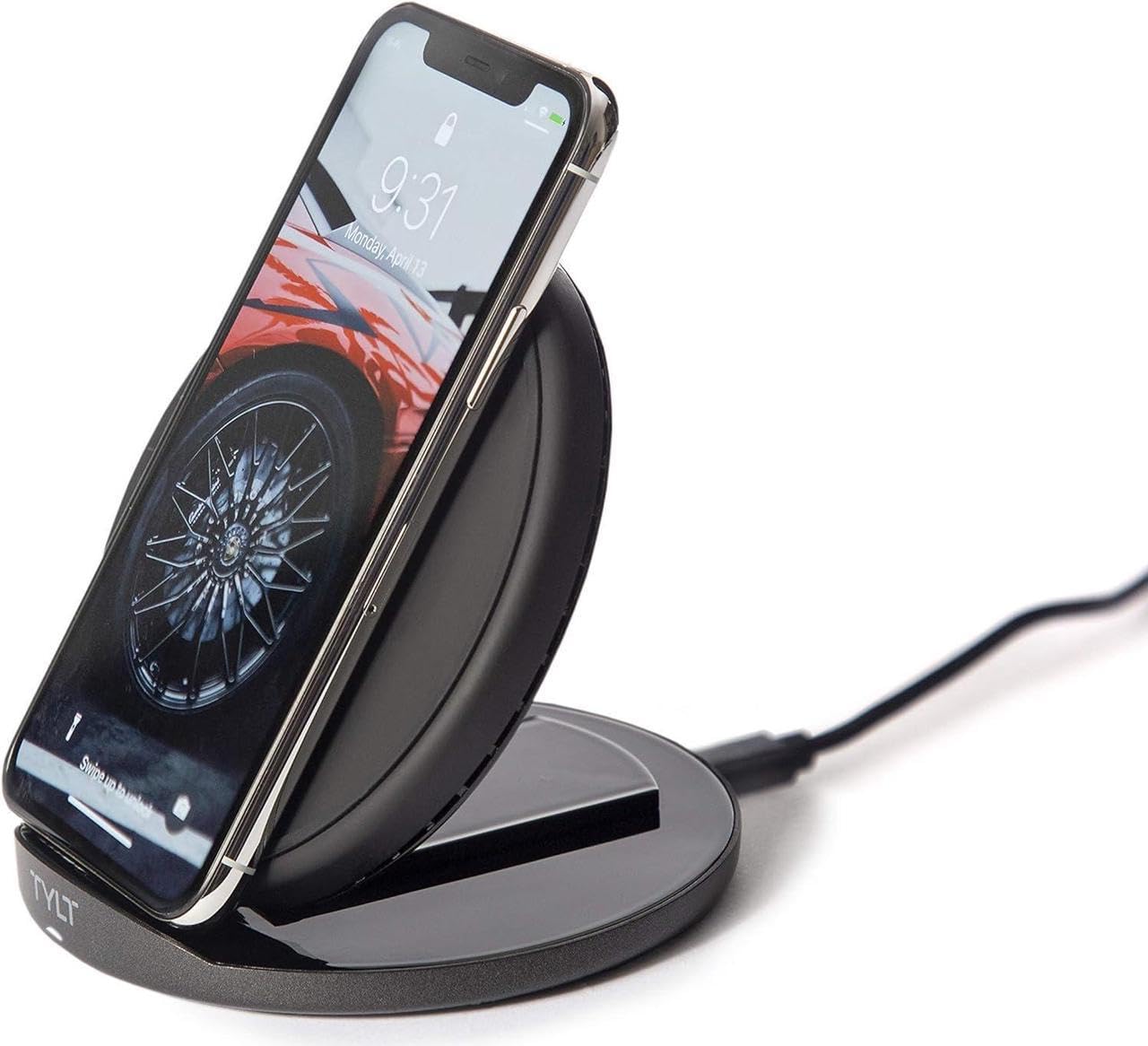
Image: The TYLT Crest charger shown in its upright stand configuration, actively charging a smartphone. This illustrates the device's primary function as a phone stand and charger.
5. Mode d'emploi
5.1. Charging in Stand Mode
- Ensure the TYLT Crest is in its upright stand configuration.
- Place your wireless charging compatible smartphone onto the stand. Align the center of your phone with the charging coil area on the stand.
- The charging indicator on your phone should activate, confirming that charging has begun.
5.2. Charging in Flat Pad Mode
- Gently convert the TYLT Crest from stand mode to its flat pad configuration.
- Place your wireless charging compatible device, such as wireless headphones or a smaller smartphone, onto the flat charging surface. Ensure the device is centered on the pad.
- Le voyant de charge de l'appareil devrait s'activer, confirmant ainsi que la charge a commencé.
Note: For optimal 15W fast wireless charging, ensure your device supports 15W wireless charging and is properly aligned with the charging coil.
6. Entretien
- To clean the charger, disconnect it from the power source.
- Essuyez la surface avec un chiffon doux, sec ou légèrement humide.amp tissu.
- N’utilisez pas de produits chimiques agressifs, de nettoyants abrasifs ni de solvants.
- Ensure the charger is completely dry before reconnecting it to power.
7. Dépannage
| Problème | Cause possible | Solution |
|---|---|---|
| L'appareil ne charge pas | Not connected to power; device not wireless charging compatible; improper alignment; phone case too thick. | Ensure charger is plugged in; verify device compatibility; reposition device on charger; remove thick phone case. |
| Chargement lent | Incompatible power adapter; background apps running; device overheating. | Use a 15W PD compatible power adapter; close unnecessary apps; ensure proper ventilation. |
| Charger indicator not lighting up | No power; faulty cable/adapter. | Check power connection; try a different USB-C cable or power adapter. |
8. Spécifications
- Modèle: Crête
- Marque: TYLT
- Quoitage: 15 watts
- Courant de sortie : 3 Amps
- Volume de sortietage: 5 volts
- Type de connecteur : USB Type C
- Appareils compatibles : Téléphones Cellulaires, Casques
- Modèles de téléphones compatibles : Most modern smartphones with USB-C and wireless charging capabilities
- Composants inclus : 1 adapter (USB Type-C cable)
- Couleur: Noir
- Poids de l'article : 12.8 onces
- Dimensions du colis : 7 x 5 x 1.5 pouces
9. Garantie et assistance
TYLT products are designed for reliability and performance. For specific warranty details, please refer to the warranty card included with your purchase or visit the official TYLT website. For technical support, product inquiries, or assistance, please contact TYLT customer service through their official website ou les coordonnées fournies dans l'emballage de votre produit.
Official TYLT Website: www.tylt.com


