1. Introduction
This user manual provides comprehensive instructions for the Headwolf WPad7 Tablet. It covers setup, operation, maintenance, and troubleshooting to ensure optimal performance and user experience. Please read this manual thoroughly before using your device.
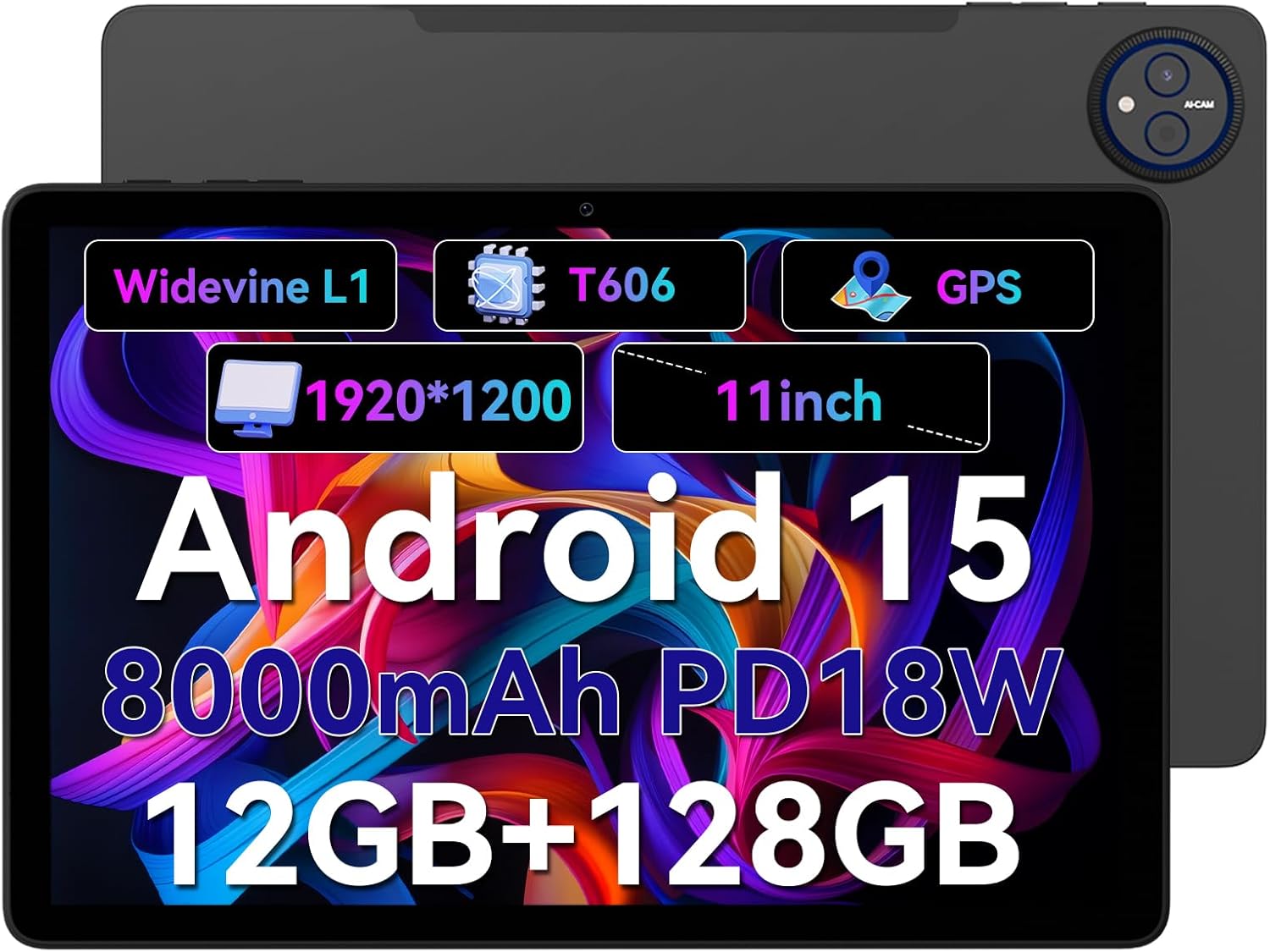
Figure 1.1: Headwolf WPad7 Tablet showcasing its 11-inch display, Android 15, 8000mAh battery, 12GB RAM, 128GB ROM, Widevine L1, T606 processor, and GPS capabilities.
2. Contenu du colis
À l'ouverture du colis, vérifiez que tous les éléments énumérés ci-dessous sont présents et en bon état :
- 1 x Headwolf WPad7 Tablet
- 1 x Chargeur
- 1 x câble de type C
- 1 x Card Pin (for SIM/SD card tray)
- 1 x Manuel d'utilisation
3. Produit terminéview
3.1 caractéristiques physiques
Familiarize yourself with the physical components of your Headwolf WPad7 Tablet:
- Afficher: 11-inch IPS In-Cell screen with 1920x1200 resolution.
- Caméra frontale : 8MP, located on the top bezel when held horizontally.
- Caméra arrière : 13 MP, situé sur le panneau arrière.
- Bouton d'alimentation : Généralement situé sur le côté, il sert à allumer/éteindre ou à réveiller/mettre en veille l'appareil.
- Touches de volume : Located near the power button, for adjusting audio levels.
- Port USB Type-C : Pour le chargement et le transfert de données.
- Prise casque 3.5 mm: Pour connecter des appareils audio filaires.
- Emplacement pour carte : For inserting a SIM card (if supported) and a microSD card for expandable storage.
- Trou de réinitialisation : A small pinhole for force restarting the device if unresponsive.

Figure 3.1: Physical aspects of the Headwolf WPad7 Tablet, showing its 8mm thickness, 495g weight, 13MP rear camera, 8MP front camera, and 3.5mm earphone jack.

Figure 3.2: Key features of the Headwolf WPad7 Tablet, including Android 15 OS, 12GB+128GB memory, T606-8 core processor, 8000mAh battery, GPS navigation, 1920x1200 FHD display, face recognition, dual cameras, 2.4G/5Ghz Wi-Fi, Widevine L1, and 300nit brightness.
4. Installation
4.1 Charge initiale
Before first use, fully charge the tablet. Connect the provided Type-C cable to the tablet's USB-C port and the charger to a power outlet. The battery indicator on the screen will show charging status. A full charge typically takes several hours.

Figure 4.1: The 8000mAh battery of the Headwolf WPad7 Tablet, highlighting its safety and stability features, and showing typical usage times for processing, video playback, reading, and music playback.
4.2 Mise sous/hors tension
- Pour allumer : Press and hold the Power button until the Headwolf logo appears on the screen.
- Pour éteindre : Press and hold the Power button until a power-off menu appears. Select "Power off".
- Pour dormir/se réveiller : Appuyez brièvement sur le bouton Marche/Arrêt pour mettre la tablette en veille ou la réactiver.
4.3 Installation de la carte microSD
The Headwolf WPad7 supports microSD card expansion up to 2TB. To install:
- Localisez l'emplacement pour carte sur le côté de la tablette.
- Insérez l'épingle fournie dans le petit trou situé à côté du plateau pour l'éjecter.
- Place the microSD card into the designated slot on the tray, ensuring correct orientation.
- Repoussez délicatement le plateau dans la tablette jusqu'à ce qu'il s'enclenche.

Figure 4.2: Details of the Unisoc T606 Octa-core Processor and memory configuration, showing 12GB RAM (6GB physical + 6GB virtual) and 128GB ROM, expandable up to 2TB via SD card.
5. Utilisation de votre tablette
5.1 Fonctionnalités d'Android 15
Your Headwolf WPad7 Tablet runs on Android 15, offering enhanced AI capabilities, improved privacy, optimized performance, and a refined user interface. Explore features like:
- AI Dynamic Adjustment: Adapts to your usage patterns for optimized performance.
- Multilingual Real-time Translation: Facilitates communication across languages.
- AI Automatic Scene Recognition: Enhances camera performance.
- Intelligent Audio Switching: Seamlessly manages audio output.
- AI Battery Saving Optimization: Extends battery life based on usage.
- Écran partagé : Utilisez deux applications simultanément, côte à côte.
- Reconnaissance de visage: Securely unlock your device with your face.

Figure 5.1 : Plusview of Android 15's intelligent AI features, including dynamic adjustment, real-time translation, automatic scene recognition, portrait mode processing, intelligent audio switching, accurate speech recognition, battery saving, game mode, and document auto summary.
5.2 Connectivité
- Wifi: Supports high-speed AC 2.4G/5G Wi-Fi for stable internet connection. Navigate to Settings > Network & internet > Wi-Fi to connect to available networks.
- Bluetooth : Connect to Bluetooth headphones, speakers, and other devices. Go to Settings > Connected devices > Bluetooth.
- GPS: The tablet supports GPS, GLONASS, BDS, and GALILEO satellite systems for precise location services and navigation.

Figure 5.2: The Headwolf WPad7 Tablet's 2.4G/5G Dual Band Wi-Fi and Bluetooth capabilities, demonstrating its versatility for work, presentations, and video calls.

Figure 5.3: The tablet's Four-In-One Satellite Positioning System, supporting GPS, Beidou, Galileo, and Glonass for accurate real-time location tracking and navigation.
5.3 Utilisation de la caméra
The tablet features an 8MP front camera and a 13MP rear camera. Open the Camera app to capture photos and videos. Utilize AI scene recognition for optimized shots.
5.4 Fonctions d'affichage
The 11-inch IPS in-cell display provides vivid colors and deep contrasts. It features Widevine L1 certification, enabling secure streaming of high-definition content from platforms like Netflix, Prime Video, and Disney+.

Figure 5.4: The 11-inch Widevine L1-compatible FHD display, showcasing its 1920x1200 resolution, 224 PPI, IPS incell technology, 300 nit brightness, 1500:1 contrast, and 75% NTSC color gamut, ideal for streaming services.
6. Entretien
6.1 Nettoyage
Pour nettoyer votre tablette, utilisez un chiffon doux non pelucheux. Pour les taches tenaces, frottez légèrement avec un chiffon doux.ampNettoyez le chiffon avec de l'eau ou un nettoyant pour écrans. Évitez d'utiliser des produits chimiques agressifs, des matériaux abrasifs ou une humidité excessive.
6.2 Entretien de la batterie
- Évitez d’exposer la tablette à des températures extrêmes (chaudes ou froides).
- Ne laissez pas la batterie se décharger complètement trop souvent.
- Use the original charger and cable for optimal charging and battery longevity.
- Si vous devez ranger la tablette pendant une période prolongée, chargez-la à environ 50 % avant de l'éteindre.
7. Dépannage
7.1 La tablette ne s'allume pas
- Assurez-vous que la batterie est chargée. Branchez le chargeur et attendez quelques minutes avant d'essayer de l'allumer.
- Maintenez le bouton Marche/Arrêt enfoncé pendant au moins 10 à 15 secondes pour forcer un redémarrage.
7.2 Problèmes de connectivité Wi-Fi
- Activez ou désactivez le Wi-Fi dans les paramètres.
- Redémarrez votre routeur Wi-Fi.
- Oubliez le réseau et reconnectez-vous en saisissant à nouveau le mot de passe.
7.3 Plantages ou blocages d'applications
- Fermez l'application problématique et rouvrez-la.
- Videz le cache de l'application (Paramètres > Applications > [Nom de l'application] > Stockage et cache > Vider le cache).
- Redémarrez la tablette.
- Ensure the app and Android system are updated to the latest versions.
8. Spécifications
| Fonctionnalité | Spécification |
|---|---|
| Marque | Tête de loup |
| Nom du modèle | W7 |
| Système opérateur | Android 15 |
| Taille de l'écran | 11 pouces |
| Résolution de l'écran | 1920x1200 Pixels (FHD In-Cell) |
| Processeur | Unisoc T606 Octa-core |
| BÉLIER | 12 Go (6 Go physiques + 6 Go virtuels) |
| Stockage interne | 128 Go |
| Stockage extensible | Jusqu'à 2 To via carte microSD |
| Caméra arrière | 13 MP |
| Caméra frontale | 8 MP |
| Capacité de la batterie | 8000mAh |
| Port de chargement | USB Type-C (supports 18W fast charge) |
| Connectivité sans fil | 802.11a/b/g/n/ac/ax (2.4G/5G Wi-Fi), Bluetooth |
| Navigation | GPS, GLONASS, BDS, GALILEO (with A-GPS) |
| Prise audio | 3.5 mm |
| Dimensions (L x l x H) | 11 x 2 x 8 pouces |
| Poids de l'article | 1.98 livre (environ 495 g) |
| Couleur | Gris |
| Widevine Certification | L1 |
9. Garantie et assistance
Headwolf provides a standard warranty for the WPad7 Tablet. For detailed warranty terms and conditions, please refer to the warranty card included in your package or visit the official Headwolf website.
For technical support, troubleshooting assistance, or service inquiries, please contact Headwolf customer support through their official channels. Keep your purchase receipt and product serial number handy when contacting support.
Ressources en ligne :


