Introduction
This manual provides detailed instructions for the setup, operation, and maintenance of your Weofly Nova Active Noise Cancelling Headphones. Please read this manual thoroughly before using the product to ensure optimal performance and longevity.
Qu'y a-t-il dans la boîte
Upon unboxing your Weofly Nova headphones, please verify that all the following components are included:
- Weofly Nova Over-Ear Headphones
- Câble de chargement USB-A vers USB-C
- 3.5mm AUX Cable (USB-C to 3.5mm TRS)
- Manuel d'utilisation

Image: The Weofly Nova Active Noise Cancelling Headphones in Sliver, showcasinet leur conception.
Produit terminéview
The Weofly Nova headphones are designed for comfort and high-quality audio, featuring Active Noise Cancellation and Bluetooth 5.4 connectivity.

Image: A woman wearing the Weofly Nova headphones, illustrating their lightweight and stylish design. The headphones weigh only 130g.

Image: Two pairs of Weofly Nova headphones, one in brown and one in white, highlighting their distinct aesthetic and color options.
Caractéristiques principales :
- Annulation active du bruit (ANC) : Advanced technology to reduce ambient noise.
- Bluetooth V5.4 : For faster and more stable wireless connections.
- Longue durée de vie de la batterie : Up to 58 hours of music playtime on a single charge.
- Conception confortable : Ultra-soft memory protein earcups and adjustable headband.
- Son haute fidélité : 40mm dynamic drivers for clear audio with rich bass.
- Connectivité multi-appareils : Connect to two smart devices simultaneously.
Vidéo : Un overview of the Weofly Nova Active Noise Cancelling Headphones, demonstrating their features and design.
Instructions d'installation
1. Charger les écouteurs
Before first use, fully charge your Weofly Nova headphones. A full charge takes approximately 2 hours.
- Connectez l'extrémité USB-C du câble de chargement au port de chargement du casque.
- Connectez l'extrémité USB-A à un adaptateur secteur USB compatible (non inclus) ou au port USB d'un ordinateur.
- Le voyant indicateur affichera l'état de charge et s'éteindra ou changera de couleur une fois la charge complète.

Image: The Weofly Nova headphones being charged via a USB-C cable, illustrating the fast charging capability.
2. Mise sous/hors tension
- Pour allumer : Maintenez le bouton Marche/Arrêt enfoncé jusqu'à ce que le voyant clignote.
- Pour éteindre : Maintenez le bouton Marche/Arrêt enfoncé jusqu'à ce que le voyant s'éteigne.
3. Couplage Bluetooth
The headphones support quick pairing. The first time you power them on, they will automatically enter pairing mode.
- Assurez-vous que les écouteurs sont éteints.
- Maintenez le bouton Marche/Arrêt enfoncé pendant environ 5 secondes jusqu'à ce que le voyant clignote alternativement en bleu et en rouge, indiquant le mode de couplage.
- Sur votre appareil (smartphone, tablette, ordinateur portable), activez le Bluetooth et recherchez les appareils disponibles.
- Select "Weofly Nova" from the list of devices.
- Une fois connecté, le voyant deviendra bleu fixe ou clignotera lentement en bleu.
The headphones can connect to two devices simultaneously. To connect a second device, repeat the pairing process. The headphones will automatically switch between devices for calls or media playback.

Image: An illustration showing the Weofly Nova headphones connecting to a laptop and a smartphone via advanced Bluetooth 5.4, highlighting faster transmission and stable connection.
Mode d'emploi
1. Réduction active du bruit (ANC)
The Weofly Nova headphones feature Active Noise Cancellation to minimize ambient sounds.
- Pour activer/désactiver la réduction de bruit active (ANC) : Press the dedicated ANC button on the earcup. An audible prompt will confirm the status.

Image: A woman wearing Weofly Nova headphones while focused on her laptop, demonstrating the effectiveness of ANC in reducing distractions.
2. Lecture de musique
Contrôlez votre musique directement depuis vos écouteurs :
- Lecture/Pause : Appuyez une fois sur le bouton multifonction.
- Piste suivante : Appuyez sur le bouton d'augmentation du volume et maintenez-le enfoncé.
- Piste précédente: Appuyez sur le bouton de réduction du volume et maintenez-le enfoncé.
- Monter le son: Appuyez brièvement sur le bouton d'augmentation du volume.
- Baisser le volume: Appuyez brièvement sur le bouton de diminution du volume.
3. Gestion des appels
Gérez vos appels téléphoniques en toute simplicité :
- Répondre/Terminer l'appel : Appuyez une fois sur le bouton multifonction.
- Rejeter l'appel : Appuyez sur le bouton multifonction et maintenez-le enfoncé pendant 2 secondes.
- Recomposer le dernier numéro : Appuyez deux fois sur le bouton Multifonction.
4. Assistant vocal
Activez l'assistant vocal de votre appareil :
- Activer l'assistant vocal: Appuyez trois fois sur le bouton multifonction.

Image: A multi-panel image illustrating the comfort of the headphones during travel, and the functionality of voice assistance and built-in microphone for hands-free calls.
5. Mode de jeu
For reduced latency during gaming, activate Game Mode:
- Activer/Désactiver le mode de jeu : Press and hold the Multi-function button for 2 seconds (while not on a call or playing music).
6. Connexion filaire
Use the provided 3.5mm AUX cable for a wired connection:
- Connect the USB-C end of the AUX cable to the headphone's USB-C port.
- Branchez l'extrémité 3.5 mm à la prise casque de votre source audio.
- Les écouteurs passeront automatiquement en mode filaire.
Entretien
To ensure the longevity and optimal performance of your Weofly Nova headphones, follow these maintenance guidelines:
- Nettoyage: Utilisez un chiffon doux et sec pour nettoyer les écouteurs. N'utilisez pas de produits nettoyants abrasifs ni de solvants.
- Stockage: Rangez les écouteurs dans un endroit frais et sec, à l'abri de la lumière directe du soleil et des températures extrêmes.
- Éviter l’humidité : N’exposez pas les écouteurs à l’eau ou à une humidité excessive.
- À manipuler avec précaution : Évitez de faire tomber les écouteurs ou de les soumettre à des chocs violents.
Dépannage
If you encounter issues with your Weofly Nova headphones, refer to the following common solutions:
| Problème | Solution |
|---|---|
| Les écouteurs ne s'allument pas | Ensure the headphones are fully charged. Connect to a power source and allow to charge for at least 30 minutes before attempting to power on again. |
| Impossible de jumeler l'appareil | Assurez-vous que les écouteurs sont en mode appairage (clignotement bleu/rouge). Désactivez puis réactivez le Bluetooth de votre appareil. Rapprochez les écouteurs de l'appareil. Supprimez les connexions Bluetooth précédentes de votre appareil. |
| Pas de son ou volume faible | Check headphone and device volume levels. Ensure headphones are properly connected via Bluetooth or AUX cable. Test with a different audio source. |
| L'ANC ne fonctionne pas efficacement | Ensure ANC is activated. Adjust headphone fit to ensure a good seal around your ears. ANC is most effective against low-frequency, constant noise. |
| Connexion intermittente | Ensure no obstacles are between the headphones and your device. Move away from other wireless devices that may cause interference. Ensure headphones are fully charged. |
Caractéristiques
Technical details for the Weofly Nova Active Noise Cancelling Headphones:
- Nom du modèle : Nova
- Technologie de connectivité: Sans fil (Bluetooth)
- Technologie de communication sans fil : Bluetooth 5.4
- Type de pilote audio : Pilote dynamique de 40 mm
- Contrôle du bruit : Annulation active du bruit
- Autonomie de la batterie : Up to 58 hours (music playtime), 40 hours (talk time), 35 hours (ANC mode)
- Temps de charge : Environ 2 heures
- Capacité de la batterie : 500mAh
- Poids de l'article : 0.26 kilogrammes (9.1 onces)
- Emplacement de l'oreille : Sur l'oreille
- Appareils compatibles : Téléphones portables, tablettes, ordinateurs portables, enceintes intelligentes
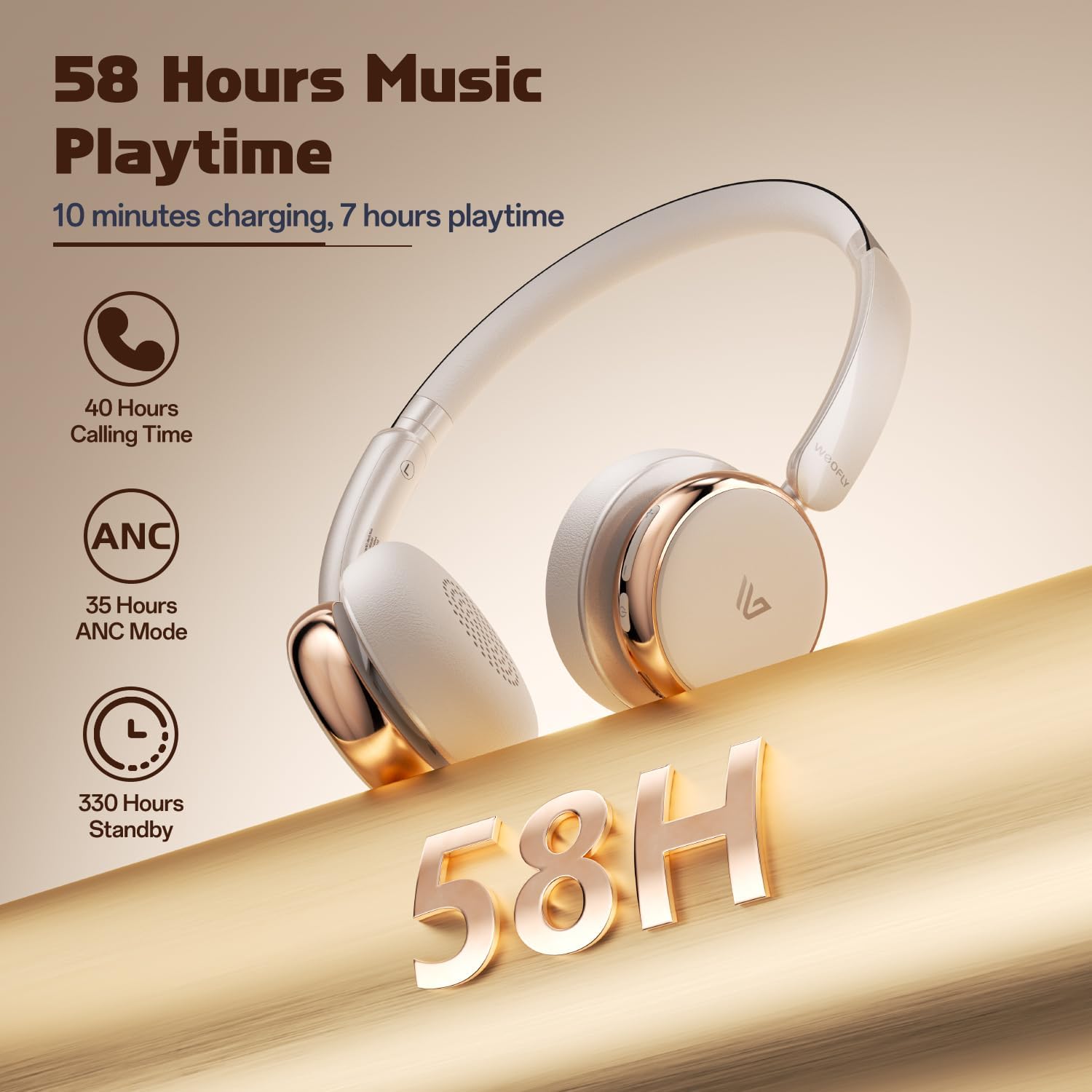
Image : Une image détaillée view of the Weofly Nova earcup, emphasizing the 40mm dynamic driver responsible for high-fidelity sound quality.

Image: The Weofly Nova headphones prominently displaying '58H', signifying their extended battery life of 58 hours for music playback.
Garantie et assistance
Weofly products come with a standard manufacturer's warranty. For specific warranty details, please refer to the warranty card included in your product packaging or visit the official Weofly website. For technical support, troubleshooting assistance, or any inquiries regarding your Weofly Nova headphones, please contact Weofly customer service through the contact information provided on our websur votre site ou dans la documentation de votre produit.


