Introduction
The Samsers KF06X Foldable Bluetooth Keyboard is a full-size wireless keyboard designed for portability and multi-device compatibility. It features a numeric keypad, adjustable 7-color backlight, and supports connection to up to three devices simultaneously. This manual provides essential information for setting up, operating, maintaining, and troubleshooting your keyboard.
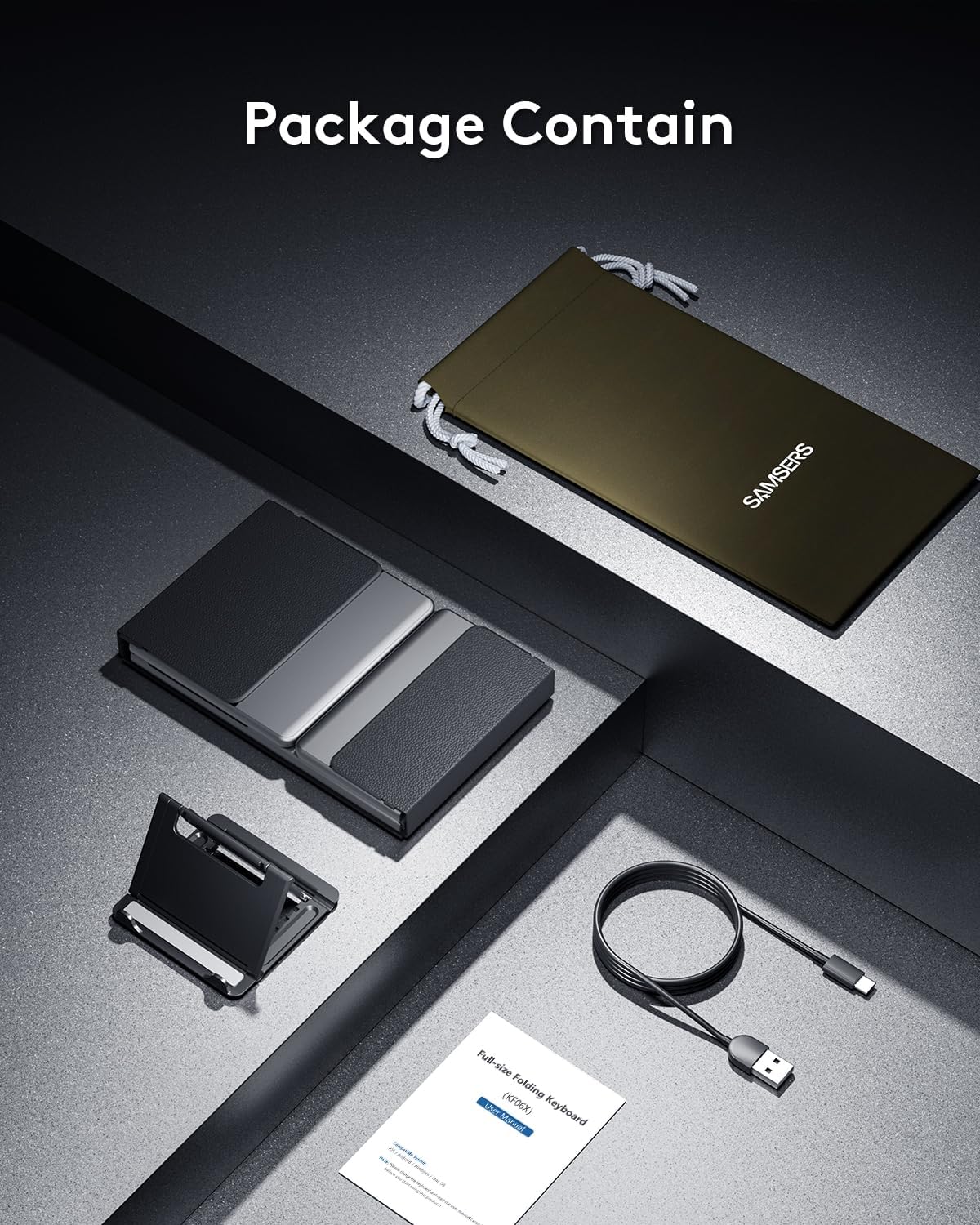
Contenu du colis
Veuillez vérifier que tous les articles sont présents dans le colis :
- 1 x Foldable Keyboard with backlight
- 1 câble de charge de type C
- 1 x Support de téléphone
- 1 x Sac de rangement en velours
- 1 x Manuel d'instructions
Installation
1. Charge initiale
Before first use, fully charge the keyboard for 2-3 hours using the provided Type-C cable. A low battery may affect keyboard functionality.

2. Marche/Arrêt
To power on the keyboard, unfold it completely. The keyboard will automatically power on. To power off, fold the keyboard. It will automatically power off to conserve battery.
3. Couplage Bluetooth
The Samsers KF06X keyboard supports pairing with up to three devices. Follow these steps to pair your device:
- Dépliez le clavier pour l'allumer.
- Appuyez sur le BT1, BT2, ou BT3 key once to select the desired Bluetooth channel.
- Press and hold the selected BT key (e.g., BT1) for 5 seconds until its indicator light starts flashing blue. This indicates the keyboard is in pairing mode.
- Sur votre appareil (smartphone, tablette, ordinateur portable), accédez aux paramètres Bluetooth et activez le Bluetooth.
- Rechercher available devices. The keyboard will appear as Samsers KF06X.
- Sélectionner Samsers KF06X to connect. The indicator light will stop flashing and remain solid blue once connected.
- Repeat these steps for other devices using BT2 and BT3 channels.
Mode d'emploi
1. Typing and Layout
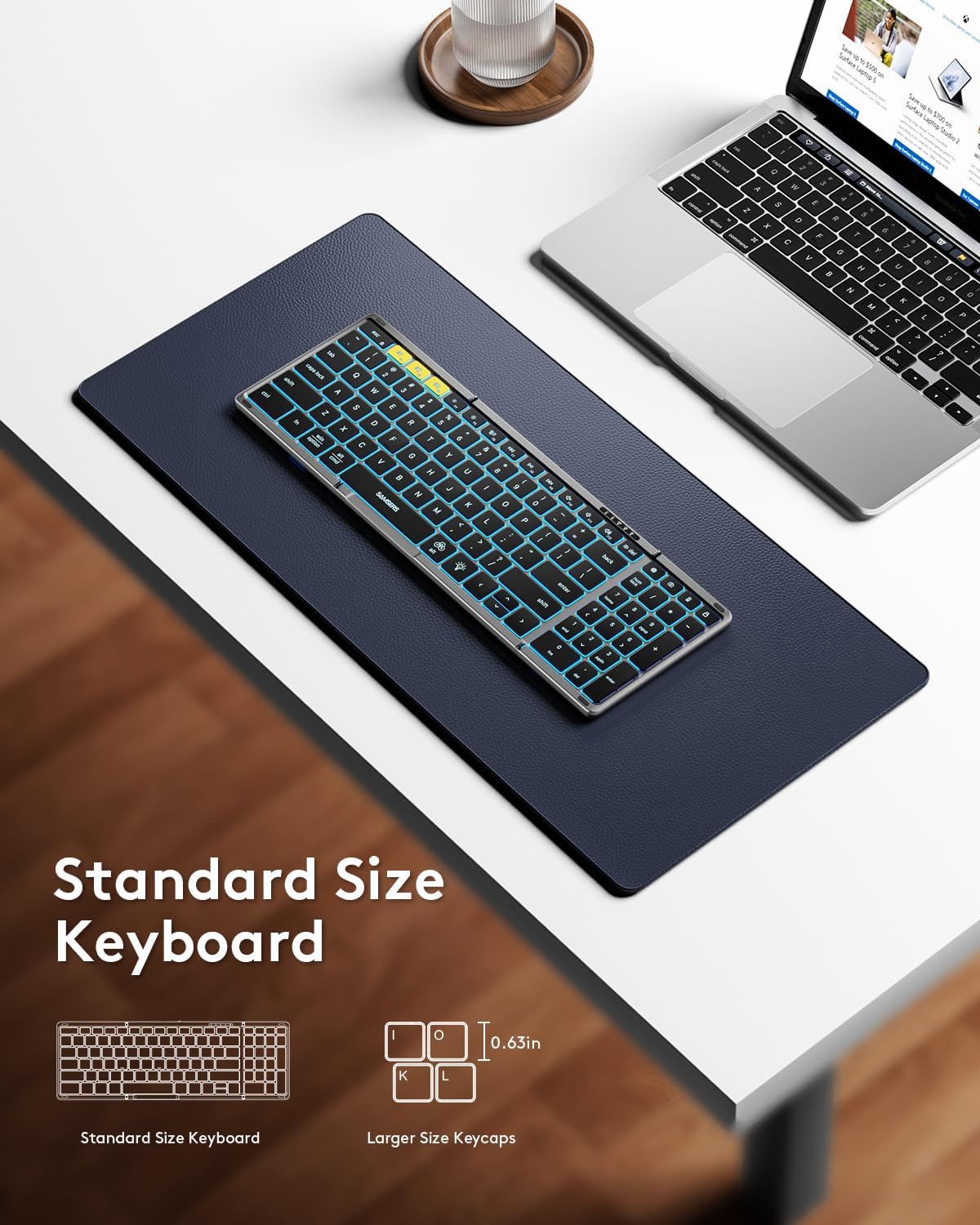
The keyboard features a full-size layout with standard 0.63-inch keys and a dedicated numeric keypad for efficient data entry. The scissor-switch keys provide a quiet and comfortable typing experience.

2. Contrôle du rétroéclairage
The keyboard features an adjustable backlight with 7 colors and 4 brightness levels:
- Régler la luminosité : Appuyez sur le Légende de l'icône d'ampoule (usually F4 or a dedicated key) to cycle through 4 brightness levels (High-Medium-Low-Off).
- Changer de couleur : Presse Fn + Alt to cycle through 7 available backlight colors (Green, Purple, Blue, Yellow, White, Cyan, Red).

3. Fonctions multimédias
Access multimedia shortcuts and other functions by pressing the Fn key in combination with the corresponding F-keys (F1-F12) or other designated keys. Refer to the key legends for specific functions.
4. Device Switching
Pour passer d'un appareil appairé à un autre, appuyez simplement sur le bouton correspondant. BT1, BT2, ou BT3 key once. The keyboard will seamlessly switch its connection to the selected device.
Entretien
To ensure the longevity and optimal performance of your Samsers KF06X keyboard, follow these maintenance guidelines:
- Nettoyez le clavier avec un chiffon doux et sec. Évitez les produits nettoyants abrasifs et les solvants.
- Protect the keyboard from extreme temperatures, direct sunlight, and moisture.
- Store the keyboard in its velvet storage bag when not in use to prevent scratches and dust accumulation.
- Handle the folding mechanism gently to avoid damage to the seamless metal hinge.
Dépannage
If you encounter issues with your Samsers KF06X keyboard, refer to the following common solutions:
- Clavier non connecté/non apparié : Ensure the keyboard is fully charged. On your device, delete/remove/forget any previous pairing records for the keyboard before attempting to re-pair. Make sure Bluetooth is enabled on your device and the keyboard is in pairing mode (flashing blue indicator).
- Typing lag or unresponsiveness: Check the keyboard's battery level and recharge if necessary. Ensure there are no other strong wireless signals or devices interfering with the Bluetooth connection. Try disconnecting and reconnecting the keyboard.
- Le rétroéclairage ne fonctionne pas : Press the Light Bulb icon key to cycle through brightness levels. Ensure the keyboard is powered on.
- Numeric keypad not functioning: Ensure the 'Num Lock' function is activated if required by your operating system.
Caractéristiques
| Numéro de modèle | KF06X |
| Dimensions du produit (déplié) | 13.5 x 4.5 x 0.35 pouces |
| Poids de l'article | 11 onces |
| Technologie de connectivité | Bluetooth 5.1 |
| Appareils compatibles | Laptop, PC, Smartphone, Tablet (iOS, Android, Windows, Mac OS) |
| Caractéristiques spéciales | Backlit (7 colors, 4 brightness levels), Foldable, Lightweight, Numeric Keypad, Rechargeable |
| Batterie | Batterie lithium-ion 500 mAh (incluse) |
| Battery Life (no backlight) | Jusqu'à 150 XNUMX heures |
| Temps de veille | Jusqu'à 300 jours |
Garantie et assistance
Samsers provides the following for your product:
- Garantie 1 ans : Your keyboard is covered by a 1-year guarantee for quality and guidance.
- 30-Day Free Return or Replacement Policy: If you are not satisfied with your purchase, you may return or replace it within 30 days.
- Service à vie : Samsers offers technical service and support for the lifetime of the product.
For further assistance, please contact Samsers customer support.


