1. Introduction
Thank you for choosing the YI Smart Security Camera 360° PTZ Dome Camera. This camera provides comprehensive surveillance with its 360° pan and tilt capabilities, delivering crystal-clear 1080p Full HD video. Designed for indoor use, it features advanced motion detection, smart auto-tracking, enhanced night vision, and two-way audio communication. This manual will guide you through the setup, operation, and maintenance of your new security camera.
Caractéristiques principales :
- Couverture à 360° : 355° horizontal and 90° vertical rotation for zero blind spots.
- 1080p Full HD : High-definition video for clear monitoring.
- Détection de mouvement et suivi automatique : Alerts and tracks moving objects automatically.
- Vision nocturne améliorée: Multiple modes including full-color night vision.
- Audio bidirectionnel: Microphone et haut-parleur intégrés pour une communication en temps réel.
- Stockage flexible : Supports Cloud storage and local storage via microSD card (up to 128GB).
2. Contenu du colis
Veuillez vérifier que le colis contient les éléments suivants :
- YI Smart Security Camera x1
- Câble USB x1
- Manuel d'utilisation x1 (Ce document)
3. Produit terminéview
Familiarize yourself with the components of your YI Smart Security Camera.

Figure 3.1 : Face avant view of the YI Smart Security Camera, showing the lens, LED lights, and two antennas.

Figure 3.2: Dimensions of the YI Smart Security Camera, indicating a height of 180mm (7.08in), width of 102mm (4.0in), and depth of 85mm (3.34in).
4. Configuration et installation
4.1 Mise sous tension initiale
- Connect the provided USB cable to the camera's power port and plug the other end into a compatible USB power adapter (not included).
- L'appareil photo s'allumera et lancera son autotest. Attendez que le voyant clignote pour indiquer qu'il est prêt à être configuré.
4.2 Téléchargement de l'application et création d'un compte
- Téléchargez le YI IOT App depuis l'App Store (iOS) ou le Google Play Store (Android).
- Ouvrez l'application et suivez les instructions à l'écran pour créer un nouveau compte ou vous connecter si vous en avez déjà un.
4.3 Adding Your Camera to the App
- In the YI IOT App, tap the "+" icon to add a new device.
- Sélectionnez votre modèle d'appareil photo dans la liste.
- Follow the app's instructions to connect the camera to your 2.4GHz Wi-Fi network. This typically involves scanning a QR code generated by the app with the camera's lens.
- Une fois connecté, vous pouvez nommer votre caméra et commencer à diffuser en direct. viewing.
4.4 Montage de la caméra
The camera is designed for indoor use and can be placed on a flat surface or wall-mounted. For wall mounting, use the included mounting accessories (if applicable) and ensure the camera is securely fastened.
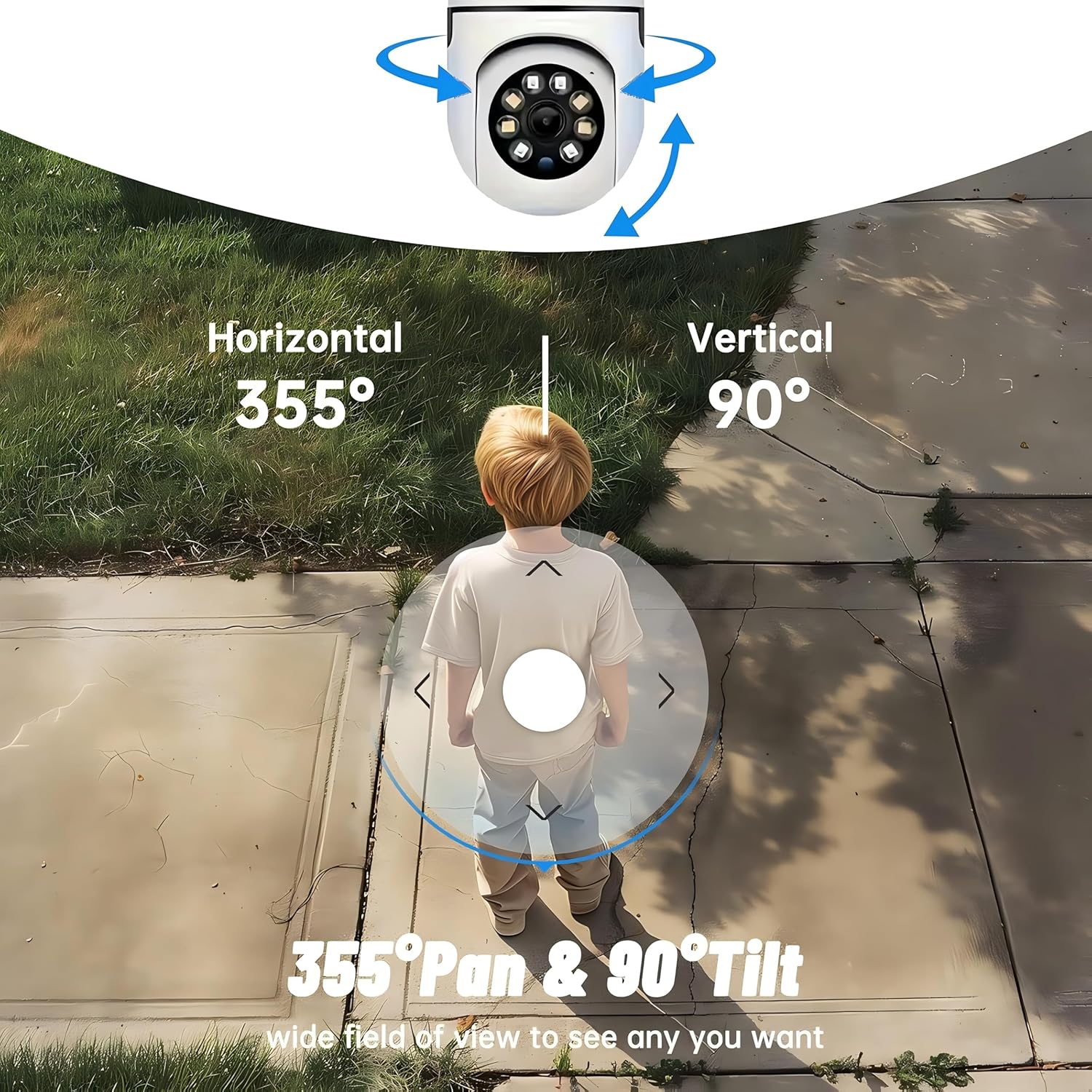
Figure 4.1 : Examples of multi-scene applications, including wall and ceiling mounting, and placement in living rooms, bedrooms, and studies.
5. Utilisation de votre appareil photo
5.1 Commande panoramique et d'inclinaison
The YI Smart Security Camera offers extensive pan and tilt capabilities, allowing you to monitor a wide area.
- Rotation horizontale: 355°
- Rotation verticale : 90°
In the YI IOT App, use the directional controls on the live view screen to remotely adjust the camera's viewangle de vue.

Figure 5.1: Illustration of the camera's 355° horizontal pan and 90° vertical tilt capabilities, providing a wide field of view.
5.2 Motion Detection & Smart Auto Tracking
The camera can detect movement and automatically track objects, sending alerts to your smartphone.
- Détection de mouvement : When motion is detected, the camera will send an instant push notification with a 6-second video clip to your phone via the YI IOT App.
- Smart Auto Tracking: If enabled, the camera will automatically follow moving objects for up to 10 seconds after detection, ensuring continuous monitoring of the activity.
Adjust sensitivity settings and notification preferences within the app.

Figure 5.2: Real-time alarm notification on the YI IOT app, showing an intruder detected by the camera.
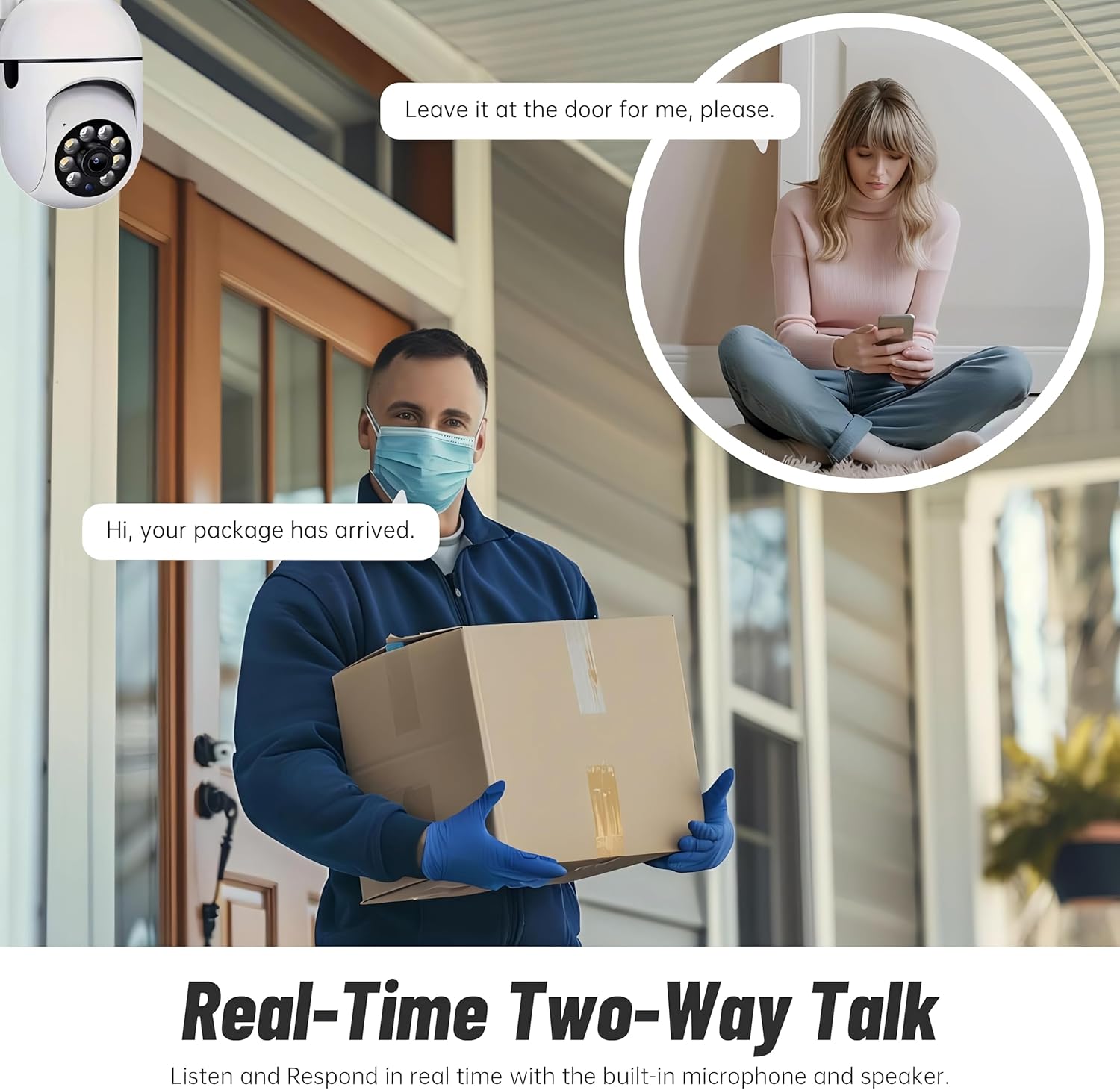
Figure 5.3: The camera's motion tracking feature focusing on a moving pet.

Figure 5.4: Visual representation of a motion detection alert, showing the camera capturing movement and sending notifications.
Vision nocturne améliorée 5.3
The camera is equipped with ultra-long-distance infrared LEDs and floodlight LEDs, offering multiple night vision modes for clear visibility in low-light conditions.
- Vision nocturne normale : Standard black and white infrared view.
- Vision nocturne intelligente : Automatically switches between infrared and full-color based on detected activity.
- Vision nocturne en couleur : Provides a color image even in low light, utilizing the built-in floodlight.
You can switch between these modes directly from the YI IOT App.

Figure 5.5: Comparison illustrating the difference between standard infrared night vision (monochrome) and 1080p full-color night vision.
5.4 Audio bidirectionnel
Communicate through the camera using its built-in microphone and high-power speaker.
- Mode interphone: Press and hold the microphone icon in the app to speak, and release to listen. Ideal for giving commands to pets or deterring unwanted visitors.
- Mode mains libres : Allows for a continuous two-way conversation, similar to a phone call.
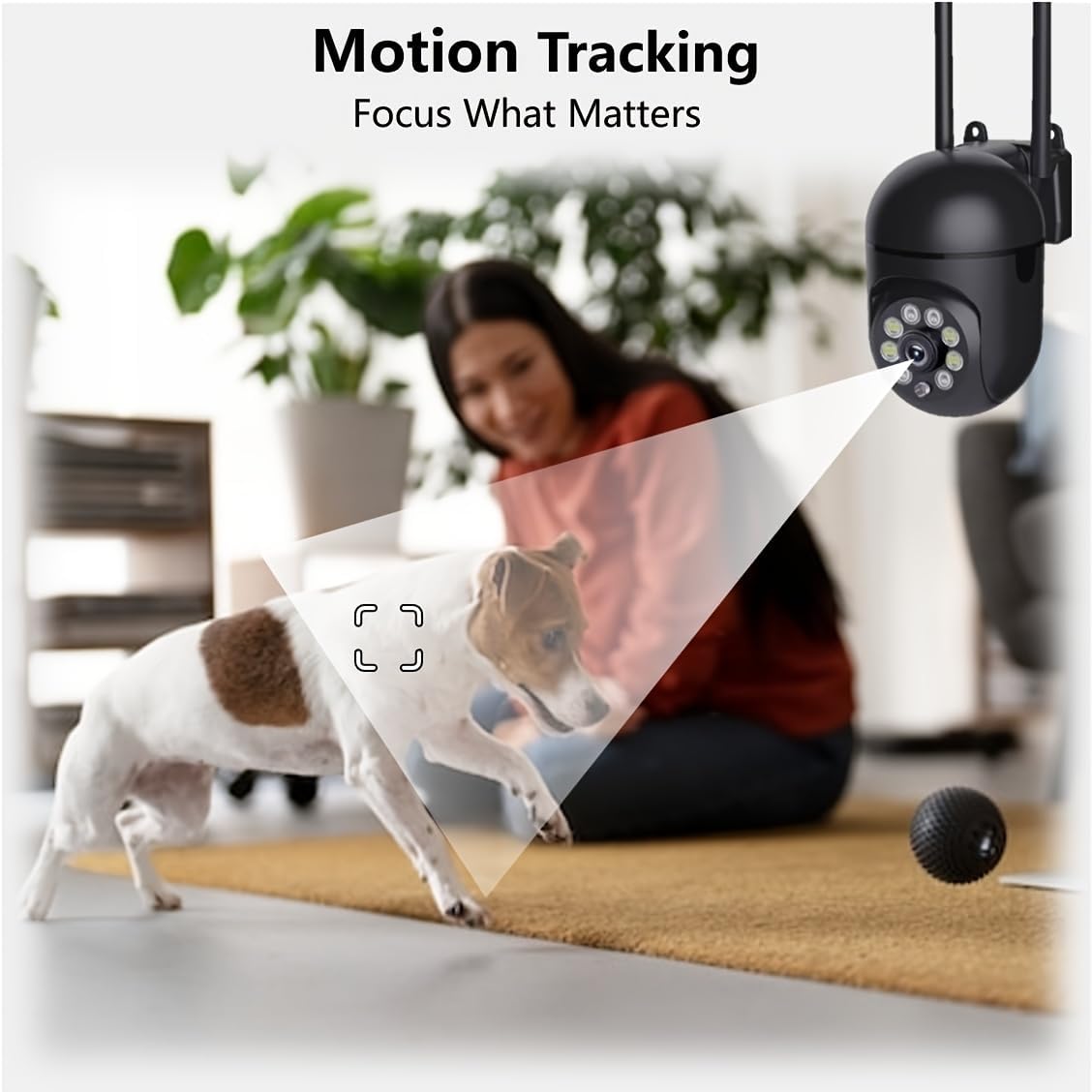
Figure 5.6: Demonstration of real-time two-way talk, allowing communication between the camera's location and the app user.
5.5 Cloud & Local Storage
Your camera offers flexible storage options for your video footage.
- YI Cloud Storage : Securely store 6-second video clips triggered by motion or sound detection. This ensures your footage is safe from loss, theft, or damage to local storage. Available for both iOS and Android.
- Stockage local : The camera supports microSD cards up to 128GB (not included) for continuous recording or event-triggered recordings.
6. Entretien
Pour garantir des performances optimales et une longue durée de vie à votre appareil photo, suivez ces consignes d'entretien :
- Nettoyage: Essuyez délicatement l'objectif et le boîtier de l'appareil photo avec un chiffon doux et sec. Évitez d'utiliser des produits chimiques agressifs ou des matériaux abrasifs.
- Mises à jour du micrologiciel : Regularly check for and install firmware updates via the YI IOT App. Updates often include performance improvements, new features, and security enhancements.
- Cycle d'alimentation : If the camera becomes unresponsive, unplug it from the power source for 10 seconds, then plug it back in to restart it.
7. Dépannage
Si vous rencontrez des problèmes avec votre appareil photo, consultez les problèmes courants et leurs solutions ci-dessous :
| Problème | Cause possible | Solution |
|---|---|---|
| Caméra hors ligne | Pas d'alimentation ; Wi-Fi déconnecté ; problème de routeur | Vérifiez la connexion électrique ; redémarrez la caméra et le routeur ; reconnectez la caméra au Wi-Fi via l’application. |
| Mauvaise qualité d'image | Dirty lens; Insufficient lighting; Network bandwidth | Clean the lens; Ensure adequate lighting or enable night vision; Check Wi-Fi signal strength. |
| La détection de mouvement ne fonctionne pas | Feature disabled; Incorrect sensitivity; Obstruction | Activer la détection de mouvement dans l'application ; Ajuster la sensibilité ; S'assurer que la vue est dégagée view. |
| Problèmes audio bidirectionnels | Microphone/speaker muted; App permissions; Network delay | Check app settings; Grant microphone permissions; Ensure stable network connection. |
| Carte MicroSD non reconnue | Card not inserted correctly; Incompatible card; Corrupted card | Reinsert card; Use a compatible card (Class 10 or higher); Format card in app or replace. |
If the problem persists, please contact YI customer support.
8. Spécifications
Detailed technical specifications for the YI Smart Security Camera.
| Fonctionnalité | Spécification |
|---|---|
| Nom du modèle | CB201-1X-W |
| Utilisation intérieure/extérieure | Intérieur |
| Résolution de capture vidéo | 1080p Full HD |
| Technologie de connectivité | Sans fil (Wi-Fi 2.4 GHz) |
| Plage de panoramique/inclinaison | Horizontale 355°, verticale 90° |
| Gamme de vision nocturne | 10 mètres |
| Audio bidirectionnel | Oui |
| Options de stockage | Cloud Storage, MicroSD Card (up to 128GB) |
| Source d'énergie | Électrique avec fil |
| Appareils compatibles | Smartphone (iOS/Android) |
| Dimensions du produit (L x l x H) | 4 x 3.35 x 7.09 pouces |
| Composants inclus | Security Camera x1, USB Cable x1 |
9. Garantie et assistance
For warranty information and technical support, please refer to the official YI website or contact their customer service directly. Details can typically be found on the product packaging or within the YI IOT App's 'About' or 'Support' section.
Support en ligne: Visit the official YI webSite regroupant les FAQ, les guides de dépannage et les options de contact.
Soutien de l'application: Access support resources directly within the YI IOT App.