
1. Produit terminéview
The OWON HDS241 is a versatile 3-in-1 handheld device integrating a single-channel oscilloscope, a 24000-count digital multimeter, and a 100kHz signal generator. Designed for both outdoor and indoor use, it offers a compact form factor with powerful measurement capabilities for various electrical and electronic applications.

Image 1.1: The OWON HDS241 device, highlighting its oscilloscope, multimeter, and signal generator functions.
2. Consignes de sécurité
Before using the OWON HDS241, please read and understand all safety instructions to prevent electric shock, injury, or damage to the device. Keep this manual for future reference.
- Sécurité générale: Utilisez toujours l'appareil dans les limites de son volume spécifié.tage and current limits. Do not operate the device in wet or damp conditions.
- Sécurité de la sonde : Ensure probes are correctly connected and rated for the measurement being performed. Avoid touching exposed wiring or components when the device is powered on.
- Sécurité des batteries : Use only the specified battery type. Do not disassemble, crush, or expose the battery to extreme temperatures.
- Entretien: Confiez toute réparation à un personnel qualifié. N'essayez pas de réparer l'appareil vous-même.
3. Principales caractéristiques
- Multimètre numérique : 4 1/2 digit True RMS digital multimeter for measuring AC/DC voltage/current, resistance, diode, capacitance, and continuity. Maximum input voltage is AC 750V, DC 1000V.
- Signal Waveform Generator: 1-channel 100 kHz generator supporting sine, square, ramp, and pulse wave outputs. Maximum output amplitude is 2.5 Vpp.
- Oscilloscope: Waveform refresh rate up to 10,000 wfms/s, 40MHz bandwidth, and real-time sampling rate up to 250MSa/s. Features auto-setup, multiple measurement functions, 8K record length, cursor measurement, and slow scan mode for long-term signal monitoring.
- Conception compacte : Portable form factor with a 3.5-inch high-definition color LCD screen, suitable for various environments.
- Longue durée de vie de la batterie : Low-power design with a 2000 mAh high-capacity lithium battery and standard Type-C port for charging and power bank compatibility.
4. Contenu du colis
The standard package for the OWON HDS241 includes:
- OWON HDS241 Handheld Oscilloscope Unit
- Cordons de test pour multimètre
- Sonde d'oscilloscope
- Câble USB Type-C
- Manuel de l'utilisateur (ce document)
Note: Additional accessories such as a BNC-to-alligator clip cable or carrying case may need to be purchased separately.
5. Agencement et commandes de l'appareil
Familiarize yourself with the physical components and controls of the HDS241.

Image 5.1 : Face et côté view of the OWON HDS241 with key controls and ports labeled. Labels include: signal input connector, display area, multifunction keys, channel key, mode switching key, system settings, save settings, power button, relative value/activation menu key, multimeter input port, horizontal time base setting/signal adjustment, return key, range switch/measurement menu key, arrow keys, auto range/auto setting key, hold value/Stop/Run key, probe compensation output (2.5V/1kHz square wave or signal generator output), USB charging/communication interface, approximate weight (0.6 kg host, excluding battery), gross weight (1.2 kg).
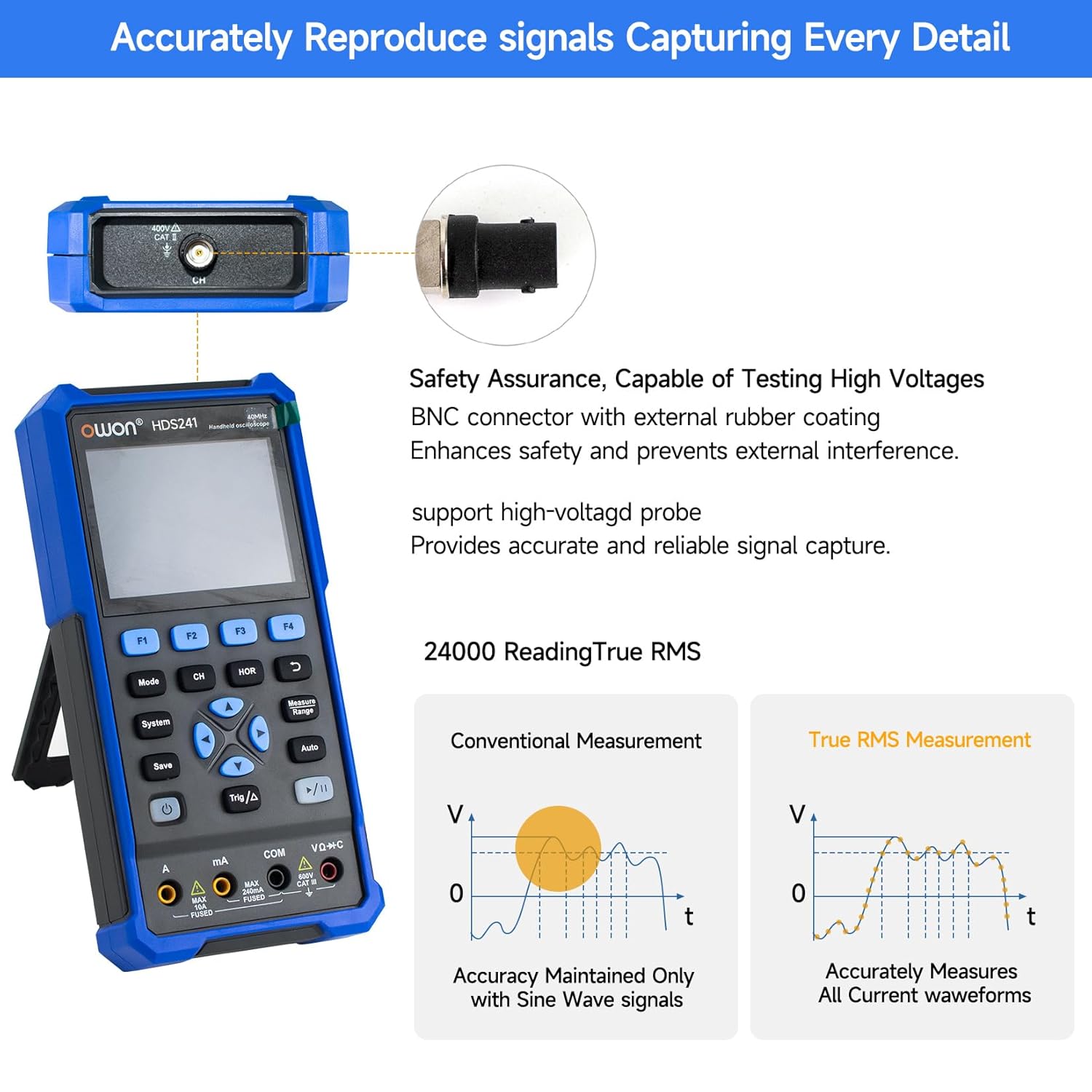
Image 5.2: Detail of the BNC connector, designed for safety and signal integrity, with external rubber coating.
6. Configuration initiale
6.1 Chargement de l'appareil
The HDS241 is equipped with a built-in 2000 mAh lithium battery. Before first use, fully charge the device using the provided USB Type-C cable and a compatible power adapter (not included) or a computer USB port.
- Connect the USB Type-C cable to the device's Type-C port.
- Connectez l'autre extrémité du câble à une source d'alimentation USB.
- L'indicateur de charge affichera l'état de charge.

Image 6.1: The USB Type-C charging port and internal battery compartment, emphasizing long-lasting performance.
6.2 Mise sous/hors tension
Appuyez et maintenez enfoncé le Pouvoir bouton pour allumer ou éteindre l’appareil.
7. Modes de fonctionnement
The HDS241 features three primary operating modes: Oscilloscope, Multimeter, and Signal Generator. Press the Mode bouton permettant de basculer entre ces fonctions.
7.1 Mode oscilloscope
In Oscilloscope mode, the device displays real-time waveforms, allowing for detailed analysis of electrical signals. Connect the oscilloscope probe to the BNC connector on the top of the device.
- Configuration automatique : Appuyez sur le Auto bouton pour la mise à l'échelle et le positionnement automatiques de la forme d'onde.
- Mesures: Utilisez le Mesure menu (accessed via F1) to select automatic measurements like Frequency, Period, Amplitude, Max, Min, Peak-to-Peak, and RMS.
- Mesures du curseur : Activate cursor measurements (accessed via F2) to manually measure voltage (ΔV) and time (ΔT) differences between points on the waveform.
- Paramètres de déclenchement : Adjust trigger type, level, and mode using the Trig/Δ bouton.
- Horizontal/Vertical Controls: Use the navigation arrows to adjust time base (horizontal) and voltage scale (vertical).

Image 7.1.1 : Examples of oscilloscope display features including dual sampling mode, high refresh rate, 8 types of auto-measurements, and cursor measurements.

Image 7.1.2 : Examples of actual measured waveforms, demonstrating the oscilloscope's signal capture capabilities for different signal types.
7.2 Mode multimètre
In Multimeter mode, the HDS241 functions as a digital multimeter. Connect the test leads to the appropriate input ports (VΩ+C, COM, A, mA) at the bottom of the device.
- Sélection de fonction: Utilisez le Mode button to cycle through measurement types (Voltage, Courant, Résistance, Capacité, Diode, Continuité).
- Sélection automatique : The device supports auto-ranging for convenient measurement.
- Maintien de données: Utilisez le Sauvegarder button or a dedicated hold function (if available) to freeze the current reading.
7.3 Mode générateur de signal
The Signal Generator mode allows the device to output various waveforms. Connect the output to the circuit under test using the appropriate cable (e.g., BNC to alligator clips, not included).
- Sélection de la forme d'onde : Use the F-keys to select sine, square, ramp, or pulse waveforms.
- Ajustement des paramètres : Adjust frequency and amplitude using the navigation arrows. The maximum output amplitude is 2.5 Vpp.
8. Gestion des données
The HDS241 supports data transfer to a computer via its USB Type-C port for further analysis and record-keeping.
- Connexion au PC : Utilisez le câble USB Type-C fourni pour connecter l'appareil à votre ordinateur.
- Logiciel: Refer to the OWON website for any necessary drivers or software to facilitate data transfer and analysis.
- La sauvegarde des données: Utilisez le Sauvegarder button to store waveform images, settings, or measurement data directly on the device.
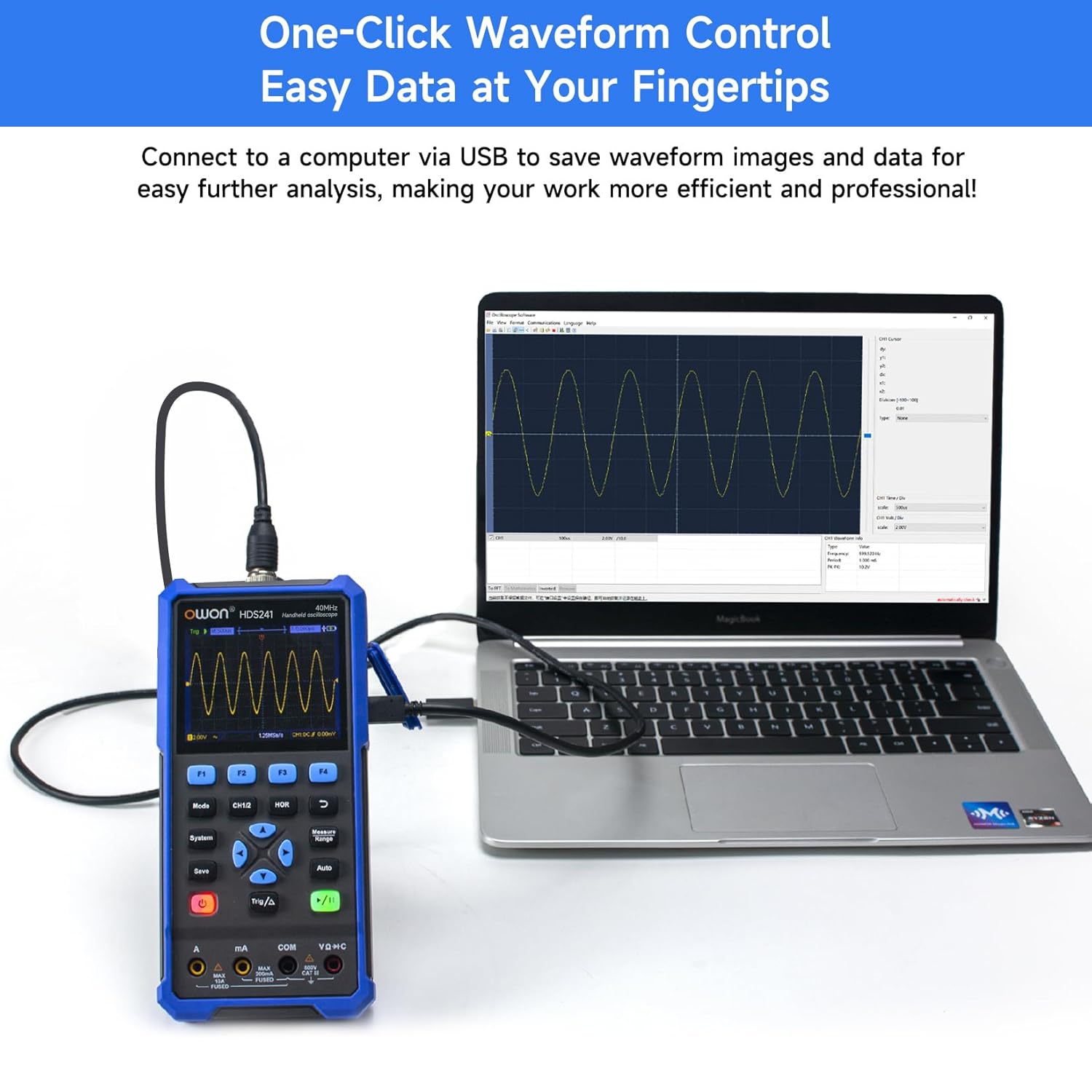
Image 8.1: The OWON HDS241 connected to a computer for data transfer and analysis, enabling easy waveform control.
9. Entretien
- Nettoyage: Nettoyez l'appareil avec un chiffon doux et sec. N'utilisez pas de nettoyants abrasifs ni de solvants.
- Stockage: Conservez l'appareil dans un endroit frais et sec, à l'abri de la lumière directe du soleil et des températures extrêmes.
- Entretien de la batterie: Pour un stockage à long terme, assurez-vous que la batterie est partiellement chargée (environ 50 %) et rechargez-la tous les quelques mois pour maintenir sa durée de vie.
- Étalonnage de la sonde : Periodically calibrate the oscilloscope probe using the dedicated probe compensation output to ensure accurate measurements.
10. Dépannage
| Problème | Cause possible | Solution |
|---|---|---|
| L'appareil ne s'allume pas. | Batterie faible ou déchargée. | Connect the device to a power source using the USB Type-C cable and allow it to charge. |
| Aucune forme d'onde n'est affichée en mode oscilloscope. | Probe not connected correctly; signal too small or too large; incorrect time base or voltage échelle. | Ensure probe is securely connected. Press Auto for automatic setup. Adjust vertical and horizontal scales manually. Check trigger settings. |
| Les mesures du multimètre sont inexactes. | Test leads not properly connected; incorrect measurement function selected; external interference. | Verify test lead connections. Ensure the correct measurement mode (voltage, current, resistance) is selected. Minimize external electrical noise. |
| Le signal de sortie du générateur n'est pas conforme aux attentes. | Incorrect waveform type, frequency, or amplitude set. | Vérifiez la forme d'onde, la fréquence et ampParamètres d'altitude dans le menu du générateur de signal. |
11. Spécifications techniques
Spécifications de l'oscilloscope :
| Paramètre | Valeur |
|---|---|
| Bande passante | 40 MHz |
| Canal | 1 |
| SampTaux de ling | 250 MSa / s |
| Mode d'acquisition | Sample, Détection de pic |
| Durée de l'enregistrement | Max. 8K |
| Afficher | Écran LCD 3.5 pouces |
| Fréquence de rafraîchissement de la forme d'onde | 10,000 XNUMX wfms/s |
| Couplage d'entrée | CC, CA, Terre |
| Impédance d'entrée | 1 MΩ ± 2 %, en parallèle avec 16 pF ± 10 pF |
| Atténuation de la sonde | 1X, 10X, 100X, 1000X |
| Vol d'entrée max.tage | 400V (DC + AC, PK-PK) |
| Résolution de sensibilité | 10 mV/div-10 V/div |
| Résolution verticale | 8 bits |
| Échelle horizontale | 5ns/div-1000s/div, step 1-2-5 |
| Type de déclencheur | Bord |
| Mode de déclenchement | Auto, Normal, Simple |
| Mesure automatique | Période, Fréquence, Moyenne, PK-PK, Max, Min, Amplitude, RMS |
| Mesure du curseur | ΔV, ΔT |

Image 11.1: Detailed oscilloscope specifications.
Digital Multimeter Specifications:
| Paramètre | Valeur |
|---|---|
| Nombre d'affichage | 4½ digits (max 24000 counts) |
| Modes d'essai | Voltage, Courant, Résistance, Capacité, Diode, Continuité |
| Vol d'entrée max.tage | 750 V CA, 1000 V CC |
| Courant d'entrée maximal | CA 10A, CC 10A |
| Gamme automatique | Oui |
| Valeur efficace vraie | Oui |

Image 11.2: Detailed digital multimeter specifications.
Signal Waveform Generator Specifications:
| Paramètre | Valeur |
|---|---|
| Formes d'onde | Sinus, Carré, Ramp, Pouls |
| Fréquence de sortie | 10 Hz-100 kHz |
| Amplatitude | 2Vpp-2.5Vpp |

Image 11.3: Detailed signal waveform generator specifications.
Spécifications générales :
- Dimensions: 9.6 x 3.8 x 19.8 cm
- Poids de l'article : 1.2 kilogrammes
- Source d'alimentation : Alimenté par batterie (batterie au lithium de 2000 mAh)
- Couleur: Bleu
- Certifications: CE, True RMS
12. Garantie et assistance
Les produits OWON sont conçus pour offrir fiabilité et performance. Pour toute information concernant la garantie, l'assistance technique ou le service après-vente, veuillez consulter le site officiel d'OWON. webconsultez votre site web ou contactez votre distributeur local.
- Période de garantie : Standard manufacturer's warranty applies. Please check your purchase documentation for specific terms and duration.
- Support technique : Visit the OWON official website for FAQs, software downloads, and contact information for technical assistance.
- Retours : Refer to the retailer's return policy for details on product returns and exchanges.