Introduction
This comprehensive user manual is designed to help you unlock the full potential of your Google Pixel 9, Pixel 9 Pro, or Pixel 9 Pro XL smartphone. Whether you are new to the Pixel ecosystem or upgrading to the latest series, this guide provides detailed, step-by-step instructions and comprehensive illustrations to navigate Android 14 and master your device's advanced features.
The manual covers everything from initial setup to advanced camera functions, battery optimization, security settings, powerful AI tools, gaming enhancements, and smart home integration. It is written in clear, user-friendly language, making complex functions easy to understand for all users, from beginners to seniors.
Manuel terminéview

Front cover of the user manual, featuring the Google Pixel 9, 9 Pro, and 9 Pro XL smartphones.
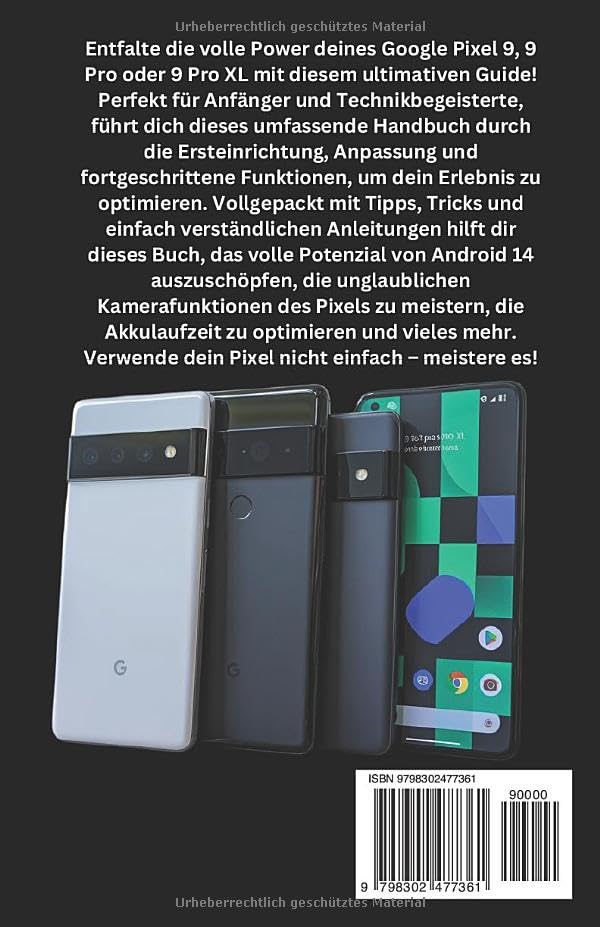
Back cover of the user manual, showing the ISBN-13: 979-8302477361.
1. Installation et configuration initiales
This section guides you through the essential steps to set up your new Google Pixel 9 series device. From powering on for the first time to connecting to Wi-Fi and transferring data, these instructions ensure a smooth start.
1.1 First-Time Power On
- Chargez votre appareil : Before starting, ensure your Pixel device has sufficient charge. Connect the provided USB-C cable to the charging port and a compatible power adapter.
- Mise sous tension : Press and hold the power button (typically on the right side of the device) until the Google logo appears.
- Choisir la langue: Suivez les instructions à l'écran pour sélectionner votre langue préférée.
1.2 Connexion au Wi-Fi
A stable internet connection is crucial for setup and updates.
- From the setup screen, tap on "Commencer" or "Let's go".
- Select your Wi-Fi network from the list. If prompted, enter the network password.
- Robinet "Connecter".
1.3 Configuration du compte Google
Your Google account is essential for accessing apps, services, and backups.
- Sign in with an existing Google account or create a new one.
- Review and accept the Google Terms of Service and Privacy Policy.
2. Operating Your Google Pixel 9 Series
This section details the core functionalities and advanced features of your Pixel device, helping you navigate Android 14 and utilize its capabilities effectively.
2.1 Navigation sous Android 14
- Écran d'accueil : Personnalisez votre écran d'accueil avec des widgets et des raccourcis d'applications.
- Notifications: Faites glisser votre doigt du haut vers le bas pour accéder aux notifications et aux paramètres rapides.
- Tiroir d'applications : Faites glisser votre doigt du bas vers le haut de l'écran d'accueil pour view toutes les applications installées.
2.2 Fonctions de la caméra
The Pixel 9 series boasts advanced camera capabilities. Explore modes like:
- Super Res Zoom: Enhance digital zoom for clearer distant shots.
- Mode nuit : Capture vibrant photos in low-light conditions.
- Mode portrait : Créez des photos de qualité professionnelle avec des arrière-plans flous.
2.3 Google Assistant & Gemini AI
Utilize voice commands and intelligent AI features:
- Activate Google Assistant by saying "Hey Google" or long-pressing the power button.
- Leverage Gemini AI for smart routines, content summaries, and more.
2.4 Sécurité et confidentialité
Protect your data with built-in security features:
- Reconnaissance de visage: Set up facial unlock for quick and secure access.
- Détecteur d'empreintes digitales: Enregistrez vos empreintes digitales pour l'authentification biométrique.
- Tableau de bord de confidentialité : Monitor app permissions and data access.
- Family Link & Parental Controls: Manage screen time and content for family members.
2.5 Expérience de jeu
Optimize your gaming with Game Mode:
- Access Game Mode settings to enhance performance and minimize distractions during gameplay.
2.6 Intégration à la maison intelligente
Connect your Pixel to your smart home ecosystem:
- Control Google Nest devices and other compatible smart home products directly from your Pixel.
3. Maintenance et optimisation de la batterie
Proper maintenance ensures the longevity and optimal performance of your Google Pixel device. This section focuses on maximizing battery life.
3.1 Battery Saving Techniques
- Batterie adaptative : Enable Adaptive Battery in settings to learn your usage patterns and optimize app power consumption.
- Thème sombre : Use Dark Theme to reduce power consumption on OLED screens.
- Luminosité de l'écran : Adjust screen brightness to a comfortable level or enable Adaptive Brightness.
- Actualiser l'App en arrière plan: Limit background activity for apps that consume significant power.
- Services de localisation : Turn off location services when not in use or set them to "While using the app" for specific applications.
4. Dépannage des problèmes courants
This section provides general guidance for resolving common issues you might encounter with your Google Pixel 9 series device. For more detailed troubleshooting, refer to the comprehensive manual or Google's official support resources.
4.1 Appareil ne répond pas
- Forcer le redémarrage : Press and hold the power button for about 30 seconds until the device restarts.
4.2 Problèmes de connectivité (Wi-Fi/Bluetooth)
- Activer/désactiver : Try turning Wi-Fi or Bluetooth off and then on again from Quick Settings.
- Oubliez le réseau : For Wi-Fi issues, forget the network and reconnect.
- Redémarrez le routeur : If other devices are affected, restart your Wi-Fi router.
4.3 Plantage ou blocage de l'application
- Forcer l'arrêt de l'application : Go to Settings > Apps > See all apps, select the problematic app, and tap "Force stop".
- Vider le cache : In the app's settings, go to Storage & cache and tap "Clear cache".
- Mettre à jour l'application : Assurez-vous que l'application est mise à jour avec la dernière version disponible sur le Google Play Store.
5. Spécifications du produit
The following table outlines key specifications for the Google Pixel 9, 9 Pro & 9 Pro XL User Manual (Paperback edition).
| Fonctionnalité | Détail |
|---|---|
| ASIN | B0DPLCFBMJ |
| Éditeur | Publication indépendante |
| Date de publication | 4 décembre 2024 |
| Langue | Allemand |
| Imprimer Longueur | 335 pages |
| ISBN-13 | 979-8302477361 |
| Poids de l'article | 13.8 onces |
| Dimensions | 5.5 x 0.76 x 8.5 pouces |
6. Garantie et assistance
This user manual provides comprehensive instructions for operating your Google Pixel 9 series device. Please note that this manual itself does not include warranty information for the Google Pixel smartphones. For details regarding the warranty of your Google Pixel device, please refer to the official documentation provided with your smartphone or visit the official Google support website.
For further assistance or technical support related to your Google Pixel 9, 9 Pro, or 9 Pro XL, please visit the official Google Support page or contact Google customer service directly.
Disclaimer: This manual is a guide for the Google Pixel 9 series and is not an official Google publication. All product names, logos, and brands are property of their respective owners.


