1. Introduction
Merci pour votre achatasing the Sharp KI-TX75-W Humidifying Air Purifier. This appliance is designed to improve your indoor air quality through advanced air purification and humidification technologies. It features Plasmacluster NEXT for high-density ion emission, AI AUTO mode for intelligent operation, Coanda flow for efficient dust collection, an AI monitor for real-time air quality feedback, and COCORO AIR for smart control via a smartphone app.
This manual provides essential information for the safe and efficient use, maintenance, and troubleshooting of your air purifier. Please read it thoroughly before use and keep it for future reference.
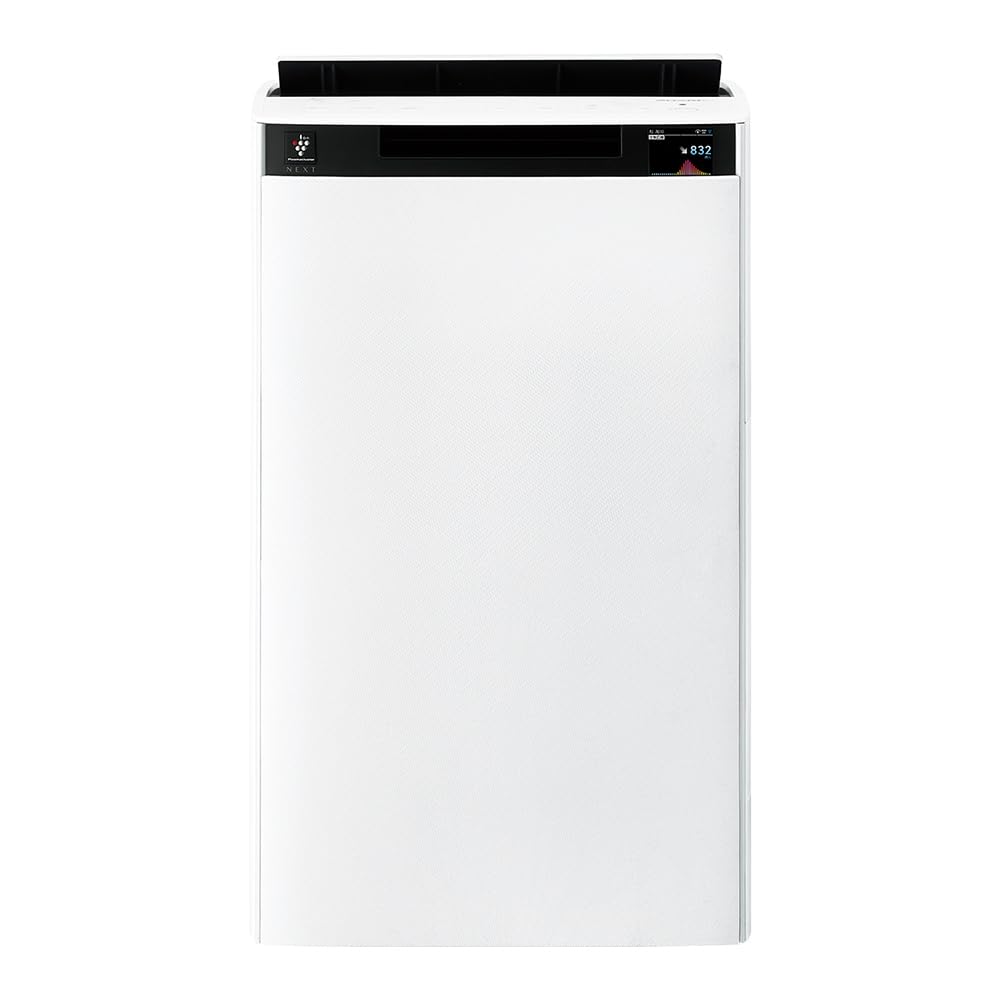
Devant view of the Sharp KI-TX75-W Humidifying Air Purifier.
2. Consignes de sécurité
Pour garantir un fonctionnement sûr et éviter tout dommage, veuillez respecter les consignes de sécurité suivantes :
- Always use the appliance with the correct voltage tel que spécifié sur l'étiquette de classification.
- Ne pas obstruer les entrées et sorties d'air.
- Keep the appliance away from water and moisture. Do not operate with wet hands.
- Débranchez le cordon d'alimentation avant de nettoyer ou d'effectuer toute opération de maintenance.
- Ne laissez pas les enfants utiliser l'appareil sans surveillance.
- Si le cordon d'alimentation est endommagé, il doit être remplacé par le fabricant, son agent de service ou des personnes de qualification similaire pour éviter tout danger.
- N'insérez pas d'objets étrangers dans les ouvertures.
- Placez l'appareil sur une surface stable et plane.
3. Installation
3.1 Déballage et placement
- Retirez délicatement le purificateur d'air de son emballage.
- Choose a location with adequate space around the unit for optimal airflow. Avoid placing it directly against walls or furniture.
- Ensure the unit is placed on a flat, stable surface. The built-in casters with stoppers allow for easy movement and secure positioning.

The unit features casters with stoppers for convenient movement and secure placement.
3.2 Installation du filtre
The unit comes with pre-installed filters. Verify they are correctly seated before first use.
- Open the back panel of the air purifier.
- Ensure the HEPA filter, deodorizing filter, and pre-filter are securely in place.
- Fermez le panneau arrière.

The air purifier utilizes a three-layer filter system: pre-filter, deodorizing filter, and HEPA filter.
3.3 Remplissage du réservoir d'eau
For humidification, fill the water tank with clean tap water.
- Retirez le réservoir d'eau situé sur le côté de l'appareil.
- Open the water tank cap and fill it with fresh tap water.
- Refermez bien le bouchon et réinsérez le réservoir d'eau dans l'appareil.

Remove the water tank from the side of the unit to fill it with water.
3.4 Mise sous tension initiale et connexion au réseau
- Branchez le cordon d’alimentation sur une prise murale.
- Appuyez sur le bouton d'alimentation du panneau de commande.
- To utilize smart features, download the COCORO AIR app on your smartphone and follow the in-app instructions to connect the air purifier to your wireless LAN network.
4. Mode d'emploi
4.1 Panneau de configuration terminéview

The control panel allows selection of various modes and settings.
Modes de fonctionnement 4.2
- AI AUTO Mode: This intelligent mode automatically adjusts operation based on detected air quality, aiming for a cleanroom Class 8 level environment. It optimizes airflow to effectively collect pollen, dust, and fine particles.
- Mode de purification de l'air : Operates solely as an air purifier, removing airborne particles and odors.
- Mode d'humidification : Adds moisture to the air while purifying. The unit can deliver up to 900 mL/h of humidification.
- Plasmacluster NEXT: This technology generates high-density Plasmacluster ions (50,000 ions/cm³) to suppress airborne and adhering viruses, allergens, and odors.

AI AUTO mode significantly reduces airborne particles to maintain a clean environment.
4.3 AI Monitor
The AI Monitor visualizes the number of particles in the room and provides feedback on air quality. It displays real-time particle counts and indicates when the air is clean or needs purification.

The AI Monitor provides a visual representation of airborne particle levels.
The AI Monitor also provides notifications for humidification status, maintenance timing, and estimated electricity costs.

Notifications include humidification status, maintenance alerts, and electricity usage.
4.4 COCORO AIR App
Connect your air purifier to the COCORO AIR app via Wi-Fi for enhanced control and monitoring. The app allows you to:
- Monitor air quality and operating status remotely.
- Customize operation schedules and settings.
- Receive notifications for filter replacement and maintenance.
- Access special operating modes, such as pet-specific modes.

The COCORO AIR app provides remote control and monitoring capabilities.
5. Entretien
Un entretien régulier garantit des performances optimales et prolonge la durée de vie de votre purificateur d'air.
5.1 Nettoyage et remplacement du filtre
- Préfiltre: Clean regularly (e.g., once a month) by vacuuming or washing with water.
- HEPA Filter & Deodorizing Filter: These filters are not washable. Replace them according to the recommended schedule (typically every 1-2 years, depending on usage and environment). The COCORO AIR app will notify you when replacement is due.
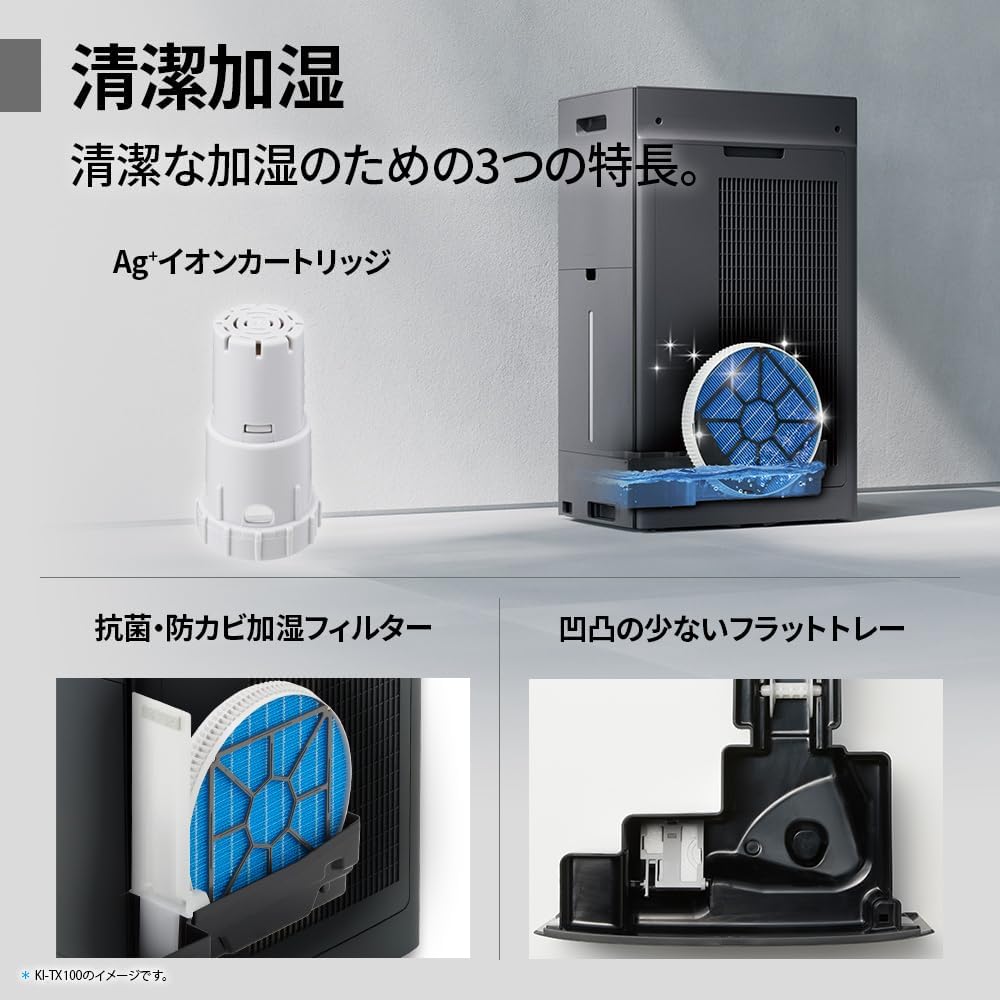
Regularly clean the pre-filter to maintain air purification efficiency.
5.2 Humidifying Filter Maintenance
The humidifying filter can be automatically cleaned using the unit's internal cleaning function. This helps prevent scale buildup.
- Remove the water tank and humidifying filter assembly.
- Add a small spoon of citric acid (commercially available) to the water tank and fill with water.
- Press the internal humidification cleaning button on the unit.
- After the cleaning cycle, rinse the tank and filter thoroughly.

The humidifying filter can be automatically cleaned using citric acid and water.
5.3 Ag+ Ion Cartridge Replacement
The Ag+ ion cartridge helps keep the water in the tank clean. Replace it approximately once a year.

Replace the Ag+ ion cartridge annually for optimal water tank hygiene.
6. Dépannage
Si vous rencontrez des problèmes avec votre purificateur d'air, consultez les problèmes et solutions courants suivants :
| Problème | Cause possible | Solution |
|---|---|---|
| L'unité ne s'allume pas. | Le cordon d'alimentation est mal branché. Aucune alimentation ne sort de la prise. | Vérifiez le branchement du cordon d'alimentation. Testez la prise avec un autre appareil. |
| Débit d'air insuffisant ou purification médiocre. | Filters are dirty or clogged. Air intake/outlet blocked. | Clean or replace filters. Ensure vents are clear. |
| No humidification or low humidity output. | Water tank is empty. Humidifying filter is dirty. | Refill water tank. Clean the humidifying filter. |
| Bruit inhabituel pendant le fonctionnement. | Unit not on a level surface. Foreign object in fan. | Ensure unit is stable. Check for obstructions (unplug first). |
| AI Monitor shows high particle count despite operation. | Filters need cleaning/replacement. Room size exceeds recommended area. | Perform filter maintenance. Consider unit placement or additional units for larger spaces. |
Si le problème persiste après avoir essayé ces solutions, veuillez contacter le support client.
7. Spécifications
| Fonctionnalité | Spécification |
|---|---|
| Numéro de modèle | KI-TX75-W |
| Marque | Pointu |
| Dimensions (L x P x H) | 39.5 cm x 26.5 cm x 65 cm |
| Poids | 12 kg |
| Source d'énergie | Électrique avec fil |
| Niveau de bruit | 20-52 dB |
| Recommended Room Size (Plasmacluster) | Up to 18 tatami (~29.7 m²) |
| Recommended Room Size (Air Purification) | Up to 34 tatami (~56.1 m²) |
| Capacité d'humidification maximale | 900 mL / heure |
| Air Purification Time (8 tatami) | 9 minutes |
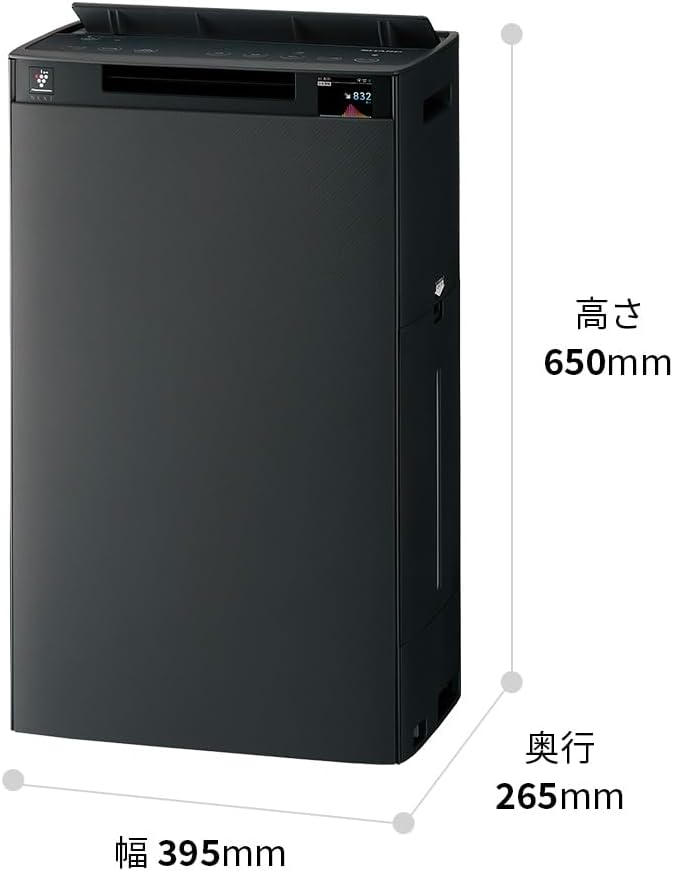
Detailed dimensions of the Sharp KI-TX75-W.
8. Garantie et assistance
8.1 Garantie du fabricant
This Sharp KI-TX75-W Humidifying Air Purifier comes with a Garantie constructeur d'un an À compter de la date d'achat. Cette garantie couvre les défauts de matériaux et de fabrication dans des conditions normales d'utilisation. Veuillez conserver votre preuve d'achat pour toute réclamation au titre de la garantie.
La garantie ne couvre pas les dommages causés par une mauvaise utilisation, un accident, une modification non autorisée ou le non-respect des instructions de ce manuel.
8.2 Assistance clientèle
For technical assistance, warranty service, or inquiries about replacement parts, please contact Sharp customer support.
You can find additional support resources and FAQs on the official Sharp website:


