1. Introduction
The LYNCAST HY300 Pro+ is a portable mini projector designed for versatile entertainment. Featuring Android 14 OS, built-in streaming applications, WiFi 6, and Bluetooth 5.4, it offers a comprehensive viewCe manuel fournit les informations essentielles pour l'installation, l'utilisation, la maintenance et le dépannage de votre projecteur.

The compact design of the HY300 Pro+ allows for easy portability.
2. Guide de configuration
2.1 Contenu du paquet
Avant de commencer, assurez-vous que tous les éléments sont présents dans l'emballage :
- LYNCAST HY300 Pro+ Mini Projector
- Télécommande
- Adaptateur secteur
- Câble HDMI
- Manuel d'utilisation
2.2 Connexion d'alimentation
Connect the power adapter to the projector's DC input port and then plug it into a power outlet. The projector will power on automatically or can be turned on using the power button on the device or remote control.

The projector features HDMI, USB, and DC input ports for various connections.
2.3 Placement et projection
The HY300 Pro+ offers flexible placement options due to its 180° rotatable design and ultra-short throw ratio. Place the projector on a tabletop, mount it on a tripod, or even project onto the ceiling.
- 180° Multi-Angle Projection: Adjust the projector's angle to project onto walls or ceilings.
- Focale ultra-courte : Achieve a large screen size (e.g., 100+ inches) from a short distance (under 2 meters).

The 180° rotatable design allows projection onto various surfaces, including the ceiling.

Multiple setup options: tripod, desk, or ceiling mounting.
2.4 Correction de la mise au point et de la distorsion trapézoïdale
The projector features automatic keystone correction and manual focus adjustment for a clear, rectangular image.
- Keystone automatique: The projector automatically adjusts the image shape to correct for angled projection.
- Mise au point manuelle : Use the focus ring on the projector to sharpen the image.

Auto keystone correction and manual focus ensure a clear, properly shaped image.
3. Mode d'emploi
3.1 Navigation dans le système d'exploitation Android 14
The projector runs on Android 14 TV OS, providing access to a wide range of applications. Use the included remote control to navigate the interface.
- Écran d'accueil : Access pre-installed apps like Netflix, Prime Video, YouTube, Tubi, and Disney+.
- App Store : Téléchargez des applications supplémentaires depuis la boutique d'applications intégrée.

Access a variety of built-in streaming applications directly from the projector.
3.2 Connectivité sans fil (WiFi 6 et Bluetooth 5.4)
Connect the projector to your home network via WiFi 6 for fast streaming and pair with Bluetooth devices for enhanced audio.
- Wi-Fi 6 : Provides faster and more stable wireless internet connection for 4K content streaming.
- Bluetooth 5.4: Connect to external Bluetooth speakers for richer sound or headphones for private listening.

Experience seamless wireless connectivity with WiFi 6 and Bluetooth 5.4.
3.3 écran miroir
Mirror content from your iOS, Android, or Windows devices to the projector.
- Android Miracast / Apple AirPlay: Wirelessly cast content from compatible smartphones and tablets.
- Apple Wired Connection / Transcreen: Alternative options for Apple devices (Transcreen may require a separate download).

Mirror your smartphone, tablet, or computer screen to the projector.
3.4 Connectivité des périphériques externes
Connect various devices using the HDMI and USB ports.
- HDMI: Connect laptops, gaming consoles (Switch/PS5), TV sticks, and other HDMI-enabled devices.
- USB: Play multimedia directly from USB drives or connect other USB accessories.
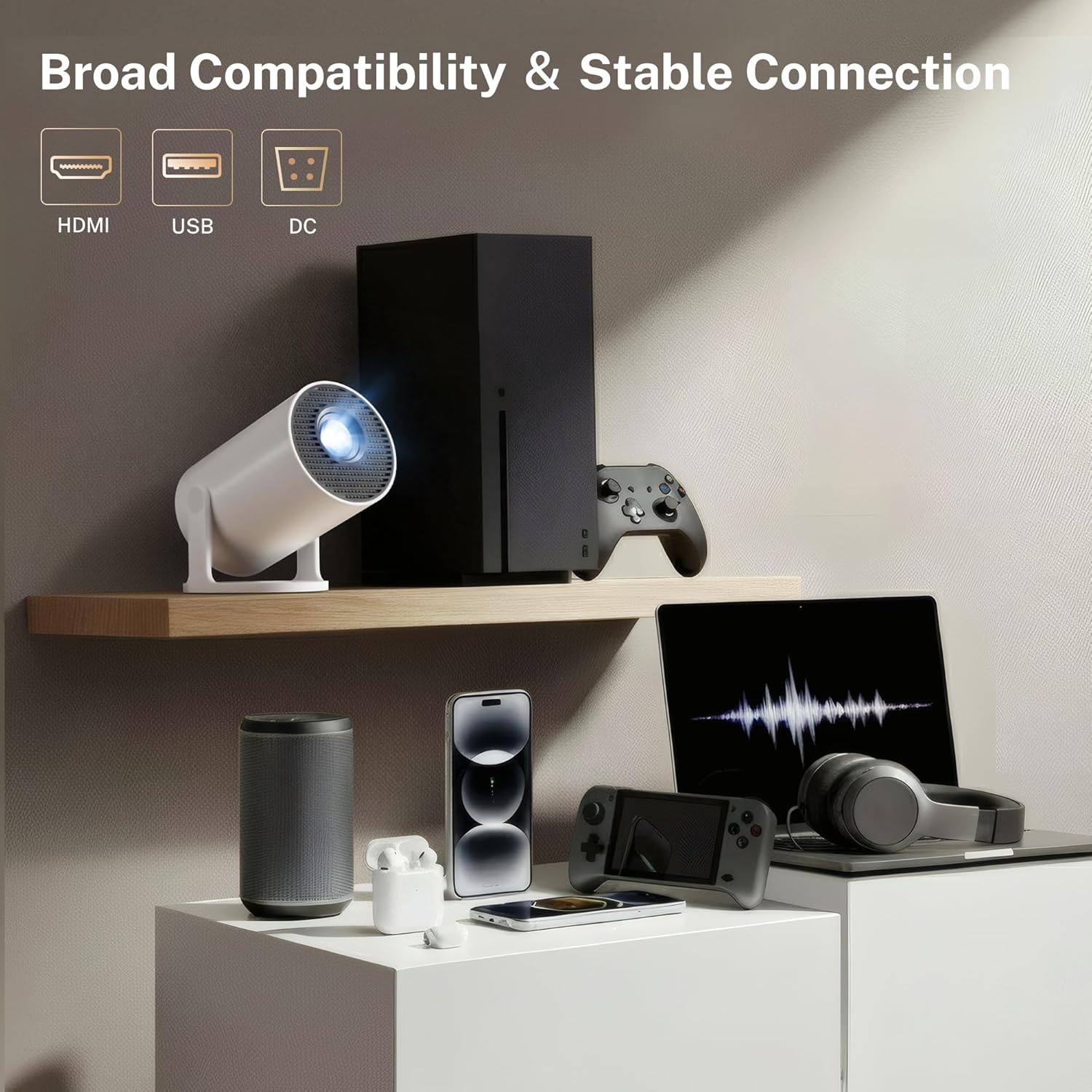
The projector offers broad compatibility with multiple devices via HDMI and USB.
4. Entretien
4.1 Nettoyage du projecteur
To ensure optimal performance and longevity, keep your projector clean.
- Lentille: Utilisez un chiffon doux non pelucheux, spécialement conçu pour les lentilles optiques, afin de nettoyer délicatement la lentille du projecteur. Évitez les matériaux abrasifs et les produits chimiques agressifs.
- Extérieur: Essuyez l'extérieur casinNettoyez-le avec un chiffon doux et sec. N’utilisez pas de nettoyants liquides directement sur le projecteur.
- Vents: Periodically check the ventilation openings for dust accumulation. Use a soft brush or compressed air to clear any obstructions. Ensure the projector is powered off and unplugged before cleaning.
4.2 Stockage
Lorsqu'il n'est pas utilisé pendant une période prolongée, rangez le projecteur dans un endroit frais et sec, à l'abri de la lumière directe du soleil et des températures extrêmes. Utilisez l'emballage d'origine ou un étui de protection pour le protéger de la poussière et des dommages.
5. Dépannage
If you encounter issues with your LYNCAST HY300 Pro+ Mini Projector, refer to the following common problems and solutions:
| Problème | Cause possible | Solution |
|---|---|---|
| Pas de courant | Câble d'alimentation débranché ; Défaut de la prise électrique | Vérifiez que le câble d'alimentation est bien branché ; essayez une autre prise de courant. |
| Aucune image | Input source incorrect; Lens cap on; Focus adjustment needed | Select correct input source (HDMI/USB); Remove lens cap; Adjust manual focus. |
| Image floue | Focus not adjusted; Keystone incorrect | Adjust manual focus; Allow auto keystone to correct or manually adjust. |
| Pas de son | Volume trop faible ; périphérique audio externe non connecté ; mode muet | Increase volume; Connect Bluetooth speaker/headphones; Unmute the projector. |
| Problèmes de connexion Wi-Fi | Mot de passe incorrect ; routeur trop éloigné ; interférences réseau | Vérifiez le mot de passe Wi-Fi ; rapprochez le projecteur du routeur ; redémarrez le routeur. |
| Échec de la duplication d'écran | Devices not on same network; Compatibility issues | Ensure both devices are on the same WiFi network; Check device compatibility with Miracast/AirPlay. |
6. Spécifications
Key technical specifications for the LYNCAST HY300 Pro+ Mini Projector:
- Marque: LYNCAST
- Nom du modèle : HY300 Pro+
- Numéro de modèle : X1BR
- Résolution d'affichage : Native 1280 x 720 (720P Full HD), Supports 4K input
- Luminosité: 300 ANSI Lumens (equivalent to 2000 Lumen marketing term)
- Rapport de contraste : 10000:1
- Système opérateur: Système d'exploitation TV Android 14
- Connectivité sans fil: Wi-Fi 6, Bluetooth 5.4
- Technologie de connectivité: Bluetooth, HDMI, USB, Wi-Fi
- Ports d'entrée: HDMI, USB, DC
- Durée de vie de la source lumineuse : 30000 heures
- Taille d'image maximale : 130 pouces
- Minimum Image Size: 50 pouces
- Rapport de projection : 0.8:1 (Ultra-Short Throw)
- Dimensions (L x l x H) : 3.1"L x 3.1"W x 6"H (Cylindrical)
- Poids de l'article : 466 gramme
- Caractéristiques spéciales : Auto Keystone, 180° Multi-Angle Projection, Built-In Apps, Built-In Speakers, Digital Zoom (50-100%)

The projector supports 4K input and offers a native 720P resolution with high brightness and contrast.

Advanced optical lens design contributes to improved performance.
7. Garantie et assistance
LYNCAST offers a satisfaction guarantee for the HY300 Pro+ Mini Projector.
- Politique de retour: Full refund available within 30 days for quality issues.
- Disponibilité des pièces détachées dans l'UE : 7 années
For further assistance or technical support, please refer to the contact information provided with your purchase or visit the official LYNCAST website.
8. Vidéos produits
8.1 Mini Projector with WiFi and Bluetooth Android TV OS
Cette vidéo donne un aperçuview of the projector's features, including its Android TV OS, WiFi, and Bluetooth capabilities.
8.2 Mini Projector with WiFi and Bluetooth Portable
This video demonstrates the portability and ease of use of the mini projector, highlighting its wireless connectivity.


