1. Introduction
This manual provides detailed instructions for the installation, operation, and maintenance of your Loocam 5MP PoE Security Camera System. This system is designed for reliable 24/7 surveillance with advanced features such as full-color night vision, AI human and vehicle detection, and two-way audio communication.
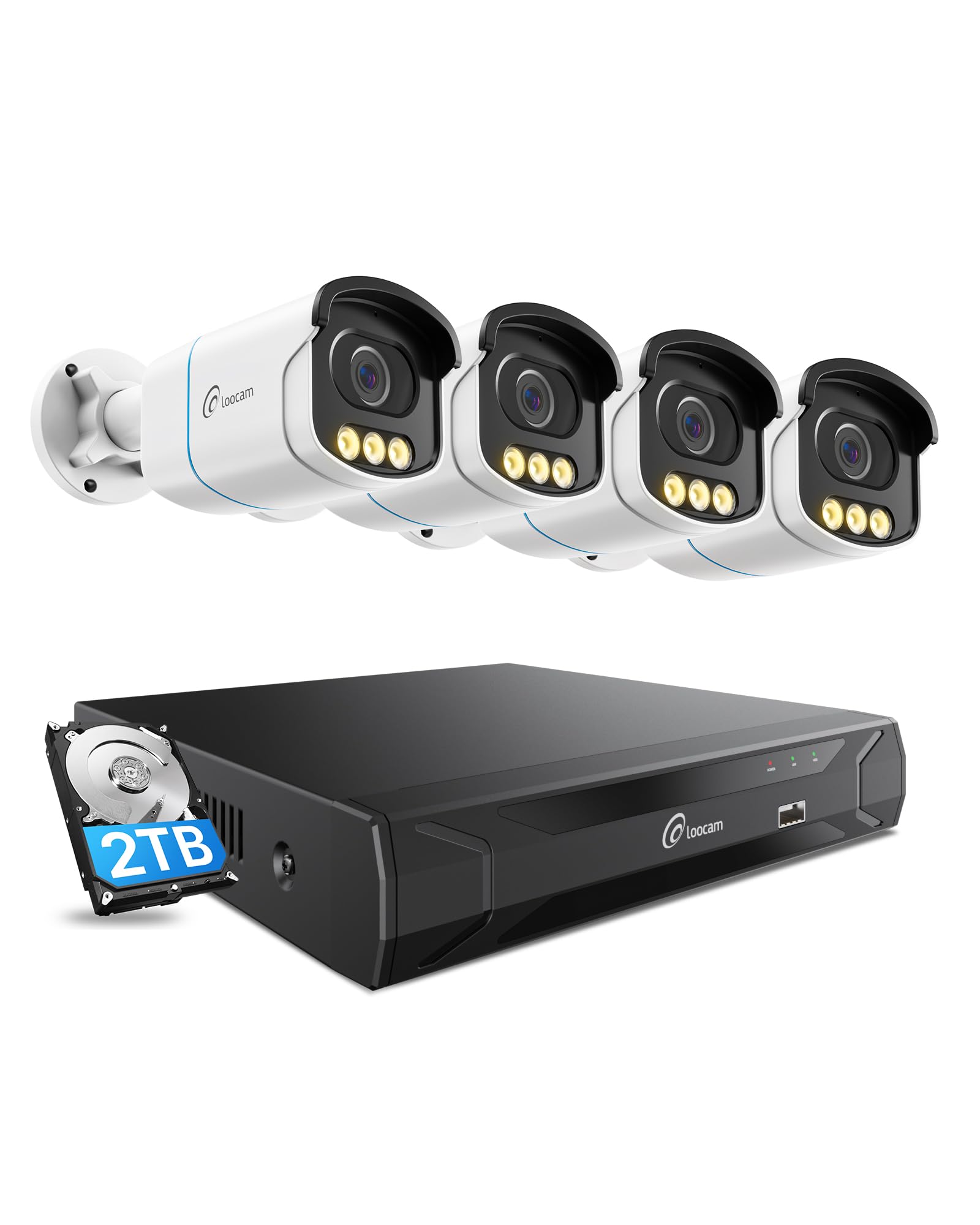
Figure 1: Loocam 5MP PoE Security Camera System components.
2. Contenu du colis
Vérifiez que tous les éléments énumérés ci-dessous sont inclus dans votre colis :
- 1x 8-Channel 8MP NVR with 2TB Hard Drive Pre-installed
- 4 caméras IP PoE 5MP
- 4x 60ft Ethernet Cables
- 1 câble Ethernet de 1 m
- 1x NVR Power Supply
- 1x souris USB
- 1x câble HDMI
- 4x vis de montage
- 4x Mounting Templates
- 1x Guide de démarrage rapide
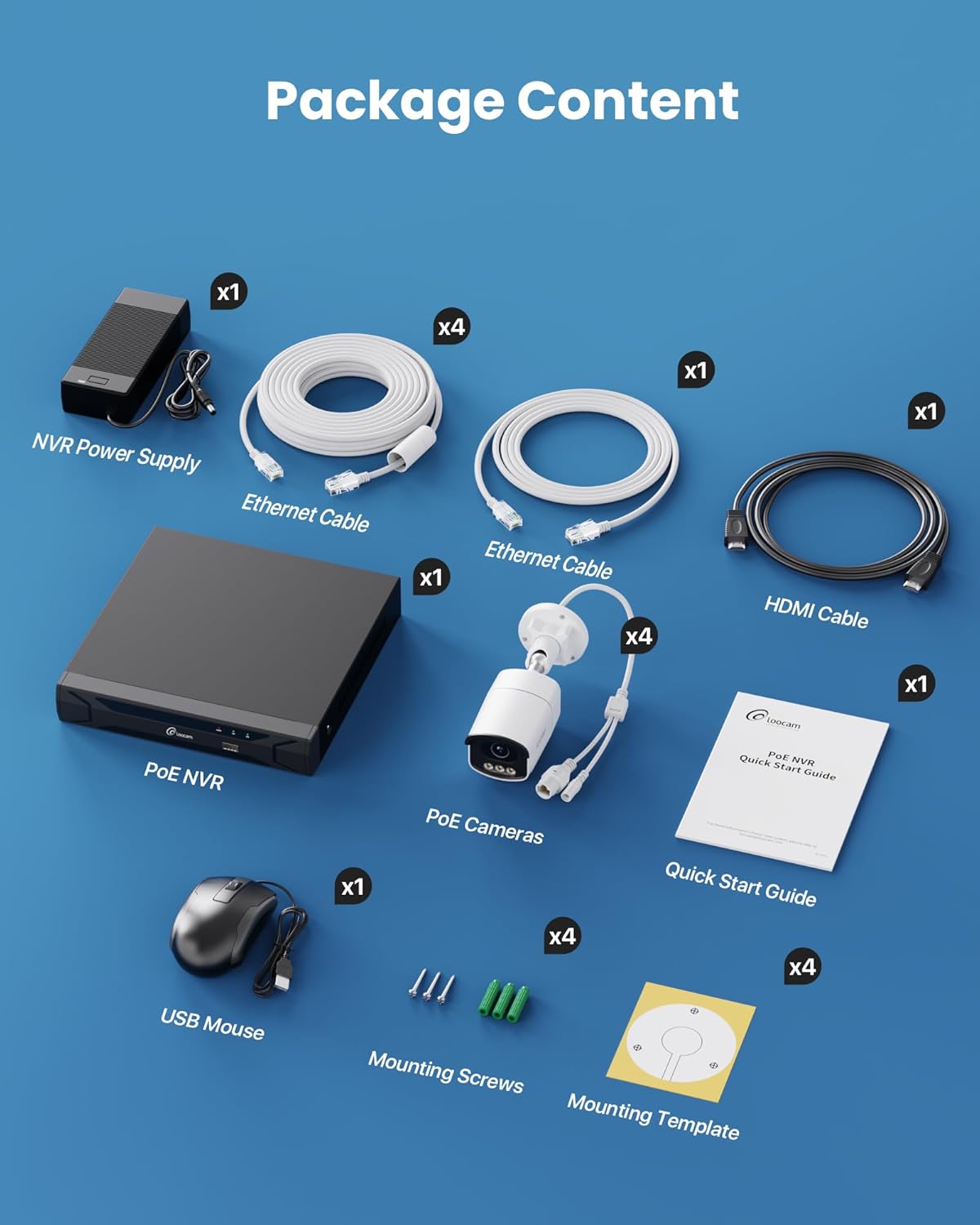
Figure 2: Contents included in the Loocam 5MP PoE Security Camera System package.
3. Configuration du système
Follow these steps to set up your Loocam PoE Security Camera System:
- Préparer le matériel : Ensure you have a monitor, a router with network connection, and a power strip available.
- Connecter le NVR : Connect the NVR to your monitor using the HDMI cable. Connect the USB mouse to the NVR. Connect the NVR to your router using an Ethernet cable. Finally, connect the NVR power supply and turn on the NVR.
- Connecter les caméras : Connect each 5MP PoE IP camera to an available PoE port on the NVR using the provided Ethernet cables. The NVR will power the cameras and transmit video data.
- Démarrage initial : Wait for the NVR to boot up and display video feeds from the connected cameras on your monitor.
Video 1: Unboxing and Installation Guide for Loocam PoE Security Camera System. This video demonstrates the physical setup process.
4. Mode d'emploi
4.1 Qualité vidéo et vision nocturne
The system provides sharp 5MP HD video (2880x1620 resolution) for clear monitoring. It features advanced full-color night vision, ensuring vivid and detailed images even in low-light conditions, providing 24/7 surveillance.

Figure 3: Visual comparison illustrating the enhanced detail of 5MP HD resolution over 1080p.

Figure 4: Demonstration of true full-color night vision providing clearer, more vibrant images at night compared to standard night vision.
Video 2: Loocam 5MP PoE Camera System showcasing True Full Color Night Vision capabilities.
4.2 Smart AI Detection and Alerts
The system utilizes AI to accurately identify people and vehicles, reducing false alarms. When an event is detected, you will receive instant app notifications.
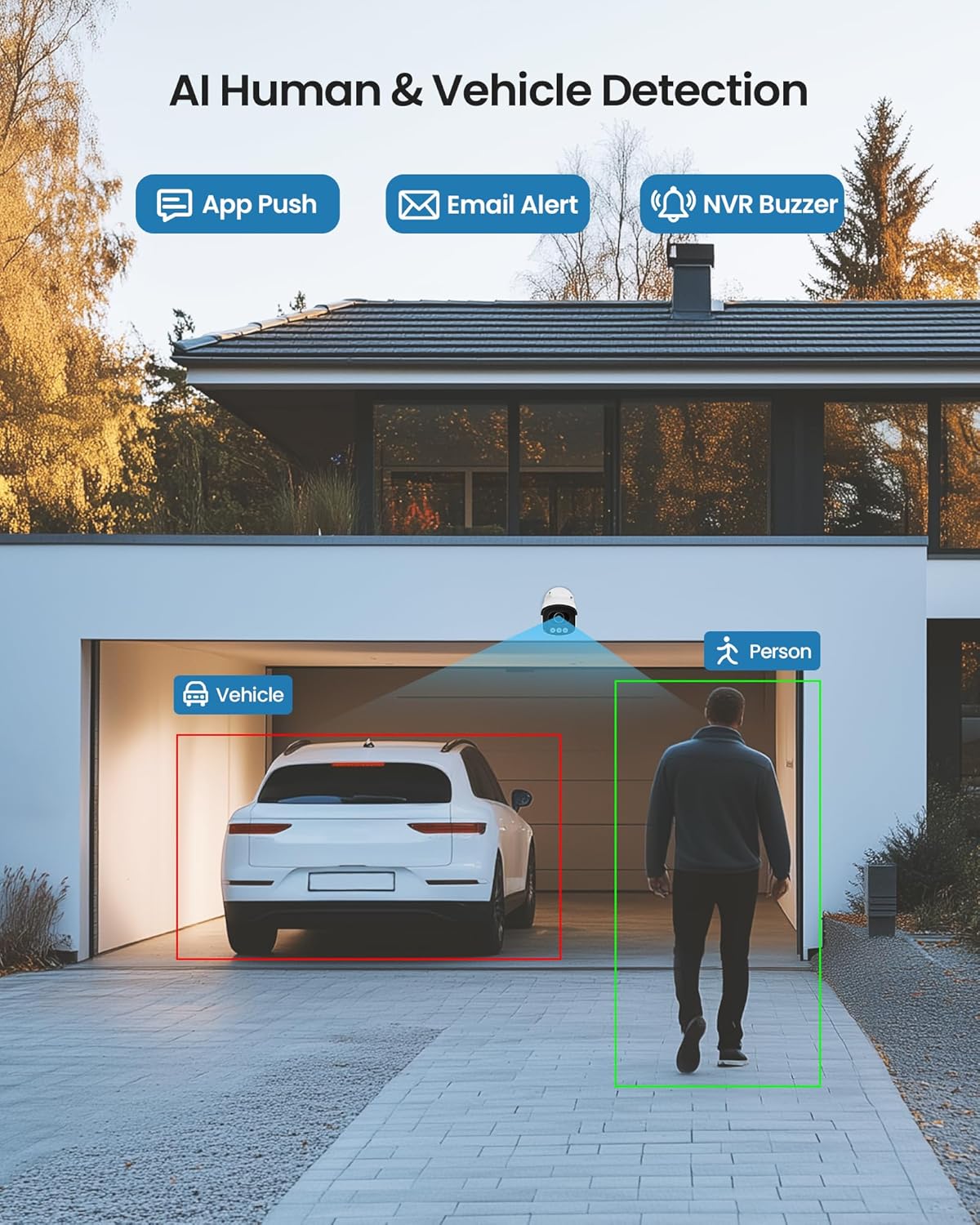
Figure 5: Illustrates the AI system detecting and outlining a person and a vehicle.
4.3 Projecteur et sirène d'alarme
The cameras are equipped with a spotlight and siren alarm feature. These can be activated automatically upon detection or manually to deter intruders.
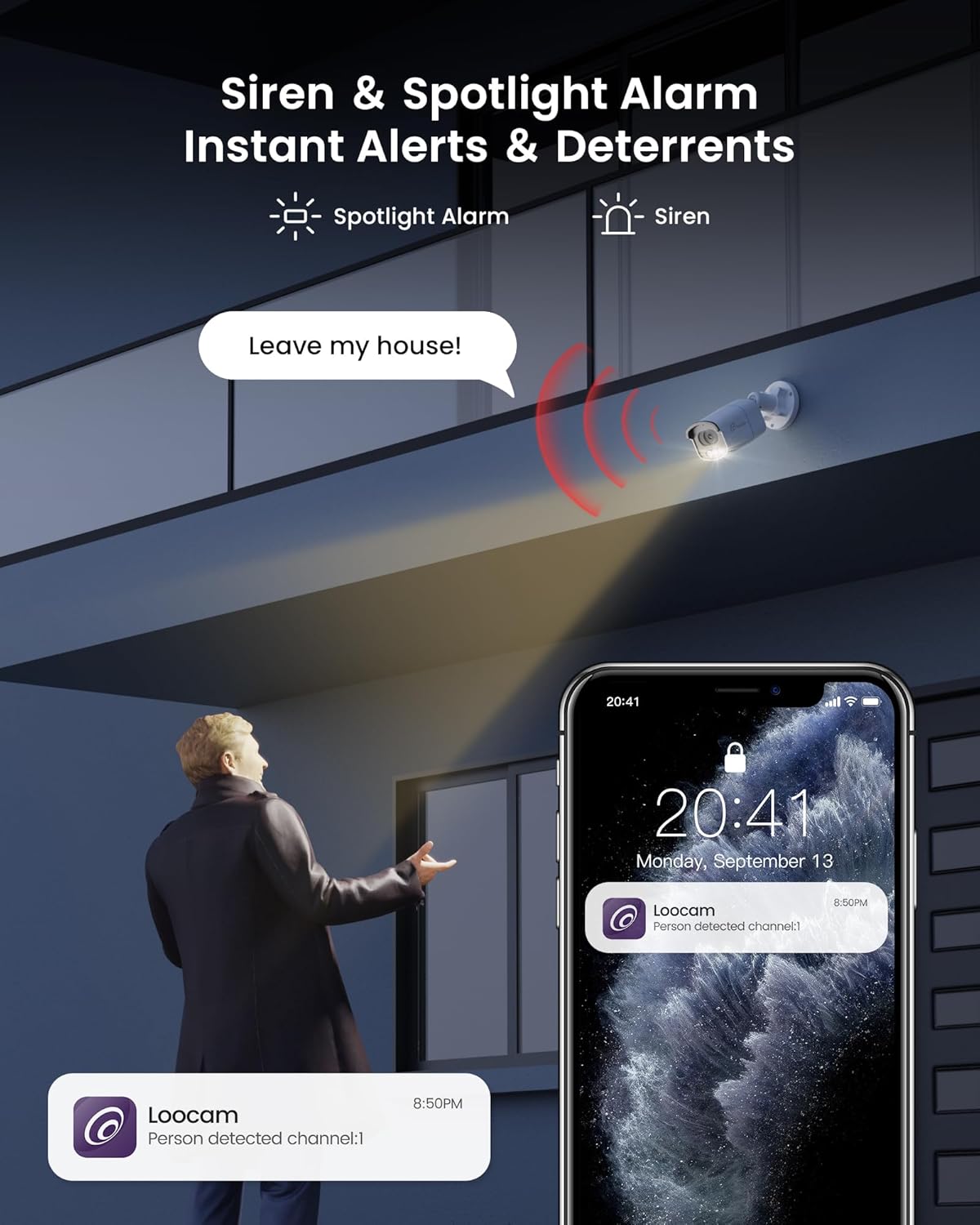
Figure 6: A security camera activating its spotlight and siren, with a corresponding notification on a smartphone.
4.4 Audio bidirectionnel
Communicate directly through the camera using the built-in two-way audio feature. This allows you to speak to visitors or warn off unwanted individuals from your smartphone.

Figure 7: A user interacting via two-way audio through the Loocam app on a smartphone.
Télécommande 4.5 Viewlecture et lecture
Access live feeds and recorded video anytime, anywhere, using the Loocam app on your smartphone, tablet, or computer. The system supports 24/7 recording to the pre-installed 2TB HDD, which is expandable up to 8TB.

Figure 8: The Loocam app interface displaying continuous recording and smart playback options.
Video 3: Instructions on how to view your Loocam PoE Security Camera System via the mobile application.
4.6 Commercial Features: Zone Monitoring & Traffic Analysis
For business applications, the system offers advanced features such as setting up virtual boundaries for zone alerts and utilizing people counting functionality to analyze foot traffic patterns.

Figure 9 : Example of AI-driven passenger flow statistics, including a graph of statistical data.
5. Entretien
- Nettoyage régulier : Nettoyez régulièrement les objectifs de l'appareil photo avec un chiffon doux et sec.amp Utilisez un chiffon pour garantir une image nette. Évitez les nettoyants abrasifs.
- Mises à jour du micrologiciel : Check the Loocam official webConsultez le site ou l'application pour obtenir les mises à jour du micrologiciel disponibles afin de garantir des performances et une sécurité optimales.
- Inspection des câbles : Inspectez régulièrement tous les câbles afin de détecter tout signe d'usure ou de dommage, en particulier pour les installations extérieures.
- Gestion du disque dur : Le disque dur de 2 To offre ample storage. The system supports automatic overwrite when the disk is full. Consider backing up important footage périodiquement.
6. Dépannage
- Aucun affichage vidéo :
- Ensure the NVR is powered on and connected to the monitor.
- Vérifiez les connexions des câbles HDMI/VGA.
- Verify cameras are properly connected to PoE ports and NVR is powered.
- Problèmes de connexion réseau :
- Confirm the NVR is connected to the router via Ethernet.
- Check router status and internet connectivity.
- Restart the NVR and router.
- Télécommande Viewing ne fonctionne pas :
- Ensure the NVR has an active internet connection.
- Verify the Loocam app is updated to the latest version.
- Check app settings for correct device addition and network configuration.
- Fausses alarmes :
- Adjust AI detection sensitivity settings in the NVR or app.
- Définir des zones de détection spécifiques pour exclure les zones non pertinentes.
7. Spécifications
| Fonctionnalité | Détail |
|---|---|
| Marque | Caméra espion |
| Numéro de modèle | LC8P8B-6W42S-186D |
| Technologie de connectivité | Câblé (PoE) |
| Résolution de capture vidéo | 5 MP (1944p) |
| Caractéristiques spéciales | App Control, Full-Color Night Vision, Siren Alarm, Two-Way Audio, Weatherproof (IP66), AI Human/Vehicle Detection |
| Nombre de canaux | 8 |
| Capacité de stockage de la mémoire | 2 TB HDD (Pre-installed), Expandable up to 8 TB |
| Couleur | Blanc |
| Source d'énergie | Électrique avec fil |
| Dimensions de l'article (L x l x H) | 17.2 x 12 x 7.8 pouces |
| Utilisations recommandées | Outdoor, Indoor, Home, Business, Human Detection, Automatic Overwrite, Audio Recording, IP66 Weatherproof, Smart Playback, Video Recording |
| Appareils compatibles | Ordinateurs portables, ordinateurs personnels, smartphones, téléviseurs, tablettes |
| Fréquence d'images | 15, 24, 30 FPS |
| Mode d'enregistrement | Événement, Programme |
| Interface matérielle | Ethernet |
| Type de lentille | Fixé |
| Entrée vidéo | BNC, RJ45 |
| Compatibilité avec la maison intelligente | Smart Home Compatible |
8. Garantie et assistance
Loocam products come with a standard manufacturer's warranty. For detailed warranty information, technical support, or service inquiries, please refer to the contact information provided in your Quick Start Guide or visit the official Loocam website. Conservez votre reçu d’achat pour les réclamations au titre de la garantie.


