Introduction
Welcome to the GOBOULT Mirage Smart Watch user manual. This guide provides detailed instructions on how to set up, operate, and maintain your new smartwatch. Please read this manual thoroughly to ensure optimal performance and longevity of your device.
Produit terminéview
The GOBOULT Mirage Smart Watch is a feature-rich device designed to enhance your daily life with advanced health monitoring, communication, and fitness tracking capabilities. It features a vibrant 1.39-inch HD display, Bluetooth calling, and a durable zinc alloy frame.
Caractéristiques principales :
- Écran HD de 1.39 pouces : Bright and clear screen with 500 nits brightness and 360x360 pixel resolution.
- Appel Bluetooth : Make and receive calls directly from your wrist with a built-in speaker and microphone.
- Surveillance complète de la santé : Includes SpO2, heart rate, blood pressure, sleep tracking, breath training, and menstrual cycle tracking.
- Plus de 120 modes sportifs : Track a wide range of physical activities with detailed metrics.
- Assistant vocal IA : Hands-free control and access to features.
- Étanchéité IP67 : Conçu pour résister aux éclaboussures et à la poussière.
- Cadrans de montre personnalisables : Over 300 cloud-based watch faces to personalize your device.
- Notifications intelligentes: Recevez des alertes pour les appels, les messages et les notifications d'applications.
- Longue durée de vie de la batterie : Jusqu'à 7 jours d'utilisation typique.
Contenu de la boîte :
- GOBOULT Mirage Smart Watch (Coal Black)
- Câble de chargement
- Manuel d'utilisation
- Carte de garantie

Image : Terminéview of the GOBOULT Mirage Smart Watch highlighting its main features.
Guide d'installation
1. Charger la montre intelligente
- Connectez le câble de chargement magnétique aux broches de chargement situées à l'arrière de votre montre connectée.
- Branchez l'extrémité USB du câble à un adaptateur secteur USB standard (5V/1A recommandé) ou au port USB d'un ordinateur.
- The watch display will show a charging indicator. A full charge takes approximately 120 minutes.
- Ensure the charging pins are clean and dry before charging to prevent corrosion.
2. Mise sous/hors tension
- Mise sous tension : Press and hold the side button (digital crown) for a few seconds until the GOBOULT logo appears.
- Éteindre: From the watch face, swipe down to access quick settings, or navigate to the settings menu. Select "Power Off" and confirm. Alternatively, press and hold the side button until the power off option appears.
3. Appairage avec votre smartphone
- Download the official GOBOULT companion app from your smartphone's app store (available for iOS and Android).
- Assurez-vous que Bluetooth est activé sur votre smartphone.
- Open the GOBOULT app and follow the on-screen instructions to create an account or log in.
- Dans l'application, sélectionnez « Ajouter un appareil » ou une option similaire pour rechercher votre montre connectée.
- Select "GOBOULT Mirage" from the list of available devices.
- Confirmez la demande de jumelage sur votre smartphone et sur votre montre connectée.
- Une fois jumelée, la montre synchronisera les données avec votre téléphone et vous pourrez personnaliser les paramètres via l'application.
Mode d'emploi
Navigation de base :
- Écran tactile : Balayez vers la gauche/droite, vers le haut/bas pour naviguer dans les menus et les notifications. Appuyez pour sélectionner des éléments.
- Digital Crown (Side Button):
- Appuyez une fois : Return to the watch face from any screen, or wake the screen.
- Appuyez et maintenez : Power on/off, or access the AI Voice Assistant (configurable).
- Tourner: Parcourez les menus, les listes ou ajustez les paramètres.
- Bouton de raccourci : The second physical button on the side can be customized for quick access to specific functions, such as launching sports modes.

Image: Digital crown and button functionalities for navigation and quick access.
Surveillance de la santé
The GOBOULT Mirage Smart Watch offers a comprehensive suite of health tracking features. For accurate readings, ensure the watch is worn snugly on your wrist, about one finger's width from your wrist bone.
- Surveillance de la fréquence cardiaque La montre surveille en continu votre fréquence cardiaque. View Données en temps réel sur la montre ou tendances détaillées dans l'application.
- Surveillance de la SpO2 (oxygénation sanguine) : Measure your blood oxygen levels on demand. Navigate to the SpO2 function on your watch and remain still for accurate results.
- Surveillance de la pression artérielle: Access the blood pressure feature on your watch for readings.
- Surveillance du sommeil : Wear your watch to bed to track your sleep patterns, including deep sleep, light sleep, and awake times. Data is available in the app.
- Breath Training Mode: Follow guided breathing exercises to help reduce stress and improve relaxation.
- Suivi des activités : Il enregistre le nombre de pas, la distance parcourue et les calories brûlées tout au long de la journée.
- Buvez de l'eau Rappel : Set reminders in the app to ensure you stay hydrated.
- Rappel sédentaire : Vous recevrez des alertes en cas d'inactivité prolongée, vous incitant à bouger.
- Suivi du cycle menstruel : For female users, track and predict menstrual cycles through the companion app.

Image: The watch's health sensors and a summary of its health monitoring capabilities.
Modes sportifs
The GOBOULT Mirage Smart Watch supports over 120 sports modes to accurately track your workouts. From running to yoga, you can monitor your performance and progress.
Using Sports Modes:
- Access the sports mode menu from the watch's main interface or by using the dedicated shortcut button.
- Scroll through the list and select your desired activity (e.g., Running, Cycling, Yoga, Cricket, Badminton, Basketball).
- Tap to start the activity. The watch will begin recording data such as duration, heart rate, calories burned, and distance (where applicable).
- To pause or end an activity, swipe right or press the side button and follow the on-screen prompts.
- Review your workout summaries on the watch or in detail within the companion app.

Image: The watch interface showing various sports modes and quick access options.
Appels Bluetooth et notifications intelligentes
With Bluetooth 5.3 connectivity, your GOBOULT Mirage Smart Watch allows you to manage calls and receive notifications directly on your wrist.
Appel Bluetooth :
- Assurez-vous que votre montre est bien connectée à votre téléphone via Bluetooth.
- Passer des appels: Accédez au clavier de numérotation ou à la liste de contacts de votre montre pour passer un appel.
- Réception d'appels : When a call comes in, the watch will display the caller ID. You can answer or reject the call directly from your wrist using the built-in speaker and microphone.
- Synchronisation des contacts : Synchronize your phone contacts with the watch through the companion app for easy access.
Notifications intelligentes:
- Enable app notifications in the GOBOULT companion app on your smartphone.
- Your watch will display incoming messages, social media alerts, and other app notifications.
- Faites glisser votre doigt vers le haut ou vers le bas sur le cadran de la montre pour view Votre historique de notifications.

Image: Bluetooth calling features and interface on the smartwatch.

Image: Smart notifications and other quick access features like calculator and voice assistant.
Personnalisation
Regarder les visages:
Personalize your GOBOULT Mirage Smart Watch with over 300 cloud-based watch faces. You can change the watch face directly from the device or through the companion app.
- Sur la montre : From the watch face, press and hold the screen. Swipe left or right to browse available watch faces and tap to select.
- Via l'application : Open the GOBOULT app, navigate to the watch face section, and explore a wider selection of designs. Download and apply your preferred watch face.

Image : Exampun nombre limité de cadrans personnalisables disponibles pour la montre connectée.
Fonctionnalités supplémentaires
Assistant vocal IA :
Activate the AI Voice Assistant (compatible with Hey Siri and Ok Google) by long-pressing the digital crown or through a dedicated menu option. Use voice commands to perform various tasks hands-free.
Trouver mon téléphone :
If your paired smartphone is misplaced, use the "Find My Phone" feature on your watch to make it ring or vibrate, helping you locate it quickly.
- Go to the watch menu.
- Select the "Find Phone" option.
- The connected phone will ring or vibrate.
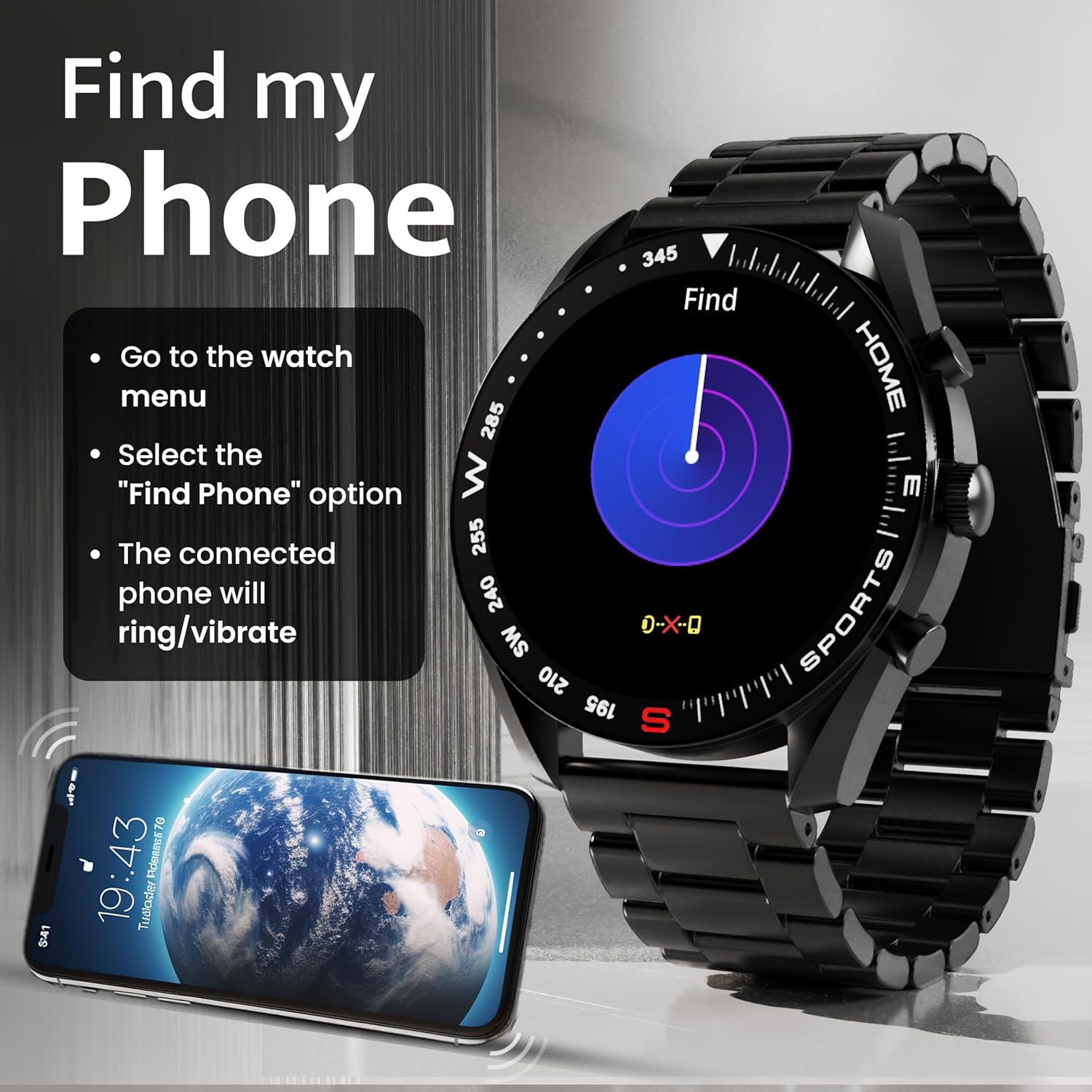
Image: How to use the 'Find My Phone' feature on the smartwatch.
Mini-jeux :
The watch includes several mini-games for entertainment, such as 2048, Battleship, Hamster, and Young Bird.

Image : Examples of mini-games available on the smartwatch.
Entretien
Cleaning Your Smart Watch:
- Essuyez l'écran et le boîtier de la montre avec un chiffon doux non pelucheux.
- Pour les saletés tenaces, appliquez légèrementampNettoyez le chiffon avec de l'eau. Évitez d'utiliser des produits chimiques agressifs ou des matériaux abrasifs.
- Clean the charging pins regularly with a dry cloth or cotton swab to ensure proper charging.
Résistance à l'eau (IP67) :
The GOBOULT Mirage Smart Watch is IP67 water-resistant, meaning it is protected against dust ingress and can withstand immersion in water up to 1 meter for up to 30 minutes. However, it is not suitable for swimming, showering with hot water, or diving. Avoid exposure to high-pressure water or corrosive liquids.

Image: Information regarding the IP67 water and dust resistance of the smartwatch.
Ajustement de la sangle :
The watch comes with a metallic strap adjustment tool. Refer to the included instructions or a professional for adjusting the strap length to ensure a comfortable and secure fit.

Image: The watch's zinc alloy frame and the metallic strap adjustment tool.
Dépannage
- La montre ne s'allume pas : Assurez-vous que la montre est complètement chargée. Branchez-la au câble de charge et laissez-la charger pendant au moins 30 minutes avant de tenter de la rallumer.
- Impossible de connecter le téléphone :
- Assurez-vous que le Bluetooth est activé sur votre téléphone et votre montre.
- Ensure the watch is within the Bluetooth range (up to 10 meters).
- Redémarrez votre téléphone et votre montre connectée.
- Videz le cache Bluetooth de votre téléphone ou oubliez l'appareil et réessayez de l'appairer.
- Ensure the GOBOULT companion app is updated to the latest version.
- Données sanitaires inexactes : Assurez-vous que la montre est bien ajustée à votre poignet, ni trop serrée ni trop lâche. Nettoyez les capteurs situés au dos de la montre. Évitez les mouvements brusques pendant les mesures.
- Les notifications ne s'affichent pas :
- Check if notifications are enabled for the specific apps in the GOBOULT companion app.
- Ensure your phone's notification settings allow the GOBOULT app to display alerts.
- Vérifiez que la montre est correctement connectée à votre téléphone via Bluetooth.
- Autonomie courte de la batterie : Reduce screen brightness, disable unnecessary features like continuous heart rate monitoring if not needed, and limit the number of active notifications. Ensure the watch is fully charged.
- Écran tactile non réactif : Redémarrez la montre. Si le problème persiste, assurez-vous que l'écran est propre et sec.
Caractéristiques
| Fonctionnalité | Détail |
|---|---|
| Nom du modèle | Mirage |
| Taille de l'écran | 1.39 pouces HD |
| Résolution d'affichage | 360 x 360 pixels |
| Luminosité | 500 Nits Peak Brightness |
| Connectivité | Bluetooth 5.3 |
| Résistance à l'eau | IP67 |
| Matériau du cadre | Alliage de zinc |
| Type de batterie | Lithium Polymère |
| Durée de vie moyenne de la batterie | Jusqu'à 7 jours |
| Temps de charge | Environ 120 minutes |
| Compatibilité du système d'exploitation | iOS, Android |
| Poids de l'article | 106 g |
| Composants inclus | Smart Watch, Charging Cable, User Manual, Warranty Card |
Garantie et assistance
Informations sur la garantie :
Your GOBOULT Mirage Smart Watch comes with a manufacturer's warranty. Please refer to the included Warranty Card for specific terms, conditions, and duration of the warranty. Keep your purchase receipt as proof of purchase.
Assistance clientèle :
If you encounter any issues or have questions not covered in this manual, please contact GOBOULT customer support. Contact details can typically be found on the Warranty Card or the official GOBOULT website.


