Introduction
This manual provides detailed instructions for the GOBOULT Mirage Smart Watch. Please read this guide thoroughly to ensure proper setup, operation, and maintenance of your device. This smartwatch features a 1.39-inch HD display, Bluetooth calling, comprehensive health monitoring, and various sports modes.
Qu'y a-t-il dans la boîte
- GOBOULT Mirage Smart Watch
- Câble de chargement
- Manuel d'utilisation
- Carte de garantie
Installation
1. Chargement de l'appareil
Before initial use, fully charge your GOBOULT Mirage Smart Watch. Connect the provided charging cable to the charging port on the back of the watch and to a standard USB power adapter (not included). The watch typically charges within 120 minutes.

Image: GOBOULT Mirage Smart Watch displaying its features, including charging capability.
2. Appairage avec votre smartphone
- Download the official GOBOULT companion app from your smartphone's app store (available for iOS and Android).
- Assurez-vous que Bluetooth est activé sur votre smartphone.
- Open the app and follow the on-screen instructions to search for and connect to your GOBOULT Mirage Smart Watch.
- Confirmez la demande de jumelage sur votre montre et votre smartphone.
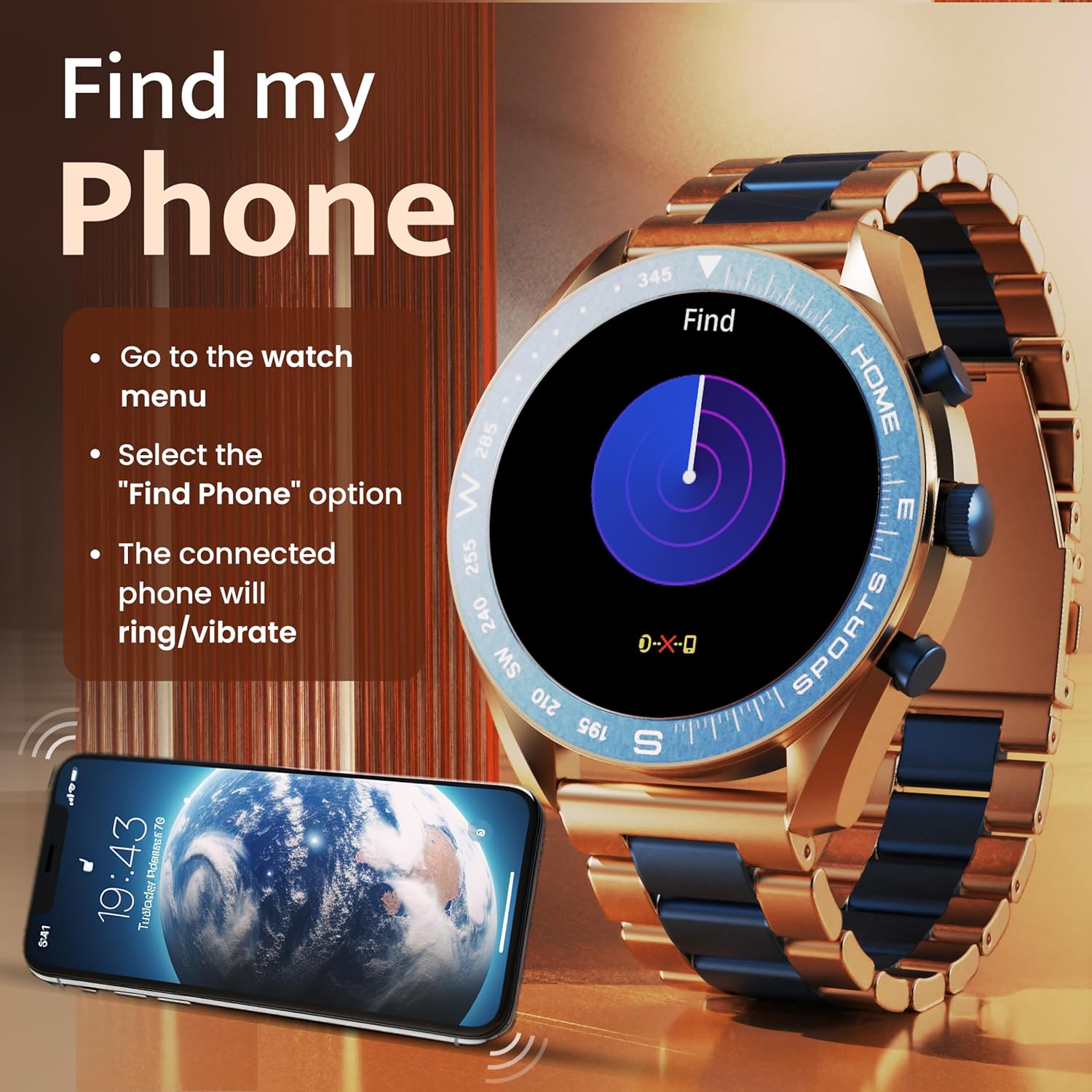
Image: The GOBOULT Mirage Smart Watch connected to a smartphone, illustrating connectivity.
Mode d'emploi
1. Affichage et navigation
The GOBOULT Mirage features a 1.39-inch HD display with 360x360 pixels resolution and 500 nits peak brightness for clear visibility. Navigate the watch interface using touch gestures and the digital crown.
- Couronne numérique: Press to power on/off, switch UIs, and navigate menus. Rotate to scroll through options.
- Boutons latéraux : Use for quick access to specific functions, such as launching sports modes.

Image: GOBOULT Mirage Smart Watch highlighting the digital crown and its various functions.
2. Appels Bluetooth
With the built-in speaker and microphone, you can make and receive calls directly from your wrist once paired with your smartphone via Bluetooth 5.3.
- To answer a call, tap the green icon on the watch screen.
- To reject a call, tap the red icon.
- Pour passer un appel, accédez au clavier de numérotation ou aux contacts via le menu de la montre.
Image: GOBOULT Mirage Smart Watch showing an incoming call notification.
3. Surveillance de la santé
The GOBOULT Mirage provides comprehensive health tracking features:
- SpO2 Blood Oxygen Monitor: Mesure le taux d'oxygène dans le sang.
- Moniteur de fréquence cardiaque : Suivi de la fréquence cardiaque 24h/24 et 7j/7.
- Moniteur de sommeil : Analyse les cycles et la qualité du sommeil.
- Breath Training Mode: Vous guide à travers des exercices de respiration.
- Buvez de l'eau Rappel : Vous incite à rester hydraté.
- Rappel sédentaire : Alerts you after periods of inactivity.
- Suivi des activités : Enregistre le nombre de pas, la distance parcourue et les calories brûlées.
- Suivi du cycle menstruel : Helps monitor menstrual cycles.

Image: GOBOULT Mirage Smart Watch showcasing its complete health suite on the display.
4. Modes sportifs
Track your performance across over 120 sports modes. Access these modes quickly using the shortcut buttons.
- Examples include Running, Cycling, Yoga, Cricket, Badminton, and Basketball.

Image: GOBOULT Mirage Smart Watch showing the selection of over 120 sports modes.
5. Cadrans de montre
Personalize your watch with over 300 cloud-based watch faces. You can also customize the dial to match your style.

Image: GOBOULT Mirage Smart Watch illustrating the variety of 300+ cloud watch faces.
6. Notifications intelligentes
Receive SMS and other smart notifications directly on your watch. Ensure your watch is connected to your phone via Bluetooth for this feature to function.

Image: GOBOULT Mirage Smart Watch showing a push notification from a messaging app.
7. Assistant vocal IA
Access an intelligent AI voice assistant for hands-free control. Long press the designated button or use the voice assistant icon on the screen to activate.
8. Localiser mon téléphone
If you misplace your connected smartphone, use the 'Find My Phone' feature on your watch:
- Go to the watch menu.
- Select the "Find Phone" option.
- The connected phone will ring or vibrate, helping you locate it.
Image: GOBOULT Mirage Smart Watch showing the 'Find My Phone' interface.
9. Résistance à l'eau
The GOBOULT Mirage Smart Watch is IP67 water-resistant, offering protection against dust and temporary immersion in water. It is suitable for daily wear and activities like hand washing or light rain.

Image: GOBOULT Mirage Smart Watch demonstrating its IP67 water resistance.
10. Mini Games
The watch includes several mini-games for entertainment during leisure time.
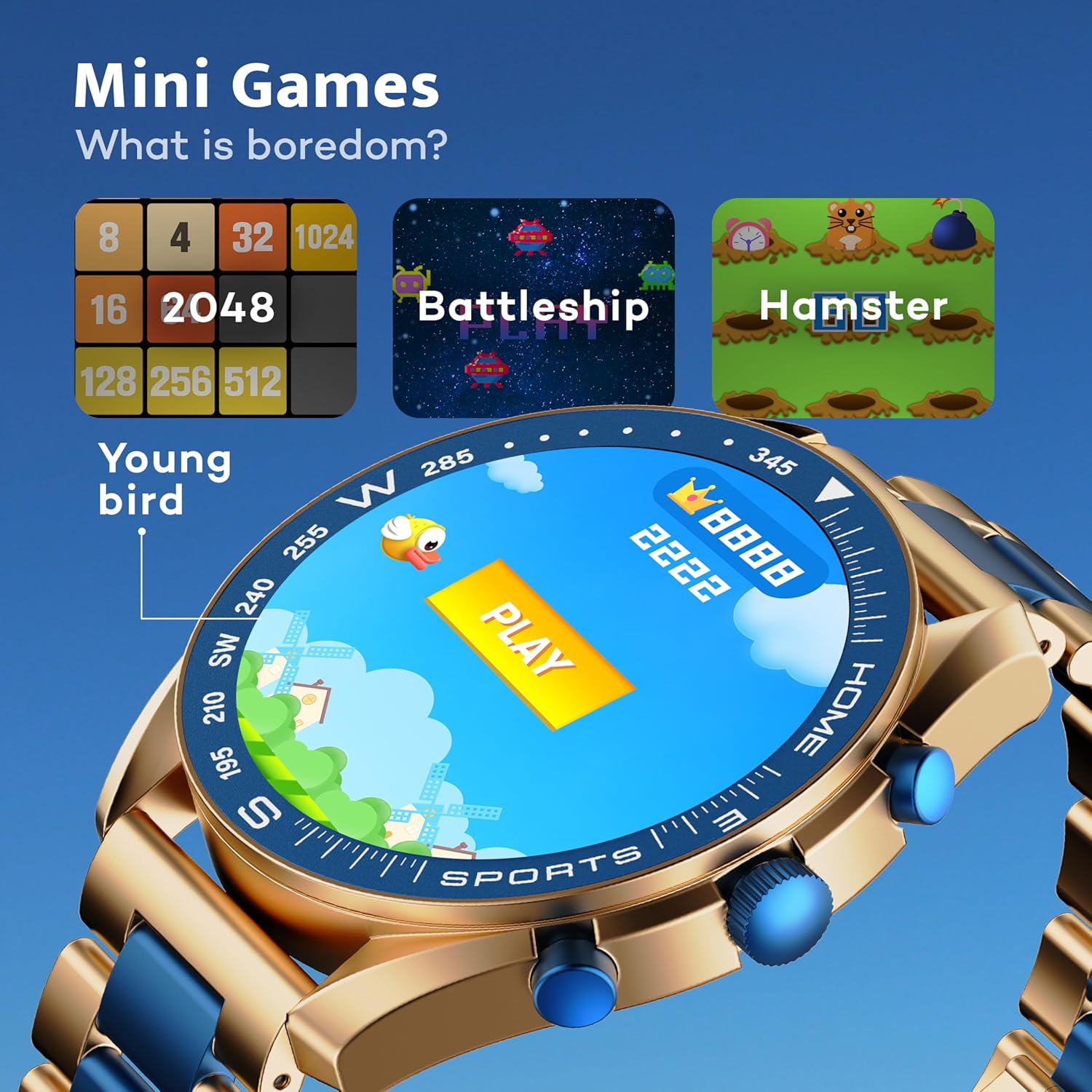
Image: GOBOULT Mirage Smart Watch showing the selection of mini-games.
Entretien
1. Nettoyage
- Essuyez l'écran et le boîtier de la montre avec un chiffon doux et sec.
- Pour les saletés tenaces, utilisez un peu damp cloth and immediately dry the watch.
- Évitez d'utiliser des produits chimiques agressifs ou des matériaux abrasifs, car ils peuvent endommager la finition.
2. Directives relatives à la résistance à l'eau
- The IP67 rating means the watch is protected from dust and can withstand immersion in water up to 1 meter for 30 minutes.
- Do not use the watch for swimming, showering with hot water, or diving.
- Évitez d'exposer la montre à l'eau sous haute pression ou à la vapeur.
- If the watch gets wet, dry it thoroughly before charging or using any buttons.
Dépannage
- La montre ne s'allume pas : Assurez-vous que la montre est complètement chargée. Branchez-la au chargeur pendant au moins 30 minutes.
- Impossible de connecter le téléphone : Assurez-vous que le Bluetooth est activé sur votre téléphone et que la montre se trouve à portée. Redémarrez les deux appareils et réessayez de les jumeler.
- Données sanitaires inexactes : Veillez à ce que la montre soit bien ajustée à votre poignet, ni trop serrée ni trop lâche. Nettoyez régulièrement les capteurs.
- Autonomie courte de la batterie : Réduisez la luminosité de l'écran, désactivez les notifications inutiles et limitez la surveillance continue de la fréquence cardiaque si elle n'est pas nécessaire.
- Problèmes d'affichage : Restart the watch. If the problem persists, contact customer support.
Caractéristiques
| Fonctionnalité | Détail |
|---|---|
| Marque | GOBOULT |
| Numéro de modèle | 8906133853464 |
| Taille de l'écran | 1.39 pouces |
| Luminosité | Nits 500 |
| Matériau du cadre | Alliage de zinc |
| Type sans fil | Bluetooth 5.3 |
| Système opérateur | iOS, Android |
| Résistance à l'eau | IP67 |
| Temps de charge de la batterie | 120 minutes |
| Type de batterie | Lithium Polymère |
| Poids de l'article | 106 g |
Garantie et assistance
Your GOBOULT Mirage Smart Watch comes with a warranty card included in the box. Please refer to this card for details regarding warranty coverage and terms.
For technical support, troubleshooting assistance, or warranty claims, please contact GOBOULT customer service through their official website ou les coordonnées fournies sur votre carte de garantie.


