Introduction
This manual provides essential instructions for the safe and effective use of your himaly IF1010AR USB Rechargeable Bluetooth Body Fat Scale. This digital scale is designed to measure body weight and analyze various body composition metrics, including body fat percentage, muscle mass, and BMI, through its integrated app.
Veuillez lire attentivement ce manuel avant la première utilisation et le conserver pour toute consultation ultérieure.

Image: The himaly IF1010AR digital scale, black-navy blue, displaying a weight reading, alongside a smartphone showing the 'Moving Life' app interface with body composition data.

Image: Un plusview graphic of the himaly Smart Bluetooth Body Fat Scale, detailing its key features including 4 high-precision sensors, HD LCD display, 15 measurement indicators, 0.2-180kg capacity, and compatibility with iOS, Android, and Bluetooth.
Contenu du colis
- himaly Digital Body Weight Scale
- Câble de chargement USB
- Manuel d'utilisation
Installation
1. Charger la balance
The himaly IF1010AR scale features a built-in rechargeable battery. Before initial use, ensure the scale is fully charged.
- Repérez le port de chargement USB sur le côté ou à l'arrière de la balance.
- Connect the provided USB charging cable to the scale and to a standard USB power adapter (not included) or a computer USB port.
- L'écran affichera l'état de charge. Chargez jusqu'à ce que l'indicateur de batterie soit plein.

Image: Gros plan view of the himaly scale's USB charging port, highlighting the built-in rechargeable battery feature.
2. Installation et appairage de l'application
To utilize the full body composition analysis features, download and install the "Moving Life" app on your smartphone or tablet.
- Scan the QR code provided in the manual or search for "Moving Life" in the Apple App Store (for iOS devices) or Google Play Store (for Android devices).
- Install the app and create your user profile.
- Assurez-vous que Bluetooth est activé sur votre appareil.
- Step onto the scale to activate it. The scale will automatically attempt to pair with the app via Bluetooth 4.0+.
- Follow the on-screen prompts in the "Moving Life" app to complete the pairing process.

Image: Diagram illustrating Bluetooth 4.0 connectivity between the himaly scale and the "Moving Life" app, with icons for iOS and Android app stores.
Mode d'emploi
1. Prendre une mesure
Pour une mesure précise, placez la balance sur une surface dure et plane. Évitez les tapis et les sols irréguliers.
- Assurez-vous que vos pieds sont propres et secs.
- Step onto the scale barefoot, placing your feet on the metal electrodes. Stand still until your weight is displayed and stabilized.
- If the app is open and connected, your measurements will automatically sync.
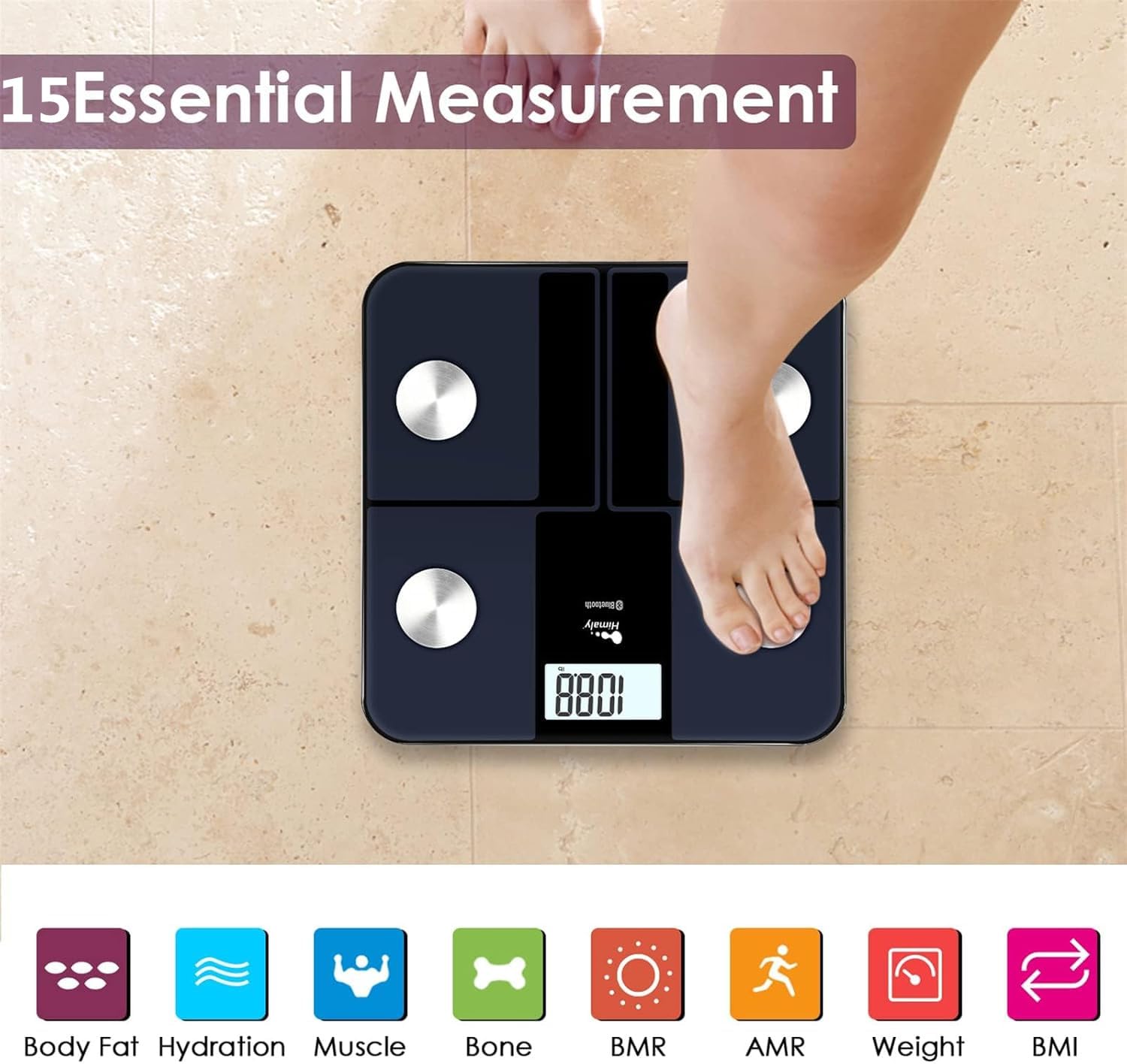
Image: A person's bare feet positioned on the himaly scale, illustrating the process of taking a measurement for 15 essential body composition metrics.
2. Comprendre les indicateurs de composition corporelle
The himaly scale, in conjunction with the "Moving Life" app, provides 15 essential body composition measurements. These include:
- Poids corporel
- Pourcentage de graisse corporelletage
- IMC (Indice de masse corporelle)
- Masse musculaire
- Hydration (Water Content)
- Masse osseuse
- BMR (taux métabolique basal)
- AMR (Taux métabolique actif)
- Et plus encore.

Image: A visual representation of the various body composition metrics measured by the scale, including Body Fat, Hydration, Muscle, Bone, BMR, AMR, Weight, and BMI, depicted with illustrative icons.
The scale's display also uses color-coded indicators to reflect different body fat levels for easy interpretation.

Image: A person's feet on the himaly scale, with the digital display showing a weight reading and color-coded indicators representing different body fat levels (Thin, Slim, Normal, Heavy, Overweight).
3. App Features and Data Tracking
The "Moving Life" app allows you to:
- Monitor health trends over time (daily, weekly, monthly, yearly).
- Visualize progress through graphs and charts.
- Sync data with other health apps like Fitbit, Apple Health, and Google Fit.
- Gérer plusieurs utilisateurs professionnelsfiles pour les membres de la famille.
- Utilize a baby/pet weighing mode.

Image: A woman looking at her smartphone, which displays a graph of health data from the 'Moving Life' app, demonstrating the 'Results at a Glance' feature.

Image: A woman performing a plank exercise, with the himaly scale in the foreground and a graphic overlay showing a trend chart of weight and body fat percentage au fil du temps.

Image: A graphic illustrating continuous health data tracking and automatic synchronization, with a person performing a yoga pose in the foreground, emphasizing consistent body monitoring.
4. Conversion d'unités
To switch between measurement units (e.g., pounds to kilograms), locate the "UNIT" button on the underside of the scale and press it to toggle.

Image: The underside of the himaly scale, highlighting the 'UNIT' button for measurement conversion and the non-slip mats for stability.
Entretien
- Nettoyez la surface de la balance avec adamp Nettoyer avec un chiffon et un détergent doux. Éviter les nettoyants abrasifs et l'immersion du tartre dans l'eau.
- Rangez la balance dans un endroit sec à température ambiante.
- Évitez de laisser tomber la balance ou de la soumettre à des chocs violents.
- Regularly charge the scale to maintain battery health.
Dépannage
| Problème | Cause/solution possible |
|---|---|
| La balance ne s'allume pas. | Battery is low or depleted. Charge the scale using the provided USB cable. |
| Lectures inexactes. |
|
| Échec de la connexion Bluetooth. |
|
| L'application ne synchronise pas les données. |
|
Caractéristiques
| Fonctionnalité | Détail |
|---|---|
| Numéro de modèle | IF1010AR |
| Marque | himaly |
| Capacité maximale | 400 lb / 180 kg |
| Incréments de mesure | 0.2 lb / 0.05 kg |
| Capteurs | 4 capteurs de haute précision |
| Connectivité | Bluetooth 4.0 + |
| Compatibilité des applications | "Moving Life" App (iOS & Android), Syncs with Fitbit, Apple Health, Google Fit |
| Source d'énergie | Batterie rechargeable USB |
| Type d'affichage | LCD numérique |
| Dimensions | 11.81 in x 11.81 in (approx. 30 cm x 30 cm) |
| Couleur | Black-Navy Blue |

Image: An image showing the physical dimensions of the himaly IF1010AR scale, indicating its length and width as 11.81 inches and thickness as 0.79 inches.
Garantie et assistance
For warranty information and customer support, please refer to the contact details provided with your purchase or visit the official himaly webConsultez le site. Conservez votre reçu d'achat comme preuve d'achat pour toute réclamation au titre de la garantie.
Fabricant: himaly


