Introduction
Thank you for choosing the Casio G-Shock GA-110 watch. This manual provides essential information regarding the setup, operation, and maintenance of your new timepiece. Designed for durability and precision, the GA-110 offers a range of features including world time, stopwatch, countdown timer, and multiple alarms, all housed in a robust, water-resistant casing.
Please read this manual carefully to ensure proper use and to maximize the lifespan of your watch. Keep this manual for future reference.
Garderview

Figure 1: The Casio G-Shock GA-110 watch worn on a wrist. This image provides a real-world perspective of the watch's size and appearance, featuring its black resin construction and white dial.
The Casio G-Shock GA-110 features a combination analog and digital display. It is equipped with four buttons for various operations:
- RÉGLAGE (en haut à gauche) : Permet d'entrer et de sortir des modes de réglage, et de confirmer les paramètres.
- MODE (en bas à gauche) : Cycles through different modes (Timekeeping, World Time, Stopwatch, Countdown Timer, Alarm).
- INVERSE (en haut à droite) : Used to scroll backward through settings or increase values.
- AVANT (en bas à droite) : Used to scroll forward through settings or decrease values.

Figure 2 : Vue de face détaillée view of the Casio G-Shock GA-110 watch. This image displays the watch's overall design, highlighting the black resin band and case, and the distinctive white analog-digital dial with multiple sub-dials and digital displays.

Figure 3 : Côté view of the Casio G-Shock GA-110 watch. This image illustrates the robust casing and the placement of the ADJUST and MODE buttons on the left side of the watch.
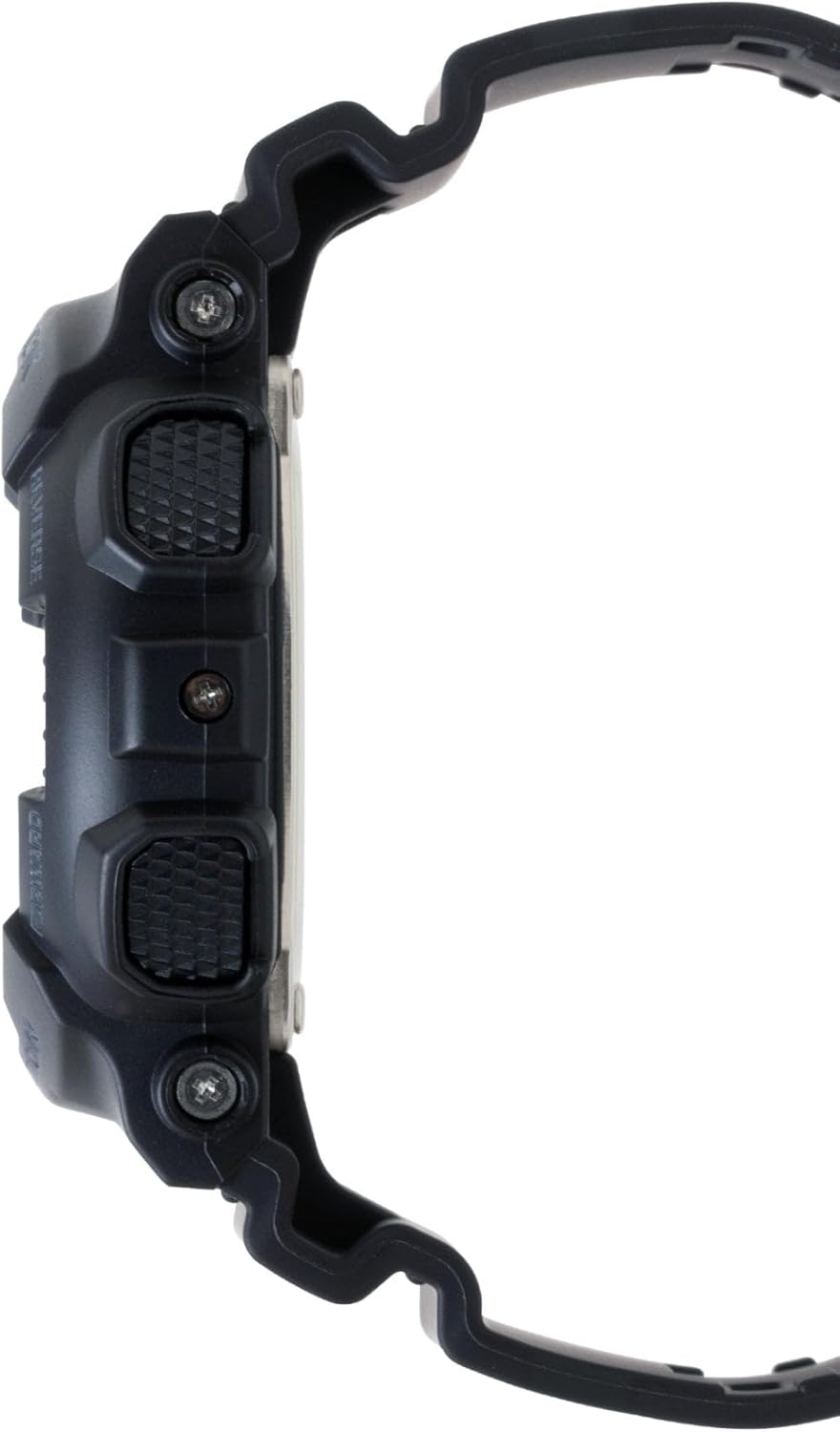
Figure 4 : Côté opposé view of the Casio G-Shock GA-110 watch. This image shows the placement of the REVERSE and FORWARD buttons on the right side of the watch, along with the textured grip.
Installation
1. Réglage initial de l'heure
- En mode Indication de l’heure, maintenez la touche AJUSTER Appuyez sur le bouton jusqu'à ce que le code de la ville commence à clignoter. Cela indique le mode de réglage.
- Utilisez le INVERSE et AVANT boutons pour sélectionner le code de votre ville d'origine.
- Appuyez sur le MODE button to cycle through the settings: City Code → DST (Daylight Saving Time) → 12/24-hour format → Seconds → Hour → Minute → Year → Month → Day → Illumination Duration.
- Utilisez le INVERSE et AVANT boutons pour modifier la valeur clignotante.
- Après avoir défini toutes les valeurs, appuyez sur AJUSTER bouton pour quitter le mode de réglage.
2. Réglage manuel analogique
If the analog hands do not match the digital time, you may need to adjust them manually.
- En mode chronométrage, maintenez enfoncé le bouton AJUSTER button until the city code flashes.
- Appuyez sur le MODE button repeatedly until "H.SET" appears on the digital display.
- Utilisez le INVERSE et AVANT buttons to move the analog hands to the 12 o'clock position.
- Appuyez sur le AJUSTER button to confirm and exit. The hands will automatically move to match the digital time.
3. Informations sur la batterie
The watch is powered by one LR44 battery, which is included and pre-installed. The battery life varies depending on usage of features like the backlight and alarms. When the display becomes dim or functions become erratic, it may be time for a battery replacement. Refer to the Maintenance section for more details.
Utilisation de la montre
1. Navigation en mode
Appuyez sur le MODE button to cycle through the different modes in the following order:
Timekeeping Mode → World Time Mode → Stopwatch Mode → Countdown Timer Mode → Alarm Mode
2. Mode de chronométrage
This is the default mode, displaying the current time and date. You can switch between 12-hour and 24-hour formats by pressing the AVANT button in Timekeeping Mode (when not in setting mode).
3. Mode Heure Mondiale
In World Time Mode, use the INVERSE et AVANT boutons pour view the current time in 48 cities (29 time zones) around the world. Press the AJUSTER button to toggle Daylight Saving Time (DST) on or off for the currently displayed city.
4. Mode Chronomètre
The stopwatch measures elapsed time, split times, and two finishes. The measuring capacity is 1/1000 second for the first hour, then 1/10 second for up to 100 hours.
- Presse AVANT pour démarrer/arrêter le chronomètre.
- Presse INVERSE remettre le chronomètre à zéro lorsqu'il est arrêté.
- During measurement, press INVERSE to record a split time. Press INVERSE again to release the split and continue measurement.
5. Mode compte à rebours
The countdown timer can be set from 1 minute to 24 hours. An alarm sounds when the countdown reaches zero.
- In Countdown Timer Mode, hold down the AJUSTER button until the current countdown start time flashes.
- Utilisez le MODE button to move the flashing between hours and minutes.
- Utilisez le INVERSE et AVANT boutons pour modifier la valeur clignotante.
- Presse AJUSTER pour quitter le mode de réglage.
- Presse AVANT to start or stop the countdown.
- Presse INVERSE to reset the countdown to its start time while it is stopped.
6. Mode d'alarme
The watch has 5 daily alarms (AL1 to AL4, and SNZ for snooze alarm) and an hourly signal temporel (SIG).
- In Alarm Mode, use the INVERSE et AVANT buttons to scroll through the alarms (AL1, AL2, AL3, AL4, SNZ, SIG).
- To set an alarm, hold down the AJUSTER button when the desired alarm (e.g., AL1) is displayed. The hour setting will flash.
- Utilisez le MODE button to move the flashing between hours and minutes.
- Utilisez le INVERSE et AVANT boutons pour modifier la valeur clignotante.
- Presse AJUSTER pour quitter le mode de réglage.
- Presse AVANT to toggle the alarm (and SIG) on or off. An indicator will appear on the display when an alarm or the hourlLe signal horaire y est actif.
7. Illumination (LED Light)
Appuyez sur le INVERSE button in any mode (except when setting) to illuminate the display. The illumination duration can be set in Timekeeping Mode settings (refer to Initial Time Setting, step 3).
Entretien
1. Nettoyage de la montre
- Essuyez régulièrement la montre avec un chiffon doux et sec pour enlever la saleté et l'humidité.
- For resin bands and cases, a mild soap solution and a soft brush can be used, followed by rinsing with clean water and thorough drying.
- Évitez d'utiliser des produits chimiques agressifs, des solvants ou des nettoyants abrasifs, car ils peuvent endommager les matériaux de la montre.
2. Résistance à l'eau
The GA-110 is water-resistant to 200 meters (20 BAR). This means it is suitable for showering, swimming, and diving. However, please observe the following precautions:
- N’actionnez pas les boutons lorsque la montre est mouillée ou immergée.
- Avoid exposing the watch to hot water or steam (e.g., hot showers, saunas), as this can compromise the water resistance seals.
- Si la montre est exposée à l'eau salée, rincez-la abondamment à l'eau douce et séchez-la complètement.
- Faites vérifier périodiquement (par exemple, tous les 2 à 3 ans) l'étanchéité des joints par un centre de service agréé, notamment après un remplacement de la batterie.
3. Remplacement de la batterie
The watch uses one LR44 battery. When the battery runs low, the display may dim or functions may become unreliable. Battery replacement should ideally be performed by an authorized Casio service center or a qualified watch technician to ensure proper sealing and maintain water resistance. Attempting to replace the battery yourself may void the warranty and compromise the watch's water resistance.
Dépannage
| Problème | Cause possible | Solution |
|---|---|---|
| Les aiguilles analogiques ne correspondent pas à l'heure numérique. | Les aiguilles sont mal alignées. | Perform analog hand adjustment (refer to Setup section). |
| L'affichage numérique est faiblement lumineux ou éteint. | Batterie faible. | Remplacez la batterie (reportez-vous à la section Maintenance). |
| Les boutons ne répondent pas. | La montre est peut-être bloquée ou sa batterie est très faible. | Try pressing all four buttons simultaneously for a few seconds to reset. If unresponsive, replace battery. |
| L'heure est incorrecte. | Incorrect city code, DST setting, or manual adjustment error. | Re-set the Home City, DST, and time settings (refer to Setup section). |
| De l'eau à l'intérieur de la montre ou de la buée. | Compromised water resistance due to impact, aging seals, or button operation underwater. | Immediately take the watch to an authorized Casio service center for inspection and repair. Do not attempt to dry it yourself. |
Caractéristiques
- Numéro de modèle : GA-110
- Case/Band Material: Résine
- Cristal: Verre minéral
- Afficher: Analogique-numérique
- Mouvement: Quartz
- Résistance à l'eau : 200 mètres (20 BAR)
- Batterie: 1 x LR44 (inclus)
- Autonomie de la batterie : Approximately 2 years (varies with usage of power-intensive functions)
- Précision: ±15 seconds per month (without time signal calibration)
- Watch Dimensions (H×W×D): Environ 55 × 51.2 × 16.9 mm
- Regarder le poids: Environ 72 grammes
- Fonctions: World Time (48 cities + UTC), 1/1000-second Stopwatch, Countdown Timer, 5 Daily Alarms (1 Snooze Alarm), Hourly Time Signal, Full Auto-calendar, 12/24-hour format, LED light with Afterglow.
Note: Product package dimensions and weight (e.g., 5 x 4.5 x 3.25 inches; 5.6 ounces) refer to the shipping package, not the watch itself.
Informations sur la garantie
Your Casio G-Shock GA-110 watch comes with a Garantie limitée. The terms and duration of the warranty may vary by region and retailer. Please refer to the warranty card included with your purchase or visit the official Casio webConsultez ce site pour obtenir des informations détaillées concernant la couverture de la garantie, ses modalités et ses conditions.
Conservez votre preuve d'achat (reçu) car elle sera nécessaire pour toute réclamation au titre de la garantie.
Assistance clientèle
For further assistance, technical support, or service inquiries, please contact Casio customer support through their official website or the contact information provided in your warranty documentation. You can typically find support resources, FAQs, and service center locations on the official Casio website:


